
Toolpath Kya Hai CNC Mein? 🛠️
CNC Programming Ka Heart — Hinglish Mein Samjho
⚙️ 2D to 5-Axis
🚀 WinFusion
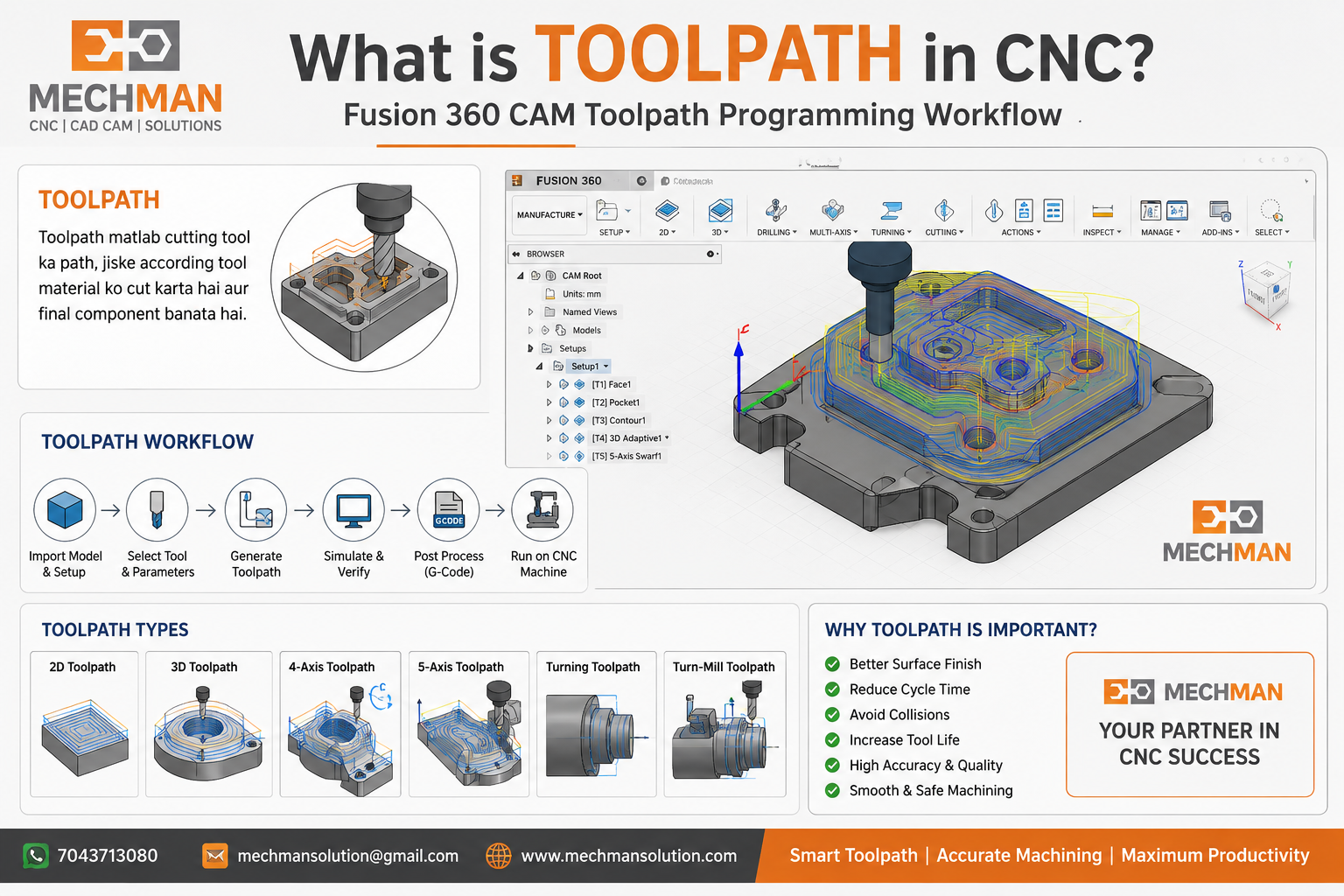
Toolpath CNC programming ka sabse important part hota hai. Simple language mein — toolpath matlab cutting tool ka path, jiske according tool material ko cut karta hai aur final component banata hai.
CNC machine khud se decide nahi karti ke cutter kahan se chalega, kitna depth lega, kahan rapid move karega. Yeh sab CAM software mein toolpath banate time define hota hai.
Toolpath CNC Mein Kaam Kaise Karta Hai? 🔄
CAM software mein programmer pehle part model import karta hai, stock setup karta hai, tool select karta hai, feed-speed set karta hai — aur uske baad software toolpath generate karta hai.
Toolpath ke types — examples:
Pocket Machining
Profile Cutting
Drilling
Face Milling
3D Finishing
4-Axis Machining
5-Axis Toolpath ⭐
Turning Toolpath
Turn-Mill Operation
→
→
→
Toolpath Kyu Important Hai? ⚠️
Agar toolpath proper nahi hai to production mein problem aa sakti hai:
Good toolpath machine productivity badhata hai aur component quality improve karta hai. ✅
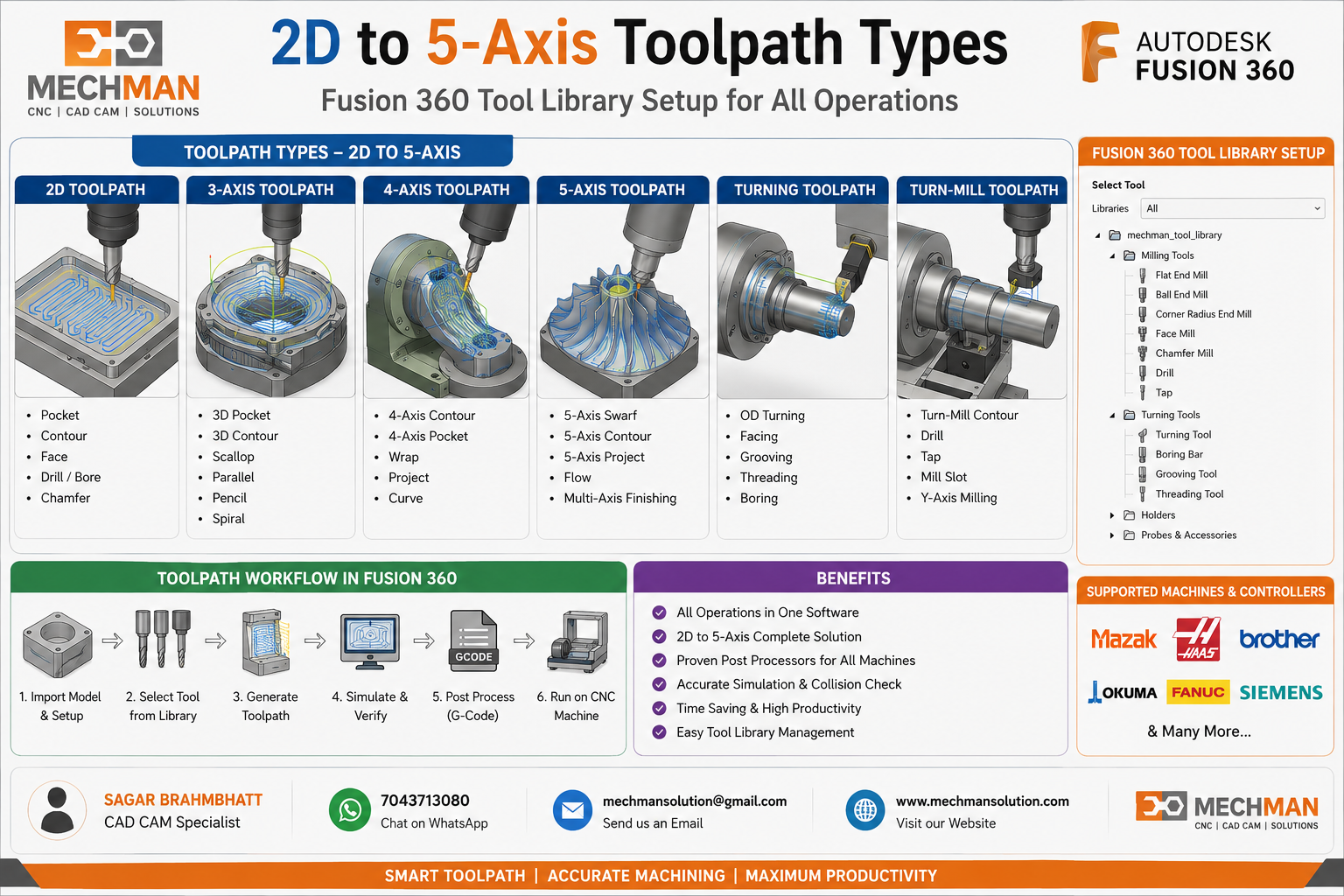
2D, 3D, 4-Axis aur 5-Axis Toolpath 🎯
📐 2D Toolpath
Pocket, contour, drilling jaise basic operations ke liye use hota hai.
🧊 3D Toolpath
Die-mold, complex surface, cavity, core, electrode machining ke liye use hota hai.
🔄 4-Axis Toolpath
Rotary axis ke saath machining — camshaft, gear, cylinder type parts mein useful hai.
⭐ 5-Axis Toolpath
Complex parts, impeller, aerospace, medical, turbine blade — advanced components ke liye.
Toolpath aur Post Processor Ka Relation 🔧
Toolpath CAM software mein banta hai, lekin machine usko directly samajh nahi sakti. Machine ko samajhne ke liye post processor required hota hai — yeh toolpath ko G-code mein convert karta hai.
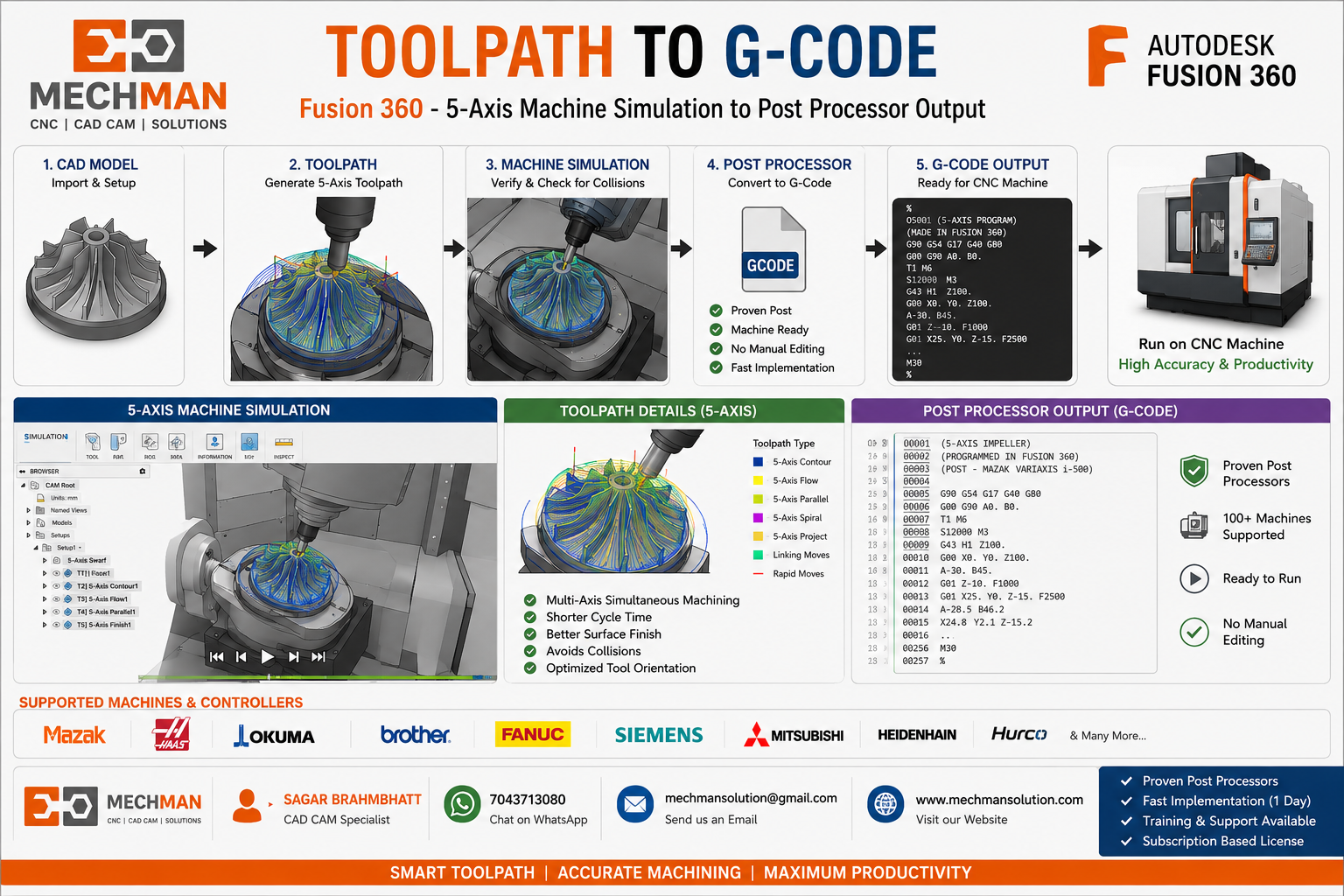
Agar post processor proven nahi hai toh machine par manual editing karni pad sakti hai. 4-axis, 5-axis aur Turn-Mill machine mein proven post processor bahut important hota hai. ⚠️
WinFusion Ka Benefit 🚀
WinFusion/Fusion CAM ka main benefit yeh hai ke toolpath ke saath machine simulation aur proven post processor support milta hai.
Real Manufacturing Example 🏭
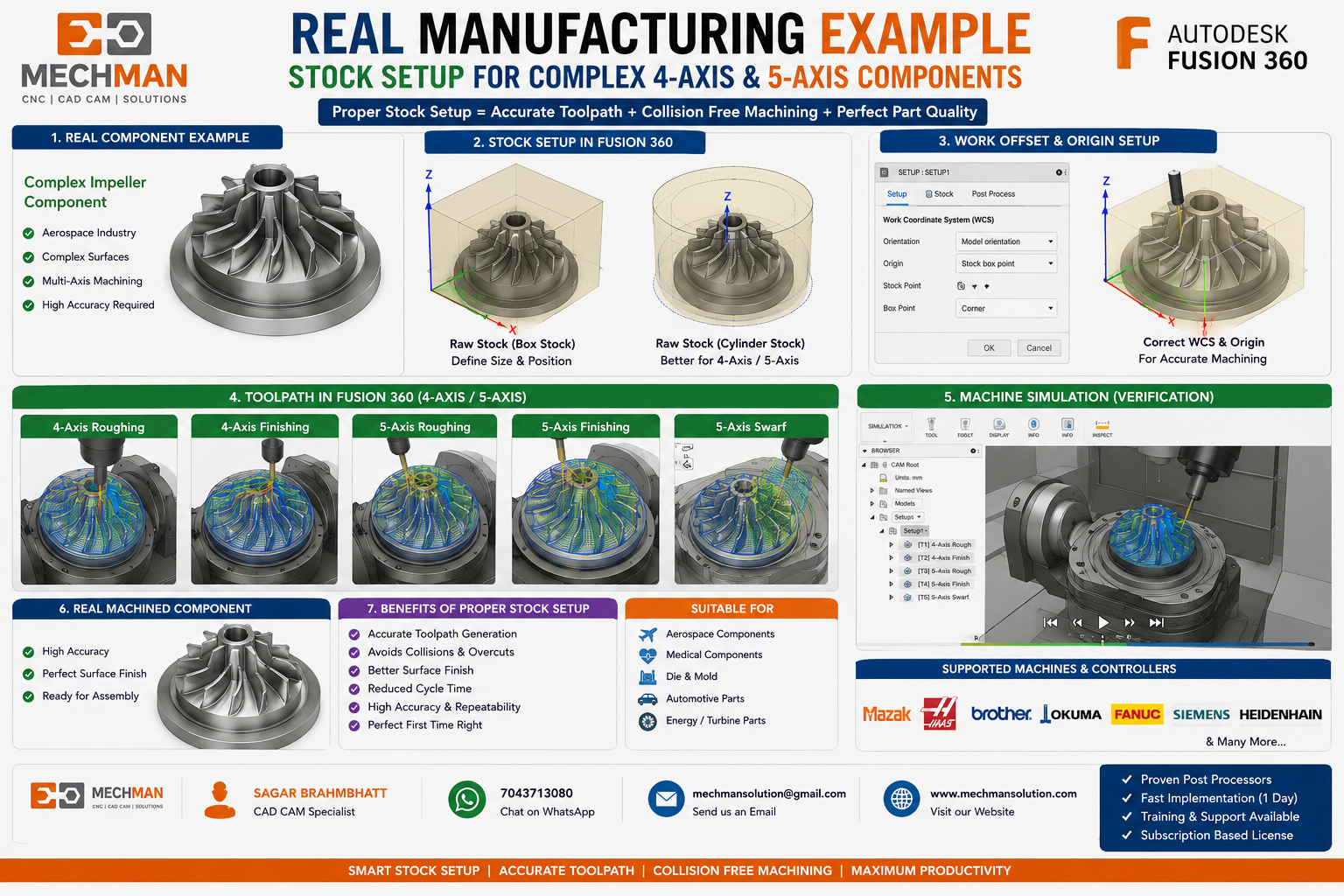
Kai companies expensive 4-axis, 5-axis ya Turn-Mill machine le leti hain — lekin post processor aur proven CAM setup na hone ki wajah se machine full capacity mein use nahi hoti.
Machine ka installment chalu ho jaata hai — lekin production delay hota hai. ⚠️
Isliye: Toolpath + Simulation + Proven Post Processor = Successful CNC Implementation ✅
Conclusion 🎯
Toolpath CNC programming ka heart hai. Achha toolpath machine ko safe, fast aur accurate cutting direction deta hai.
Agar CAM software, toolpath strategy aur post processor proper ho — job directly machine par chal sakta hai. 🚀
CNC CAM Software & Post Processor Solutions
Mechman Solutions — WinFusion
3-Axis · 4-Axis · 5-Axis · Turn-Mill · Machine Simulation
© 2025 Mechman Solutions | WinFusion CAM Software | Vadodara, Gujarat, India