⚠️ CAM Mistakes Guide 2025
CAM Software Ki 10 Badi Galtiyan
Jo Avoid Karni Chahiye! ⛔
Har CNC Company Ko Yeh Galtiyan Mahenge Padti Hain — Bachao Apni Machine!
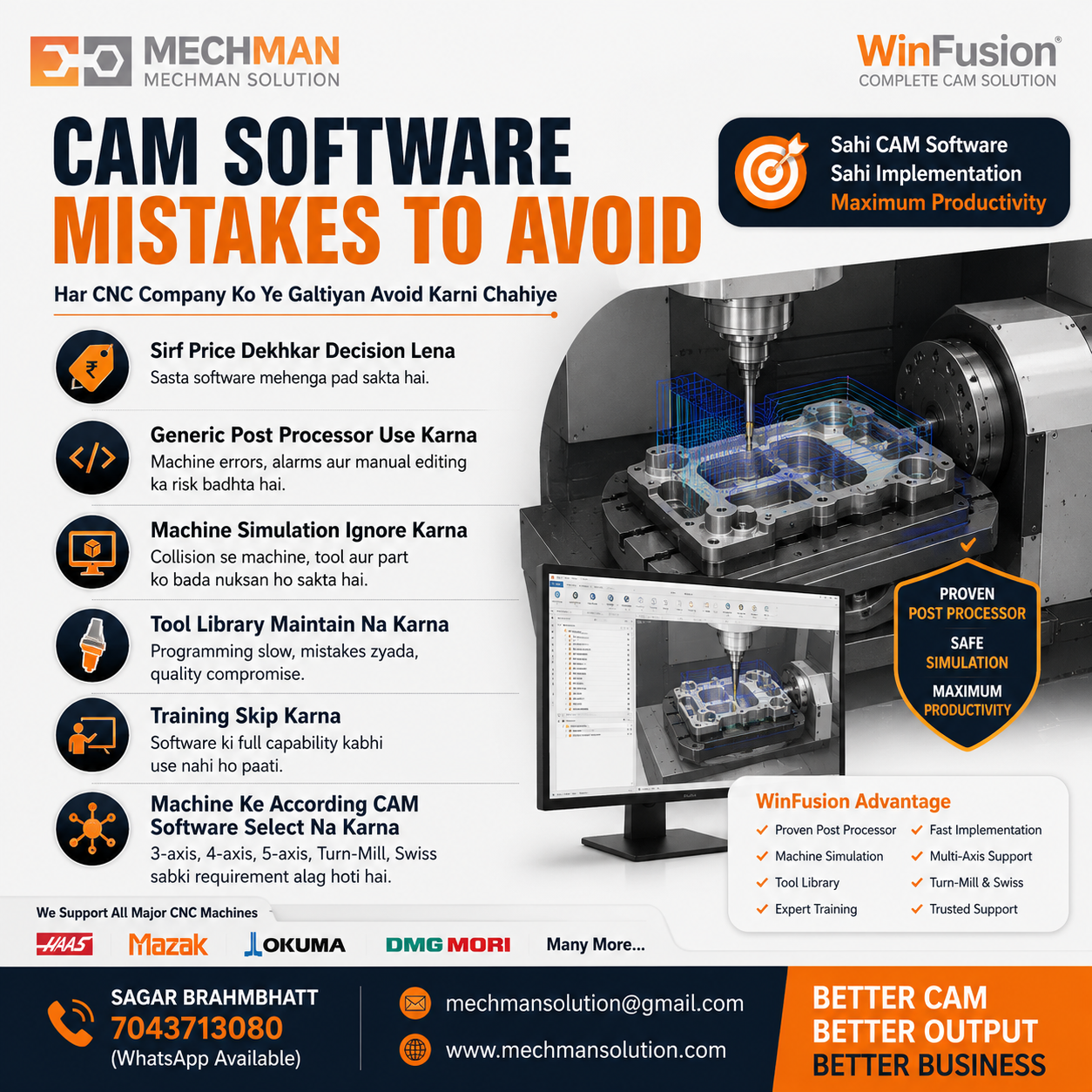
Lakhon ka CNC machine kharidne ke baad bhi production delay — sirf galat CAM implementation ki wajah se. Yeh 10 galtiyan avoid karo aur machine productive banao.
India mein bahut si companies lakhon rupaye ka CNC machine kharid leti hain — lekin galat CAM software selection ya implementation ki wajah se machine ki productivity kaafi kam ho jaati hai.
Sabse common problems: Post Processor ❌ Machine Simulation ❌ Training ❌ Implementation ❌
Is guide mein hum 10 sabse common CAM mistakes discuss karenge — aur WinFusion ke saath unhe kaise avoid karein.
10 Biggest CAM Software Mistakes ⛔
⛔1
Sirf Software Price Dekhkar Decision Lena
Biggest Mistake!
Software price compare karna easy hai — lekin actual cost production loss ki hoti hai:
✅ WinFusion: Sirf software nahi — proven post + machine-specific setup + tool library + training + fast implementation. Total value compare karo!
⛔2
Generic Post Processor Use Karna — Sabse Common Error!
Ye almost har company ki problem hoti hai. Generic post se kya hota hai:
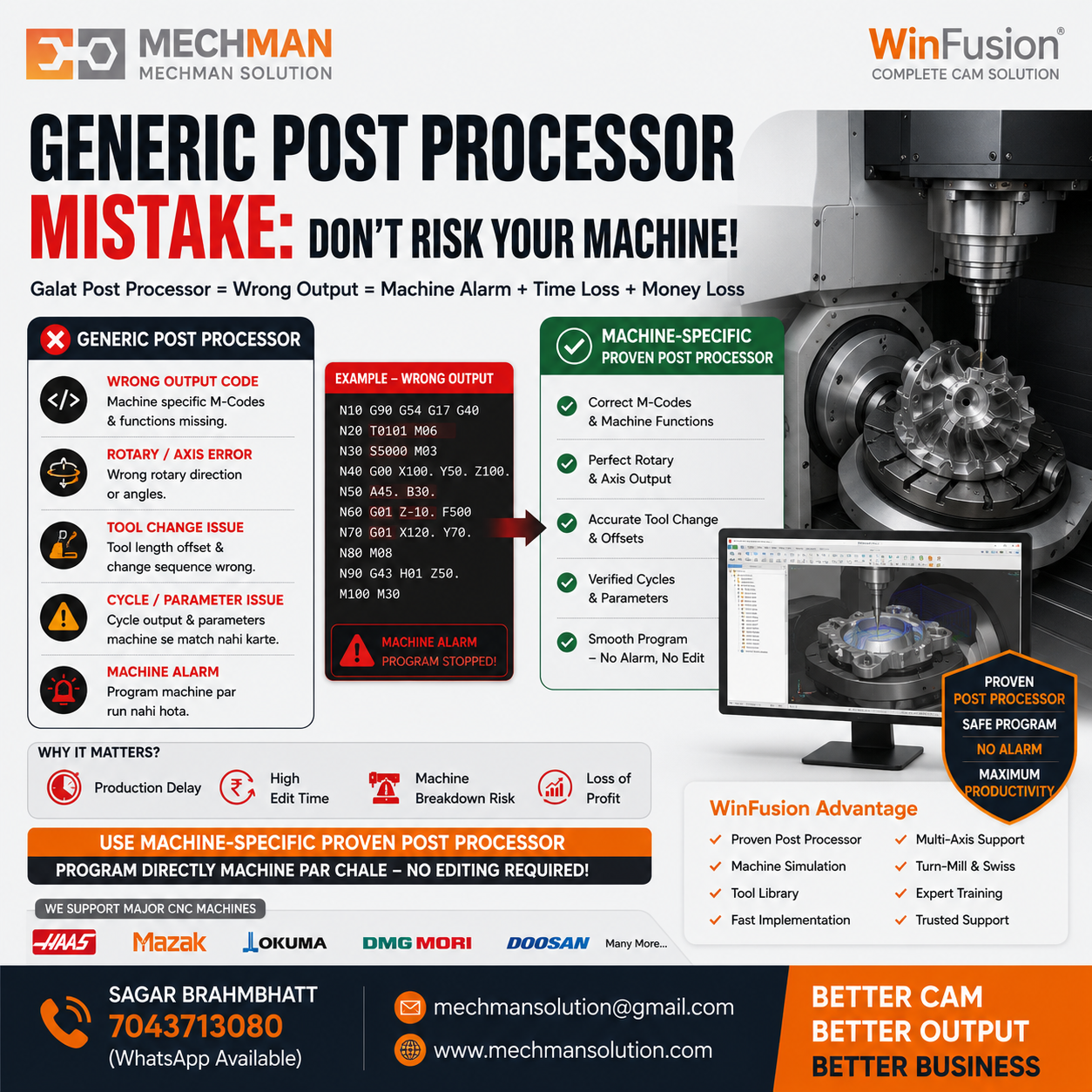
WinFusion machine-specific proven post processor — program direct machine par run. Generic post = alarm, crash, manual editing daily.
✗Wrong rotary output
✗Wrong M-codes
✗Machine alarm
✗Tool change issue
✗Cycle issue
⛔Manual editing daily!
Machine-specific post chahiye:
HaasMazakOkuma ⭐BrotherMakinoJyoti CNC ⭐
⛔3
Machine Simulation Ignore Karna 🛡️
Kai programmers sirf toolpath dekhkar NC Program machine par run kar dete hain — ek collision ki cost lakhon mein ja sakti hai:
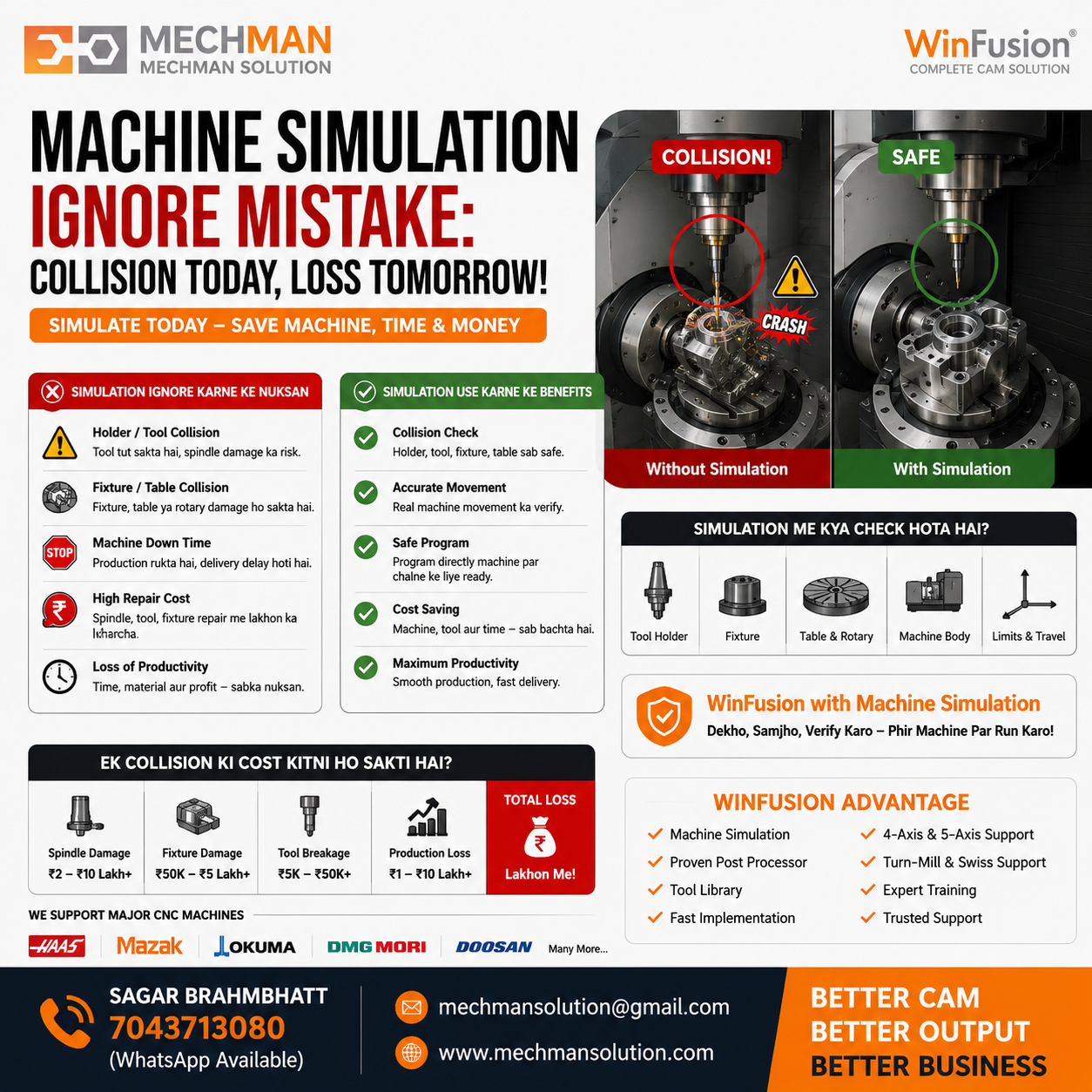
WinFusion machine simulation — holder, fixture, table, rotary collision sab pehle verify. Crash ka risk = zero. ✅
Holder collision risk
Fixture collision
Table collision
Over travel ⛔
⛔4
Tool Library Maintain Na Karna 🔧
Har programmer manually tool data enter kare — errors badhenge, time waste hoga:
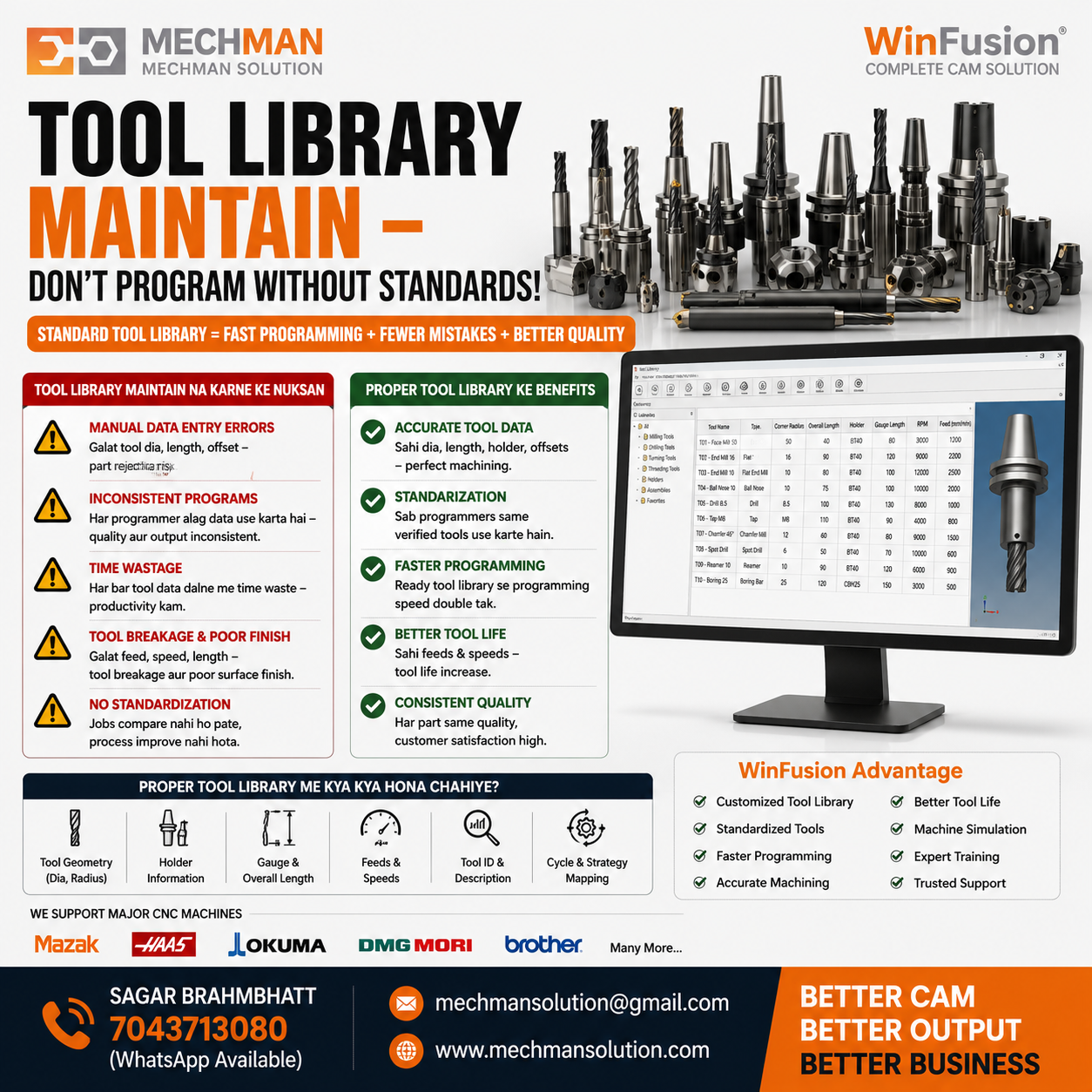
Proper tool library = standardization, faster programming, better quality. Har programmer same tool data use karta hai.
✅Faster programming
✅Standardization
✅Better quality
✅Less mistakes
⛔5
Training Skip Karna—Software Shelf Par Reh Jata Hai!
“Software install kar diya — bas kaam khatam!” ❌ Ye approach galat hai!
Agar programmer ko advanced strategies nahi aati to software ki capability kabhi use nahi hogi.
Jinhe sikhna chahiye (training ke bina waste hoti hain):
Adaptive Clearing
Rest Machining
Steep & Shallow
Multi-axis toolpaths
Automation templates
✅ WinFusion training: Real production jobs ke through practical learning. Programmer first day se efficient!
Baaki 5 Mistakes — Quick Reference ⚠️
Har CAM har machine ke liye best nahi:
- 3-Axis: Basic enough
- 5-Axis: Collision + kinematics must
- Turn-Mill: Sync + post critical
- Swiss: Specialized CAM only
⛔7
Future Requirement Ignore
Aaj VMC hai — kal aayega:
- 4-Axis, 5-Axis
- Turn-Mill, Swiss
- Robot, Probe, Automation
Future-ready CAM platform choose karo!
Software bech diya — support slow hai:
- Production ruk jaati hai
- Problem solve nahi hoti
- Programmer frustrated
WinFusion: WhatsApp + Remote + Onsite support! ✅
⛔9
Trial Properly Test Na Karna
Demo mein sirf simple part banana enough nahi. Test karo:
- Actual production component
- Deep cavity + rotary
- Machine simulation + post output
- Surface finish + cycle time
⛔10
ROI Calculate Na Karna — Total Value Ignore Karna
CAM ka ROI sirf software price nahi — total value calculate karo:
Programming time ↓Machine utilization ↑Scrap ↓Tool life ↑ ⭐Faster deliveryOperator confidence ↑ ⭐
Frequently Asked Questions ❓
Q1. CAM software mein sabse common mistake kya hoti hai?
Generic post processor use karna aur machine simulation skip karna — dono sabse common aur expensive mistakes hain.
Q2. Kya har machine ke liye same post processor chal sakta hai?
Nahi. Har machine aur controller ke liye customized machine-specific post processor best hota hai — Haas ≠ Mazak ≠ Okuma ≠ Siemens.
Q3. Machine simulation kyu important hai?
Holder, fixture, table aur machine collisions ko production se pehle detect karta hai — ek crash ka cost lakhs mein ho sakta hai.
Q5. WinFusion kis type ki CNC machines ko support karta hai?
3-Axis, 4-Axis, 5-Axis, Turning, Turn-Mill aur Swiss machining — proven post processors, machine simulation aur training ke saath.
WinFusion—Yeh Sab Mistakes Avoid Karo 🚀
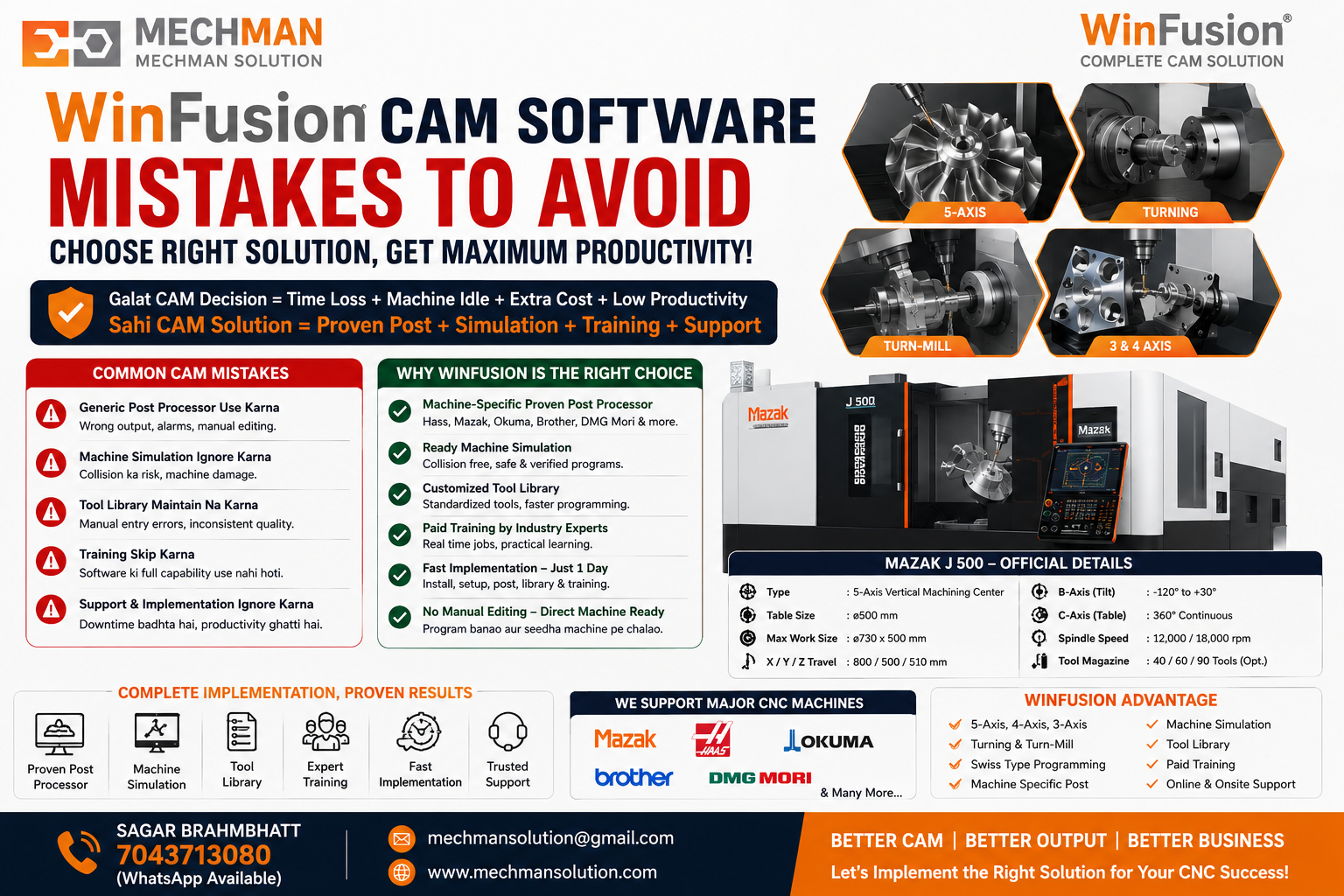
WinFusion — 10 mein se 10 mistakes solve. Proven post + simulation + tool library + training + support. Machine productive banao — pehle din se.
✅Fusion Manufacturing Platform
✅Machine-Specific Post Processor
✅Machine Simulation Ready
✅Customized Tool Library
✅3/4/5-Axis + Turn-Mill + Swiss
✅Online + Onsite Support
✅Practical Training
⚡Fast Implementation — Day 1!
Final Thoughts 🎯
Agar CAM software select karte waqt sirf price dekhte ho—programming issues, machine downtime aur production delays ka risk badh jaata hai.
Sahi CAM solution = Software + Proven Post Processor + Machine Simulation + Training + Reliable Support. Isi combination se CNC machine ka full potential use hota hai. ✅
⛔→✅
Mistakes Avoid | Post Processor | Simulation | Training | Support
Mechman Solutions — WinFusion
Autodesk Authorized Partner | Vadodara, Gujarat | Since 2015 | 100+ Clients India
www.mechmansolution.com
© 2025 Mechman Solutions | WinFusion — CAM Mistakes Guide | Vadodara, Gujarat
