🔥 Ultimate Comparison 2025
Fusion 360 vs PowerMill —
Aapke Liye Kaunsa Sahi Hai? ⚔️
Dono Autodesk Software Hain — Lekin Purpose Bilkul Alag Hai!
Fusion 360
CAD + CAM All-in-One
⚔️
PowerMill
High-End CAM Expert
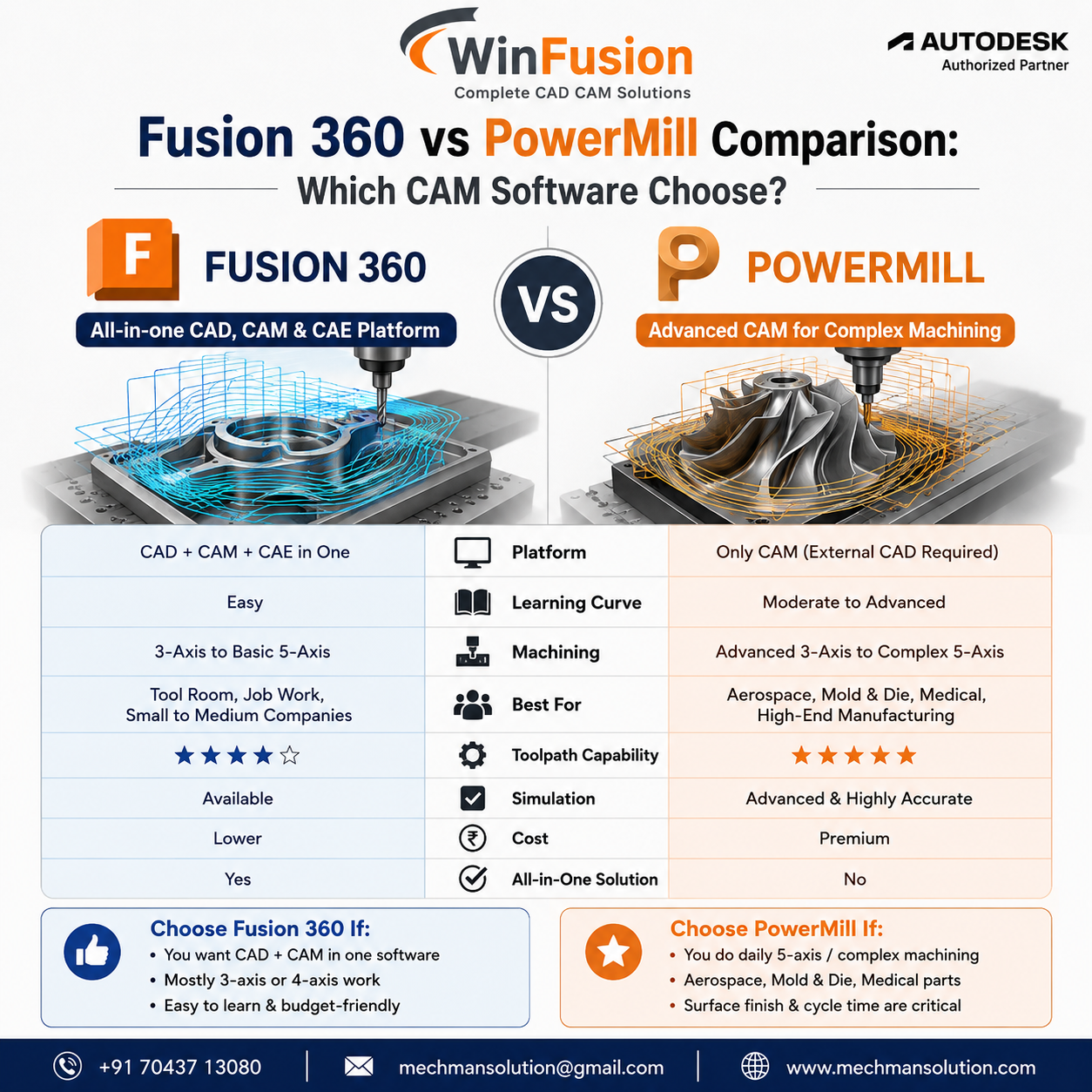 Dono Autodesk ke powerful CAM software hain—lekin use case bilkul alag hai. Sahi choice = faster programming + better machine utilization + lower production cost.
CNC programming ya CAM software lene ka plan karte waqt sabse common question aata hai: “Fusion 360 lu ya PowerMill?”
Sach ye hai ki dono Autodesk ke software hain — lekin dono ka purpose alag hai. Har company ko PowerMill ki zarurat nahi, aur har company sirf Fusion 360 se kaam nahi chala sakti. Is guide mein clear karenge kaunsa aapke liye sahi hai!
🎯 Dono Software Ko Samjho — Pehle
Fusion 360
CAD + CAM + CAE + Cloud
💡 All-in-One Manufacturing Platform
Ek hi software mein:
- 3D Design (CAD)
- Assembly + Drawing
- CAM Programming
- Simulation + FEA
- Cloud Collaboration
- Manufacturing
PowerMill
High-End Dedicated CAM
💡 Expert-Level Complex Machining CAM
Specifically designed for:
- Advanced 5-Axis toolpaths
- Impeller + Blade machining
- Mold & Die industry
- Aerospace components
- High-speed machining
- Complex surface finishing
📊 Head-to-Head Feature Comparison
| Feature |
Fusion 360 |
PowerMill |
| CAD Built-in |
✅ Yes — Full CAD |
❌ External CAD needed |
| 3-Axis Machining |
⭐⭐⭐⭐⭐ |
⭐⭐⭐⭐⭐ |
| 4-Axis Machining |
⭐⭐⭐⭐ |
⭐⭐⭐⭐⭐ |
| 5-Axis Machining |
Good |
Excellent ⭐ |
| Mold & Die |
Good |
Best in Class ⭐ |
| Aerospace |
Good |
Industry Standard ⭐ |
| Impeller/Blade |
❌ Not Available |
Dedicated Strategy ⭐ |
| Learning Curve |
Easy ✅ |
Moderate |
| Machine Simulation |
Available |
Advanced ⭐ |
| Pricing |
Lower ✅ |
Premium |
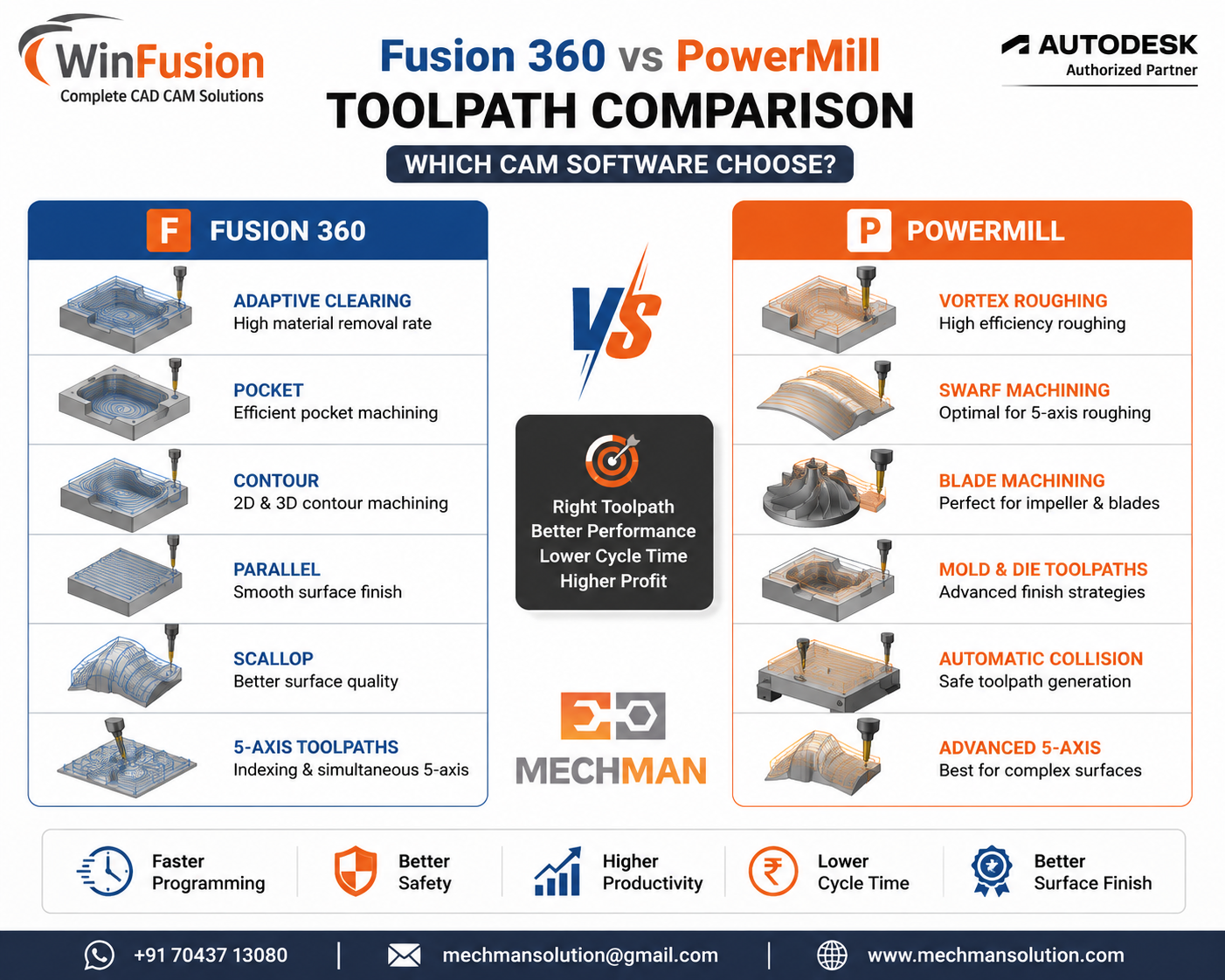 Dono software mein toolpath generation alag approach se hoti hai. Fusion 360 = integrated workflow, PowerMill = dedicated expert CAM control. WinFusion dono implement karta hai!
⚙️ Toolpath Capabilities — Kya Milta Hai?
✓Adaptive Clearing
✓Pocket + Contour
✓Parallel + Scallop
✓Steep & Shallow
✓Pencil + Rest Machining
✓Turning + Mill-Turn
✓Probing Cycles
⭐5-Axis Positioning
PowerMill — Extra Advanced!
Fusion ke saath, plus additionally:
+Vortex HSM Roughing
⭐Swarf Machining
⭐Blade Machining
⭐Port Machining
+Auto Collision Avoidance
+Tool Axis Optimization
+Macro Automation
⭐Advanced Toolpath Editing
🎯 Kaunsa Software Aapke Liye Sahi Hai?
✅ Fusion 360 Choose Karo Agar…
Your Pick!
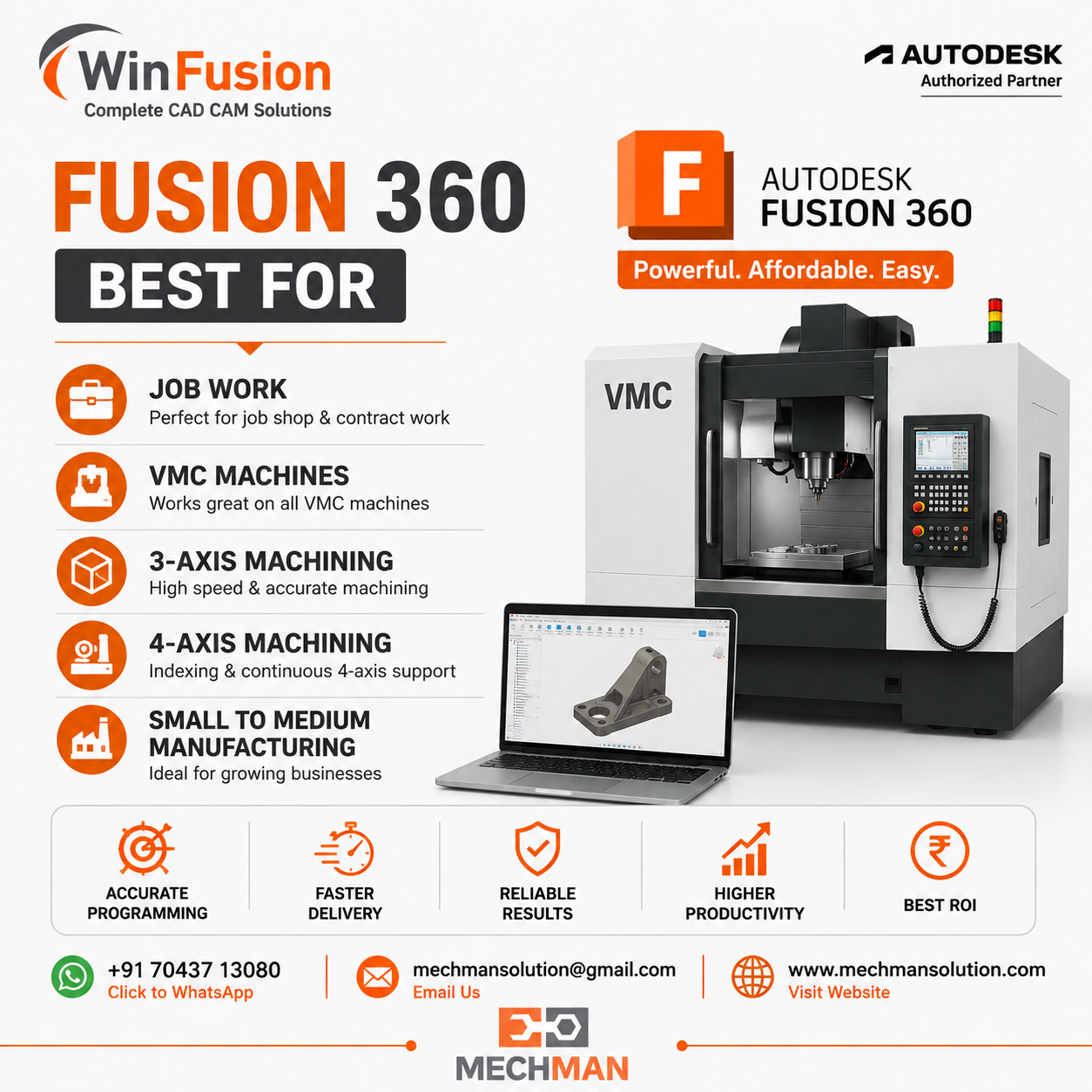 Fusion 360 — all-in-one workflow ke liye best. Design + CAM + Cloud ek hi jagah. SME companies ke liye ideal!
✔CAD + CAM ek software mein chahiye
✔Budget optimize karna hai
✔3-axis, 4-axis kaam zyada hai
✔Easy learning chahiye
✔VMC, HMC, Job Work shops
⭐3-axis → 5-axis growth plan
✅ PowerMill Choose Karo Agar…
Expert Pick!
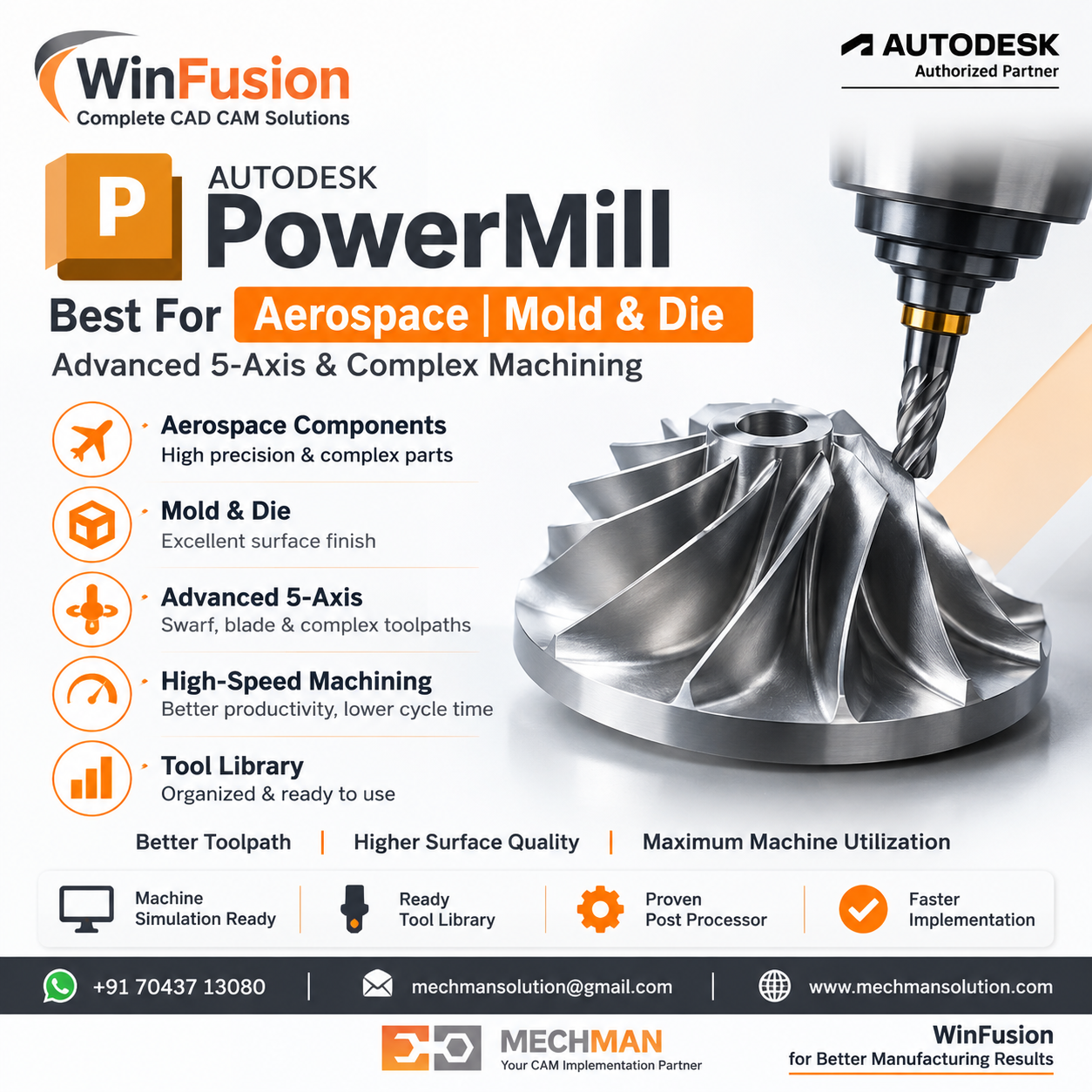
PowerMill — jab machine ₹1Cr+ ki ho, part critical ho, surface finish premium chahiye. Expert-level complex machining ke liye industry standard!
✔Daily 5-axis machining hoti hai
✔Aerospace components banate ho
✔Mold & Die industry mein ho
✔Impeller programming karte ho
✔Medical implants machining
⭐Surface finish critical hai
🔧 Post Processor + Machine Simulation — Dono Ke Liye Critical
Software sirf aadha solution Hai—Post Processor + Simulation = Complete Solution ⭐
Machine simulation — holder, fixture, rotary, machine body sab ek saath verify. Dono software mein WinFusion machine-specific proven post + simulation provide karta hai!
Fusion 360 Post:
Machine-specific proven post = NC direct machine par. 3-axis se 5-axis turn-mill tak — WinFusion ready posts provide karta hai!
PowerMill Post:
Advanced machine-specific post — complex rotary, TCP, RTCP, Swarf operations. WinFusion validated posts deta hai!
WinFusion Advantage: Dono software ke liye — Proven Post + Machine Simulation + Tool Library + Training — Day 1 Production! ✅
WinFusion — Dono Ka Expert Implementation Partner 🚀
✅Fusion 360 Implementation
✅PowerMill Implementation
✅Machine-Specific Post Processor
✅Machine Simulation Setup
✅Tool Library + CAM Templates
✅Online + Onsite Training
✅3/4/5-Axis + Turn-Mill + Swiss
⚡One-Day Implementation!
Final Decision Guide 🎯
Choose Fusion 360 if:
All-in-one software chahiye, budget conscious, 3-axis se 5-axis tak grow karna hai, easy learning + VMC/HMC companies.
Choose PowerMill if:
Complex daily 5-axis machining, mold/die/aerospace industry, impeller programming, maximum toolpath control needed.
Confused? WinFusion se consult karo—aapki machine, job type aur budget ke hisaab se best recommend karenge + demo dikhayenge! ✅
⚔️
Fusion 360 | PowerMill | Post Processor | Implementation
Mechman Solutions — WinFusion
Autodesk Authorized Partner | Vadodara, Gujarat | Fusion 360 + PowerMill Expert | Since 2015
www.mechmansolution.com
© 2025 Mechman Solutions | WinFusion — Fusion 360 vs PowerMill Guide | Vadodara, Gujarat
