💻 CNC Fundamentals — WinFusion 2025
CNC Machine G-Code Ko Kaise
Padhti Hai? — Simple Guide 💻
Drawing → CAD → CAM → Post Processor → G-Code → Machine → Part Ready!
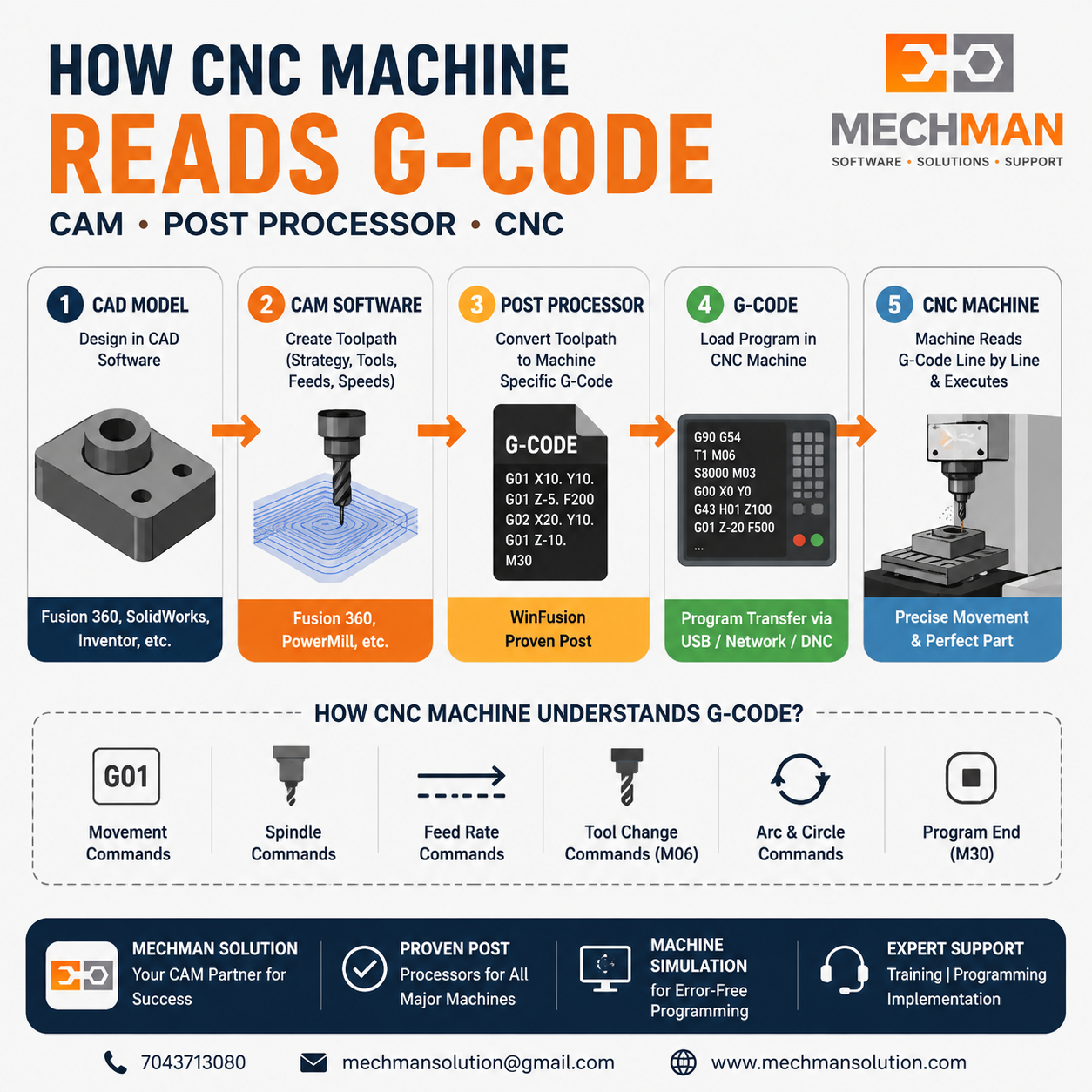
Drawing se finished part tak ka complete journey—CAD → CAM → Post Processor → G-Code → CNC Machine. Har step samajhna important hai!
CNC Machine, Fusion 360, PowerMill ya kisi bhi CAM Software ke saath kaam karte ho to G-code ka naam zarur suna hoga. Lekin ek common question hota hai:
“CNC Machine G-code ko kaise samajhti hai?” — Is guide mein drawing se lekar machine movement tak ka complete process simple Hinglish mein samjhenge!
📋 Drawing Se Part Tak — 5 Steps
1
CAD Model Banta Hai — Design Stage
Autodesk Fusion / SolidWorks / Inventor / Creo
Engineer CAD software mein part design karta hai — sirf geometry hoti hai, machine kuch bhi nahi samajhti ab tak:
Autodesk Fusion
Inventor ⭐
SolidWorks
Creo
Output: STEP/IGES ⭐
2
CAM Software Toolpath Banata Hai
Fusion Manufacturing / PowerMill / FeatureCAM
CAM software decide karta hai — lekin machine abhi bhi nahi samjhti, ye internal data hai:
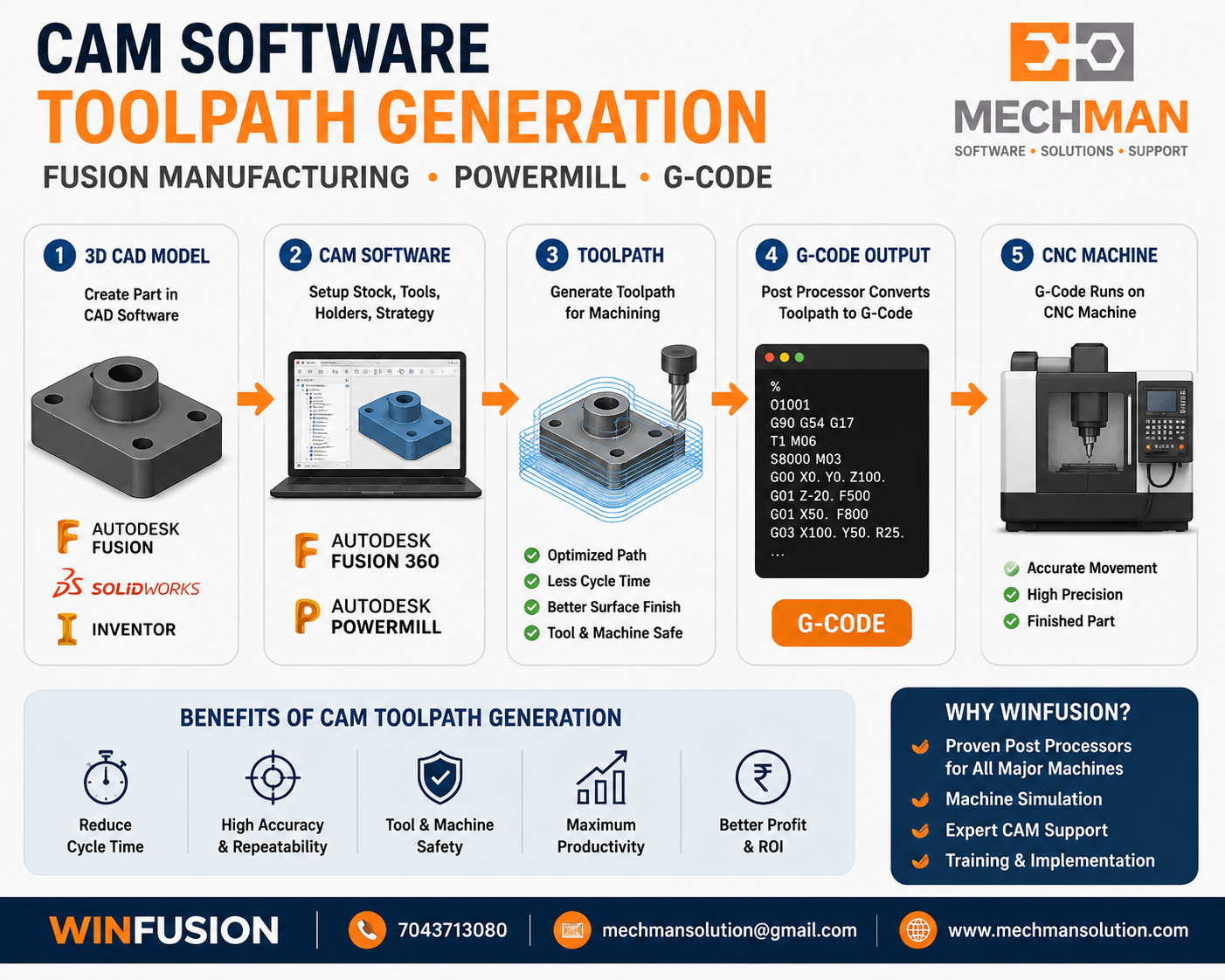
CAM toolpath — tool movement, strategy, feeds sab calculate hota hai lekin machine-language nahi hota ab tak.
→Tool selection
→Spindle speed
→Feed rate
→Step over/down
→Toolpath direction
⭐3/4/5-axis path
3
Post Processor — Sabse Important Step! ⭐
CAM Toolpath → Machine-Specific G-Code
Critical!
Post Processor CAM toolpath ko convert karta hai machine-specific NC Program (G-Code) mein:
Fusion Toolpath
Internal CAM data
NC G-Code
Machine-ready output
Alag controllers ke liye alag output:
Fanuc G-code
Siemens ⭐
Heidenhain
Mazatrol ⭐
Haas
Okuma OSP
4
G-Code Machine Mein Load Hota Hai
USB / Network / DNC se transfer
Generated NC program machine mein load hota hai — machine line-by-line read karti hai:
/* CNC Machine — Line by Line Execute Karti Hai */
G90 /* Absolute Mode */
G54 /* Work Offset */
T1 M06 /* Tool Change */
S8000 M03 /* Spindle ON */
G00 X0 Y0 /* Rapid Move */
G43 H01 Z100 /* Tool Length */
G01 Z-20 F500 /* Cut Down */
M30 /* Program End */
Machine ek line execute karti hai → phir next → phir next. Bilkul waise hi jaise computer ek-ek instruction execute karta hai!
5
✅ CNC Machine Part Manufacture Karti Hai!
G-code ke hisaab se axes move, spindle rotate, tool cut
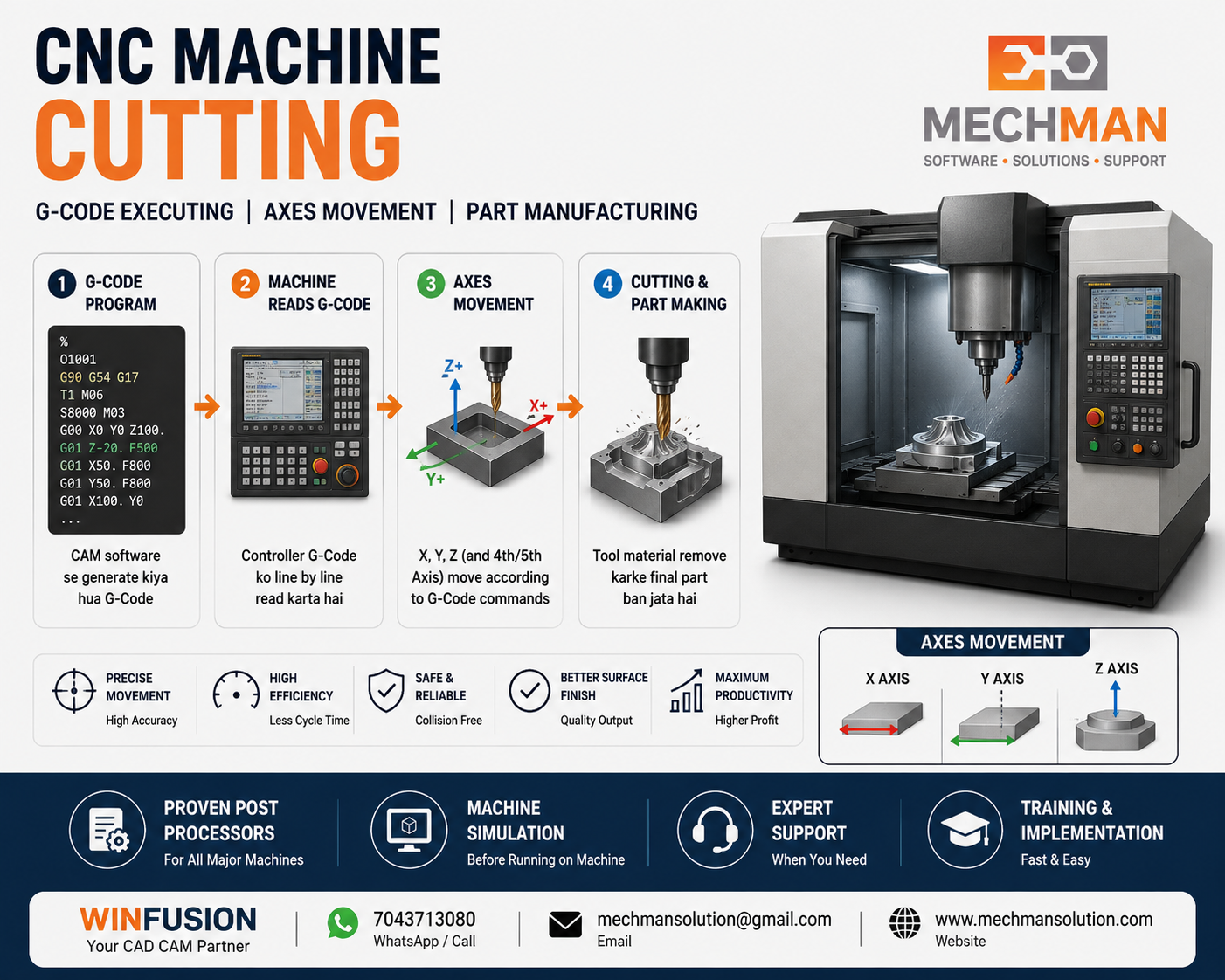
G-code run ho raha hai — X, Y, Z, A, B, C axes move kar rahe hain, spindle cut kar rahi hai, finished part ban raha hai!
💻 Common G-Code Commands — Kya Karte Hain?
| Command |
Kya Karta Hai |
Example |
G00 |
Rapid Movement |
Tool ko fast position par le jao |
G01 |
Linear Cutting |
Straight line mein cut karo |
G02 |
Clockwise Arc |
Round corner clockwise |
G03 |
Counter-CW Arc |
Round corner counter-clockwise |
M03 |
Spindle ON ⭐ |
Spindle start karo + speed set |
M06 |
Tool Change |
Alag tool lagao |
M08 |
Coolant ON |
Cutting fluid start |
M30 |
Program End ⭐ |
Program finish, machine stop |
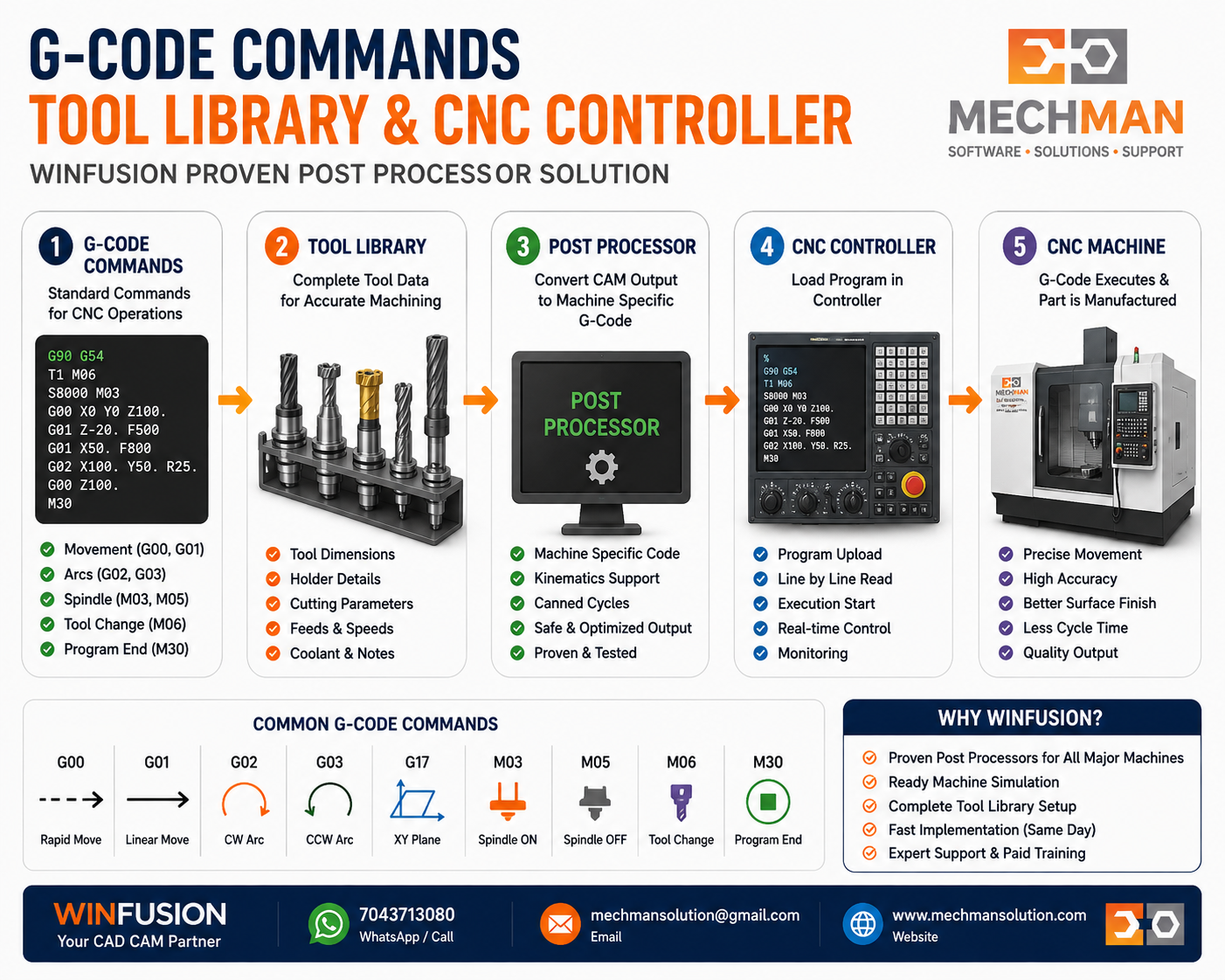
Tool library + post processor combined = correct tool numbers, speeds, feeds automatically NC code mein aate hain. No manual entry!
⚠️ CNC Machine Sochti Nahi Hai — Ye Sabse Important Point!
🤖
CNC Machine
Sirf wahi kati hai jo G-code mein likha hai — koi decision nahi leti!
❌ G-code galat = Machine galat chalegi
❌ Wrong feed = Tool break ya scrap
❌ Wrong axis direction = Collision!
✅ Proven post = Always correct G-code
Isi liye Programming Accurate Honi Chahiye + Proven Post Processor Essential Hai! ✅
WinFusion — Proven G-Code Implementation 🚀
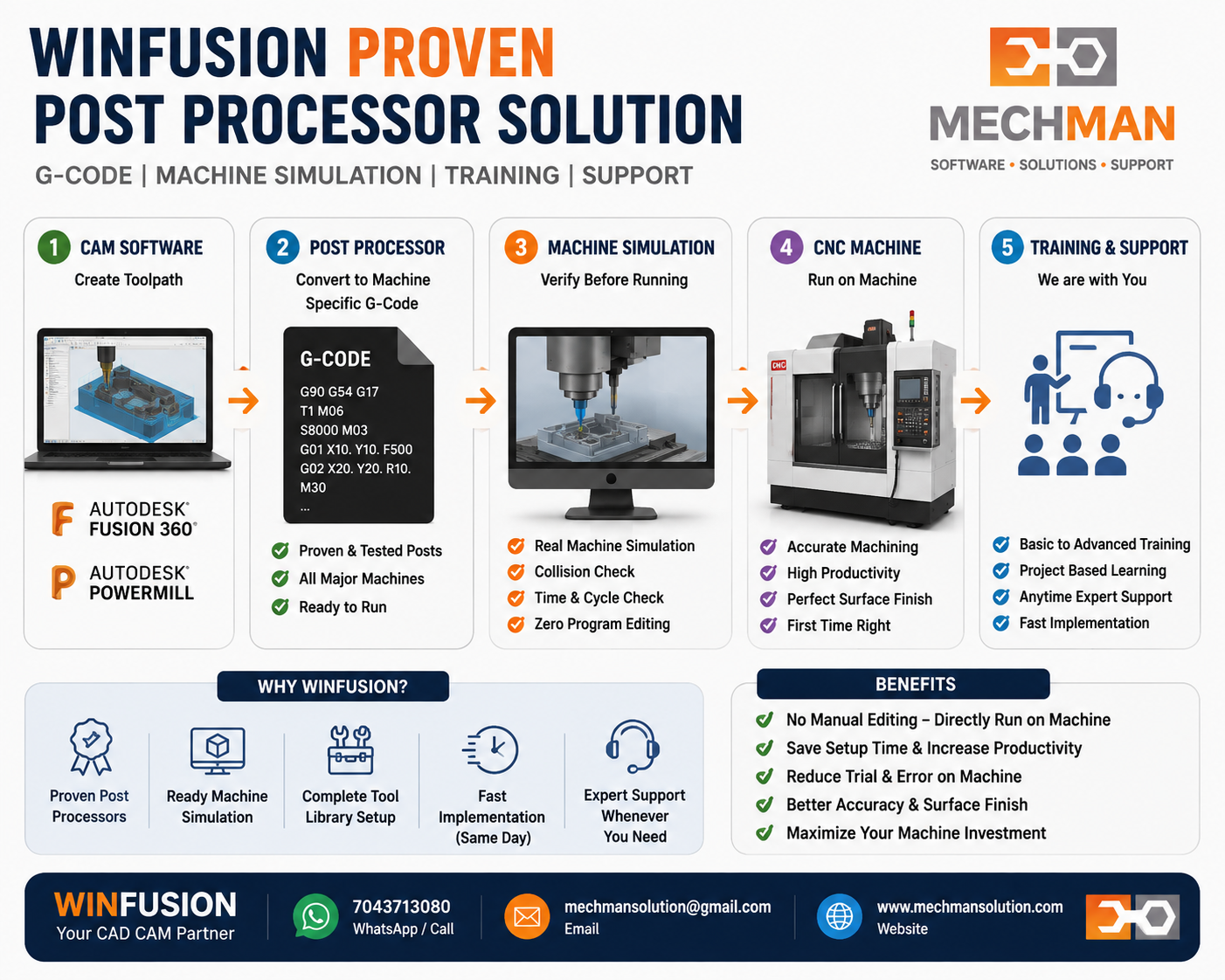
WinFusion implementation — proven post + machine simulation + tool library. G-code direct machine par confidently run hota hai — pehle program se!
✅Fusion Manufacturing Setup
✅Machine-Specific Post Processor
✅Machine Simulation
✅Tool Library Setup
✅3/4/5-Axis + Turn-Mill
✅Custom Post Development
✅Online + Onsite Training
⚡Day 1 — Zero Manual Editing!
Simple Summary — Yaad Rakho! 🎯
CAD→CAM Toolpath→POST PROCESSOR ⭐→G-CODE→CNC Machine→✅ Part Ready!
Jitna achha CAM programming + Proven Post Processor hoga — utna hi reliable machining process hoga! WinFusion exactly yahi provide karta hai. ✅
💻
G-Code | Post Processor | CAM | Machine Simulation | Training
Mechman Solutions — WinFusion
Autodesk Authorized Partner | Vadodara, Gujarat | Post Processor Specialist | Since 2015
www.mechmansolution.com
© 2025 Mechman Solutions | WinFusion — How CNC Reads G-Code Guide | Vadodara, Gujarat
