⚔️ Ultimate CNC Battle 2025
Manual Programming vs CAM Software —
CNC Ke Liye Kya Better Hai? ⚔️
Simple Jobs mein Manual, Complex Jobs mein CAM — Dono Ka Sahi Use Samjho!
Manual G-Code
Traditional Way
⚔️
CAM Software
Modern Power
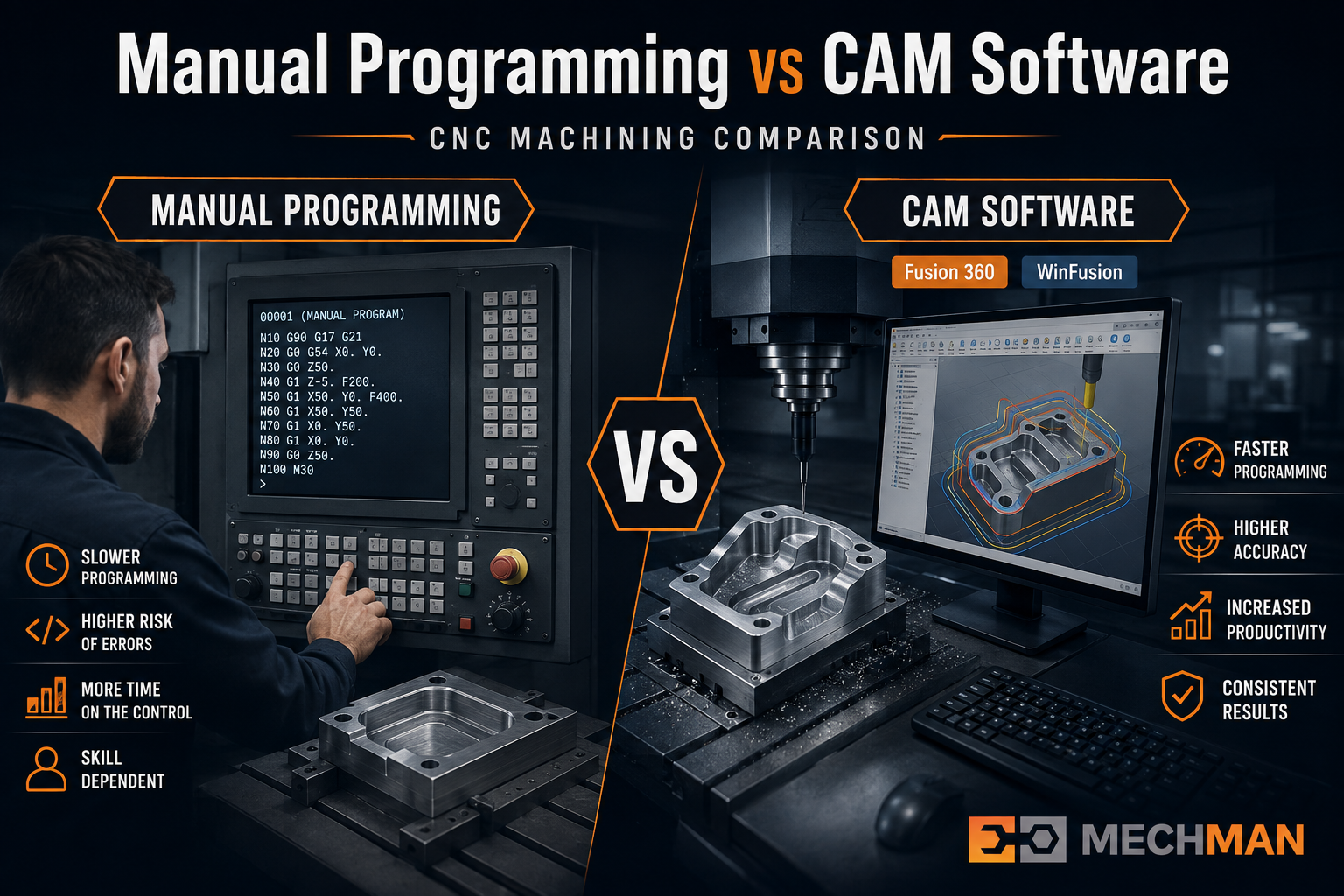
Manual ya CAM — dono ka apna use hai. Simple jobs mein manual, complex 3D/4-axis/5-axis/Turn-Mill mein CAM. Sahi choice = faster programming + better quality + less risk.
CNC industry mein ek common question hai: Manual G-code programming better hai ya CAM Software?
Simple answer: dono ka apna use hai. Simple jobs ke liye manual fast aur practical — lekin jaise-jaise component complex hota hai — 3D machining, 4-axis, 5-axis ya Turn-Mill — CAM Software ka importance dramatically badh jata hai!
📝 Manual CNC Programming Kya Hai?
📝
Manual Programming = CNC Programmer Directly G-Code Likhta Hai
Tool movement, coordinates, feed, speed — sab manually decide
Direct G-code example:
G00 X0 Y0
G01 Z-5 F200
G01 X100 F500
M30
✅ Manual Ke Benefits:
- Simple jobs ke liye quick
- CAM software nahi chahiye
- Experienced operator changes kar sakta hai
- Basic turning + milling mein useful
Manual Programming Best For:
Simple turning
Basic drilling ⭐
2D facing
Slotting ⭐
Simple pockets
💻 CAM Software Kya Karta Hai?
💻
CAM = CAD Model → Auto Toolpath → NC Code → Machine
Fusion Manufacturing / PowerMill / FeatureCAM
Modern Way!
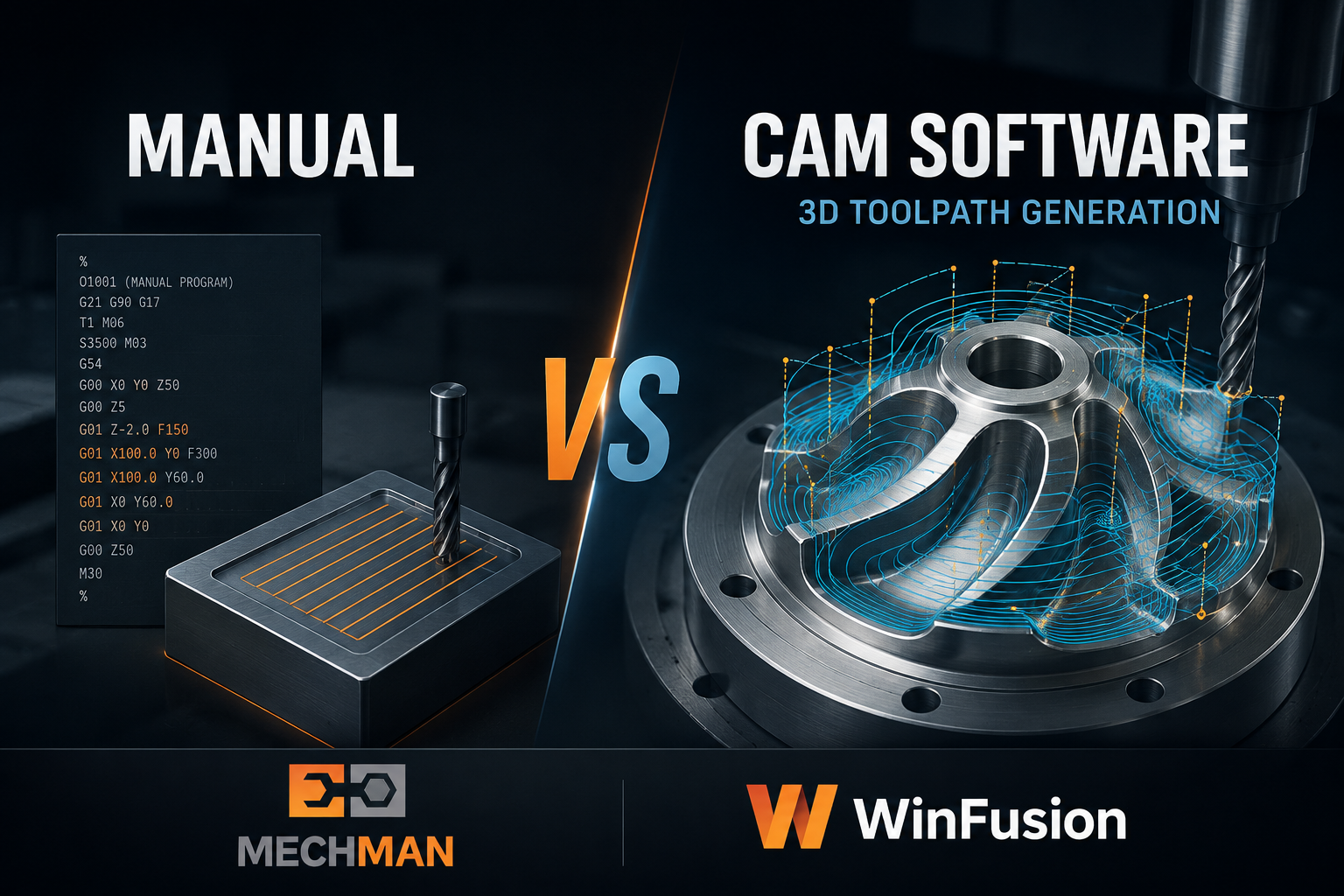
CAM software — CAD model import karo, strategy select karo, toolpath auto generate hoti hai. Complex 3D parts ke liye manual se 10x faster!
CAD Model→Toolpath→Simulation→Post Processor→NC Code→CNC Machine ✅
CAM Best For:
3D surfaces ⭐
Mold cavities
5-Axis machining ⭐
Turn-Mill
Complex parts ⭐
📊 Head-to-Head Comparison
| Feature |
📝 Manual |
💻 CAM Software |
| Simple CNC Jobs |
✅ Good |
✅ Good |
| Complex 3D Parts |
Difficult |
✅ Excellent ⭐ |
| Toolpath Calculation |
Manual |
✅ Automatic |
| Machine Simulation |
❌ Limited |
✅ Available ⭐ |
| 4-Axis Machining |
Difficult |
✅ Suitable |
| 5-Axis Machining |
Very Difficult |
✅ Advanced ⭐ |
| Turn-Mill |
Complex |
✅ Suitable ⭐ |
| Collision Checking |
Difficult manually |
✅ Simulation-based |
| Repeat Jobs |
Manual management |
✅ Templates reuse ⭐ |
⚙️ Complex Machining Mein CAM Kyu Mandatory Hai?
📝 Manual — 3D Machining Try Karo
3D mould cavity mein programmer ko manually calculate karna padega:
- Thousands of XYZ coordinates
- Har tool engagement point
- Stepover calculations
- Surface normal directions
- Corner approach paths
⚠️ Practically impossible — weeks lagenge!
CAM automatically karta hai:
- 3D toolpath auto generate ⭐
- Adaptive roughing
- Rest machining
- Multiple finishing strategies
- Simulation + verify
✅ Hours mein complete — safe aur optimized!
5X
4-Axis / 5-Axis Ke Liye Manual Programming — Near Impossible!
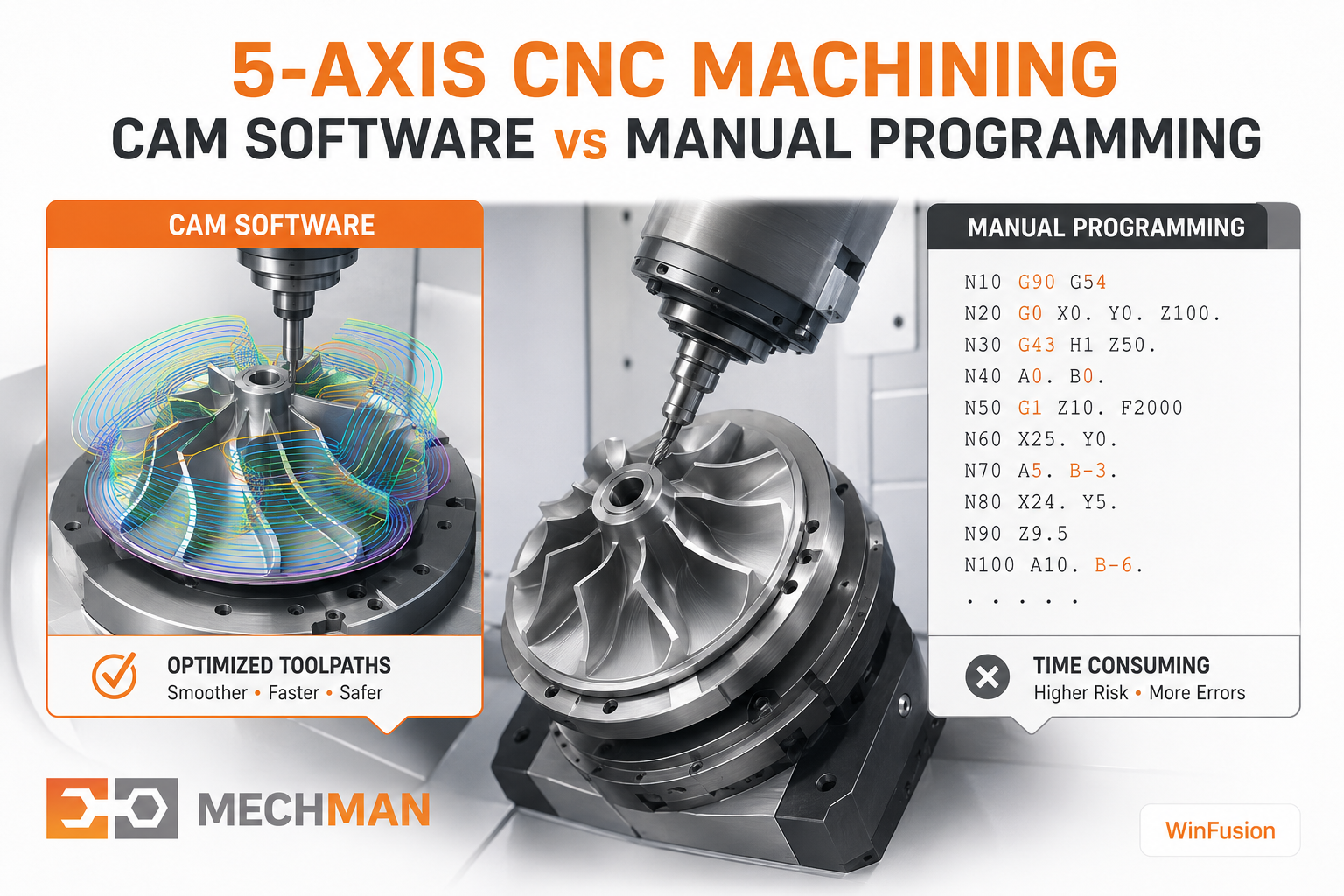
5-axis machine mein X,Y,Z ke saath A aur C rotary axes ek saath move — manually calculate karna impossible. CAM + proven post = must!
5-axis machining mein programmer ko consider karna padta hai:
→Tool orientation
→Rotary axis movement
→Machine kinematics
→Fixture clearance
⭐Collision avoid
⭐Machine limits
Advanced 5-axis machining mein: CAM + Machine Simulation + Correct Post Processor ka combination bahut important hai — no alternative! ✅
🔧 Post Processor — Sabse Important Link Hai
CAM toolpath → Post Processor → Machine-Specific G-Code
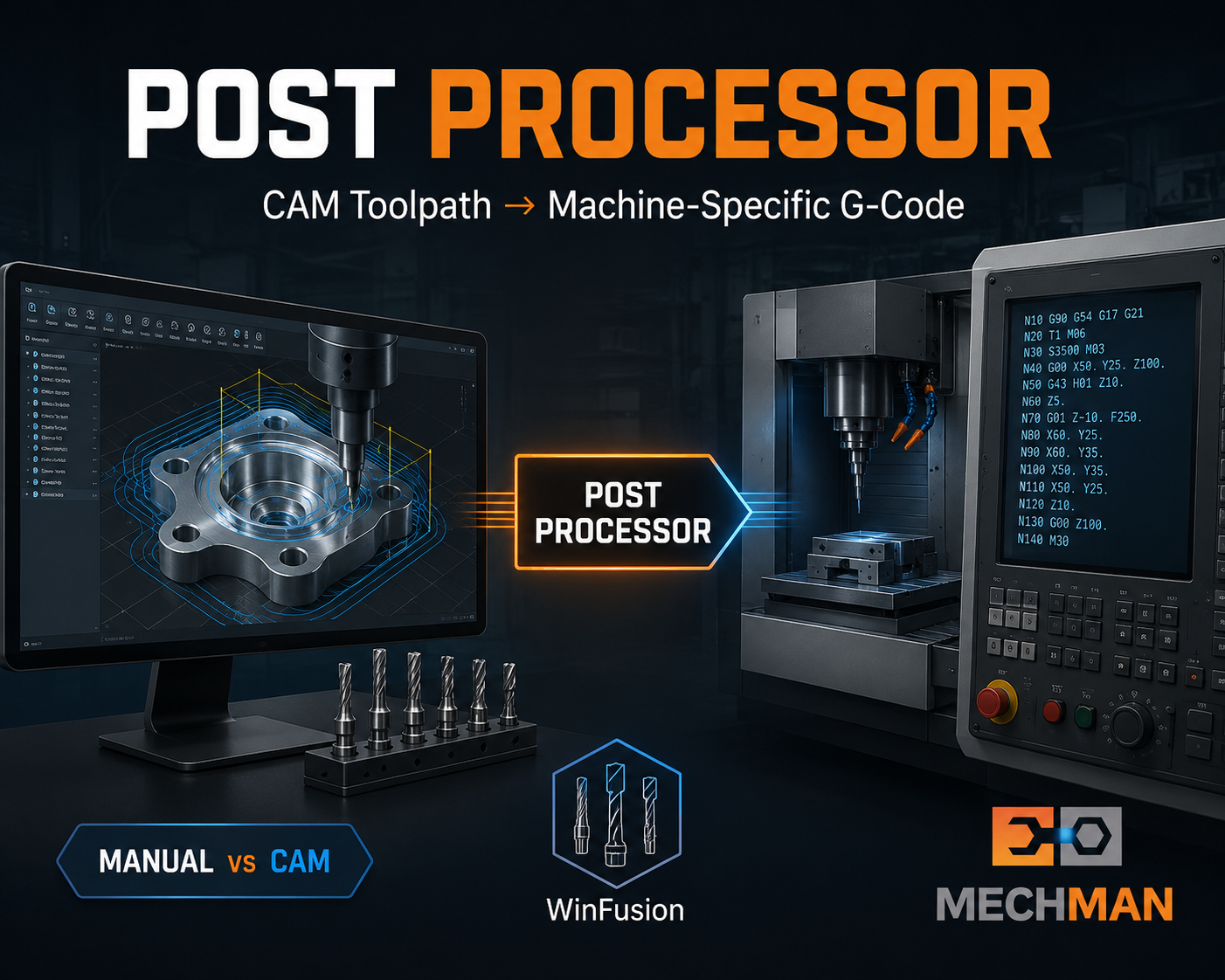
Tool library + proven post = correct tool numbers, speeds, feeds automatically NC code mein. Machine par manual editing zero!
Fusion CAM↓Toolpath↓Simulation↓Post Processor ⭐↓NC Code↓CNC Machine ✅
MazakHaasOkuma ⭐BrotherSiemens ⭐Heidenhain
🎯 Kab Manual, Kab CAM?
📝 Manual Choose Karo Agar:
✔Parts simple hain
✔Basic turning/milling hai
✔Program short hai
⭐Experienced programmer available
✔Complex 3D components
✔4-axis / 5-axis machine hai
✔Turn-Mill machine hai
✔Programming time reduce karna
⭐Machine simulation + post needed
WinFusion — CAM Implementation Expert 🚀
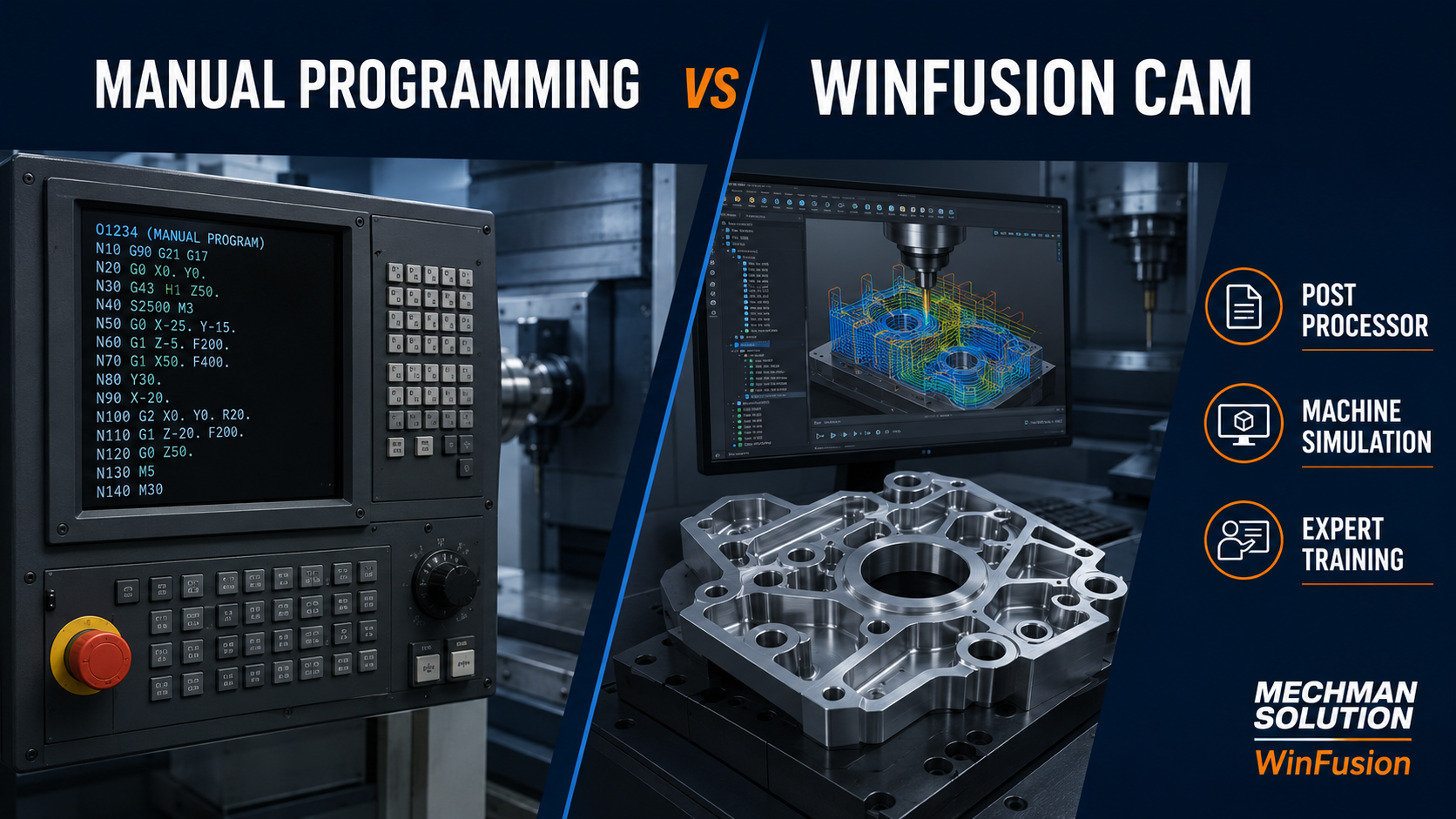
WinFusion — Fusion Manufacturing implementation + proven post + machine simulation. CAM se generated program machine par directly, confidently run hota hai!
✅Autodesk Fusion Setup
✅Machine-Specific Post Processor
✅Machine Simulation
✅Tool Library Setup
✅3/4/5-Axis + Turn-Mill
✅Online + Onsite Training
✅PowerMill + FeatureCAM
⚡Machine = Day 1 Productive!
Final Verdict 🎯
Manual Programming vs CAM Software ka answer “either/or” nahi hai. Good CNC programmer ko G-code samajhna chahiye — lekin modern complex machining ke liye CAM software programmer ki capability ko dramatically extend karta hai.
📝 Manual
Simple jobs — fast aur practical
💻 CAM + Post + Simulation
Complex 3D/4-5axis — much better!
Complex 3-axis, 4-axis, 5-axis aur Turn-Mill ke liye — Fusion + correct post processor + machine simulation = much more scalable workflow! WinFusion exactly yahi deta hai. ✅
⚔️
Fusion CAM | Post Processor | Machine Simulation | Training
Mechman Solutions — WinFusion
Autodesk Authorized Partner | Vadodara, Gujarat | 3/4/5-Axis | Turn-Mill | Since 2015
www.mechmansolution.com
© 2025 Mechman Solutions | WinFusion—Manual vs CAM Guide | Vadodara, Gujarat
