⚠️ Holder Collision Guide — WinFusion 2025
Tool Holder Collision Checking —
Sirf Cutter Nahi, Holder Bhi Check Karo! ⚠️
Cutter + Shaft + Holder | Clearance Define | Deep Cavity | 5-Axis Safe | Complete Assembly
Complete Tool Assembly — Sab Check Karo!
Holder = thick body → deep cavity mein most likely to collide!
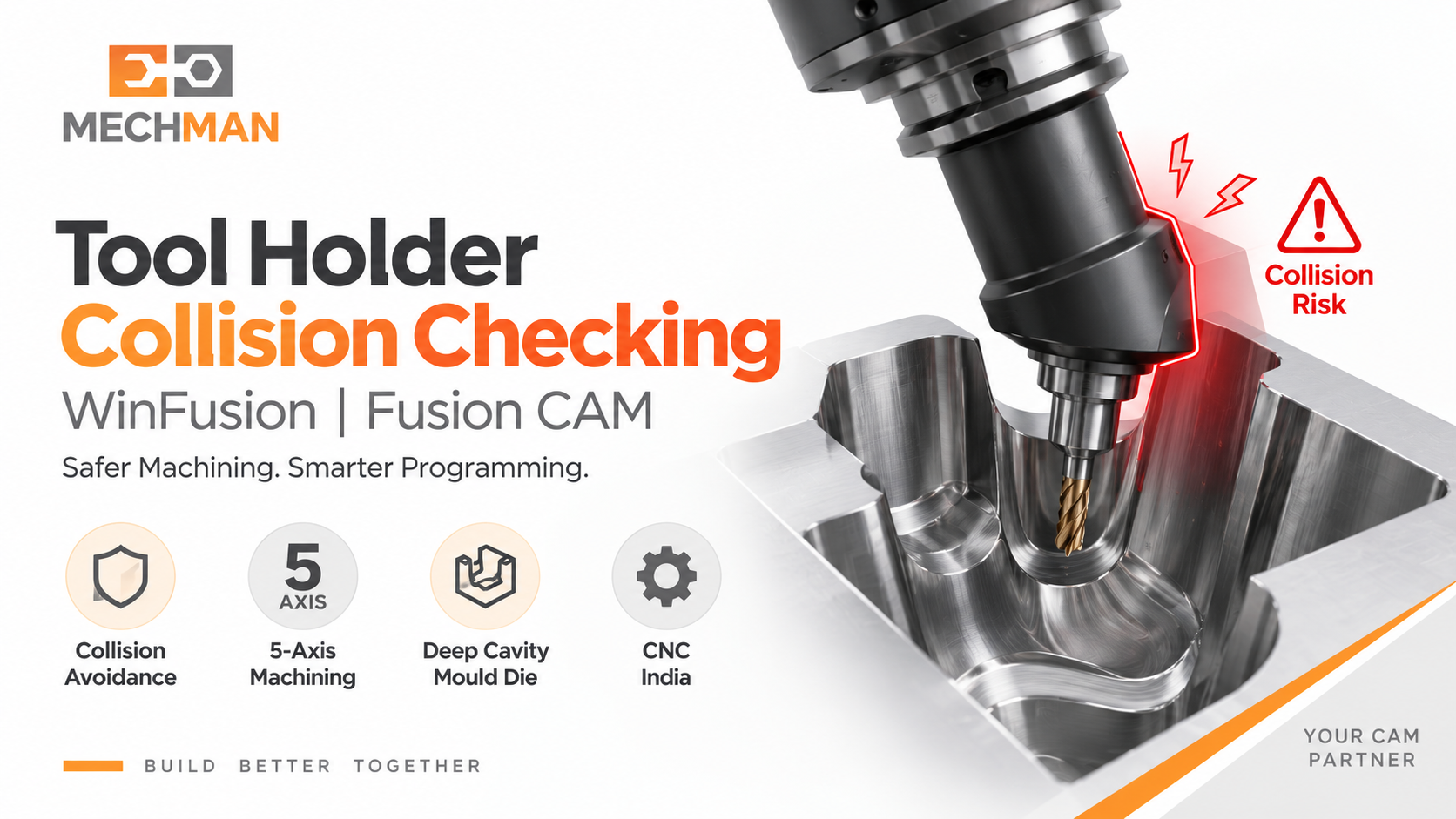
Tool Holder Collision ka main question: “Cutter jahan pahunch raha hai, wahan complete tool assembly — cutter + shaft + holder — safely pahunch sakti hai ya nahi?” Sirf cutter tip dekhna enough nahi — WinFusion complete assembly check karta hai!
CNC machining mein sirf cutter ka component se takrana collision nahi hota — deep cavity mein tool ka thick tool holder cavity wall se takra sakta hai! Programmer sirf tool tip dekhkar confident ho sakta hai, lekin wahi NC code machine par catastrophic failure cause kar sakta hai! WinFusion mein complete tool assembly check karo!
“Cutter tip safe ≠ Complete tool assembly safe! Cutter + Shaft + Holder — teeno check karo. WinFusion yahi karta hai!” ✅
WinFusion complete workflow: CAM Programming + Tool Library + Holder Definition + Collision Checking + Machine Simulation + Proven Post Processor! ✅
💥 3 Types of Tool Collision — Sab Alag Hain!
Tool Assembly ke teen parts = Teen collision risks — WinFusion teeno check karta hai!
Cutter collision:
- Wrong path = gouge ⚠️
- Over-travel
- Programmed error
- Least common ✅
Shaft collision:
- Non-cutting zone ⚠️
- Deep area reach
- Long tool risk
- Moderate risk ⚠️
Holder collision:
- MOST common ⭐
- Deep cavity = high risk
- Thick body hits wall
- Expensive damage 💥
Tool Holder Collision = Most dangerous + Most common — sirf cutter check karna production ke liye INSUFFICIENT hai! ✅
📌 Deep Mould Cavity — Holder Collision Ka Classic Example!
Ø6 mm cutter deep cavity mein — tip OK lekin holder wall hit kar sakta hai:
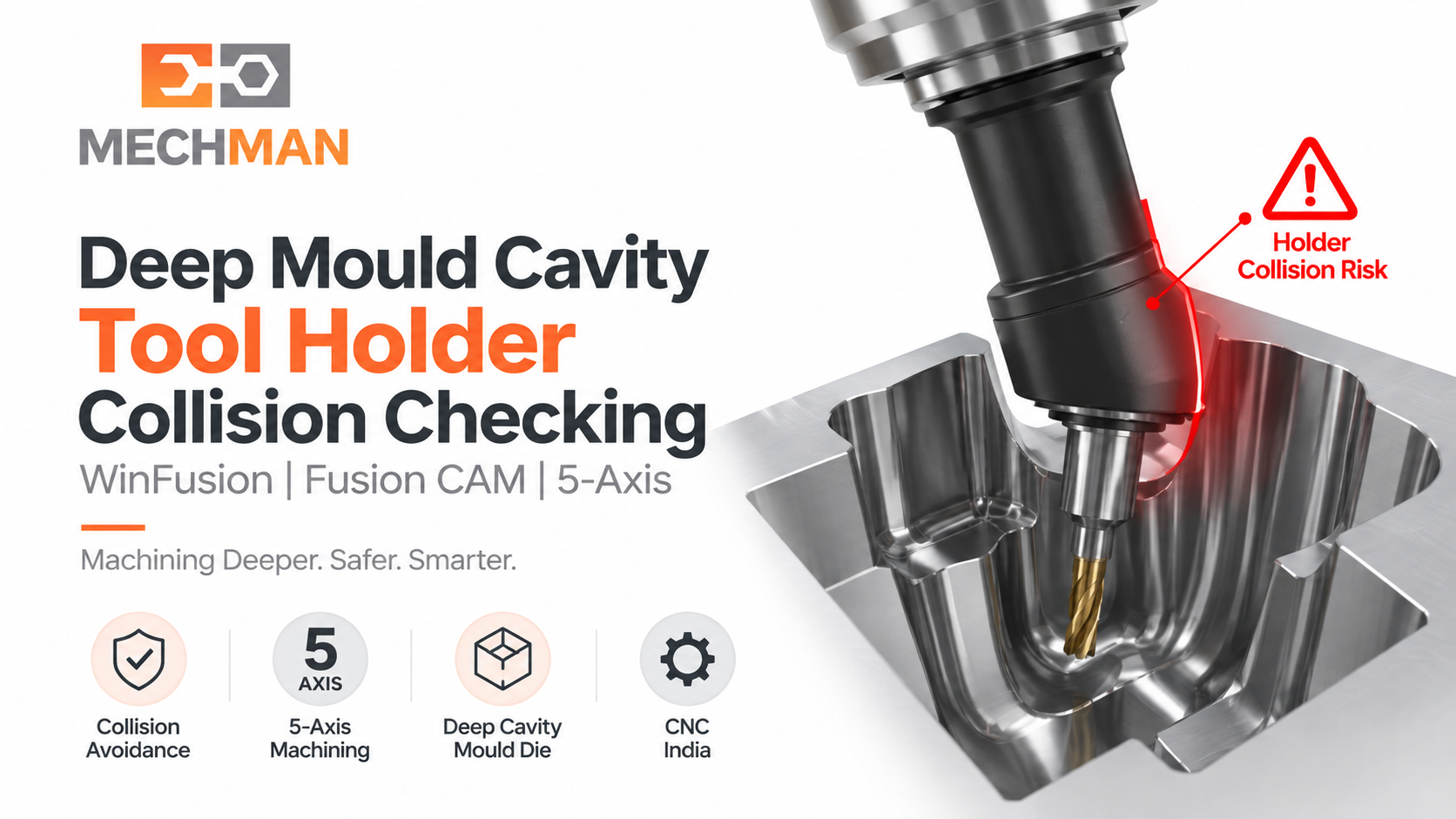
Deep cavity: Cutter tip easily cavity floor tak pahunchta hai — lekin thick holder body cavity wall se hit hoti hai! Programmer sirf toolpath screen dekhe to ye dikhai nahi deta. WinFusion mein holder geometry define karo → automatically detected hoga!
❌ Without Holder Check:
✓Tool tip path: OK visually
✓CAM simulation: Looks fine
💥Machine run: HOLDER HITS WALL!
⚠️Machine alarm / damage / scrap!
✅ WinFusion Holder Check:
⭐Holder geometry defined
⭐Clearance specified
✅Collision detected early!
✅Fix before machine = safe!
⚙️ WinFusion Mein Tool Assembly Define Kaise Karo!
⚙️
Tool Library mein proper tool assembly setup karo — ye hai correct workflow!
Cutter → Shaft → Holder → Clearances — sab define karo!
1
Cutter Geometry Define ✅
Diameter, flute length, overall length — exact values from actual tool
2
Shaft Geometry Add ✅
Shaft diameter + shoulder length — non-cutting zone explicitly define karo
3
Holder Geometry Define — MOST CRITICAL! ⭐⭐
“Use Shaft and Holder” enable karo → Actual holder body dimensions add karo → System holder ko toolpath calculation mein include karega!
4
Clearances Specify ⭐
Shaft Clearance + Holder Clearance = required safe distance from component. System automatically monitors!
✅
Toolpath Calculation mein holder bhi consider hota hai → Safe programming! 🚀
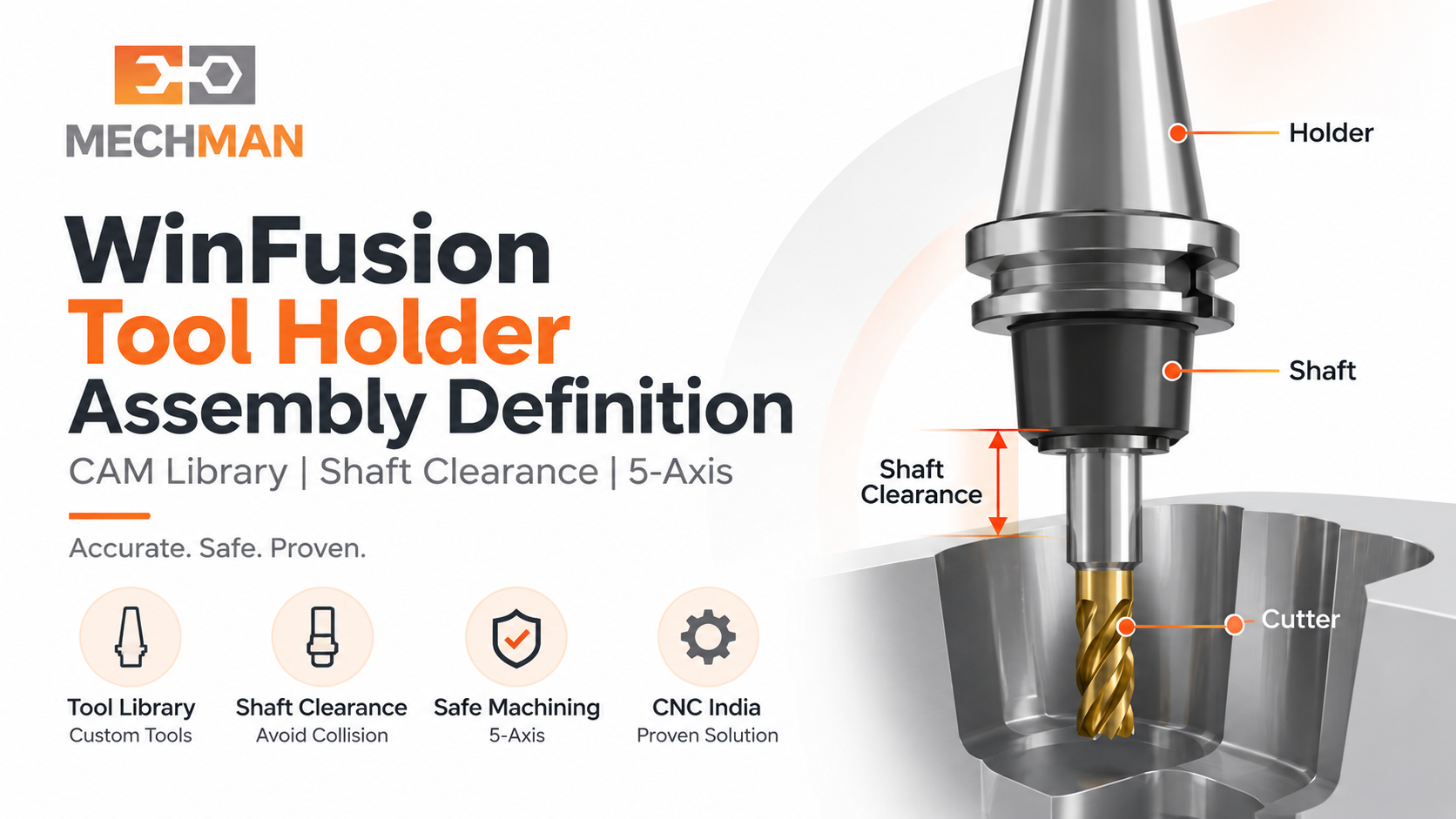
WinFusion Tool Library: Actual cutter + actual shaft + actual holder geometry define karo → Clearances set karo → CAM automatically complete assembly ke saath toolpath calculate karega!
5X
5-Axis Mein Holder Collision Checking Aur Bhi Critical! ⭐
3-Axis Ka Case:
Holder mostly fixed vertical → collision risk kam → checking easier!
5-Axis Ka Challenge: ⭐
Tool continuously tilt + rotate → ek position safe, next orientation mein holder wall ke close → DYNAMIC collision risk!
5-Axis mein: Tool Axis Control + Holder Collision Checking + Machine Simulation = Safe multi-axis production! ✅
🛡️ Complete Workflow — 3 Safety Levels!
WinFusion ke 3 safety levels se production confident banao:
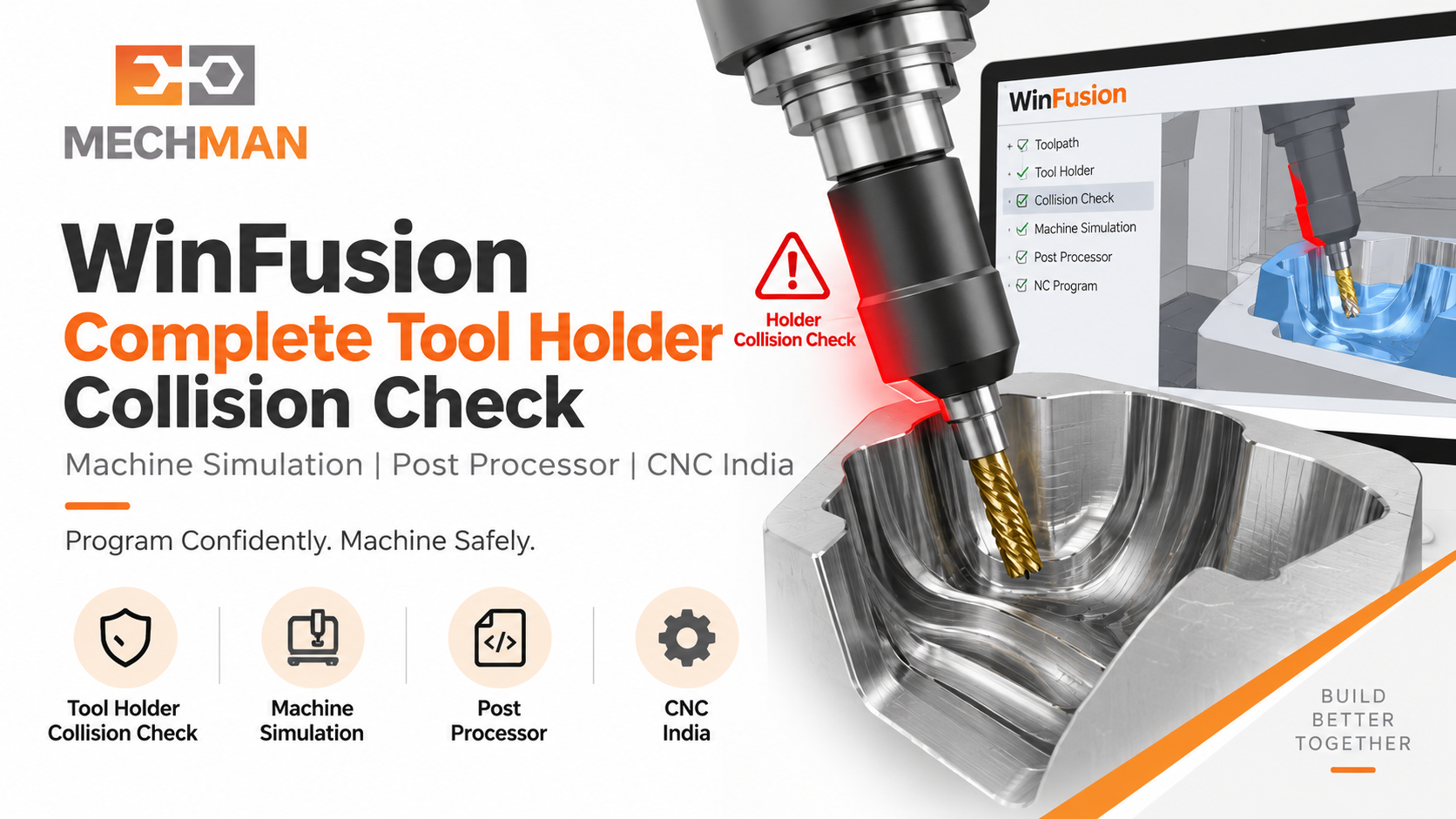
WinFusion: Tool Library (complete assembly) → Holder Collision CAM check → Machine Simulation (kinematics verify) → Proven Post → NC Code → Safe production. Teen layers = maximum confidence!
L1
Tool Library Level — Complete Assembly Define ⭐
Cutter + Shaft + Holder actual geometry + Clearances → Toolpath calculation mein automatically included!
L2
Machine Simulation Level — Kinematics Verify ⭐
Actual machine configuration ke saath entire tool assembly ka movement simulate — additional safety layer!
L3
Proven Post Level — Machine-Specific NC Output ✅
Correct controller output → NC code machine par correctly execute hoga!
✅ Tool Holder Collision Checking Ke Benefits
✅Holder Damage Prevent ⭐
✅Machine Damage Prevent ⭐
✅Component Scrap Prevent
✅Deep Cavity Safe ⭐
✅5-Axis Dynamic Safety ⭐
⚠️Production Confident!
Tool Holder Collision — “Complete Assembly Check” Hi Real Safety Hai! ⚠️
“Cutter tip safe = everything safe” — ye assumption production mein expensive mistake bana sakta hai! WinFusion mein complete tool assembly define karo aur holder collision risk eliminate karo!
Cutter + Shaft
+ Holder ✅
WinFusion: Tool Library (Assembly) + Holder Check + Machine Simulation + Proven Post = Zero Holder Collision Risk! ⚠️🚀
⚠️
Holder Collision | 5-Axis CAM | Simulation | Post Processor
Mechman Solutions — WinFusion
Autodesk Authorized Partner | Vadodara, Gujarat | Since 2015
www.mechmansolution.com
© 2025 Mechman Solutions | WinFusion — Tool Holder Collision Guide | Vadodara, Gujarat
