📐 CAD vs CAM vs CAE Guide — WinFusion 2025
CAD vs CAM vs CAE — Kya Difference Hai?
WinFusion CNC Workflow Mein Inka Role! 📐
Computer-Aided Design | Engineering Simulation | CNC Manufacturing | WinFusion Role
3 Technologies — 3 Key Questions:
Computer-Aided Design
“Part ka design kya hai?”
Computer-Aided Engg.
“Load mein kaise perform karega?”
Computer-Aided Mfg.
“Machine par kaise banayenge?” ⭐
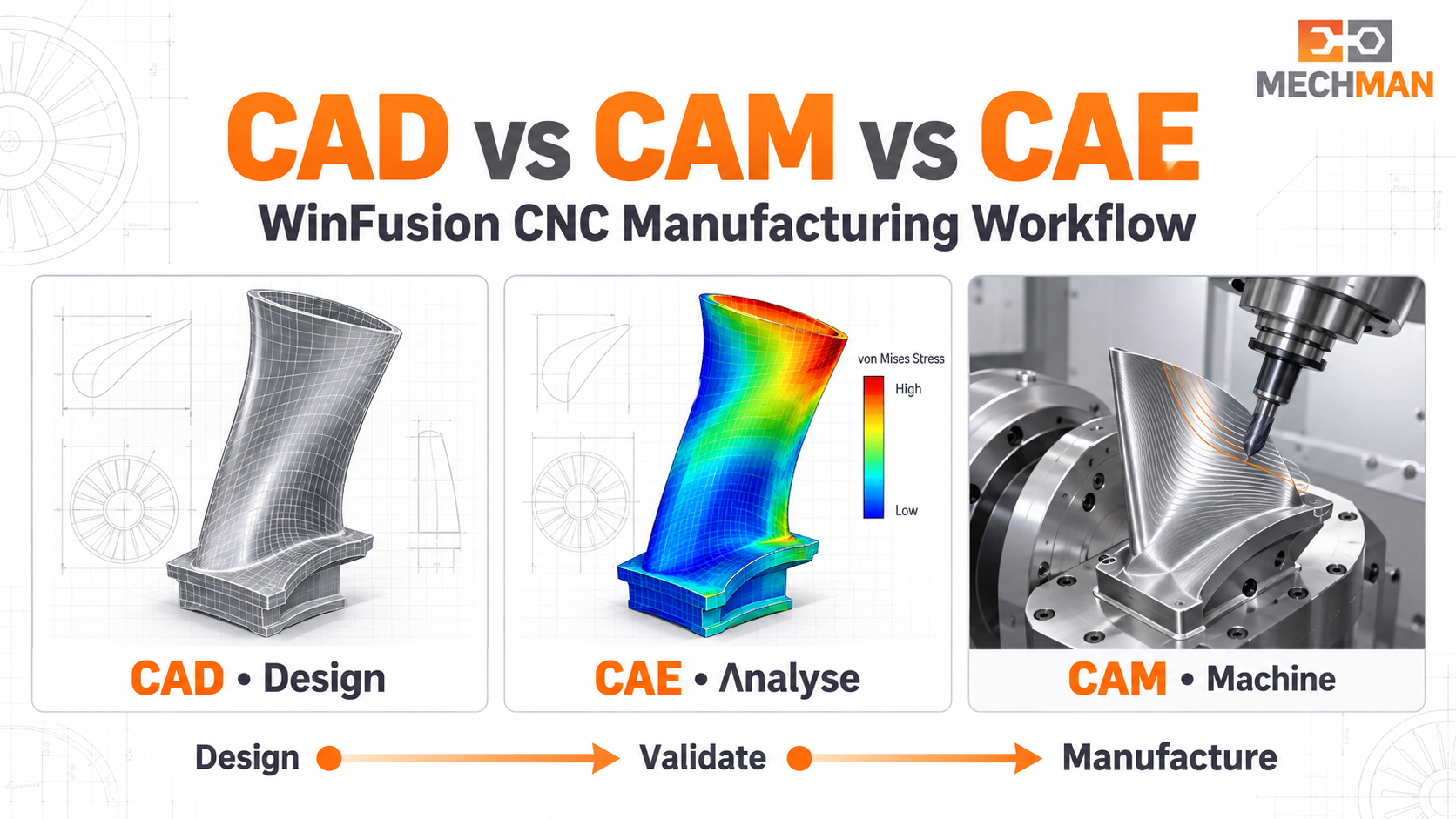
CAD design banata hai, CAE design ki engineering performance analyse karta hai, CAM CNC machining plan karta hai. WinFusion CNC focused workflow mein CAD model preparation, CAM programming, tool library, post processor aur machine simulation ka direct role hai!
Manufacturing business mein CAD, CAM aur CAE teen alag technologies hain — lekin inka sequence connected hai! CAD design → CAE validation → CAD modification → CAM programming → CNC machining — yahi practical flow hai! WinFusion ke CNC workflow mein CAD model preparation, CAM programming, tool library, post processor aur machine simulation ka direct role hai. Machine simulation ko CAE stress analysis kehna technically sahi nahi hoga!
“CAD batata hai kya banana hai, CAE evaluate karta hai design kaise perform karega, aur CAM plan karta hai use kaise manufacture karna hai!” ✅
Important: CAE simulation aur CAM machine simulation alag cheezein hain. CAE = “Part load mein kaise behave karega?” | CAM simulation = “Tool, holder, fixture, machine axes kaise behave karenge?” — purpose bilkul alag! ✅
📐 CAD, CAM, CAE — Teen Technologies Detail Mein!
CAD ⭐
Computer-Aided Design — Digital Foundation!
“Part ka design aur geometry kya hai?”
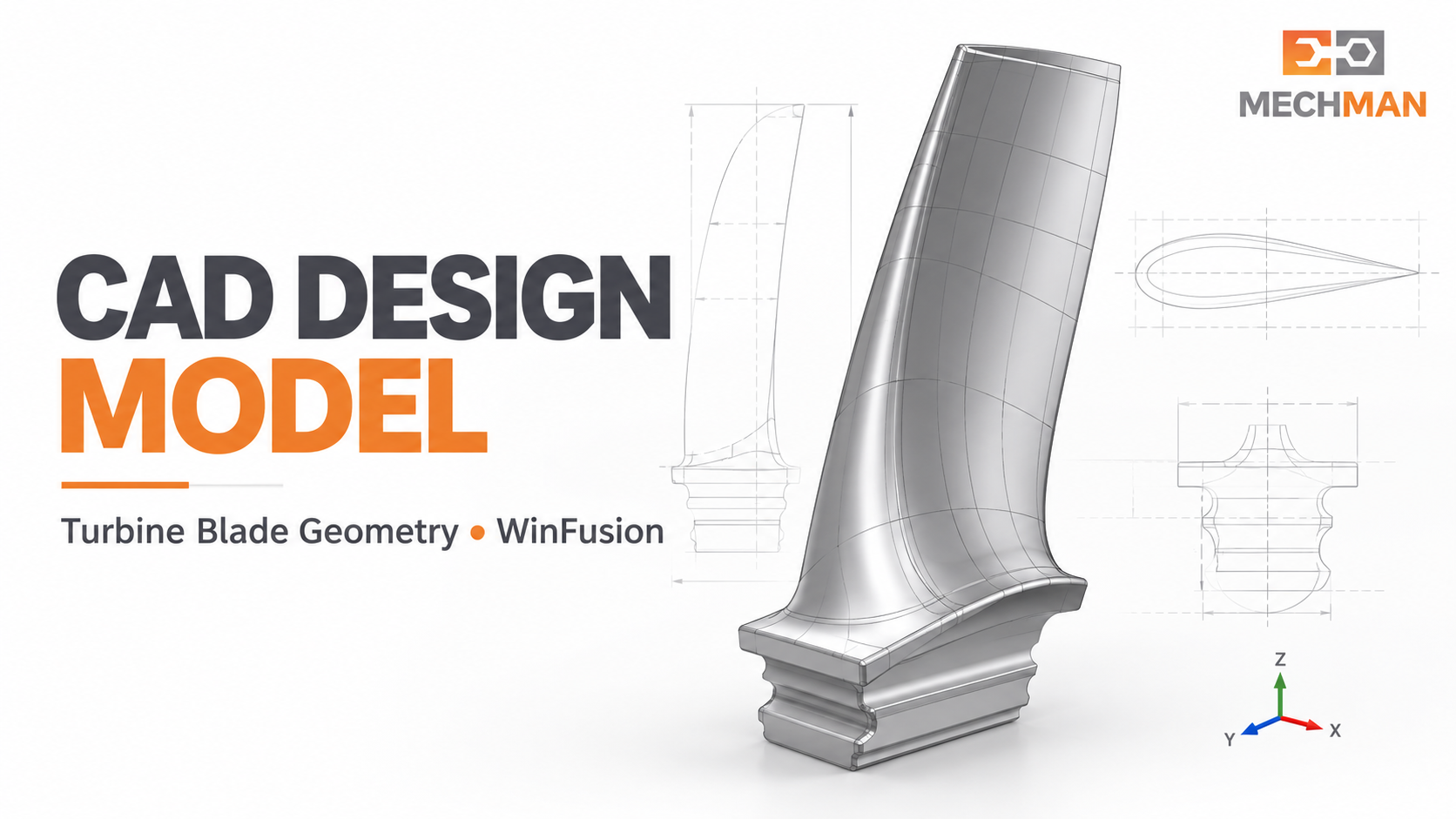
CAD output: Aisa model jise engineering team evaluate kare aur manufacturing team CAM ke liye use kare. Turbine blade CAD model — airfoil shape, root geometry, dimensions sab yahin define hote hain!
CAD mein define hota hai: ⭐
- Dimensions, holes, pockets
- Surfaces aur tolerances
- Assembly relationships
CNC ke liye note: ⭐
CAD model apne aap cutting tool ko movement instructions nahi deta. CAM setup se pehle model inspect + prepare karna padta hai!
CAE
Computer-Aided Engineering — Design Validate!
“Design expected load aur conditions mein kaise perform karega?”
Machine bracket CAD mein fit hota hai — lekin operating load par zyada bend to nahi hoga? CAE analysis is question ko address karta hai. Result se engineer thickness, material ya geometry change karke design dobara evaluate karta hai!
CAE kya check karta hai:
- Stress analysis ⭐
- Displacement/deformation
- Vibration ya thermal
Important note: ⭐
Autodesk Fusion mein CAE capabilities hain — lekin kuch study types extension ya Flex tokens maang sakte hain. Purchase se pehle confirm karein!
Har CNC job ko CAE study ki zaroorat nahi hoti — component ke engineering requirements par depend karta hai! ✅
CAM ⭐⭐
Computer-Aided Manufacturing — CNC Program!
“Is part ko machine par kaise banayenge?”
WinFusion FOCUS
Programmer CAD geometry se manufacturing process plan karta hai — stock, WCS, tool, holder, cutting strategy, feeds, machining order define karta hai. Post processor toolpaths ko machine NC code mein convert karta hai!
Strategy ⭐
Roughing, finishing
Simulation ⭐⭐
Holder + fixture check
⚙️ CAM Ka Kaam Sirf G-Code Generate Nahi — 6 Important Checks!
Production ke liye programmer ko yeh 6 checks karne hote hain — especially 4/5-axis aur Turn-Mill mein:
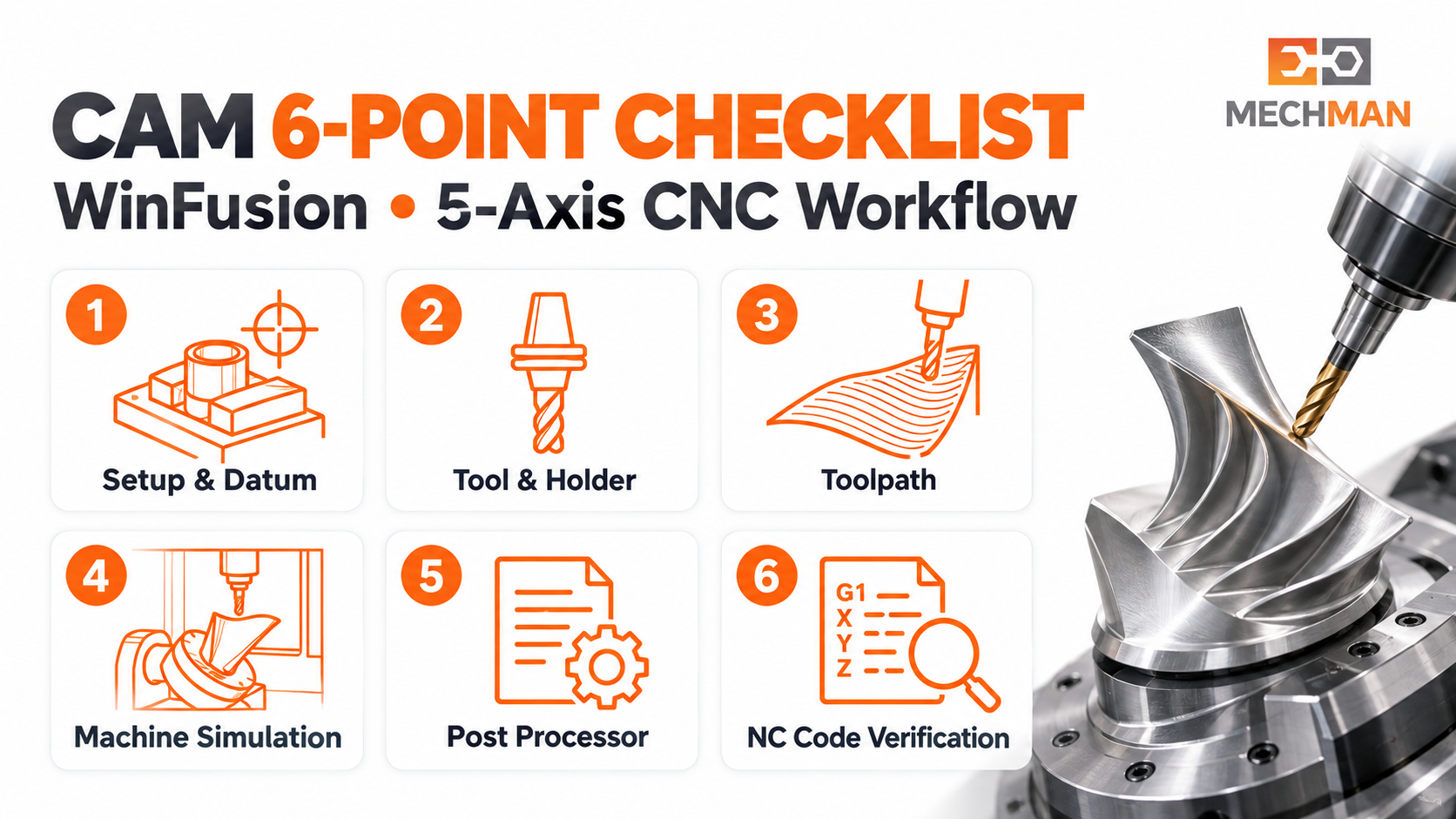
CAM = setup + tool + toolpath + simulation + post + verification. 4/5-axis aur Turn-Mill mein rotary movement, tool orientation aur post configuration ka impact zyada hota hai!
1
Setup & Datum: Machine work offset model setup se match karta hai? ⭐⭐
2
Tool Assembly: Cutter + holder geometry + length sahi define hai? ⭐
3
Toolpath: Material safe aur efficient remove ho raha hai? ⭐
4
Simulation: Tool + holder + stock + fixture movement expected hai? ⭐⭐
5
Post Processor: Output actual controller + machine configuration ke liye suitable hai? ⭐⭐
6
Machine Verification: First run se pehle NC program + physical setup verified? ✅
🌀 5-Axis Blade Example — CAD, CAE aur CAM Ka Role!
Turbine blade — teen technologies practically kaise saath kaam karti hain:
CAD ⭐
Blade Geometry Inspect karo — Kya banana hai?
Team blade geometry inspect karti hai. Agar model repair ya machining preparation ki zaroorat hai, woh kaam yahin hota hai. Latest revision confirm karo!
CAE
Design Validation — Kaise Perform Karega? (If needed)
Engineering team specified loads + material se blade structural performance evaluate karti hai. CAE result design change suggest kar sakta hai. Har CNC job mein zarori nahi!
CAM ⭐⭐
Manufacturing Plan — Kaise Banayenge? WinFusion Focus!
Stock + fixture set, tools select, roughing/finishing toolpaths, blade tool orientation plan, machine simulation → holder clearance verify → proven post → NC code generate → machine trial!
⚠️ Critical Distinction — CAE vs CAM Simulation:
CAE Simulation:
“Part load mein kaise behave karega?” Stress, displacement, thermal
CAM Machine Simulation:
“Tool, holder, fixture, machine axes kaise behave karenge?” ⭐⭐
📋 WinFusion Ka Role — Aur Practical Questions!
WinFusion CNC implementation focus — nayi machine ke liye practical checklist:
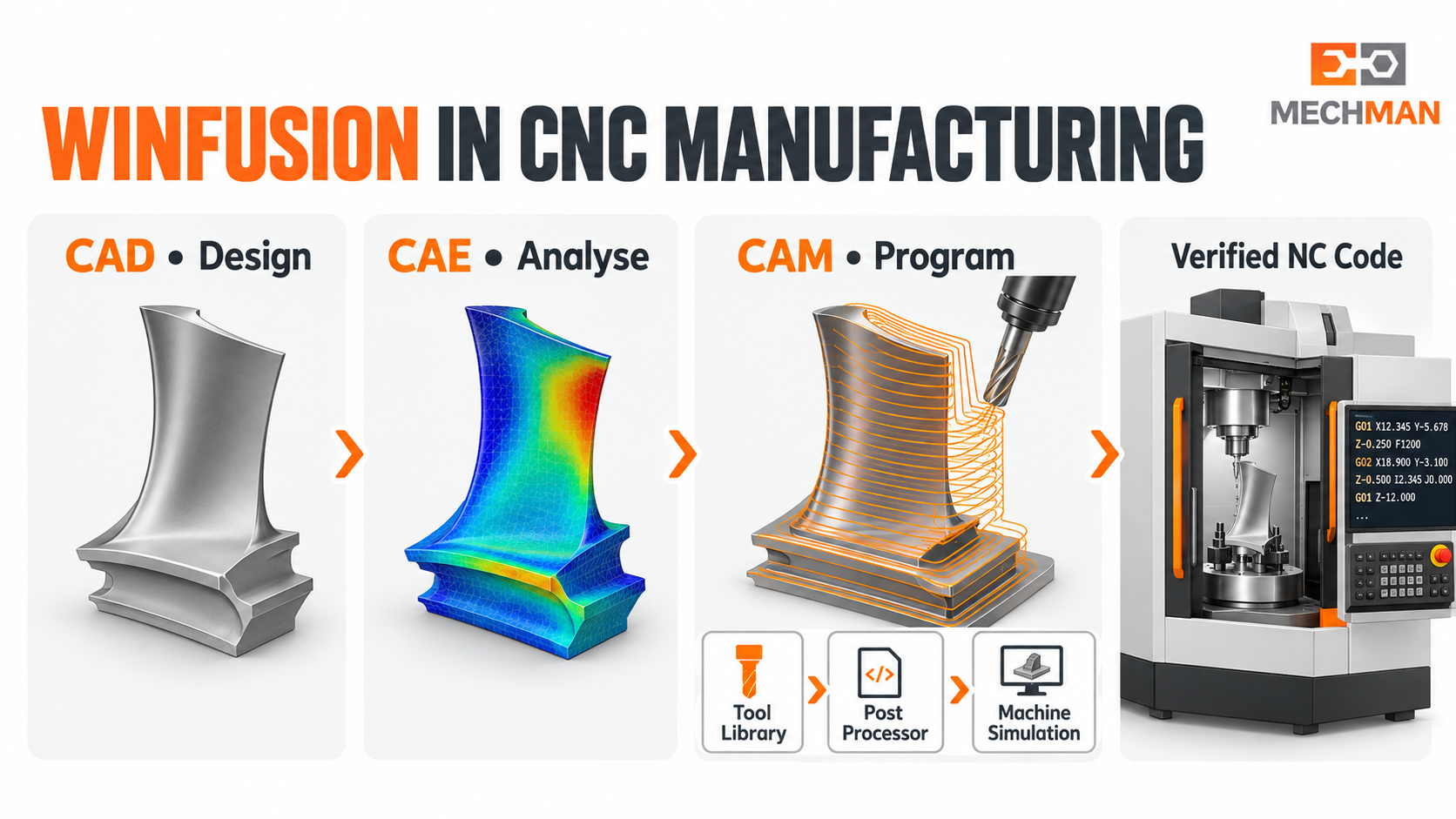
WinFusion: Fusion CAM training + model preparation + tool library + post processor + machine simulation = nayi 4/5-axis ya Turn-Mill machine ke liye production-ready CNC workflow!
?Machine model + controller ke liye post verified hai? ⭐⭐
?Machine simulation axis config + travel limits se match? ⭐
?Real tools + holders library mein properly define? ⭐
?Programmer ko training milegi? ⭐
?Sample part + posted NC + machine trial reviewed? ⭐⭐
✅Implementation support plan? ✅
CAD, CAM, CAE — Sab Clear! WinFusion CNC Focus! 📐
CAD design batata hai, CAE engineering validate karta hai, CAM manufacture karta hai. WinFusion CAM implementation par focus karta hai — correct post, simulation, tool library aur trained workflow se!
WinFusion: CAD Model Prep + CAM Programming + Tool Library + Simulation + Proven Post = CNC Production Ready! 📐🚀
📐
CAD | CAM | CAE | Machine Simulation | Post Processor | 5-Axis
3-axis, 4-axis, 5-axis ya Turn-Mill — machine model, controller aur sample component share karein!
Mechman Solutions — WinFusion
Autodesk Authorized Partner | Vadodara, Gujarat | Since 2015
www.mechmansolution.com
© 2025 Mechman Solutions | WinFusion — CAD vs CAM vs CAE Explained | Vadodara, Gujarat