
Have you ever created a perfect program in your CAM software, only to see odd tool movements or get unexpected alarms on your CNC machine? It happens to the best of us. CNC post-processor problems are among the most typical (and annoying) problems that machinists, programmers, and manufacturing teams face.
Think of a post-processor as a translator between your CAM system and your CNC machine. If the translation is off, things can quickly go wrong. Here, we’ll go over the most frequent post-processor issues, explain why they occur, and give some easy-to-understand solutions that you can use without needing to be too technical.
What’s a CNC Post-Processor
Simply put, a post-processor takes the toolpaths you make in your CAM software and turns them into G-code that your specific machine can understand. Every CNC machine speaks its own dialect, with its own unique control logic and formatting rules.
If the post-processor doesn’t match the machine or its controller, you’ll start seeing CNC post-processor problems like errors, strange movements, or inefficient machining.
Common CNC Post-Processor Issues
These are the issues we run into most often, both on the shop floor and when we’re working on post-development projects:
1. Wrong G-code Output
This is the classic problem:
- G or M codes that the machine doesn’t support
- Incorrect syntax for the CNC controller
- Missing or extra lines of code
Why does it happen:
The post-processor isn’t fully compatible with the machine’s specific controller (like Fanuc, Siemens, or Haas).
How to fix it:
Update or customize the post to make sure it exactly matches the controller’s programming manual.
2. Axis Movement Mistakes
Few things are more alarming than seeing a machine move in a way you didn’t expect.
Common signs:
- Axis movement is reversed
- Unexpectedly fast motions
- Overtravel alarms
What causes it:
The axis definitions or the machine’s movements are set up incorrectly in the post.
Fix:
Check the axis orientation, rotary direction, and pivot points in the post-processor settings.
3. Tool Change and Offset Problems
Tool changes that almost work can waste both time and tools.
Typical issues:
- Wrong tool numbers
- Incorrect length or diameter offsets
- Missing commands for tool changes
Why does this happen:
The way the CAM tool library works doesn’t match the post-processor’s output rules.
Solution:
Make sure the tool numbering, offset logic, and tool call format line up with what the machine needs.
4. Coolant and Spindle Command Errors
Sometimes the program runs, but the coolant doesn’t turn on, or the spindle acts strangely.
- Coolant starts too late (or not at all)
- Spindle spins in the wrong direction
- Incorrect RPM formatting
These problems often come from code that’s been set in place and doesn’t fit the shop’s actual equipment.
Fix:
Change the M-code calls and spindle logic blocks in the post.
5. Missing Safety and Startup Codes
Skipping safety lines is risky.
Examples:
- No safe start block
- Missing commands to return to the home position
- No tool retraction at the end of the program
Why it matters:
This can cause crashes, especially if you’re restarting or rerunning a program.
Best practice:
Add standard safety blocks at the beginning and end of the program in the post.
Quick Overview
Here’s a simple look at common problems and fixes:
| Issue | Main Cause | Quick Fix |
|---|---|---|
| Wrong G-code | Controller mismatch | Customize post |
| Axis errors | Incorrect kinematics | Check axis setup |
| Tool offset issues | Tool logic mismatch | Match CAM and post |
| Coolant problems | Incorrect M-codes | Edit output logic |
| Missing safety lines | Incomplete post setup | Add safety blocks |
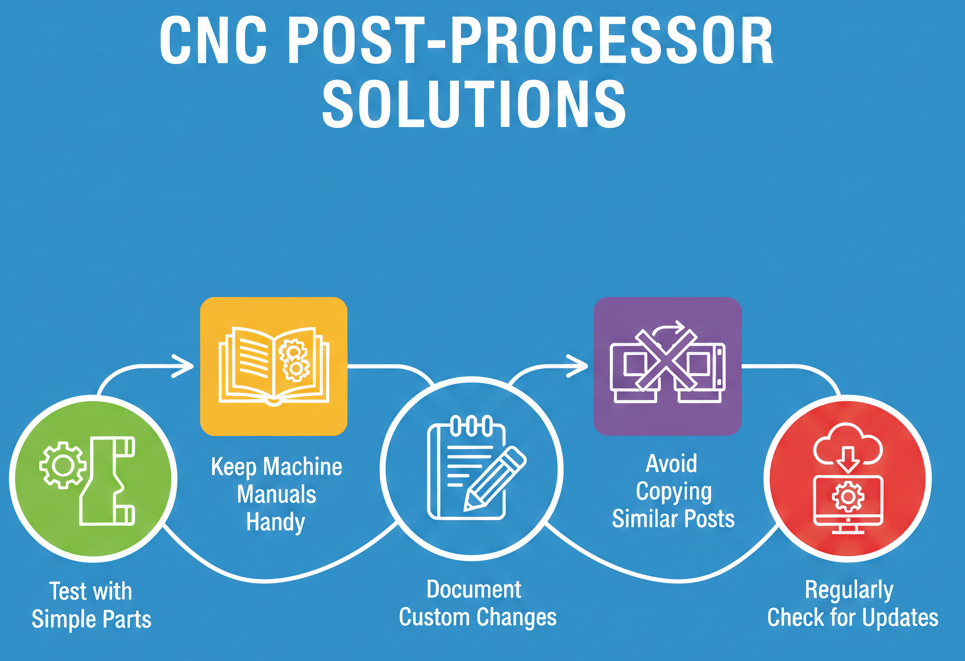
How to Avoid CNC Post-Processor Problems
A little planning can help a lot to avoid CNC post-processor issues.
- Test posts using simple parts before going into full production.
- Keep machine manuals nearby for reference.
- Clearly write down any custom changes you make.
- Don’t just copy posts from machines that are similar.
- Regularly check for post updates from CAM vendors.
Avoiding CNC post-processor problems is much more affordable than dealing with a crashed machine or ruined part.
Final Thoughts
CNC machining depends on accuracy, and the post-processor is more important than many people realize. If you understand common CNC post-processor problems and fix them early, you can reduce downtime, make things safer, and get better, more reliable programs on the shop floor. A good post doesn’t just save time-it helps your machines, tools, and team work smoothly every day.
FAQs
1. Can I fix CNC post-processor issues without changing the post?
Sometimes, small things can be adjusted in the CAM settings, but most ongoing problems will need you to edit the post-processor directly.
2. Are the default CAM posts good enough for production?
Default posts are fine for learning, but they’re usually not set up for real-world production.
3. How do I know if the problem is with the CAM or the post-processor?
If the toolpath looks right in the simulation but fails on the machine, it’s almost always a post-processor issue.
Contact Us!
📞 +91 99137 89065