
In today’s CNC manufacturing landscape, selecting an appropriate CAM strategy can significantly influence productivity, accuracy, and overall machining costs. One of the most discussed comparisons revolves around feature-based machining and freeform toolpath programming. While both methods offer considerable power, they cater to distinct manufacturing needs. This blog examines the differences between these two CAM methods, identifies their respective strengths, and helps you determine the best choice for your machining objectives.
Understanding Feature-Based Machining
Feature-based machining operates by recognizing predetermined geometric elements, such as holes, pockets, slots, bosses, and faces, directly from CAD models. After identifying these features, machining strategies are automatically assigned according to established rules, tools, and templates.
This method is highly organized and performs optimally with prismatic and production-focused components.
Key aspects include:
- Automatic identification of features from solid models
- Rule-driven machining logic
- Minimal manual input
- Standardized toolpaths
- Faster programming for recurring parts
FeatureCAM stands out as a prominent solution built around this concept, fostering automation and uniformity across machining tasks.
Understanding Freeform Toolpaths
Freeform toolpaths are used for intricate geometries that deviate from standard feature definitions. Examples include sculpted surfaces, molds, dies, aerospace components, and organic shapes.
PowerMill is geared toward this approach, providing advanced surface and 5-axis toolpath strategies that grant programmers complete command over the tool’s movement.
Crucial characteristics are:
- Manual or semi-automatic toolpath creation
- Ideal for complex, organic, or aesthetically driven shapes
- Extensive customization capabilities
- Advanced 3-axis and 5-axis regulation
- Superb surface finish and collision prevention
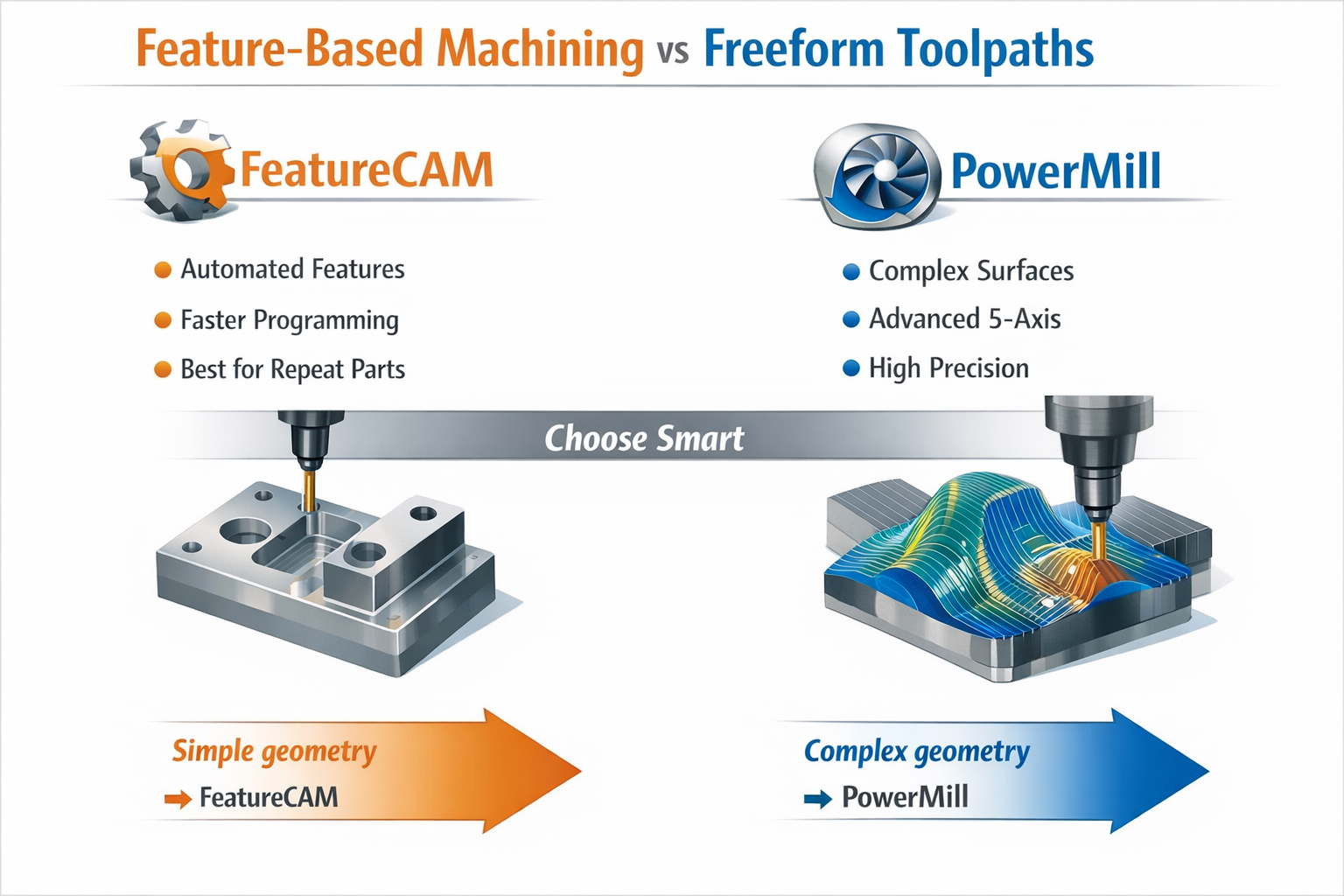
FeatureCAM vs PowerMill: Key Distinctions
Although both tools are Autodesk products, their intended uses and strengths vary considerably. Choosing between them hinges on the complexity of the part, production volume, and programming preferences.
FeatureCAM is most appropriate when:
- Parts are prismatic or bound by rules
- Faster CAM programming is preferred
- Manufacturing involves repeated or similar components
- Automation and consistency are priorities
- Operators favor limited CAM interaction
PowerMill is most appropriate when:
- Parts include freeform or sculpted surfaces
- Advanced 5-axis machining is necessary
- Surface quality is of utmost importance
- Toolpath control requires extensive customization
- Work involves molds, dies, or aerospace components
When to Use Feature-Based Machining for Maximum Efficiency
Feature-based machining is most logical in well-structured manufacturing settings where speed and repeatability take precedence over extreme adaptability.
Ideal applications encompass:
- Automotive parts
- Fixtures and jigs
- Industrial brackets
- Machined housings
- Sheet-metal-derived solid parts
The advantages for manufacturers include:
- Reduced CAM programming duration
- Less reliance on highly skilled programmers
- Simplified training for new operators
- Consistent machining outcomes
- Quicker turnaround times for batch production
When Freeform Toolpaths Are the Better Choice
PowerMill becomes indispensable when the geometry’s complexity exceeds the limits of recognizable features. Freeform machining enables engineers to govern every aspect of the tool’s movement, ensuring both accuracy and safety.
It is best suited for:
- Injection molds and dies
- Turbine blades
- Aerospace structural components
- Medical implants
- Artistic or ergonomic designs
Benefits include:
- Advanced collision prevention
- Polished surface finishes
- Multi-axis synchronization
- Fine-tuned regulation of demanding materials
- Custom tool engagement techniques
Although programming may take longer, the resulting quality and dependability in machining justify the effort for intricate parts.
Combining Both for a Hybrid Workflow
Numerous advanced manufacturing settings incorporate both FeatureCAM and PowerMill. This combined method permits teams to automate straightforward features while earmarking advanced toolpaths for particularly complex areas.
| Aspect | FeatureCAM | PowerMill |
|---|---|---|
| Learning Curve | Easier for beginners | More difficult, geared toward experts |
| Programming Speed | Very fast | Moderate to slow |
| Automation Leve | High | Medium |
| Geometry Type | Rule-based solids | Sculpted/freeform |
| Best Production Type | Batch & repetitive | Custom & high-precision |
Conclusion
The decision between feature-based machining and freeform toolpaths is not about choosing the superior option, but about identifying the one that best aligns with your machining goals. Feature-based methods excel in organized, recurring environments where automation, speed, and consistency are vital. Conversely, freeform toolpaths provide outstanding flexibility and accuracy for intricate geometries and high-end manufacturing demands.
For companies seeking to maximize both productivity and quality, integrating both strategies can provide the most favorable outcomes. By understanding when to employ feature-based and when to rely on advanced freeform toolpaths, manufacturers can develop more intelligent workflows, decrease errors, and boost overall machining efficiency.
FAQs
1. Can FeatureCAM and PowerMill be used together in a single project?
Yes, many manufacturers integrate FeatureCAM for standard features and PowerMill for complex surfaces within the same workflow.
2. Which software is more suitable for beginners in CNC programming?
FeatureCAM is generally easier to learn because of its automation and rule-based nature.
3. Is PowerMill exclusively for 5-axis machining?
No, PowerMill also supports 3-axis machining, but it is exceptionally powerful for advanced multi-axis and freeform applications.
Contact Us
📞 +91 99137 89065