
In CNC machining, even a small mistake can lead to significant and costly problems. An incorrect toolpath, insufficient clearance, or a forgotten detail during setup can easily cause machine crashes, broken tools, ruined parts, or even halt production. That’s where CAM simulation comes in as a crucial tool.
Instead of hoping for the best on the shop floor, it lets you identify potential issues before they occur. Let’s explore how this approach helps prevent expensive CNC crashes and why it’s becoming essential for modern manufacturing.
What Is CAM Simulation
CAM simulation involves virtually running your CNC program before it’s executed on the actual machine. It uses your CAM data – tools, toolpaths, fixtures, and material to simulate the entire machining process on a computer screen.
Think of it as a practice run for your CNC program.
With simulation, you can:
- See how the tools will move.
- Check how the material will be removed.
- Find collisions and errors.
- Confirm that your machining strategies are sound.
This all takes place digitally, saving both time and money.
Why CNC Crashes Are So Costly
CNC crashes are more than just alarming; they’re expensive. Even a minor crash can lead to:
- Broken tools
- Damage to the spindle or axis
- Parts are being scrapped
- Delays in production
- Unexpected maintenance costs
For shops working on tight schedules, these problems can quickly compound. Simulation acts as a safety layer, significantly decreasing these risks.
How Simulation Prevents CNC Crashes
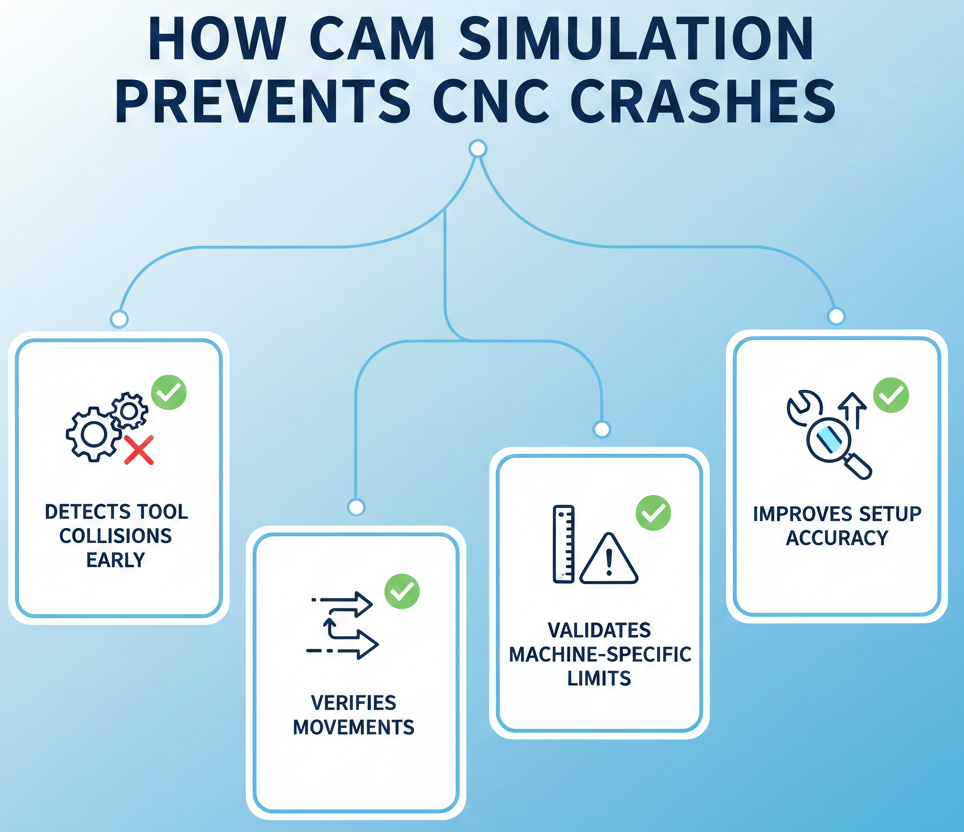
1. Spots Tool Collisions Early
One of the main advantages of simulation is its ability to detect collisions. It finds clashes between:
- The tool and the workpiece
- The tool holder and fixtures
- Machine parts and the setup
By catching these problems early, you can adjust toolpaths before starting the machine.
2. Checks Toolpaths and Movements
Sometimes a toolpath might seem correct in the code, but behave differently on the machine. Simulation displays the actual tool movement, helping you identify:
- Sudden, unexpected movements
- Movements beyond the machine’s limits
- Incorrect ways of entering or exiting the material
This check helps prevent the machine from behaving unexpectedly.
3. Checks Machine-Specific Limits
Every CNC machine has its own limitations-its range of movement, how far its axes can rotate, and the directions the spindle can face. Simulation verifies that your program stays within these limits.
This is especially helpful for:
- 5-axis machining
- Complex designs
- Parts with tight tolerances
It makes sure your program is ready for the machine, not just correct in theory.
4. Makes Setups More Accurate
An incorrect setup is a hidden risk for crashes. Simulation lets you digitally confirm:
- Work offsets
- Where fixtures are placed
- Tool Lengths
This lowers the chance of human error and makes the setup process more reliable.
Without vs. With CAM Simulation
Here’s a simple comparison to highlight the difference:
| Aspect | Without | With |
|---|---|---|
| Collision Detection | Found during machining | Found before machining |
| Toolpath Errors | Risky and uncertain | Fully checked |
| Machine Downtime | High | Much lower |
| Setup Confidence | Low | Very high |
| Cost Control | Hard to predict | More predictable |
This table shows why it is a worthwhile investment.
Beyond Crash Prevention: Extra Benefits
Simulation does more than just prevent accidents. It also improves overall machining performance.
Some extra pluses include:
- Less time spent proving out programs
- Better planning for surface finishes
- Fewer parts are being scrapped
- Quicker training for operators
More confidence on the shop floor.
When machinists trust the program, they naturally become more productive.
Why Simulation Is Important for Growing Shops
As CNC jobs become more complex, relying on manual checks or dry runs isn’t sufficient anymore. Simulation adds a digital safety net that grows with your business.
Using simulation means:
- Fewer surprises in the shop
- Better use of machines
- Happier customers
It’s not just about avoiding crashes-it’s about creating more innovative ways of working.
FAQs
1. Is simulation only functional for complex parts?
No. While it’s beneficial for complex and multi-axis parts, simulation is also valuable for simple jobs because it prevents basic setup and toolpath errors.
2. Does simulation mean you don’t need to test the program on the machine at all?
Not completely. It dramatically lowers the time and risk involved, but it’s still a good idea to run the program carefully the first time for the best results.
3. Is CAM simulation expensive to set up?
When you factor in the cost of machine crashes, tool damage, and downtime, simulation is a worthwhile investment that pays for itself quickly.
Contact Us
📞 +91 99137 89065