
If this is your first time in manufacturing, then you must be wondering what is CAD/CAM and why it is a big deal; the answer is, it’s no big deal. In CAD, one designs the product; in CAM, one makes it. You don’t have to worry- we are breaking down the terms in a straightforward way in this guide.
What Does CAD/CAM Stand For?
The full form of CAD is Computer-Aided Design, while that of CAM is Computer-Aided Manufacturing.
- CAD is the one that guides your product design in a digital way. The analogy here is that you produce a 3D model of your product on a computer before actually making it.
- On the other hand, CAM refers to the use of computer software that is able to control machines such as CNC machines, 3D printers, or milling machines in the production of the design.
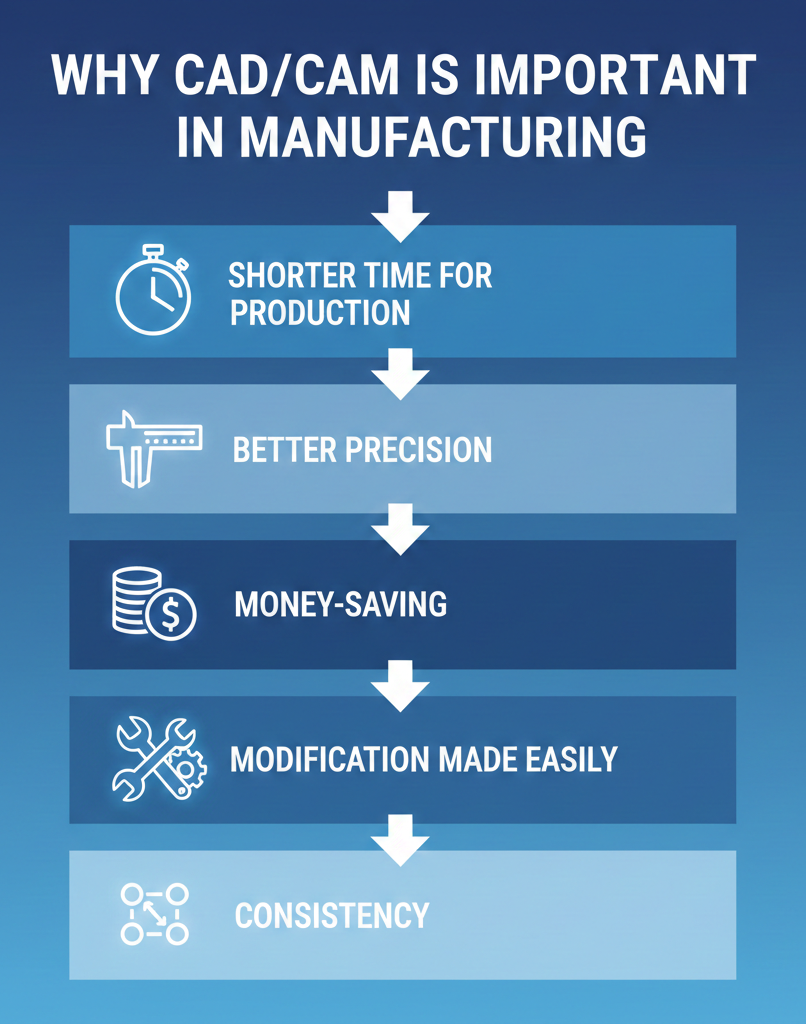
Why CAD/CAM is Important in Manufacturing
What benefits does a manufacturing firm gain if it uses these tools? If you’re wondering what is CAD/CAM, it’s a system that combines computer-aided design and manufacturing to make production faster. Many benefits are handed to a firm that uses these tools in manufacturing, including the following:
- Shorter time for production: The firm stands a chance to achieve one after another production and design tasks within the same day.
- Better precision: There is a very low possibility of errors since machines execute the job accurately as per the provided design.
- Money-saving: It is very rare that mistakes are made, which means there is very little material wastage, and consequently, material costs are reduced.
- Modification made easily: Changing a design is as simple as editing a file.
- Consistency: Each part is exactly the same, which is very important when a product is being made in large quantities.
How CAD/CAM Works
Here is a simplified explanation of these tools and how they process:
Designing (CAD)
- Using CAD-related software like AutoCAD, SolidWorks, or Fusion 360, one starts off by designing the product on a computer.
- You can then see it in 3D, measure the dimensions, and even check for the fit or movement.
Preparing for Manufacturing (CAM)
- Import the design file into a CAM software.
- The program instructs the machines through very specific data (G-code).
Manufacturing (CAM)
- The machines will perform the operations instructed in the G-code to produce the parts.
- The finalized product will be an exact replica of your digital rendition.
Popular CAD/CAM Software
Below is a quick comparison table:
| Software | Purpose | Beginner-Friendly | Popular Use Case |
|---|---|---|---|
| AutoCAD | 2D & 3D Design | Yes | Architectural & Mechanical |
| SolidWorks | 3D Modeling | Moderate | Engineering & Product Design |
| Fusion 360 | CAD + CAM | Yes | CNC Machining & Prototyping |
| Mastercam | CAM (Manufacturing) | Moderate | CNC Programming |
CAD/CAM in Real Life
These technologies play a major role in our everyday life, and we use it a lot, but in a different way than anticipated:
- Automobiles: Parts of a vehicle are first designed with the help of CAD and then made with the use of CAM.
- Jewelry: Detailed artistic creations are realizable because of 3D modeling and precision tools.
- Healthcare: Prosthetics and dental devices are fabricated through the application of CAD/CAM technology.
- Aerospace: The development of aircraft parts is extremely difficult, and they require very accurate measurements.
Final Thought
The future of this technology is very promising. The incorporation of AI and the use of CAD/CAM software in the cloud make designing and production very fast and convenient. In the near future, a customer can think of a product, sketch it on a laptop, and order a finished piece to be delivered to the desired location anywhere in the world with only a few clicks.
Understanding these tools helps beginners to see how it is a fusion of design and manufacturing work that results in a single, cohesive flow of operations, is time-saving, reduces errors, and enhances productivity. A novice can begin with simpler programs and subsequently develop their skills with more intricate tools as technology is implemented across industries such as automotive, healthcare, and aerospace.
FAQs
1. Is it possible to learn CAD/CAM by myself without any previous knowledge?
Certainly! There are numerous beginner-friendly tutorials and easy-to-use software solutions tailored for users with no prior knowledge. It would be advisable to start with small projects and gradually increase the difficulty level.
2. Is it necessary for me to have both CAD and CAM programs?
This question does not have a definite answer. Fusion 360, for instance, is a type of software that includes both CAD and CAM. However, if you are aiming for advanced functionalities, it is sometimes better to use separate software.
3. Will learning and using CAD & CAM cost me a lot of money?
There are free versions of well-known software made for students or people who are new to the field. Professionals can benefit from paid software that might be pricey; however, by investing in it, they can still save on manufacturing costs over time.
Contact Us
📞 +91 99137 89065
Also Read: Best CAD CAM Software for Toolmakers and Manufacturers in 2025: Detailed Comparison