
CNC Programming Kya Hai? 💻
Complete Hinglish Guide — Workflow Se Career Scope Tak
⚙️ 3/4/5-Axis
🚀 WinFusion
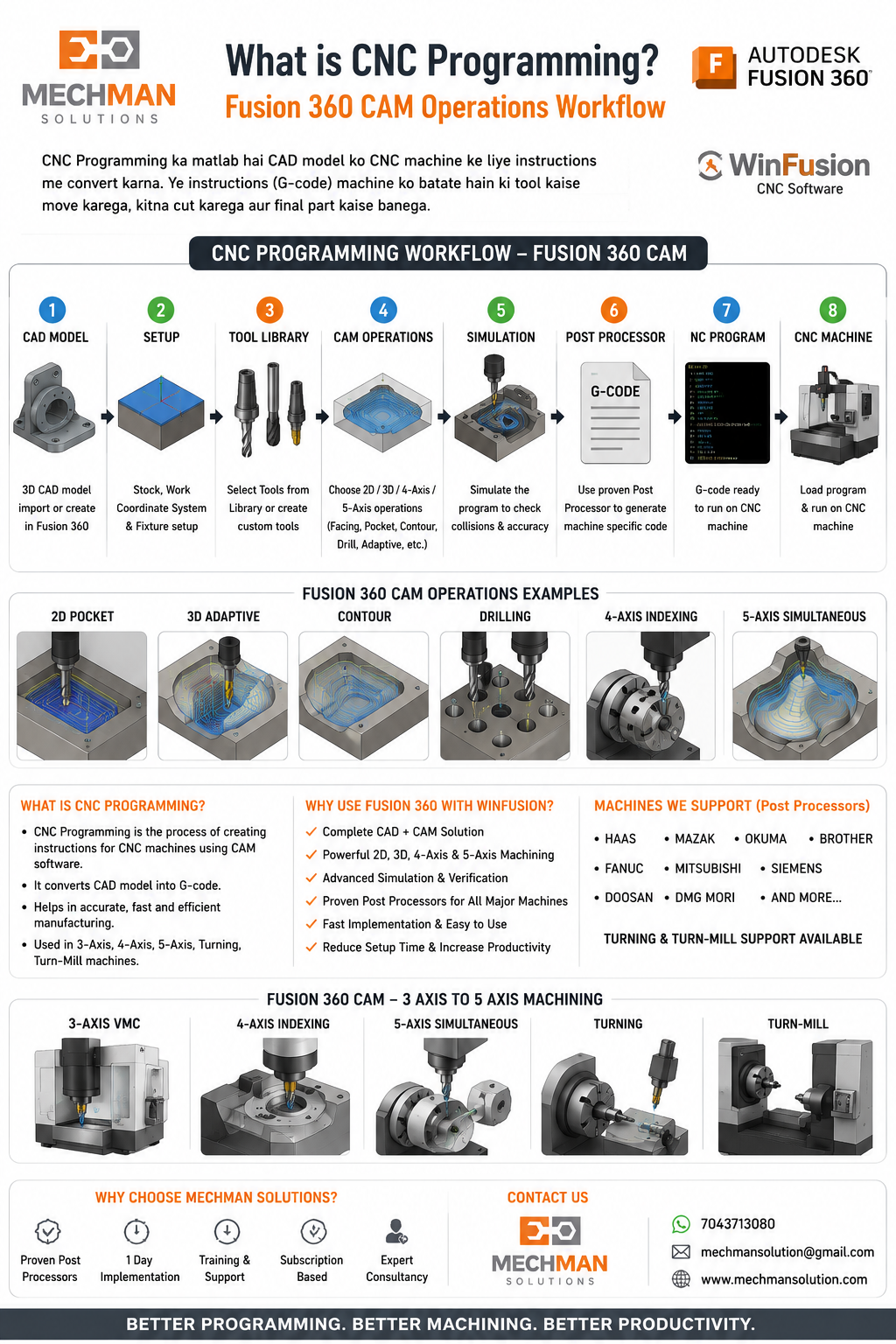
CNC Programming ka simple matlab hai — machine ko instruction dena ki tool kaise move karega, kitna cut karega, kaunsi speed/feed use hogi, aur final part kaise machine hoga.
CNC machine khud se decision nahi leti. Usko proper G-code / NC program chahiye hota hai — jo CNC programmer CAD model ya drawing ke basis par CAM software mein banata hai.
CNC Programming Kaise Kaam Karta Hai? 🔄
CNC programming mein mainly yeh 8 steps hote hain:
CAD Model / Drawing Study
Raw Material / Stock Setup
Tool Selection
Toolpath Creation
Feed & Speed Setting
Machine Simulation ⭐
Post Processor se NC Output ⭐
Machine Par Trial & Production 🏭
WinFusion CAM software mein yeh complete process easy ho jaata hai — programming, simulation aur post processor ek proper workflow mein milta hai.
CAM Software Kyu Zaruri Hai? ⚠️
Manual programming simple job ke liye chalega — lekin complex parts, 3-axis, 4-axis, 5-axis, turn-mill ya VMC/HMC machine ke liye CAM software zaruri hai.
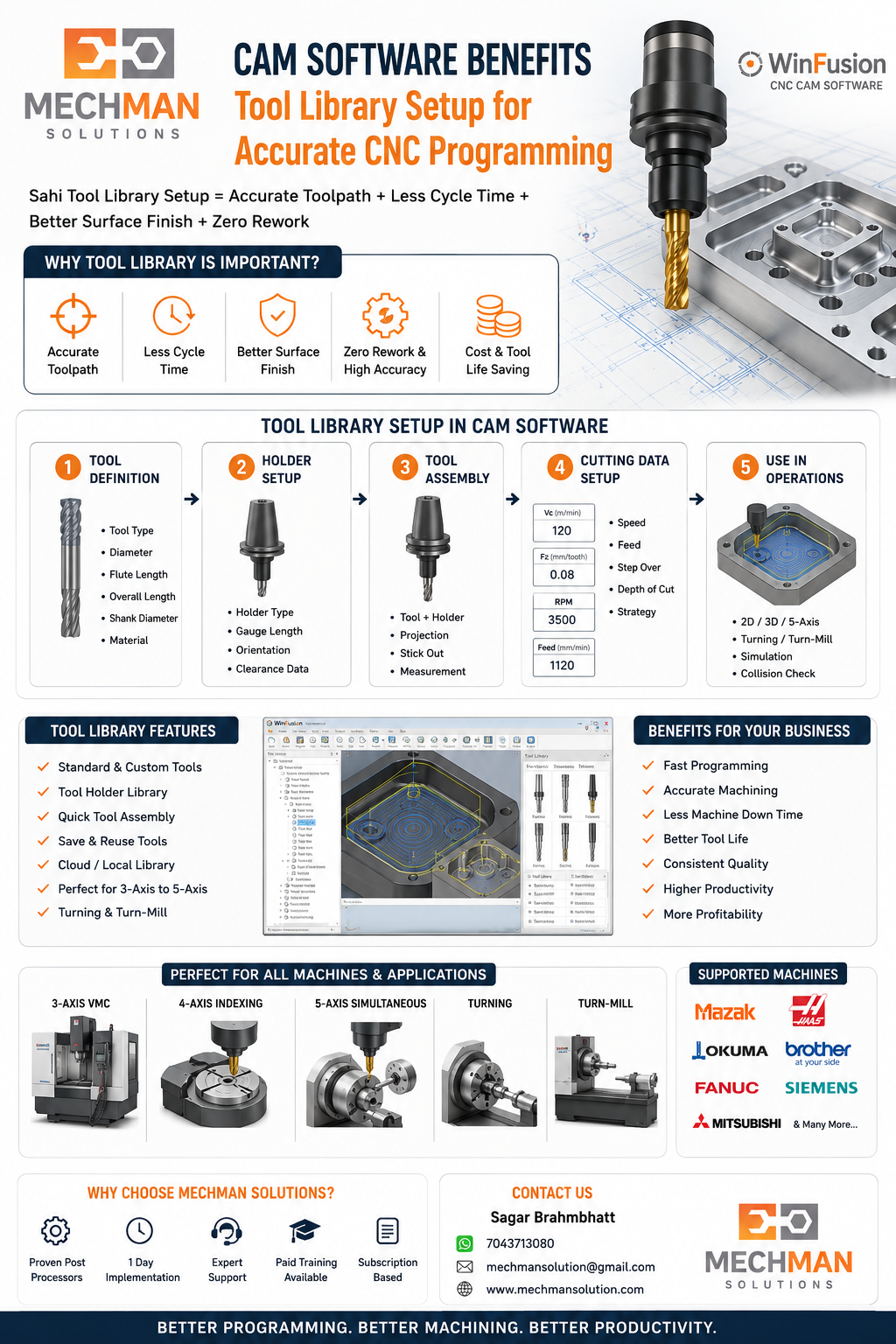
WinFusion CNC Programming Solution 🚀
WinFusion CNC programming ke liye complete CAD/CAM solution provide karta hai — ek hi software mein sab kuch:
2D & 3D Machining
3-Axis Programming
4-Axis Programming
5-Axis Programming ⭐
Turning
Turn-Mill Programming
Machine Simulation ⭐
Tool Library Setup
Proven Post Processor ⭐
Training & Implementation Support
Sabse important baat: agar post processor proven ho, toh program directly machine par chal sakta hai — without manual editing! ✅
Post Processor Ka Role 🔧
Post processor CNC programming ka sabse important part hai. CAM software toolpath banata hai, lekin machine ko samajhne layak code post processor banata hai.
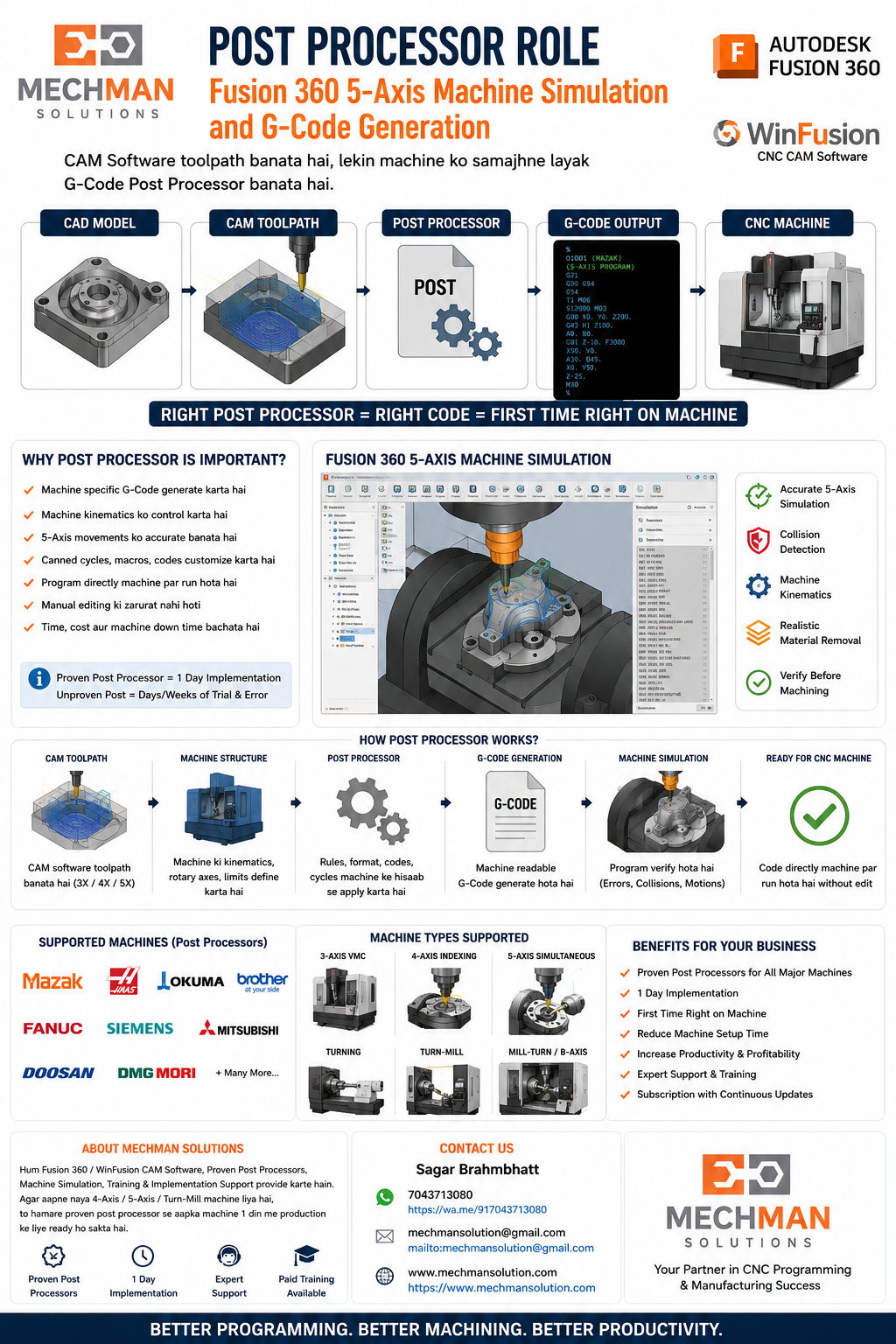
Example — har machine ka code alag hota hai:
Mazak
Okuma
Brother
Fanuc
Siemens
Mitsubishi
Isliye proper post processor ke bina machine par accurate output possible nahi hota.
CNC Programming Kaun Seekh Sakta Hai? 🎓
Diploma / BE Engineers
VMC Operators
CNC Operators
Tool Room Engineers
Production Engineers
Design Engineers
Manufacturing Owners
Aaj ke time mein CAM programmer ki demand bahut high hai — especially 4-axis, 5-axis aur turn-mill programming mein. 🔥
CNC Programming Career Scope 📈
Career scope strong hai because manufacturing industry mein automation badh raha hai. High-demand skills:
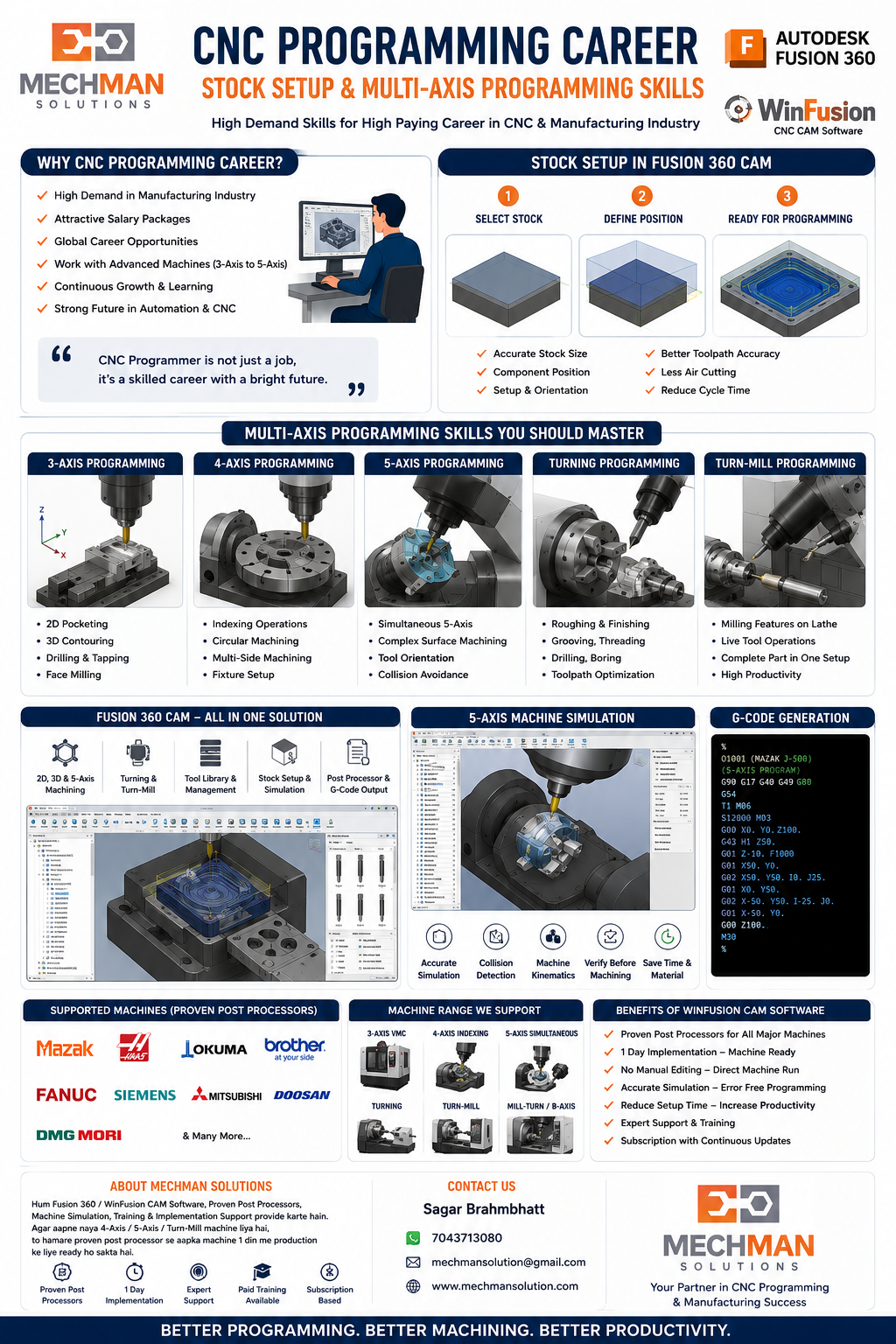
Jo programmer machine, toolpath, fixture, stock aur post processor samajhta hai — uski value market mein bahut high hoti hai. 💰
CNC Programming Software & Training
Mechman Solutions — WinFusion
CAD/CAM Solution · Post Processor · Training · Implementation
© 2025 Mechman Solutions | WinFusion CAM Software | Vadodara, Gujarat, India