🤖 CAM Automation Guide — WinFusion 2025
Macro Automation — WinFusion Mein
Repeat Programming Hatao, Smart Automate Karo! 🤖
CAM Templates | Scripts & API | NC Auto-Generate | Standard Workflow | Time Reduce
❌ Manual Every Time
Setup → WCS → Tool → Face
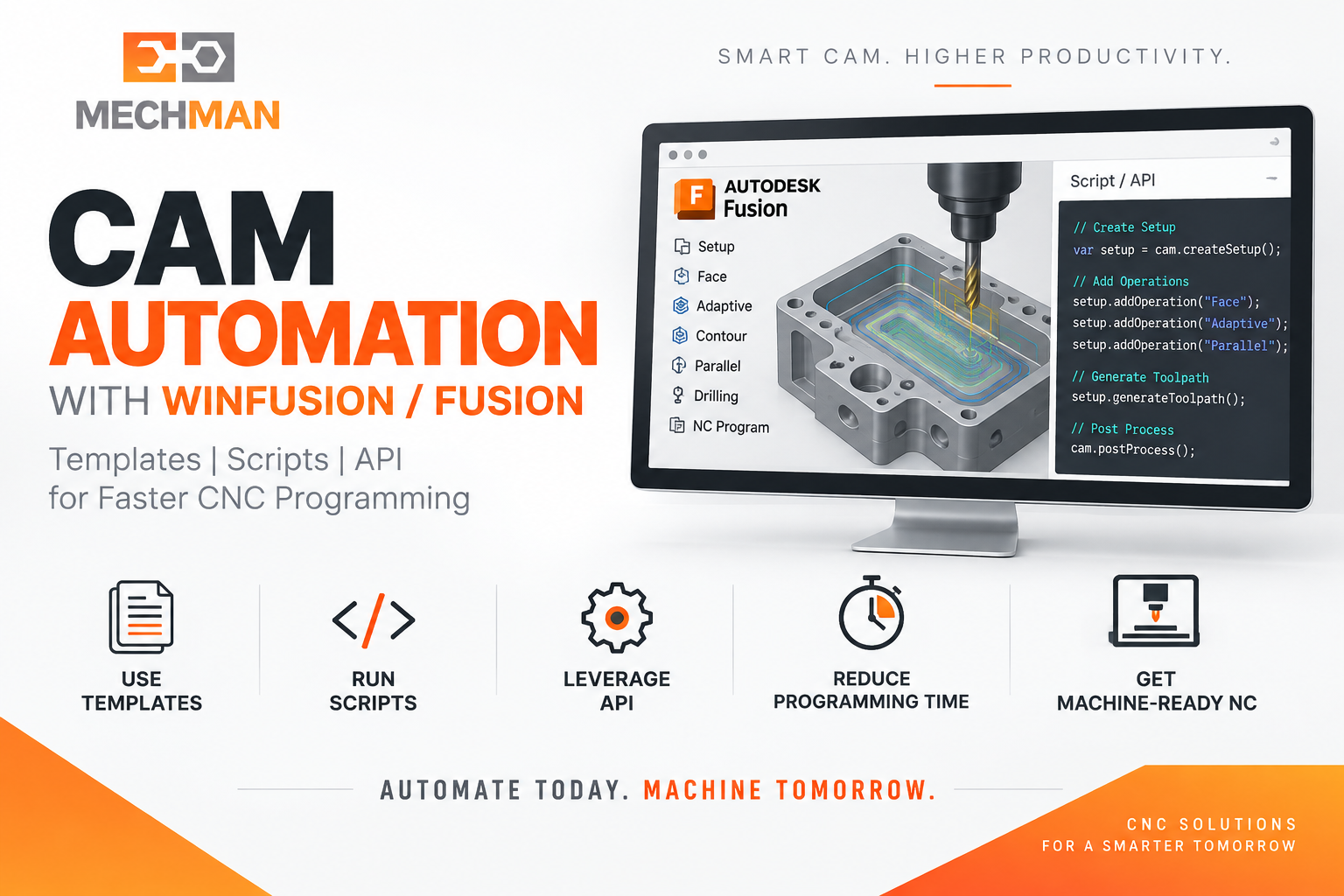
Macro Automation = Repetitive CAM programming steps ko Templates, Scripts aur API ke through automate karna — programmer ka manual work kam ho, standard machining workflow fast aur consistently repeat ho! WinFusion mein ye possible hai!
Production environment mein programmer ko baar-baar same operations manually create karni padti hain — Setup, WCS, Tool selection, Roughing, Finishing, Drilling, Post Processing — har component ke liye! WinFusion mein CAM Templates, Scripts aur API se ye repetitive work significantly automate kiya ja sakta hai!
“WinFusion Macro Automation ka best angle: Repeat Programming Nahi — Standard CAM Workflow Automatically Reuse Karo!” ✅
Important: Fusion Manufacture workspace mein traditional “Record Macro” button built-in nahi hai. Correct approach: CAM Templates + Scripts/Add-ins + API = Powerful Manufacturing Automation! ✅
🤖 CAM Automation Kya Hota Hai?
Manual Programming vs WinFusion Automation — Same Job ke liye compare karo:
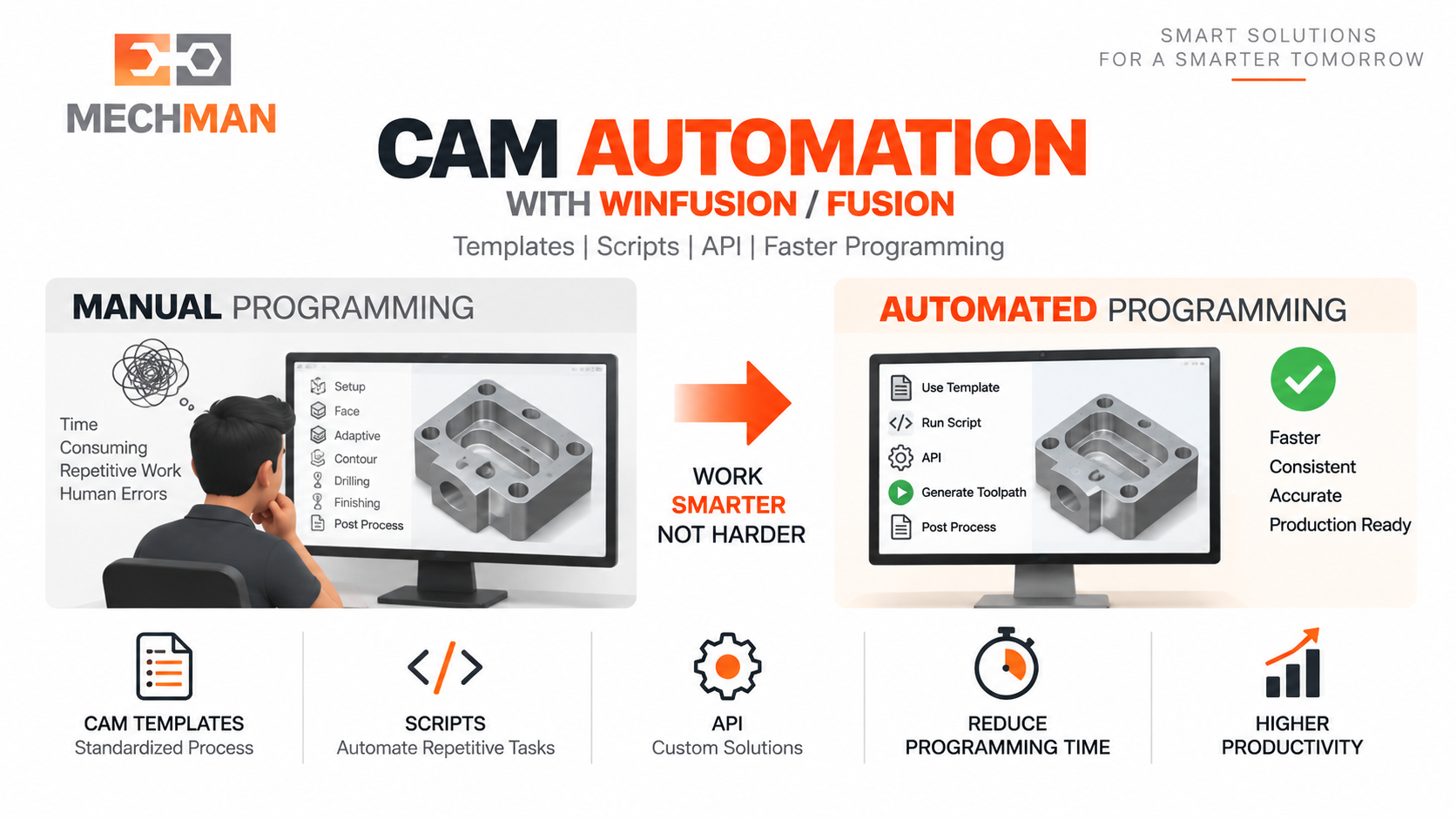
50 similar components ke liye 50 baar manually same operations karna vs ek baar standard workflow define karke 50 baar automatically apply karna — WinFusion CAM Automation yahi karta hai!
❌ Manual Programming Har Baar:
- Setup manually create ⚠️
- WCS manually select
- Tool manually assign
- Parameters manually enter
- Operations manually create
- NC manually generate ⚠️
✅ WinFusion Automation:
- Template: Setup auto ⭐
- Template: WCS auto
- API: Tool auto select ⭐
- Standard params apply
- Operations auto create
- NC auto generate ✅
Automation = Programming time reduce + Human error reduce + Standard workflow maintain! ✅
🛠️ WinFusion Mein 3 Automation Tools
1
CAM Templates — Sabse Practical Tool! ⭐⭐
Standard machining workflow ek baar define karo — baar-baar reuse karo!
CAM Template = Aapka proven machining methodology ka saved version. Nayi job mein template apply karo → Operations automatically create ho jati hain!
Tool preset ⭐
Standard tool + params
Operations ⭐
Proven operations saved
2
Scripts & Add-ins — Intermediate Automation ⭐
Custom JavaScript/Python scripts → specific tasks automate!
Scripts repetitive tasks automate karte hain jo template se possible nahi:
→Batch toolpath generation ⭐
→NC naming convention auto
→Multiple post auto-process
⭐Custom workflow logic!
3
Fusion CAM API — Most Powerful Automation! ⭐⭐
Manufacturing automation ke liye specifically designed — full control!
CAM API automatically ye sab kar sakta hai:
✓
Manufacturing Setup Create ⭐
API = Full manufacturing automation — Model to NC Code tak sab automatically! ✅
📊 Real Production Example — 100 Die Plates/Month!
Company 100 similar die plates/month banati hai — automation se kitna fark padta hai:
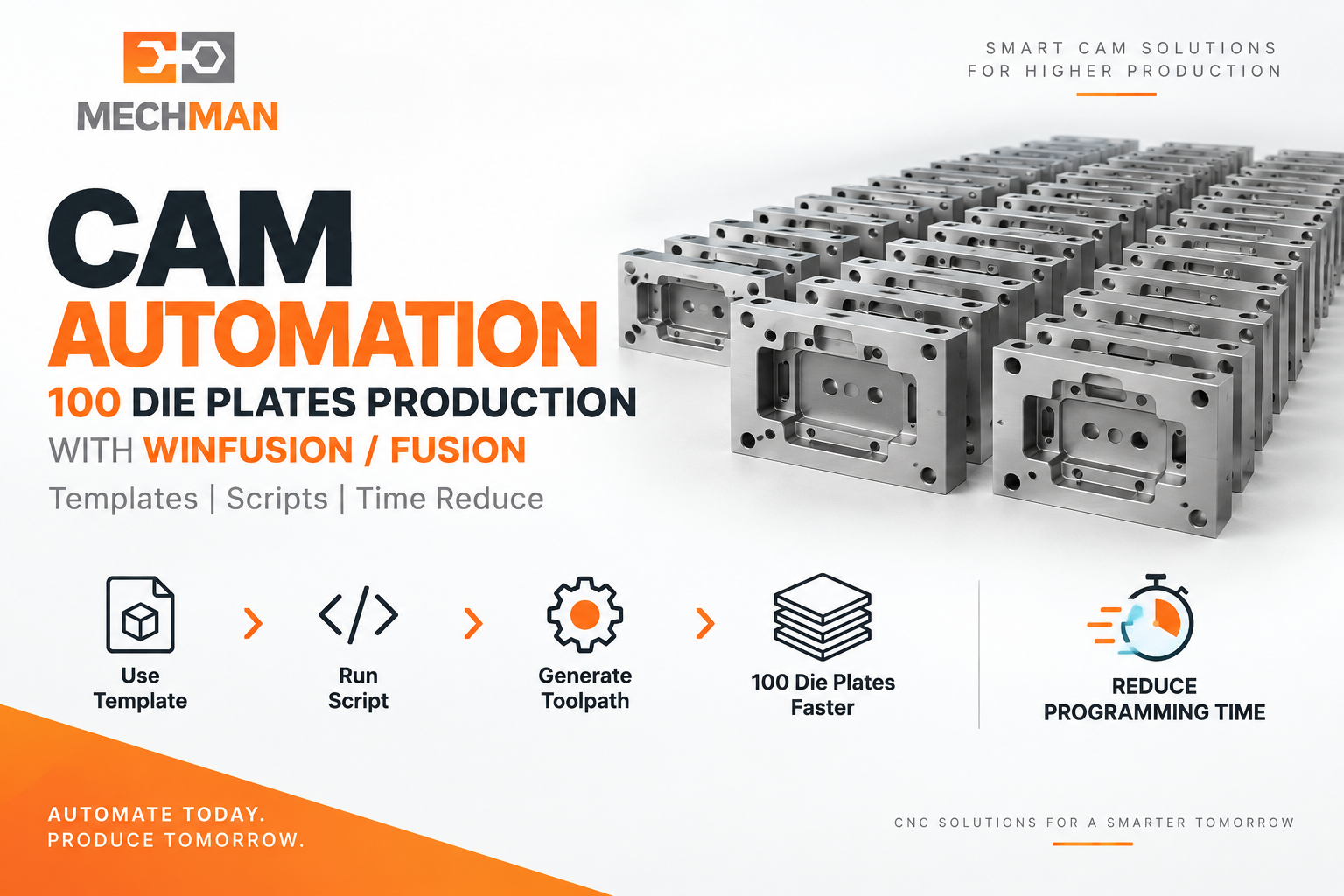
100 similar die plates/month: Manual mein programmer 100 baar same operations. Automation ke baad: Model import → Standard workflow apply → Parameters verify → Calculate → Simulate → Post. Time dramatically reduce!
| Step |
Manual (100x) |
Automation |
| Setup + WCS |
Manual 100 times ❌ |
Template auto ⭐ |
| Tool Selection |
Manual 100 times ❌ |
API auto selects ⭐ |
| Operations Create |
Manual 100 times ❌ |
Template + API ⭐ |
| NC Generate |
Manual 100 times ❌ |
NC Program auto ✅ |
| Human Error |
High ❌ |
Reduced ⭐ |
Result: Programmer ka repetitive manual work reduce → Programming time reduce → Output consistent → Errors minimize! ✅
🔧 Standard Tool Workflow — Automation Ka Core!
Standard tool sequence define karo → Automation mein automatically use hoga:
Tool selection, cutting parameters aur operations = standardized workflow ka part → Automation automatically use karta hai! ✅
5X
5-Axis Mein Automation Aur Bhi Powerful! ⭐
Repetitive 5-axis settings = sabse time-consuming — yahan automation most valuable!
5-axis mein ye sab baar-baar manually set karna padta hai — automation se standardize karo:
Tool Orientation ⭐
Axis tilt settings
Avoidance Geo
Collision geometry
Lead/Link ⭐
Entry/exit settings
Holder Clearance
Standard values
Machine Config ⭐
Kinematics settings
Post Properties ✅
Proven post auto!
5-axis automation message: “Programming Automation se fast karo, Machine Simulation se verify karo, Proven Post se machine-ready NC code generate karo!” ✅
🎮
Proven Post + Simulation = Automation Ka Complete Circle!
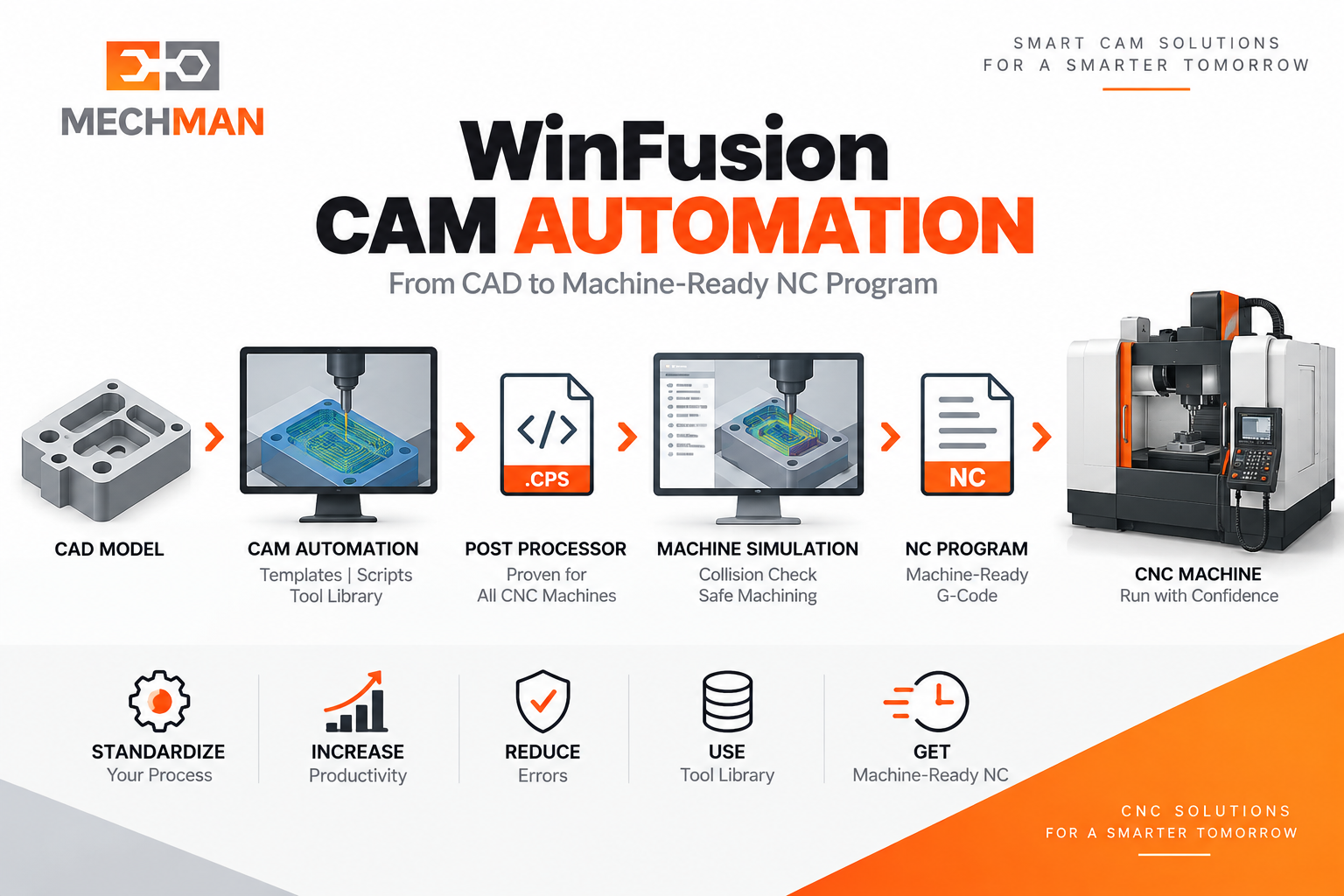
WinFusion: Automation → Machine-specific Proven Post Processor → NC Code → Simulation verify → CNC Machine. Har machine ke liye (Mazak, Haas, DMG Mori, Okuma, Jyoti CNC) automation tab best kaam karta hai jab post processor properly proven ho!
Mazak ⭐
DMG Mori
Haas ⭐
Makino
Okuma ⭐
Jyoti CNC
Fanuc ✅
Siemens ✅
Heidenhain ✅
✅ Automation Ke Major Benefits
✅Programming Time Reduce ⭐
✅Human Error Reduce
✅Standard Process Maintain ⭐
✅Output Consistency
✅Tool Library Standardize ⭐
✅New Programmer Onboard Fast
✅Production Repeatability ⭐
🤖Smart Factory Ready!
CAM Automation — Smart Manufacturing Ka Future! 🤖
Repeat Programming Nahi — Standard CAM Workflow Automatically Reuse Karo! WinFusion mein Templates, Scripts aur API se production environment mein massive time saving possible hai!
WinFusion: CAM Templates + API Automation + Machine Simulation + Proven Post = Smart Manufacturing Production! 🤖🚀
🤖
CAM Automation | Templates | Post Processor | Training
Mechman Solutions — WinFusion
Autodesk Authorized Partner | Vadodara, Gujarat | Since 2015
www.mechmansolution.com
© 2025 Mechman Solutions | WinFusion — CAM Automation Guide | Vadodara, Gujarat
