CNC Productivity Fix Guide
Mera CNC Cycle Time Itna
High Kyu Hai? ⏱️
5 Root Causes + WinFusion Solutions — Practical Hinglish Guide
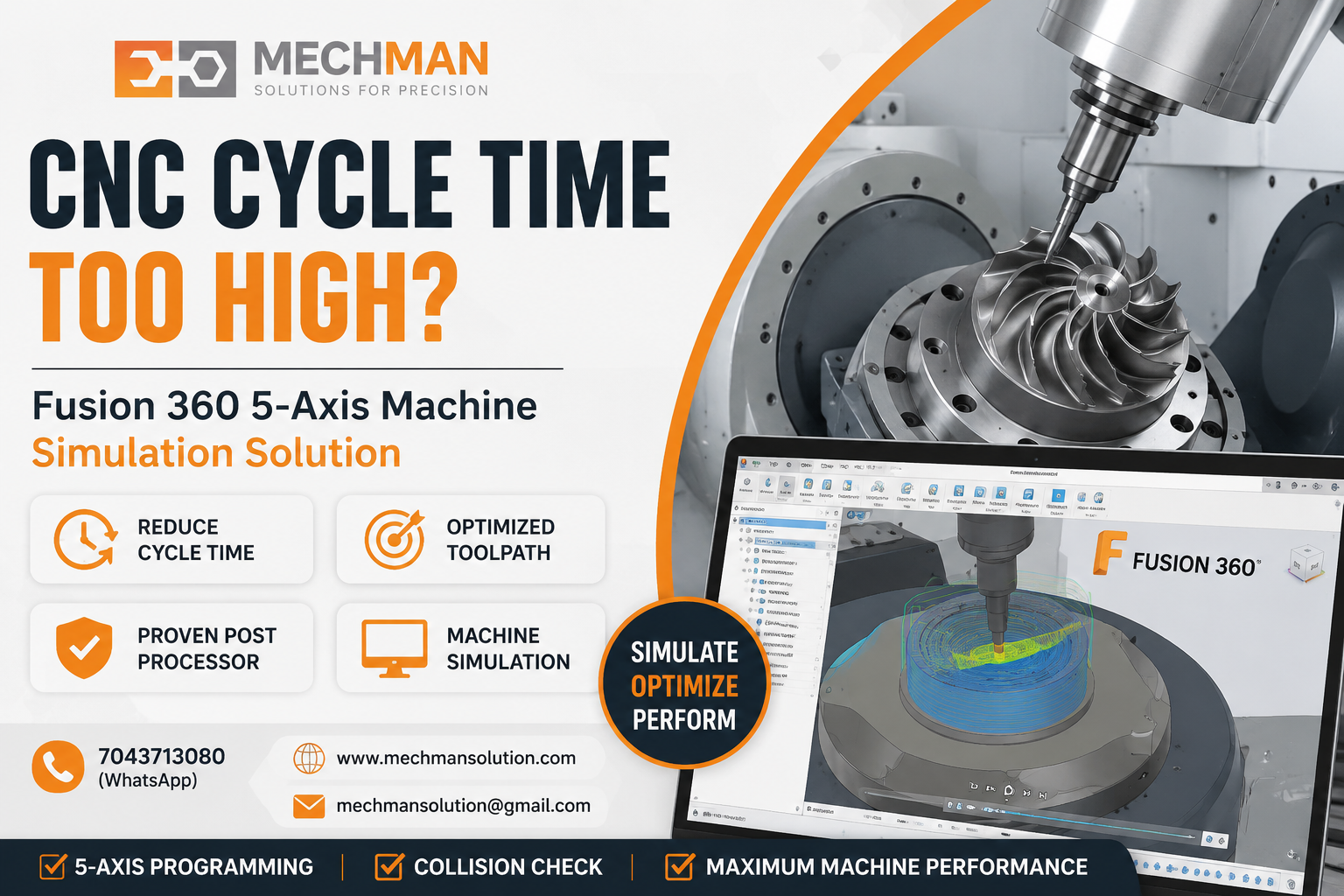
Fusion 360 Machine Simulation—Cycle time high hone ke real reasons screen pe identify hote hain. Yahan se fix shuru hota hai.
CNC machine lene ke baad sabse important cheez hoti hai — cycle time. Agar machine expensive hai, 4-axis, 5-axis ya turn-mill hai, aur cycle time zyada aa raha hai, to direct production cost badh jaati hai.
Kai companies mein problem software ki nahi hoti—problem hoti hai toolpath strategy, post processor, machine simulation, tool library, and proper implementation ki.
WinFusion mein hum Fusion 360 CAM ke through machine ke hisab se proven solution dete hain jisme toolpath optimization, post processor, machine simulation, aur training included hota hai.
CNC Cycle Time High Hone Ke 5 Main Reasons 🔍
1
Wrong Toolpath Strategy ❌
Most Common
❌ Problem
Normal cutting strategy use hone se tool unnecessary movement karta hai—air cutting badh jaati hai, machine time waste hota hai.
✅ WinFusion Fix
Adaptive clearing, rest machining, 3+2 machining aur optimized finishing strategy.
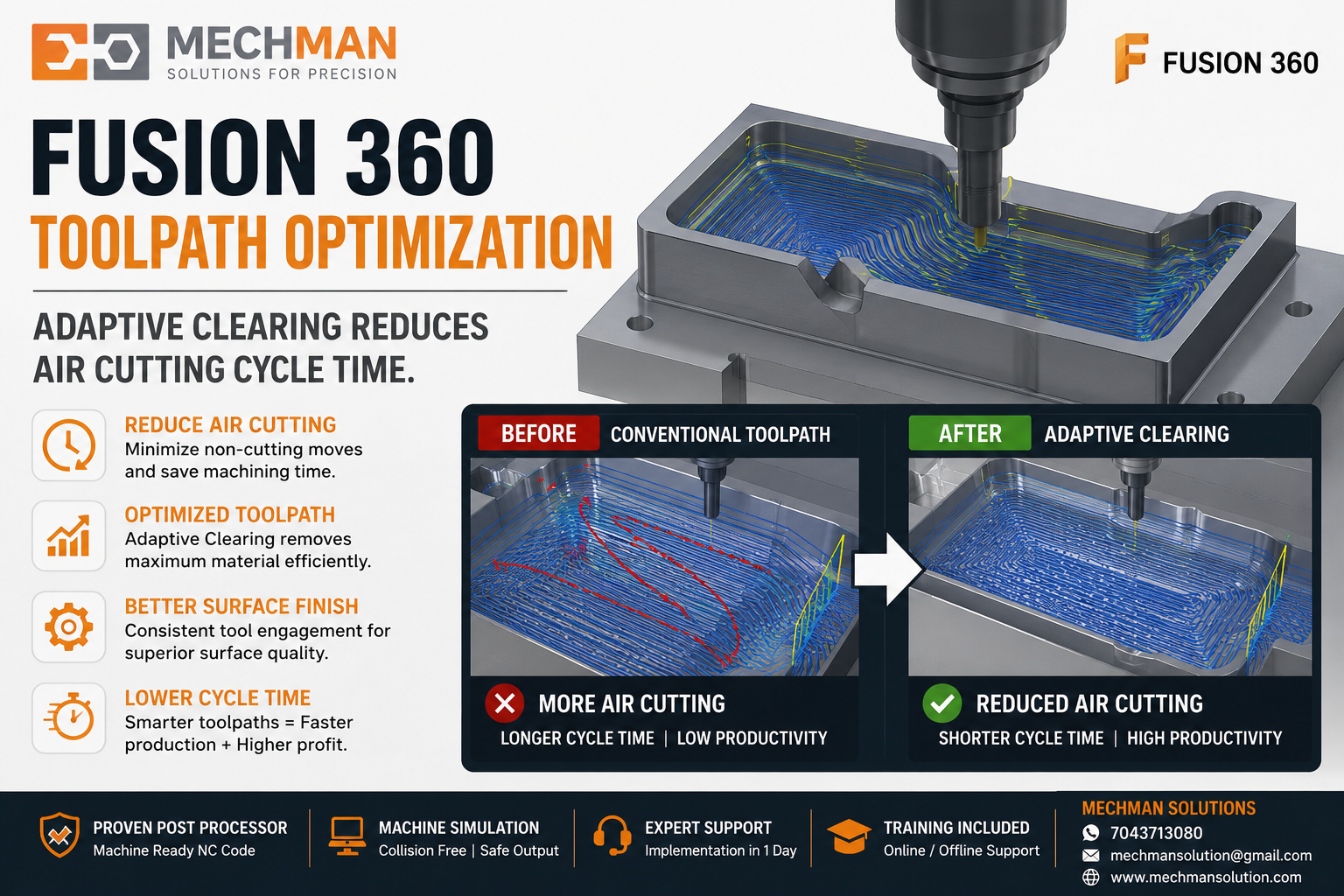
Optimized CAM toolpath—adaptive clearing, minimum air cutting, and maximum actual cutting time. Cycle time dramatically reduces.
2
Air Cutting Zyada Hona ✈️
❌ Problem
Tool material cut nahi kar raha — sirf hawa mein move kar raha hai. Yeh hidden cycle time loss hai.
✅ WinFusion Fix
Stock simulation aur rest machining use karke tool ko sirf required area mein cut karvao.
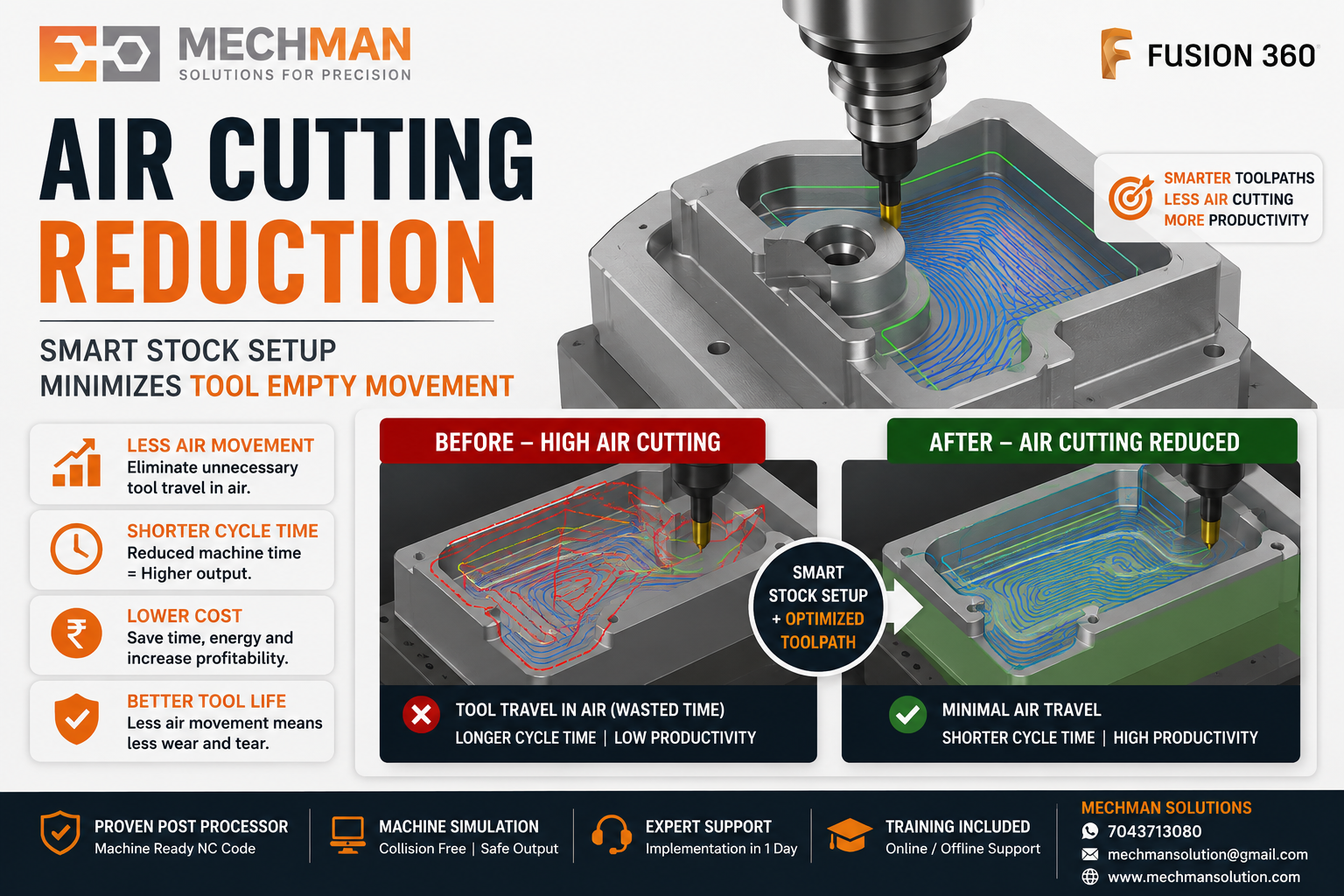
Smart stock definition—tool sirf wahan move kare jahan zaroorat hai. Air cutting is almost zero; productivity is maximum.
3
Wrong Cutting Parameters ⚙️
❌ Problem
RPM, feed, stepdown, stepover proper nahi — over-safe parameters machine productivity ko low kar dete hain.
✅ WinFusion Fix
Tool library mein proper cutting data maintain karo—material-based feeds & speeds.
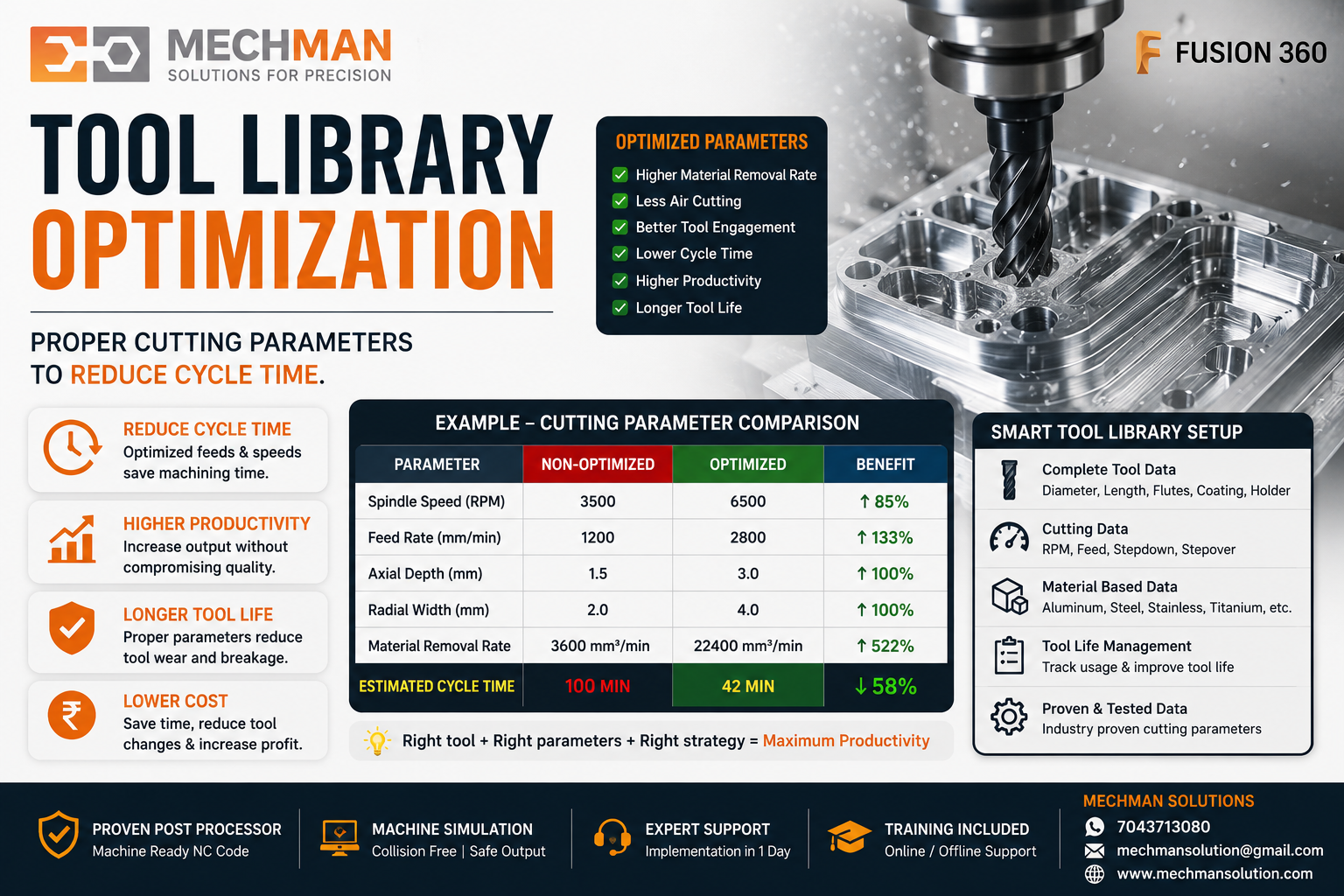
Standardized Tool Library—Correct RPM, feed, and stepover. Yeh ek baar sahi set karo aur har program automatically optimize ho jaata hai.
4
Post Processor Optimized Nahi ⭐
Hidden Killer
Post processor sirf NC code generate nahi karta. Agar post properly optimized nahi hai to unnecessary retract, rotary movement, tool change delay, safe move aur indexing time badh sakta hai.
✗Unnecessary retracts
✗Wrong rotary movement
✗Tool change delay
✗Extra indexing time
WinFusion Advantage: Proven post processor ke saath machine-ready output — NC program direct machine par run hota hai, manual editing nahi.
5
Machine Simulation Nahi Ki Gayi ⭐
Key Fix
Without machine simulation, the programmer safe side mein extra clearance aur slow movement rakhta hai. Isse cycle time naturally badh jaata hai—bina kisi kaam ke!
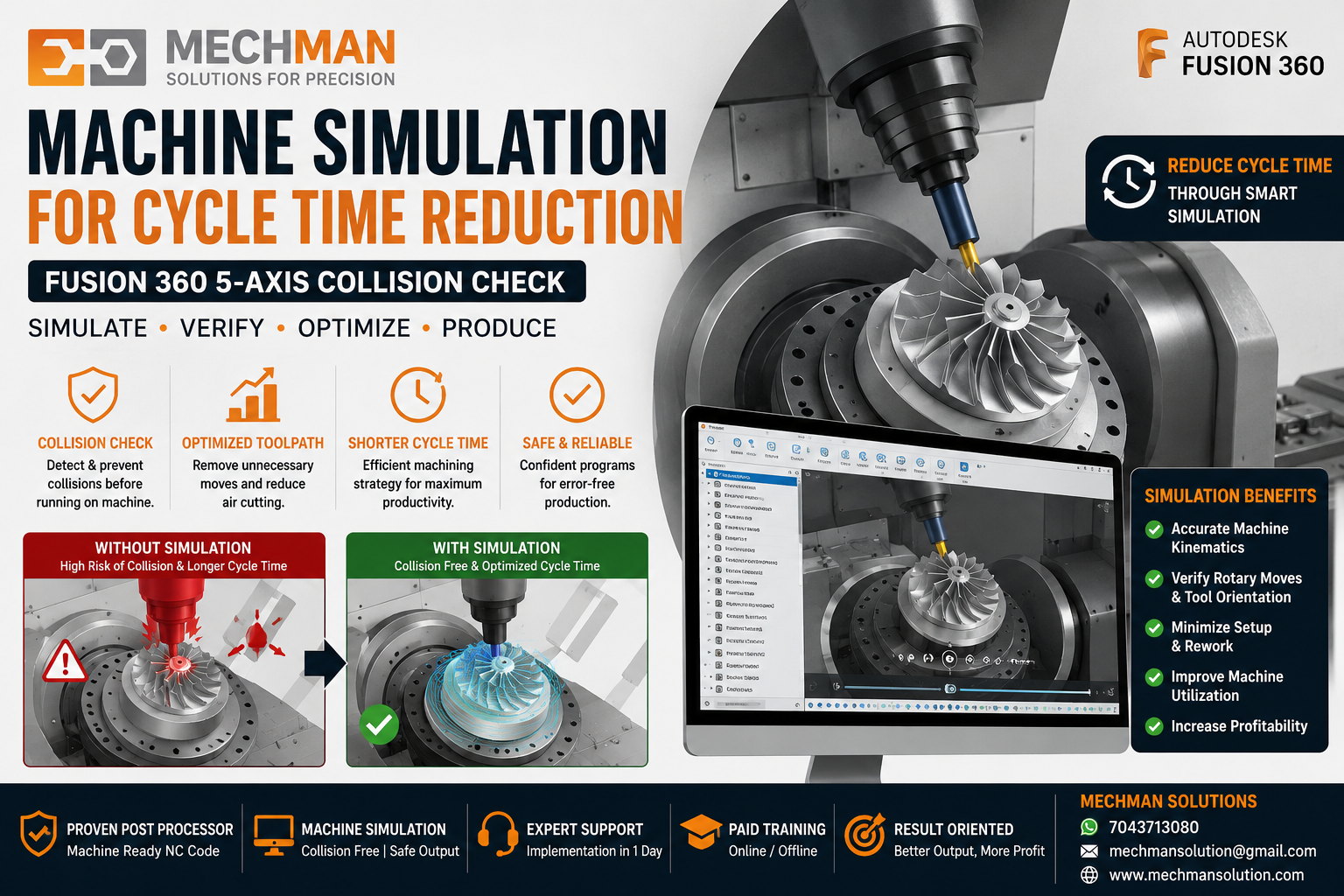
Full Machine Simulation — collision check ke baad programmer confident ho jaata hai, extra clearance ki zaroorat nahi. Cycle time reduce!
Fusion 360 Fix: Full machine simulation se collision check karke confident output milta hai — safe movements optimize hote hain.
5-Axis Machine Mein Cycle Time Kyu Zyada Aata Hai? 🔄
5-axis machine mein rotary movement, tool orientation, indexing, retract height aur post output bahut important hota hai. Agar software aur post processor proven nahi hai to machine ka real benefit nahi milta.
5-axis machine ka main benefit yeh hona chahiye:
Lekin yeh tabhi possible hai jab CAM setup properly ho — sirf machine kharidna kaafi nahi. ⚠️
WinFusion Ka Complete Solution 🚀
WinFusion Fusion 360 CAM ke through complete manufacturing setup provide karta hai:
✅Fusion 360 CAM Software
✅3/4/5-Axis Programming
✅Turn-Mill & Turning Support
✅Proven Post Processor
✅Machine Simulation
✅Tool Library Setup
✅Onsite / Online Training
⚡Production Implementation Support
Cycle Time High Hai? — Checklist ✅
Sirf machine ko blame mat kijiye. Check karo yeh 7 points:
1
Toolpath strategy optimized hai ya nahi?
2
Air cutting kitna hai? (stock simulation se check karo)
3
⭐ Cutting parameters proper hain? (feeds, speeds, stepover)
4
⭐ Post processor proven hai ya nahi?
5
⭐ Machine simulation run ki gayi hai?
6
Tool library standardized, hai?
7
Programmer ko proper training mili hai?
Conclusion 🎯
Agar aapka CNC cycle time high hai—sirf machine ko blame mat kijiye. Problem ho sakti hai toolpath strategy, cutting parameter, post processor, machine simulation, tool library, programmer training, or CAM implementation mein.
Right CAM software aur proven post processor se cycle time reduce ho sakta hai aur machine ki productivity increase hoti hai. 🚀
⏱️
CNC Cycle Time Reduce Karo — WinFusion Se
Mechman Solutions — WinFusion
Fusion 360 CAM | 5-Axis Post Processor | Machine Simulation | Toolpath Optimization
www.mechmansolution.com
© 2025 Mechman Solutions | WinFusion — Fusion 360 CAM Solution | Vadodara, Gujarat, India
