
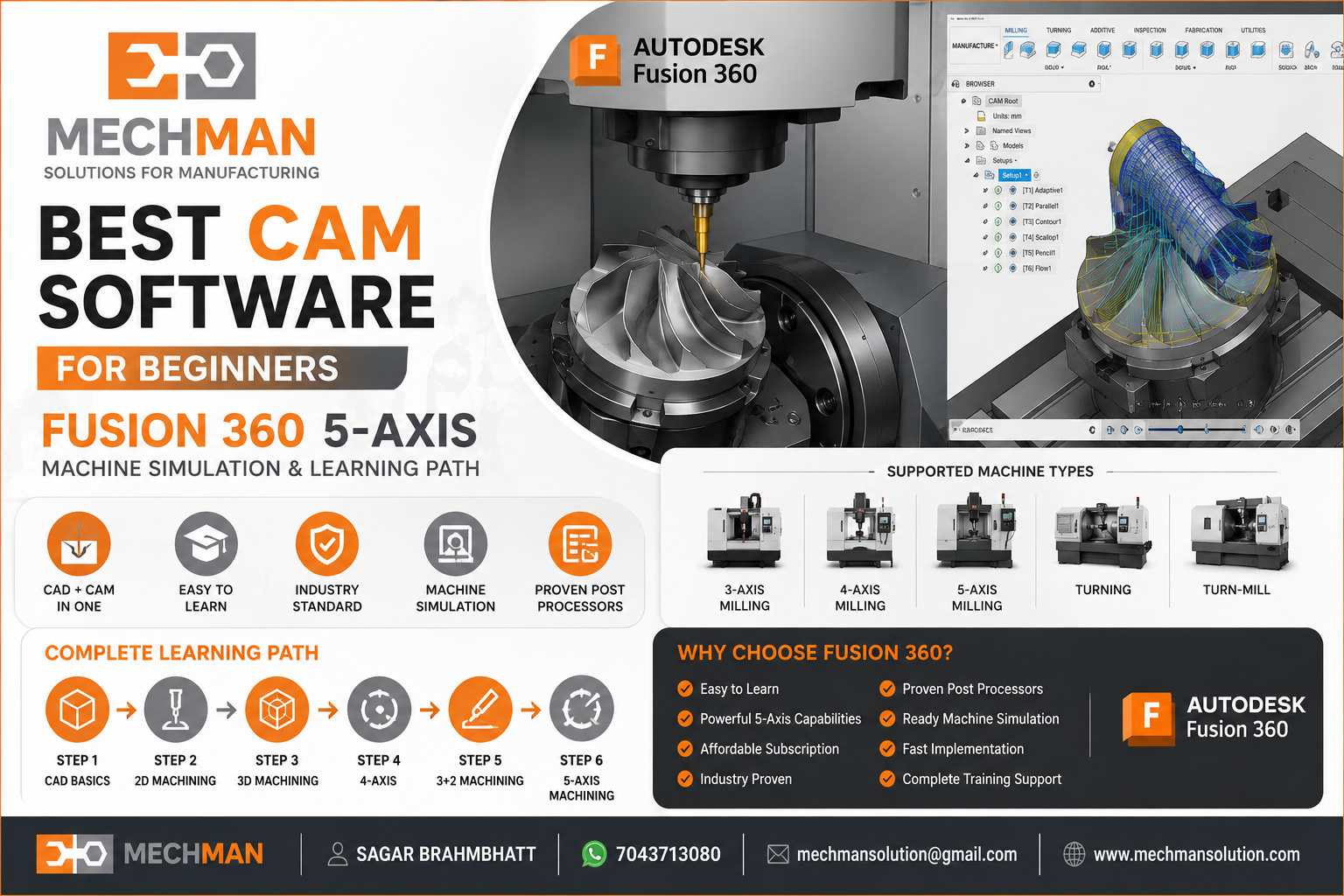
Agar aap CNC Programming, CAM Software, ya Manufacturing Industry mein naye ho—sabse bada question hota hai:
“Kaunsa CAM software beginners ke liye best hai?”
Market mein bahut saare options hain—Fusion 360, PowerMill, FeatureCAM, Mastercam, and SolidCAM. Lekin beginners ke liye sirf features nahi, learning curve, support, training, aur implementation bhi important hote hain.
CAM Software Select Karte Time Kya Dekhna Chahiye? 🔍
✓
✓
✓
✓
✓
Fusion 360 — Beginners Ke Liye Best Choice 🏆
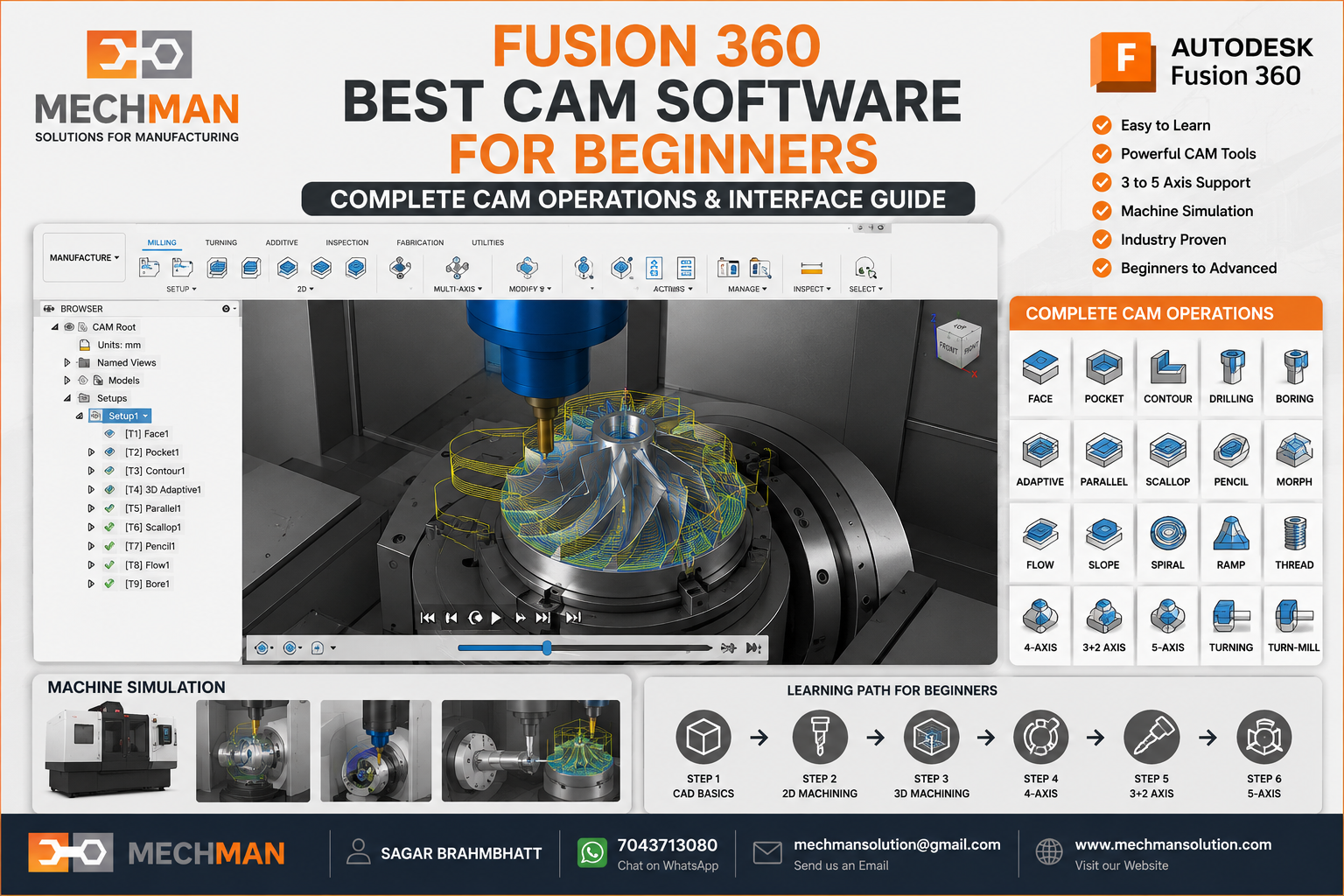
Learning Process Fast Kyu Hai? ⚡
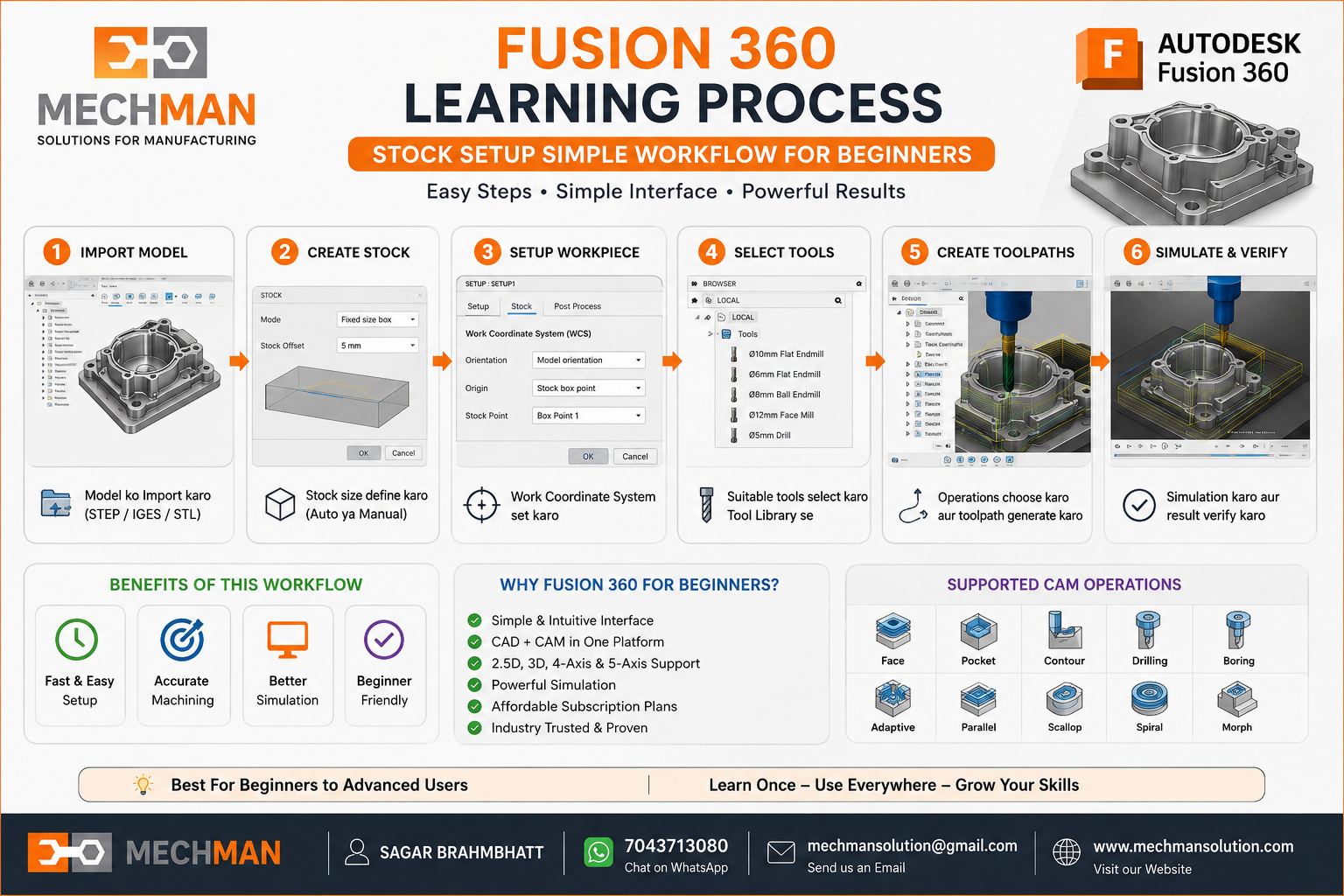
Fusion 360 mein workflow bahut simple hai — beginner bahut jaldi programming start kar sakta hai:
CAD Model Import Karo
Stock Define Karo
Setup Create Karo
Tool Select Karo
Toolpath Generate Karo
⭐ Simulation Check Karo
⭐ G-Code Output — Machine Ready!
Real Industry Problem ⚠️
Bahut companies software toh purchase kar leti hain — lekin phir yeh hota hai:
“Machine Post Processor ready nahi hai.”
aur trial mein 1 week ya usse jyada lag jaata hai.
❌
Machine khadi rehti hai
❌
EMI chalu ho jaati hai
❌
Production start nahi hota
WinFusion Ka Advantage 🚀
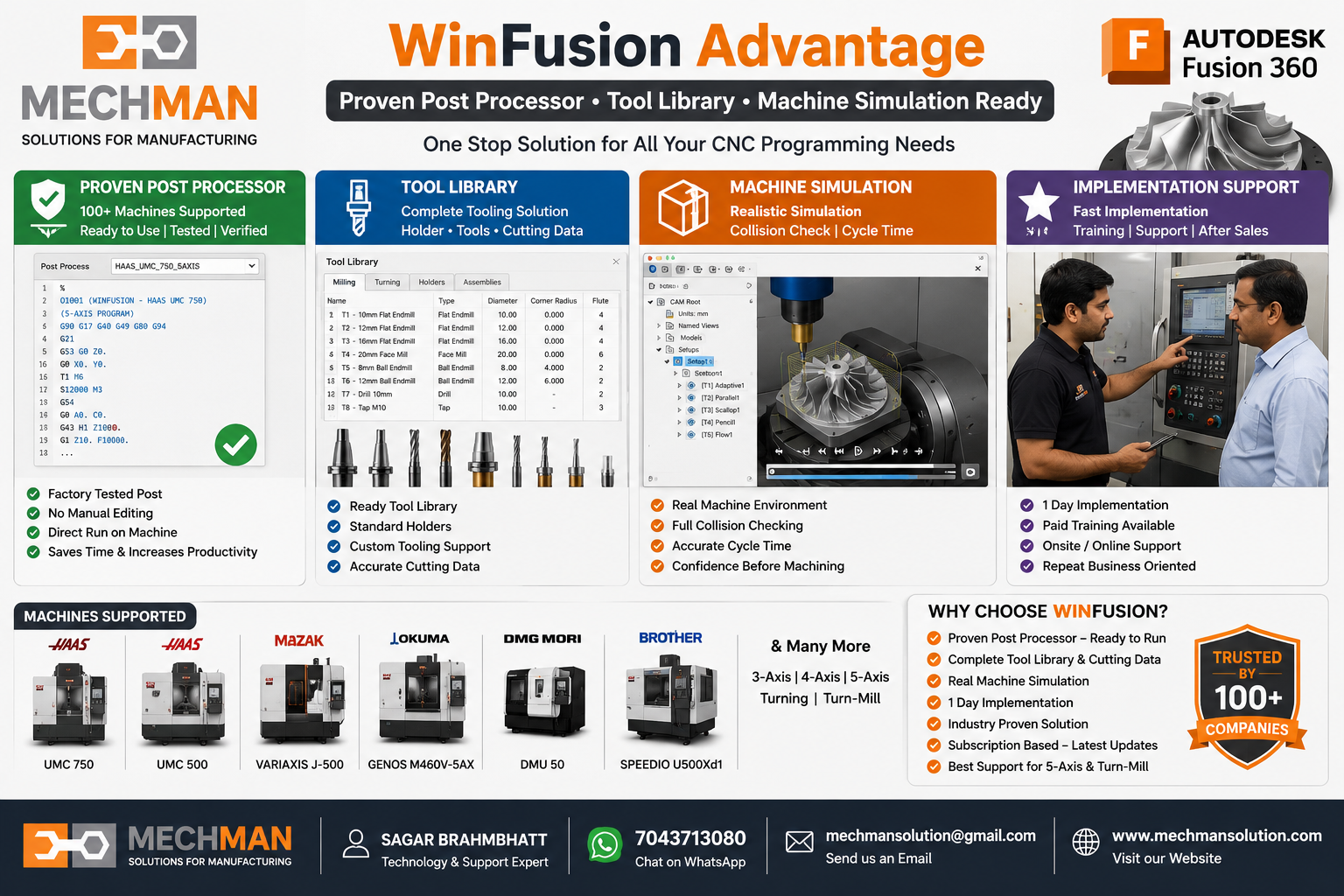
Ready solutions are available:
Haas UMC-500
Haas UMC-750
Okuma GENOS M460V-5AX
Beginners: Ke Liye’s Recommended Learning Path 🗺️
Stage 1
CAD Basics
- Sketch
- Extrude
- Hole
- Assembly
Stage 2
2D Programming
- Facing
- Contour
- Drilling
Stage 3
3D Toolpaths
- Adaptive Clearing
- Parallel
- Scallop
Stage 4
⭐ 4th Axis
4-Axis Programming
Stage 5
⭐ 3+2 Program
Indexed 5-Axis
Stage 6
🏆 Full 5-Axis!
Professional CNC Programmer
Final Answer — Fusion 360 Kyu? ✅
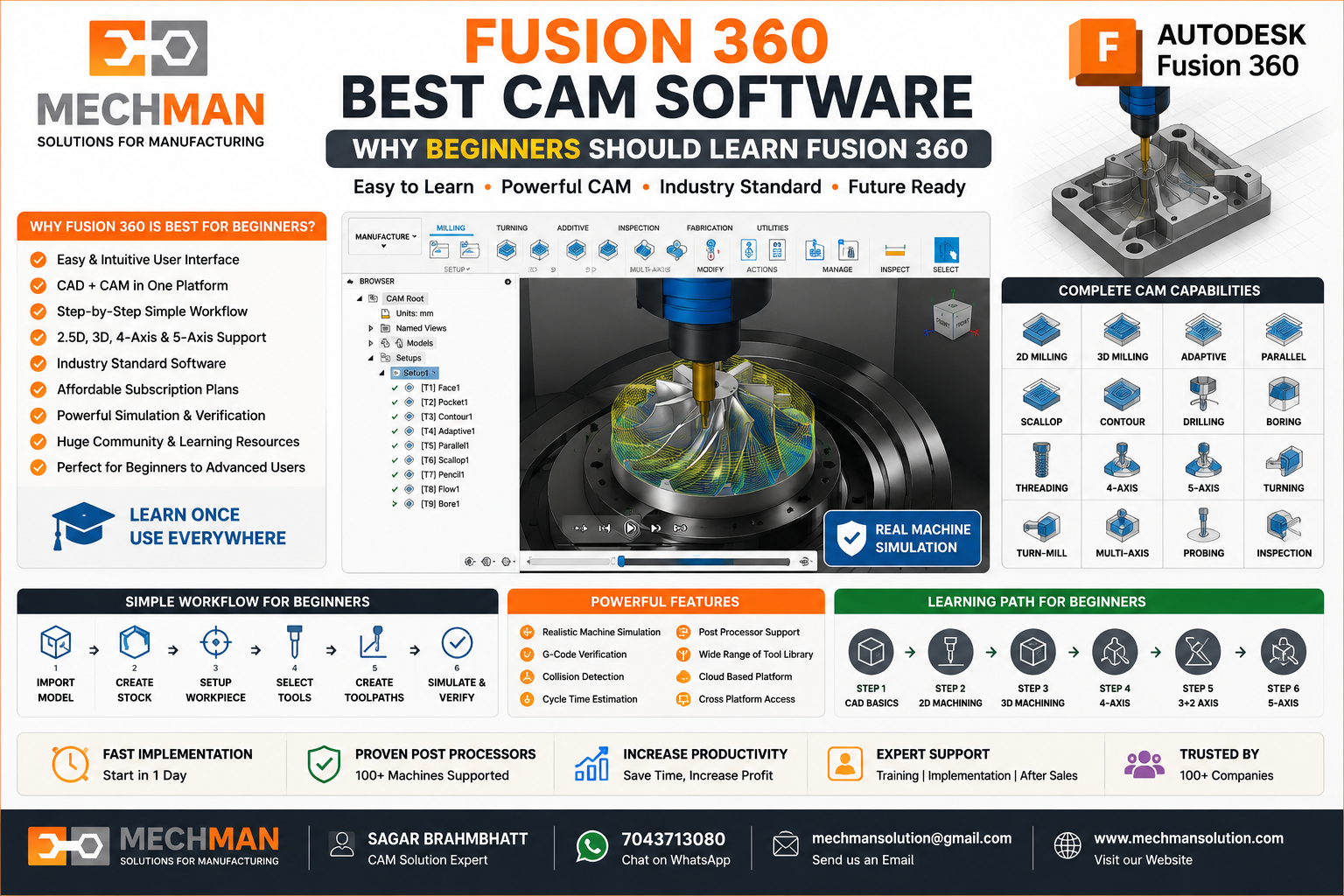
Conclusion 🎯
Agar aap beginner ho aur CAM software seekhna chahte ho, Fusion 360 sabse practical option hai.
Aur agar aapko ready implementation, proven post processor aur real machine support chahiye—WinFusion solution learning and production dono ko fast bana sakta hai. 🚀
Fusion 360 Training | Post Processor | Machine Support
Mechman Solutions — WinFusion
5-Axis Programming · Turn-Mill Solutions · Machine Simulation Support
© 2025 Mechman Solutions | WinFusion CAM Training | Vadodara, Gujarat, India