
Taking products apart and figuring out how they work -that’s what reverse engineering is all about, and it’s a big deal in today’s factories and design shops. Whether you’re trying to fix old parts, make replacements, or understand how your competition makes their stuff, reverse engineering lets engineers and designers go from a real, physical object to a computer model. Turning a fundamental part into a CAD model might sound tricky, but following a straightforward reverse engineering workflow, the process becomes organized and gets the job done.
Understanding Reverse Engineering Workflow
There are four main steps to the reverse engineering workflow: acquiring the data, processing it, creating the CAD model, and verifying it. Let’s look at each one.
Step 1: Getting the Data
The first thing you need to do is capture the exact shape and size of the part. How you do that depends on the part’s size, complexity, and the level of accuracy you need. Some common ways to do this are:
- 3D Scanning: Using lasers or special light to make a digital point cloud of the part. It’s like taking a 3D picture.
- Photogrammetry: Taking a bunch of regular photos of the part and using software to turn them into a 3D model.
- Manual Measurement: If it’s a simple part, you can use measuring tools like calipers or micrometers.
The point here is to get good data that really shows what the part looks like. If you mess this step up, your CAD model won’t be accurate, which can cause problems later.
Step 2: Data Processing
When you scan a part, the data is usually rough. There might be extra points, missing spots, and overlapping surfaces. So, you have to clean it up before you can make a CAD model.
Here’s what you need to do:
- Remove any excess stray points from the point cloud.
- Fill in any holes or fix any missing surfaces.
- Convert the point cloud to a mesh, a format CAD software can use.
Programs like Geomagic, MeshLab, or SolidWorks ScanTo3D are suitable for this. After this step, you should have a clean, accurate digital version of the part that’s ready for CAD modeling.
Step 3: CAD Modeling
Now, here’s where the reverse engineering workflow really comes together- turning that digital data into something you can really work with! Changing the mesh or point cloud into a CAD model lets designers change and play with the part on the computer.
This usually involves:
- Making sketches on reference planes to guide your design.
- Using tools like extrusions, lofts, sweeps, and fillets to recreate the features of the part.
- Adding connections or constraints if the part is part of a bigger machine or system.
Here’s a quick guide to CAD modeling for reverse engineering:
| Method | Good For | Pros | Cons |
|---|---|---|---|
| Direct Surface Modeling | Weird, curvy shapes | Quick, gets the surface details right | Harder to modify parametrically |
| Parametric Modeling | Mechanical parts with clear features | You can change anything easily | Takes longer for complex shapes |
| Hybrid Modeling | Mix of complex and straightforward stuff | Good balance of speed and editable | Requires experience in CAD tools |
Making a CAD model isn’t just about copying the shape – it’s about creating a model that works and is ready for manufacturing or testing.
Step 4: Checking Your Work
Once you’re done with the CAD model, make sure it matches the original part. Ways to do this include:
- Putting the CAD model on top of the original scan to see if there are any differences.
- Measuring critical dimensions to make sure they’re within the right range.
- Running tests or simulations to determine if the part fits with other parts.
This step ensures that the CAD model is a faithful representation of the real part and is ready to be manufactured or modified.
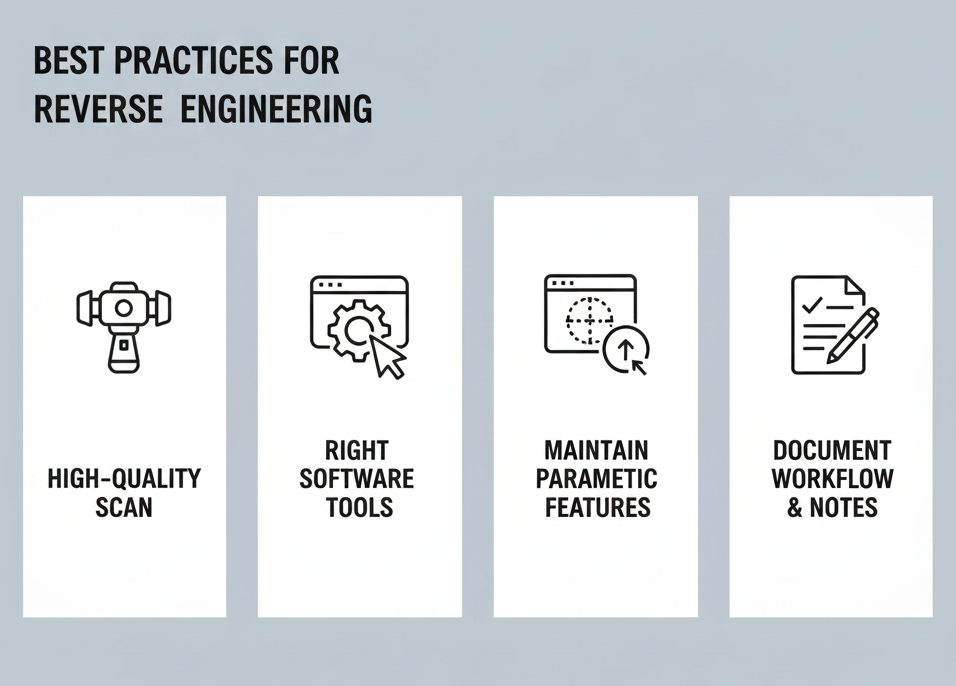
Final Thoughts
Reverse engineering is a valuable and practical way to connect the real world to the digital world. By following a well-structured reverse engineering workflow, engineers and designers can create new designs, generate new ideas, and make better products. Whether you’re fixing old parts or making something brand new, getting good at reverse engineering can save you time and money and allow you to push the boundaries of creation.
FAQs
Q1: Can I use reverse engineering for any kind of part?
Yes, but how you do it depends on how complicated the part is, what it’s made of, and its size. Complex parts may require specialized scanning or modeling methods.
Q2: How exact will my CAD model be after reverse engineering?
That depends on how good the scan data is and how well you clean it up. Good scanners and careful data processing can yield models accurate enough for manufacturing.
Q3: What’s the best software for reverse engineering?
Some popular choices are SolidWorks, CATIA, Geomagic Design X, and Autodesk Fusion 360. The best one for you depends on what you’re doing, how hard the parts are to model, and your budget.
Contact Us
📞 +91 99137 89065