
In the fast-moving world of manufacturing, how quickly you get things done is key. A well-organized CAD/CAM workflow can be what separates success from failure. No matter if you are working on intricate designs or making exact parts, having a transparent process means your designs go from ideas to finished products without a hitch.
Understanding the CAD/CAM Process
The CAD/CAM workflow combines computer-aided design (CAD) and computer-aided manufacturing (CAM) into a seamless workflow. CAD is a software tool used by engineers to create detailed 2D or 3D models. CAM then converts these models into machine instructions. By combining these steps, you reduce mistakes, shorten production times, and make better products.
Usually, a CAD/CAM process includes creating a design, checking the model, generating toolpaths, running simulations, and then manufacturing. If you skip any of these steps, it can lead to pricey problems. That’s why having a checklist is so important.
Essential Steps in a CAD/CAM Process
Here’s a guide to help keep your process running smoothly:
Start with a Clear Idea
Before you even open any CAD software, know what the part should be, what materials to use, and what it needs to do. A clear idea from the start keeps you from having to make lots of changes later.
Make Accurate 3D Models
Use CAD tools to design your part. Pay close attention to sizes, tolerances, and how it all fits together. Being accurate here reduces errors in the CAM stage.
Look for Design Problems
Carefully check your model. Look for parts that don’t fit together, gaps, or designs that just won’t work. Features like interference detection and model validation can be a big help.
Create Toolpaths in CAM Software
Import your CAD model into CAM software to create toolpaths. Decide how you will machine the part, how fast the tools should move, and which tools to use. This step directly affects how efficient your manufacturing will be.
Simulate the Manufacturing
Simulate to make sure the toolpaths work as expected. Simulations can catch problems like collisions or parts being cut too deeply before they occur on the machine, saving time and materials.
Post-Processing
Turn the toolpaths into machine-readable code (G-code) that your CNC machine can understand. Make sure the post-processor matches your machine type for smooth execution.
Manufacturing and Quality Control
Once the machine starts working, keep a close watch on it. After manufacturing, check the part against your original CAD design. Use measuring tools to confirm everything is within the correct tolerances.
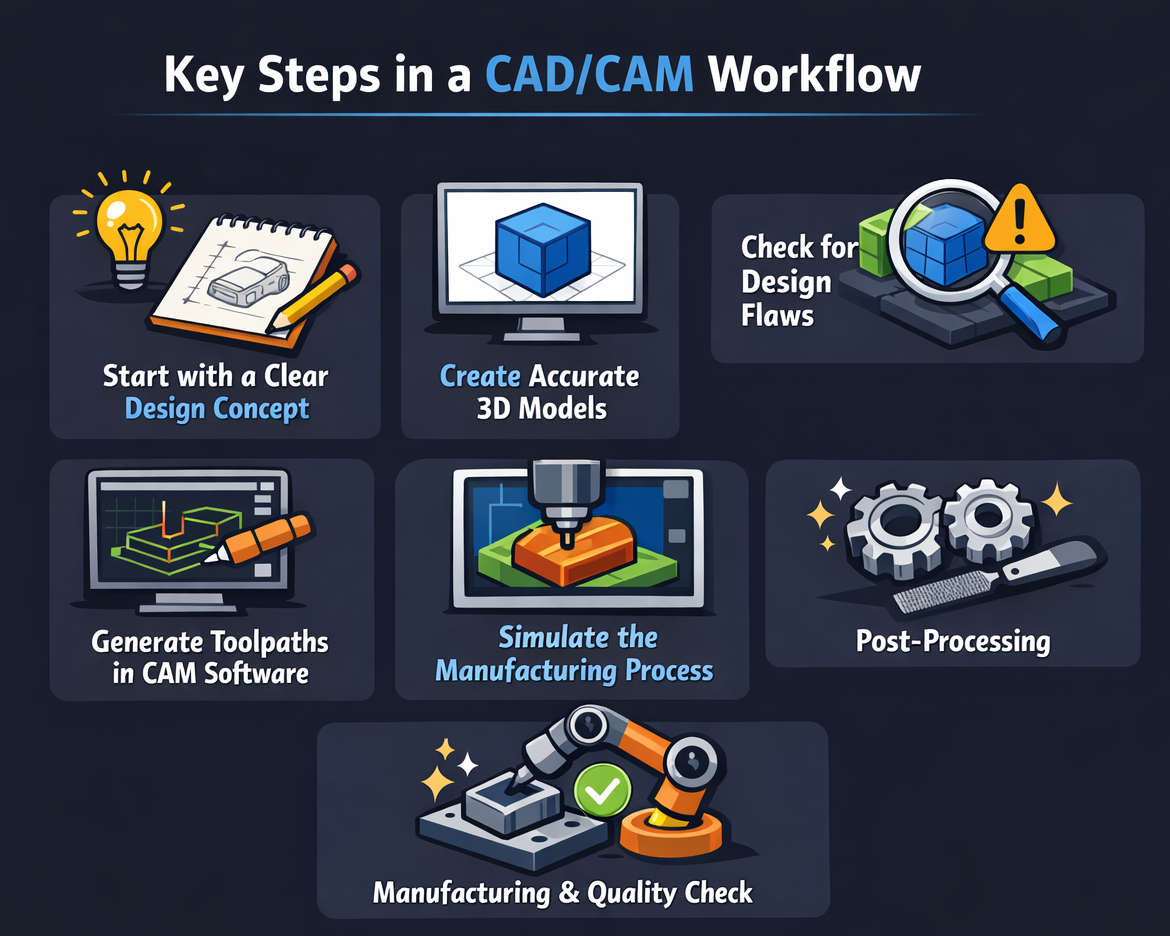
Simple CAD/CAM Process Checklist
| Step | Task | Important Tip |
|---|---|---|
| 1 | Define design needs | Include sizes, materials, and tolerances |
| 2 | Create CAD model | Make sure it’s accurate and fits together well |
| 3 | Review the model | Look for clashes or impossible designs |
| 4 | Create CAM toolpaths | Optimize your machining carefully |
| 5 | Run a simulation | Find errors before manufacturing |
| 6 | Post-process G-code | Match the code to your machine type |
| 7 | Manufacture and inspect | Verify tolerances and finish quality |
This checklist helps ensure that each step of your CAD/CAM workflow is well-organized and efficient.
Tips for a Faster Design-to-Manufacturing Process
- Use Standard Templates: Use pre-made CAD templates for similar projects to save design time.
- Use Parametric Design: Parametric modeling lets you make easy adjustments without having to start over.
- Invest in Simulation Tools: Simulations prevent trial-and-error machining, saving time and reducing waste.
- Keep Tool Libraries Organized: Organized tool libraries reduce setup time and improve accuracy.
- Review Often: Check designs at each step to avoid costly problems later.
By doing these things, your team can move from design to production smoothly, reducing downtime and increasing output.
Why a CAD/CAM Process Is Important
A good CAD/CAM workflow isn’t just about speed-it’s about making things well. Finding errors early saves money on fixing mistakes, while good CAM programming reduces machine wear and material waste. When your process is streamlined, you get faster turnaround times and more reliable results, which is suitable for engineers and manufacturers.
A well-organized CAD/CAM process makes a big difference in today’s manufacturing. By using checklists, simulating toolpaths, and reviewing designs, engineers can ensure parts are produced accurately, efficiently, and without much trouble. Spending a little time upfront to manage the process correctly can save a lot of headaches and money down the line.
FAQs
1. How long does a CAD/CAM process take?
The time changes based on how complex the part is, but following a transparent process can significantly reduce unnecessary delays. Small parts take a few hours, while complex assemblies take days.
2. Can CAD and CAM software be used separately?
Yes, they can, but using them together makes things more efficient, reduces errors, and ensures the design is accurately manufactured into a part.
3. What’s the most common mistake in a CAD/CAM process?
Skipping the simulation or failing to check the CAD model are common mistakes. This often leads to machining problems and wasted materials.
Contact Us
📞 +91 99137 89065