
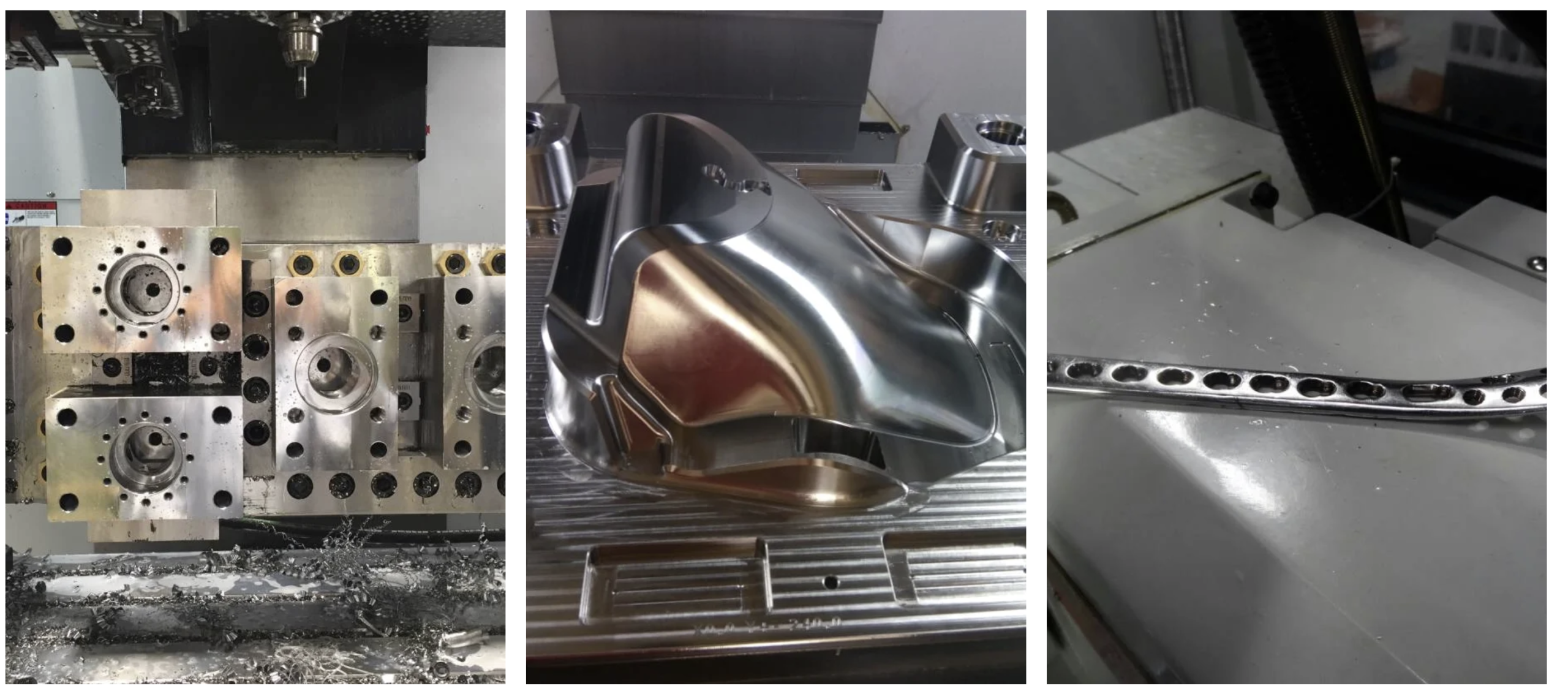
Advanced 5-axis toolpath simulation in Autodesk PowerMill for high-precision mold manufacturing.
When it comes to mold manufacturing, the difference between profit and loss often comes down to one factor: machining precision. Autodesk PowerMill has become the industry standard CAM solution for mold makers — and for good reason.
What Makes Mold Manufacturing So Demanding?
Mold manufacturing is among the most technically demanding disciplines in CNC machining. Molds must hold tight tolerances — often within ±0.01 mm — across complex 3D surfaces, deep cavities, and intricate cooling channel geometries. A single error doesn’t just scrap a part; it scraps a mold worth thousands of dollars.
The challenges mold shops face every day include:
- Machining hardened steels (P20, H13, S7) with high tool loads
- Achieving mirror-like surface finishes without hand polishing
- Managing deep cavity and undercut features safely
- Reducing cycle times without sacrificing accuracy
- Avoiding tool collision in tight, confined spaces
This is precisely where PowerMill outperforms general-purpose CAM software. It was built from the ground up for these exact scenarios.
Why PowerMill Is the Best CAM Software for Mold Making
1. Purpose-Built for Complex 3D Surfaces
Unlike general CAM tools that apply 3-axis strategies to everything, PowerMill offers an extensive library of high-performance finishing strategies optimized for sculpted mold surfaces. Strategies like Raster Finishing, Steep and Shallow, and Scallop Finishing automatically adapt to surface topology — ensuring consistent scallop heights across the entire mold, which translates directly to better surface quality and less benching time.
2. Exceptional Collision Avoidance and Tool-Path Safety
Deep rib machining and core/cavity work present serious collision risks. PowerMill’s full 5-axis collision checking is unmatched in the industry. It automatically detects holder-to-workpiece collisions and retracts the tool safely, protecting both the machine and the mold. You can define complex holder profiles and verify clearance across the entire tool assembly — not just the cutting edge.
3. High-Speed Machining (HSM) Strategies
PowerMill pioneered many of the high-speed machining techniques that are now standard in the industry. Its trochoidal milling, optimized rest machining, and constant engagement strategies maintain consistent chip load on hardened steel — dramatically extending tool life and allowing faster feedrates. For mold shops running hardened H13 or tool steel at 50+ HRC, this is a game changer.
4. Intelligent Rest Machining
Molds require multiple operations with progressively smaller tools to clean up corners and fine details. PowerMill’s rest machining automatically identifies unmachined material left by previous operations and only machines those areas. This eliminates air-cutting, reduces cycle time significantly, and protects smaller finishing tools from sudden overloads.
5. Full 5-Axis Simultaneous Machining
When deep undercuts, lifters, or side-action features are involved, 3+2 isn’t always enough. PowerMill delivers full simultaneous 5-axis toolpaths that can maintain a consistent tool contact angle across complex surfaces — achieving better finishes and accessing features that would otherwise require expensive EDM work or manual hand work.
6. Vortex High-Efficiency Roughing
PowerMill’s exclusive Vortex strategy uses a trochoidal-based approach that maintains a constant tool engagement angle regardless of component geometry. For roughing out large mold blocks in hardened steel, Vortex has been shown to reduce roughing times by up to 40% compared to conventional raster strategies, while generating less heat and extending tool life substantially.
7. Robust Post-Processor Ecosystem
PowerMill ships with verified post-processors for virtually every major machine tool brand — Mazak, DMG Mori, Makino, Fanuc, Heidenhain, and more. For mold shops running specialized high-speed machining centers, having a reliable, tested post-processor means less time debugging G-code and more confidence at the machine.
8. Integration with Autodesk Fusion (Fusion 360 + PowerMill)
As part of the Autodesk ecosystem, PowerMill now integrates directly with Autodesk Fusion. Design changes in Fusion flow through to the PowerMill toolpaths automatically. For mold makers who handle both design and manufacturing in-house, this parametric link eliminates the manual re-programming headache when engineering changes come through — which they always do.
PowerMill vs. Other CAM Software for Mold Making
| Feature | PowerMill | Mastercam | Hypermill | NX CAM |
|---|---|---|---|---|
| 5-Axis Toolpath Quality | ⭐⭐⭐⭐⭐ | ⭐⭐⭐⭐ | ⭐⭐⭐⭐⭐ | ⭐⭐⭐⭐⭐ |
| Collision Avoidance | ⭐⭐⭐⭐⭐ | ⭐⭐⭐ | ⭐⭐⭐⭐ | ⭐⭐⭐⭐ |
| HSM / Vortex Roughing | ⭐⭐⭐⭐⭐ | ⭐⭐⭐⭐ | ⭐⭐⭐⭐ | ⭐⭐⭐⭐ |
| Rest Machining | ⭐⭐⭐⭐⭐ | ⭐⭐⭐⭐ | ⭐⭐⭐⭐ | ⭐⭐⭐⭐ |
| Ease of Use | ⭐⭐⭐⭐ | ⭐⭐⭐⭐ | ⭐⭐⭐ | ⭐⭐⭐ |
| Cost (Relative) | Mid-High | Mid | High | High |
Real-World Benefits for Mold Shops
The return on investment from PowerMill in a mold shop typically shows up in several measurable ways:
- Reduced benching time: Better surface finishes from the machine mean less manual polishing — often saving 4–8 hours per mold.
- Longer tool life: HSM strategies and constant-engagement toolpaths reduce thermal shock and mechanical stress on cutting tools.
- Fewer scrap molds: Comprehensive simulation and collision detection catches problems before the machine does.
- Faster quoting: Experienced PowerMill programmers can estimate machining time with high accuracy, improving quote confidence.
- Competitive lead times: More efficient toolpaths mean less machine time per mold, allowing more jobs through the shop.
Who Should Use PowerMill?
PowerMill is best suited for:
- Injection mold shops working in hardened steel
- Die casting die makers
- Blow mold and compression mold manufacturers
- Shops with 5-axis machining centers (Makino, Yasda, DMG Mori, Hermle)
- Tier-1 automotive mold suppliers
- Medical device tooling manufacturers
If your shop handles simpler 2.5D work with minimal 3D surfacing, a lighter CAM package may suffice. But the moment your work involves complex contoured surfaces, tight tolerances, and hardened materials — PowerMill pays for itself quickly.
PowerMill 2025 Pricing and How to Get Started
Autodesk PowerMill 2025 is available as part of the Autodesk Fusion 360 + PowerMill subscription bundle, making it more accessible than ever for mid-sized mold shops. The subscription model means you always have the latest version with updated post-processors and strategies — no costly upgrades.
Watch the video above for a full walkthrough of the current pricing options and what’s included in PowerMill 2025.
To get a quote or start a free trial, visit the official Autodesk PowerMill page.
Conclusion: PowerMill Is the Mold Maker’s Competitive Advantage
In a market where lead times are shrinking, tolerances are tightening, and customers expect first-article perfection, mold shops cannot afford to compromise on their CAM software. Autodesk PowerMill delivers the toolpath quality, collision safety, and high-speed machining strategies that complex mold work demands.
Whether you’re roughing a large automotive bumper mold in P20 steel or finishing a medical-grade injection mold to a Ra 0.4 surface finish, PowerMill gives you the tools to do it faster, safer, and with less rework than any competing solution.
If you’re still using a general-purpose CAM package for mold work, it’s time to make the switch.