Complete Guide 2026
CAM Software Kaise Kaam Karta Hai?
CNC Programming ka poora process — step by step, real screenshots ke saath
⏱️ 5 minute read — CNC field mein ho toh zaroor padho
Aaj ke manufacturing industry mein speed aur accuracy bahut important hai. Agar aap CNC machine use karte ho, toh aapne CAM software ka naam zarur suna hoga. Lekin bahut logon ka ek common sawaal hota hai:
“CAM software actual mein kaise kaam karta hai — andar se kya hota hai?”
Quick Recap
CAM Software Kya Hai?
CAM = Computer-Aided Manufacturing. Yeh software CAD design ko CNC machine ke liye machining instructions mein convert karta hai.
⚙️
CAM ⭐
Program banata hai
🏭
CNC Machine
Part banata hai
Step-by-Step: CAM Kaise Kaam Karta Hai?
Sabse pehle engineer ya designer 3D model create karta hai — jo directly CAM software mein import hota hai. Fusion 360 mein CAD aur CAM dono ek hi jagah hain.
STEP
IGES
Solid Model
Fusion Native (.f3d)
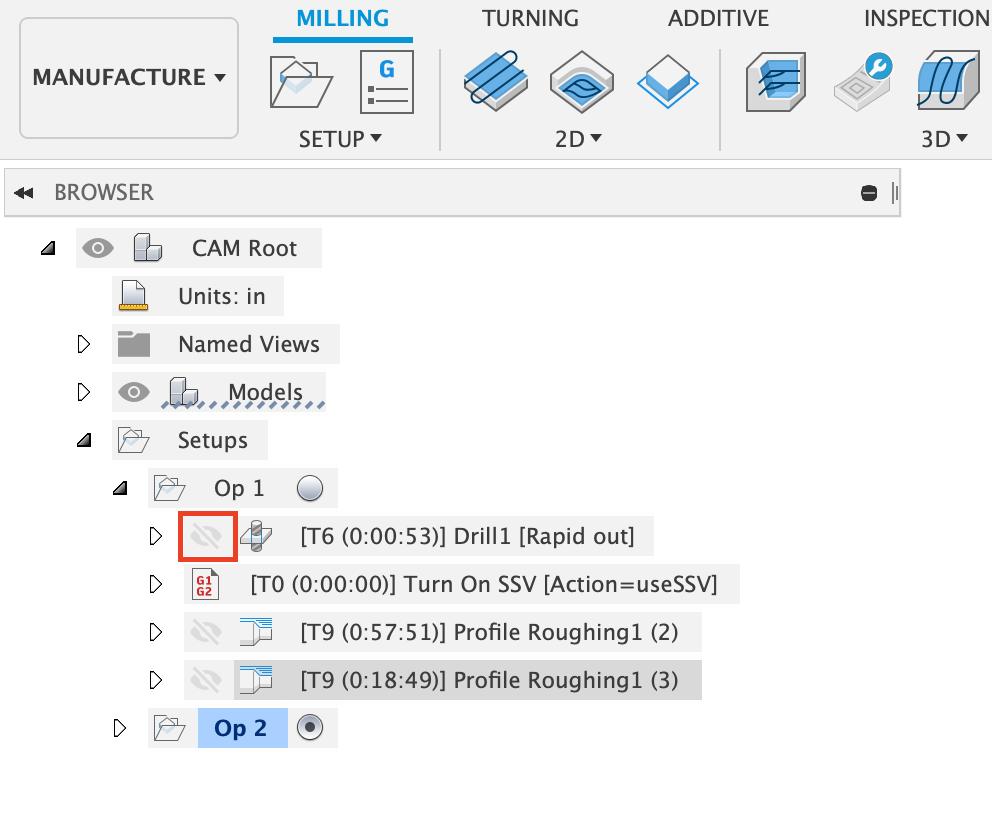
Fusion 360 CAM Browser — Setups aur Operations tree jo machining process ko step-by-step define karta hai.
📷
Fusion 360 CAM Browser — Setups aur Operations tree clearly dikh raha hai
2
Machine Setup Define Karna
CAM programmer machine ka poora setup define karta hai — machine ko pata chalna chahiye ki material kahan placed hai. Machine type, axis, aur work coordinate system sab yahan set hota hai.
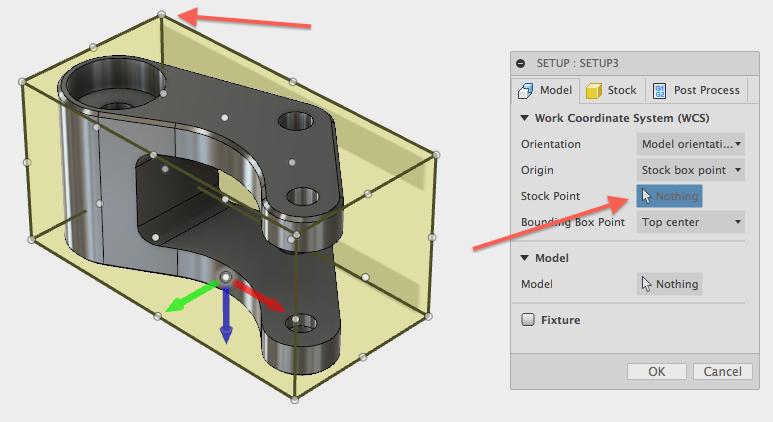
Fusion 360 Raw Material Setup — Machining se pehle workpiece ka stock size aur coordinate setup define karna.
Machine Selection aur WCS Setup
Raw Material (Stock) Define Karna
Setup Details
- Workpiece size & material
- Work coordinate system (WCS)
- Axis selection (3/4/5 Axis)
Machine Type
- VMC / HMC
- 5 Axis Machine
- Sliding Head / Lathe
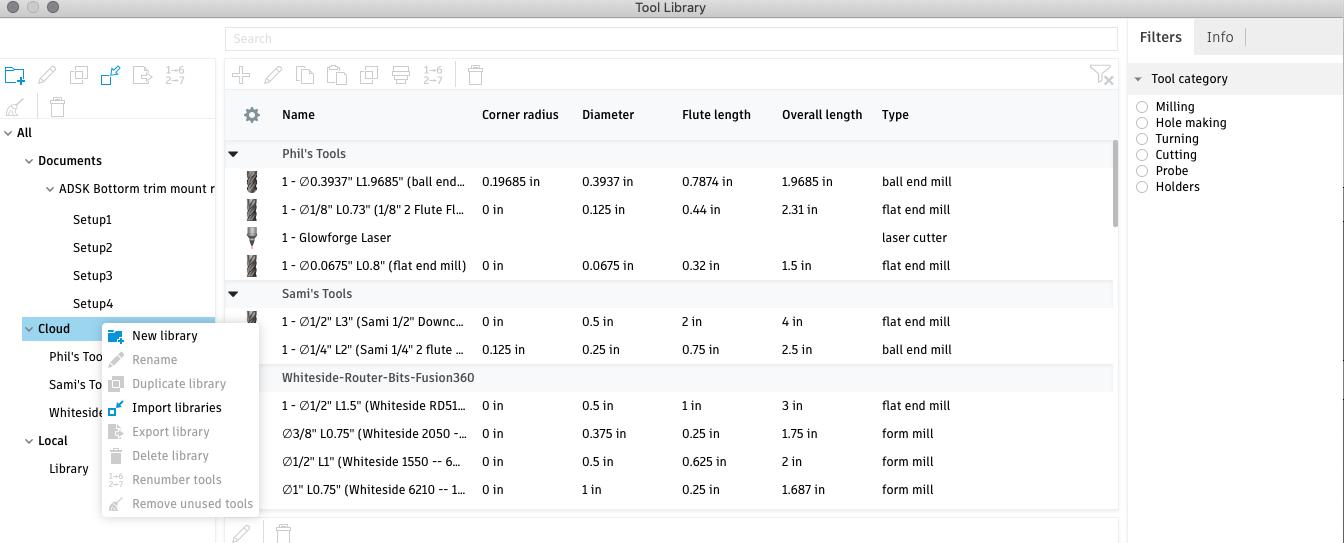
CAM software mein cutting tools select kiye jaate hain. Programmer har tool ki exact details define karta hai — diameter, length, feed rate, spindle speed sab.
📷
Fusion 360 Tool Library — Diameter, Flute Length, Tool Type sab ek jagah
🔧 End Mill
🔧 Ball Nose Tool
🔧 Face Mill
🔧 Drill
🔧 Chamfer Tool
4
Toolpath Generate Karna ⭐
Yeh CAM software ka sabse important part hai — software automatically calculate karta hai ki tool kahan kahan jaayega.
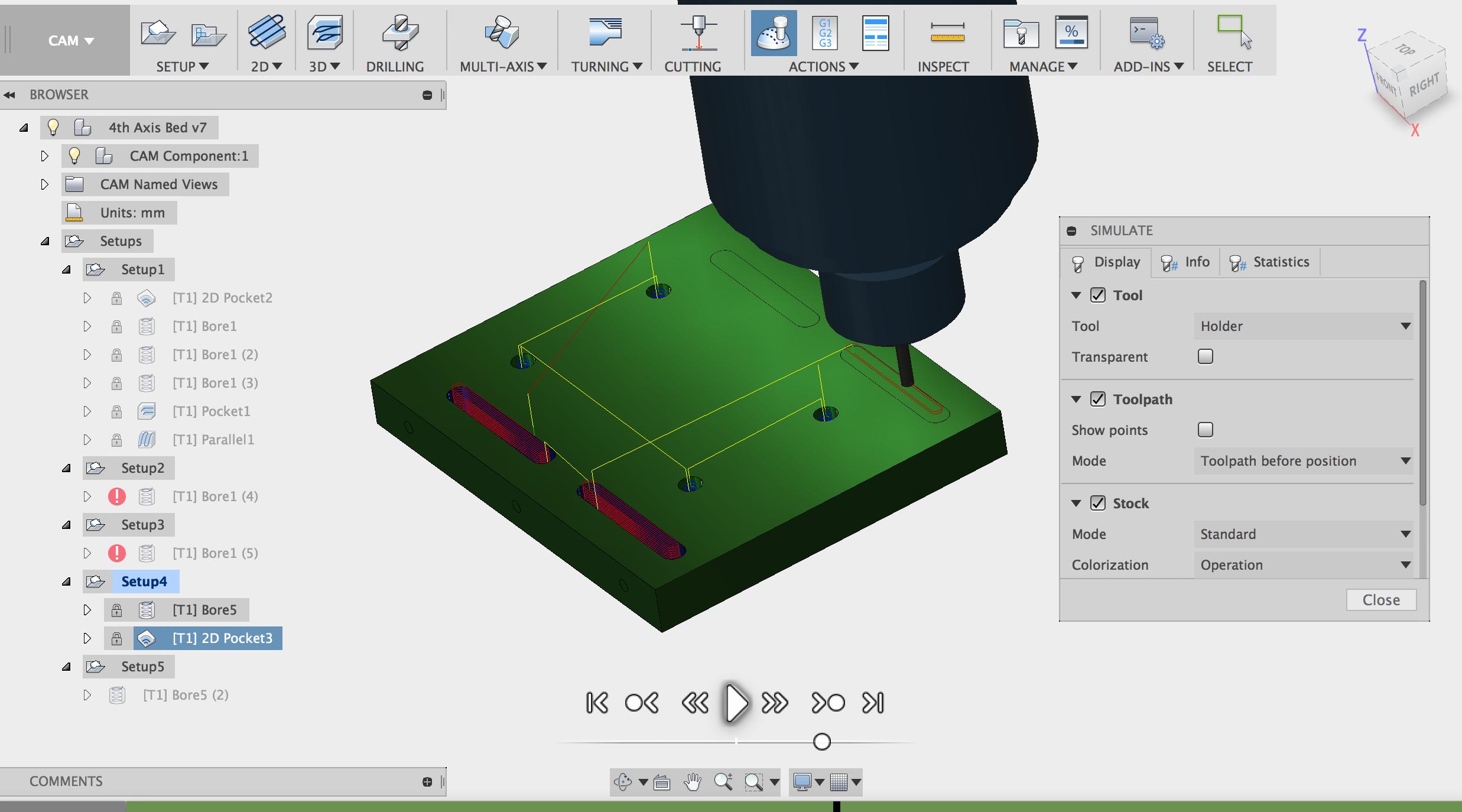
usion 360 Pocket Toolpath — Multiple setups mein 2D Pocket aur Bore operations execute karna.
📷
Fusion 360 Pocket Toolpath — Multiple setups mein 2D Pocket aur Bore operations
Common Toolpaths jo CAM generate karta hai:
Facing
Pocketing
Contour
Adaptive Clearing
Drilling
Finishing
CAM software machining simulation run karta hai — machine chalne se pehle screen pe dekho kya hoga. Collision detect hoti hai, crash avoid hota hai, aur programme verify hota hai.
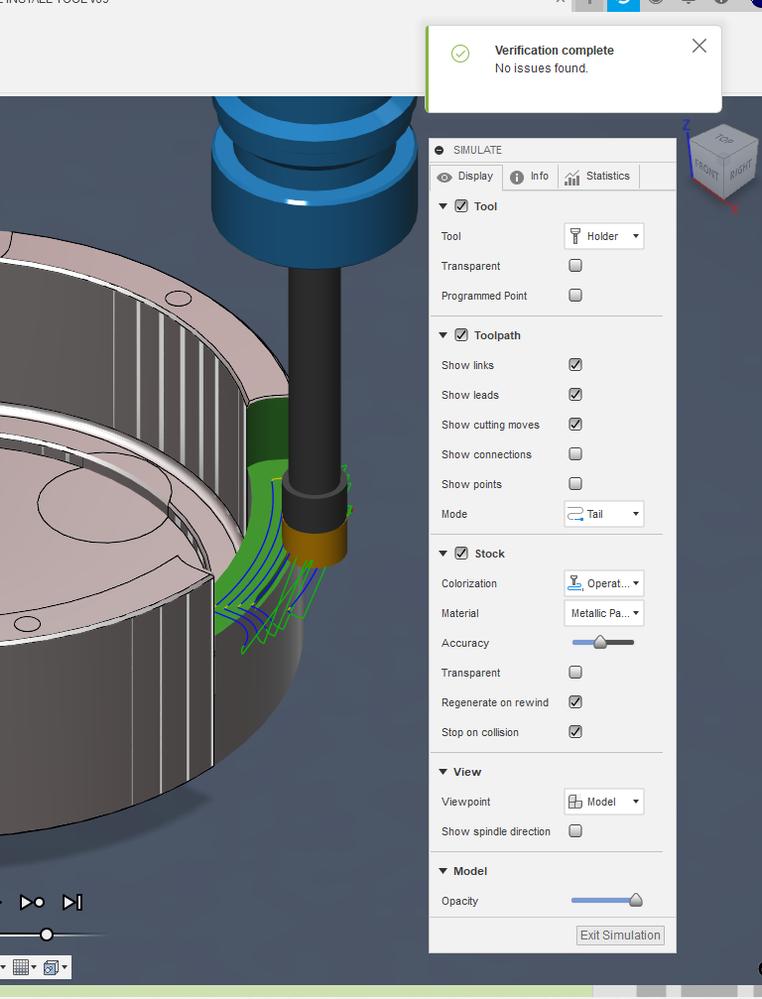
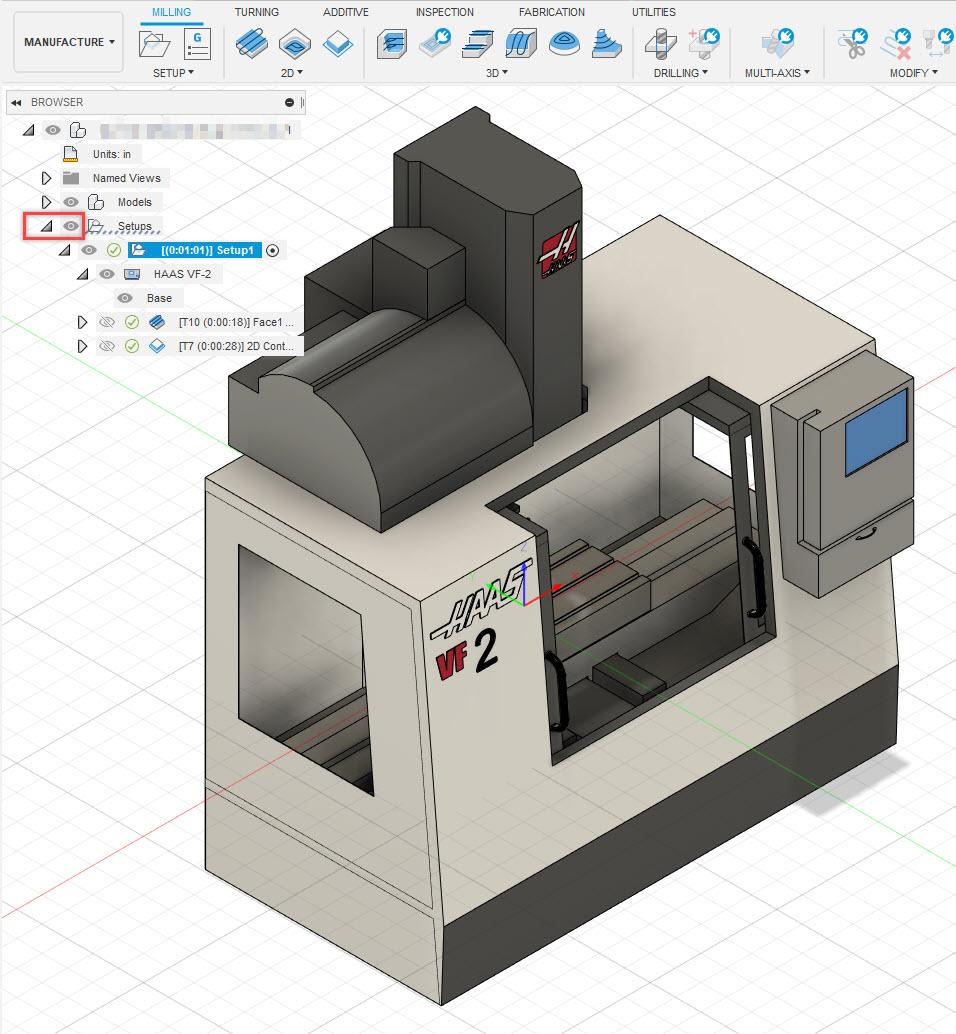
✅ Verification Complete — No Issues Found
HAAS VF-2 Machine Simulation in Fusion 360
✓
Tool movement verify
✓
Material removal check
✓
Collision detection
✓
Machine crash avoid
🔩 5-Axis Machine Simulation — Special Feature
5-axis aur complex parts ke liye Fusion 360 full machine simulation deta hai — spindle, table rotation, sab kuch real machine jaisa dikhta hai screen pe.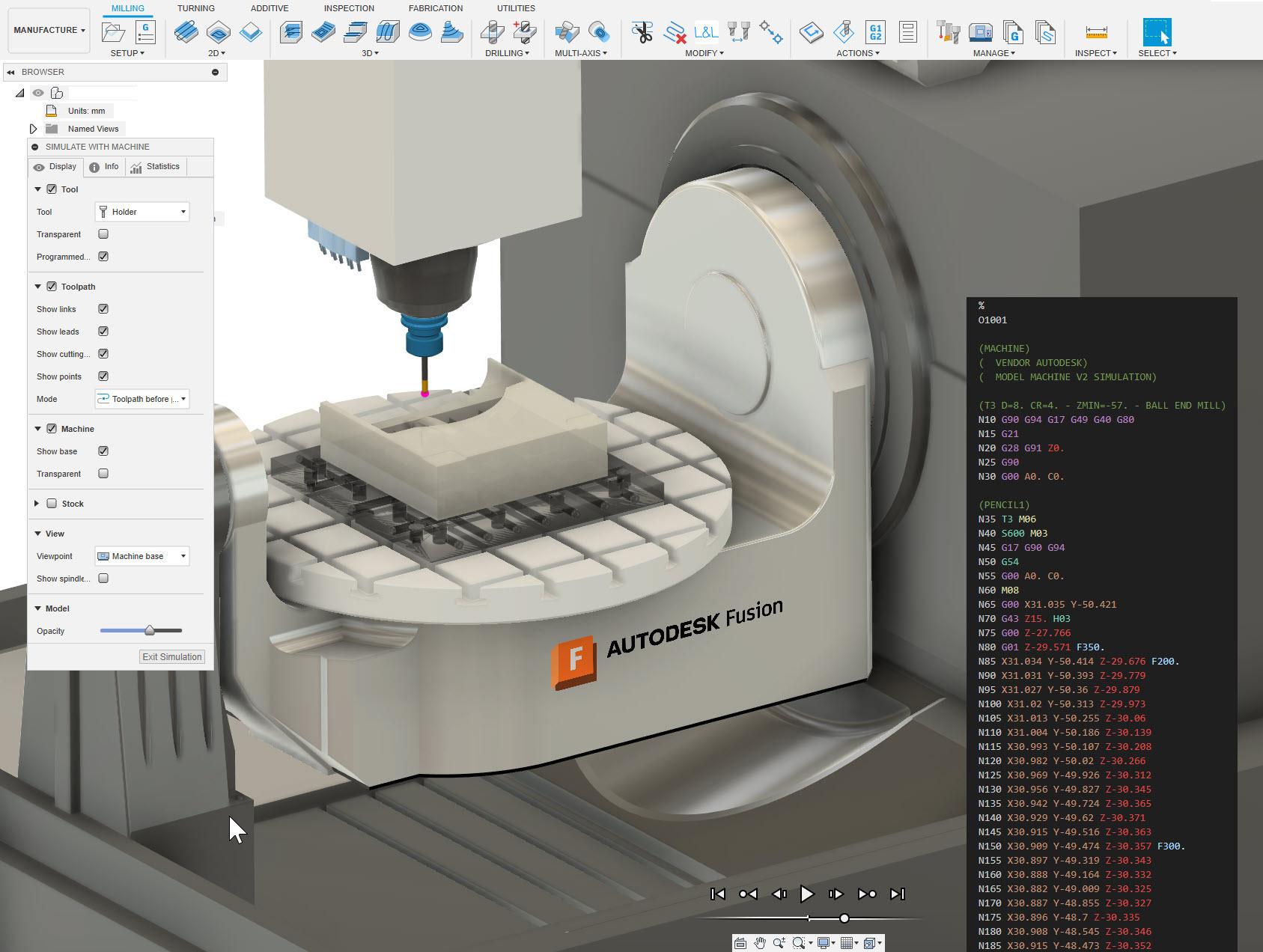
📷
Fusion 360 — 5-Axis Machine Simulation with G-Code Preview on right side
6
Post Processor → G-Code Generation
Final stage mein CAM software Post Processor use karta hai — jo machine-specific G-Code banata hai. Yeh code directly CNC machine mein load kiya jaata hai aur kaam shuru!
Popular Post Processors:
Fanuc
Siemens
Haas
Mazak
Okuma
Biesse
Citizen / Star / Tsugami
💡 Mechman ke paas 20+ machines ke liye tested aur ready post processors hain — same din machine commission ho jaati hai.
CAM Use Karne Ke Benefits
⚡ Faster Programming
Manual programming se bahut fast. Minutes mein complex program ready.
🎯 Better Accuracy
Human errors drastically kam hote hain. Precision guaranteed.
🔧 Tool Life Improve
Smart toolpaths tool load reduce karte hain — tools zyada chalte hain.
🛡️ Simulation Safety
Machine crash aur collision pehle hi screen pe dikh jaate hain.
🏭 Complex Machining Possible
5-Axis machining, impeller parts, sliding head — sab CAM ke bina almost impossible tha. CAM ne yeh sab easy kar diya.
Kaunsi Industries Use Karti Hain CAM?
🛩️ Aerospace
🚗 Automotive
⚕️ Medical Parts
🏭 Mold & Die
🔩 General Machining
🪵 Woodworking
🧴 Plastic Industry
📚 Related Topics
Fusion 360 vs Mastercam
What is Toolpath?
3 Axis vs 5 Axis Machining
CNC Programming Basics
PowerMill for Aerospace
Final Thoughts
Aaj ke modern manufacturing mein CAM software ek zaruri tool ban gaya hai — luxury nahi. Agar aap CNC machining, design, ya manufacturing field mein ho toh CAM seekhna future ke liye bahut beneficial hai.
Production speed improve karni ho, errors reduce karne ho, ya complex parts banana ho — CAM software har jagah kaam aata hai.
Mechman Solution — Official Autodesk Partner
CAM Software Seekhna Hai?
Fusion 360 ka FREE demo lo — aapki machine pe, aapke parts ke saath.
Proven Post Processors Ready | Pan-India Onsite Support | Same Day Commission
👉 WhatsApp Karo — Free Consultation
Mechman Solution | Official Autodesk Partner | CNC & CAD Training | Pan-India Onsite Support
