Fusion 360 Secret Guide 2025
Fusion 360 Ke 10 Hidden Features
Jo Bahut Kam Log Jaante Hain! 🔍
Programming Time 50-70% Reduce | Machine Simulation | Auto Toolpath | Cloud Management
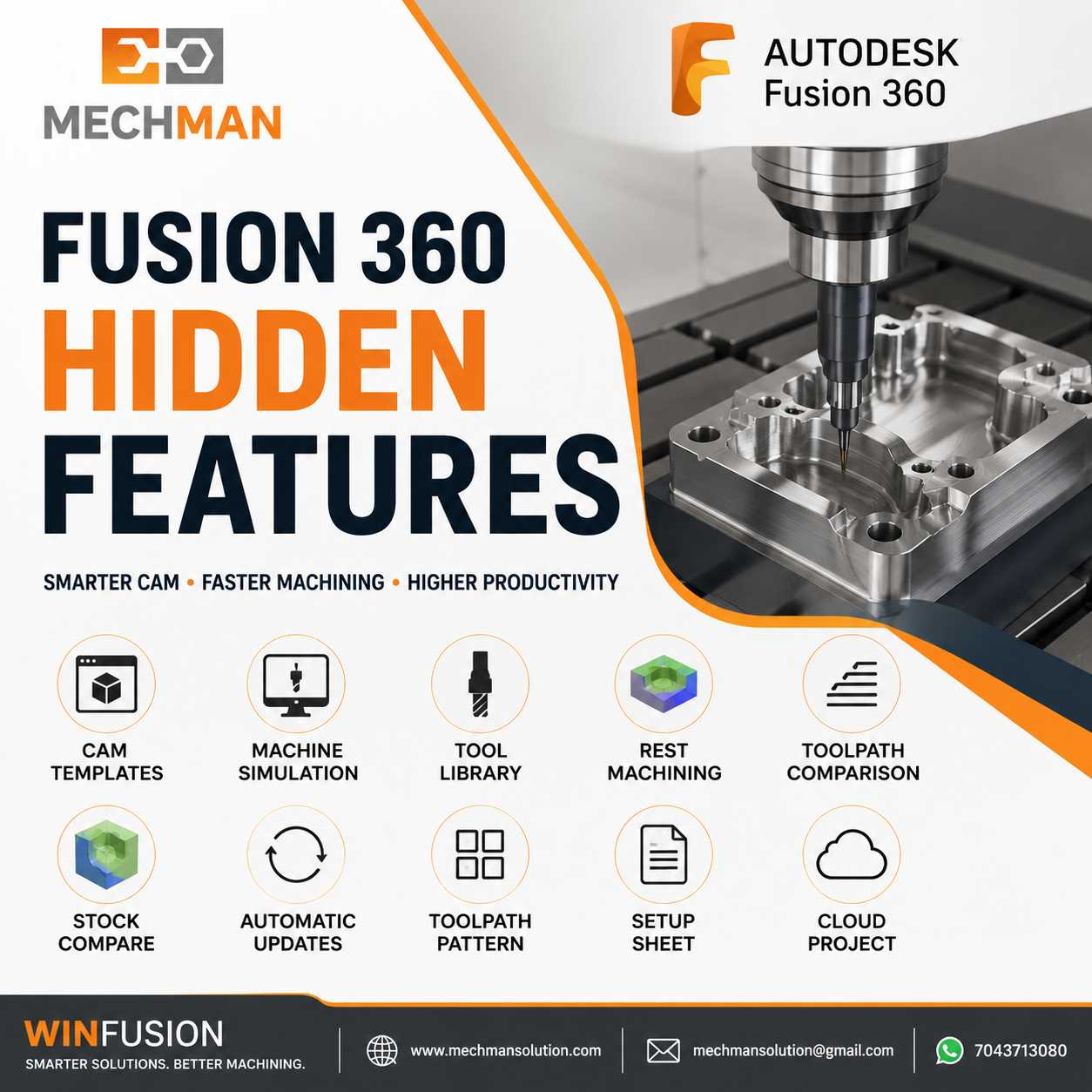
Fusion 360 Manufacturing ke andar aise powerful features hain jo bahut kam log use karte hain. WinFusion implementation mein hum ye sab unlock karte hain — maximum ROI ke liye!
Agar aap Fusion 360 Manufacturing use karte ho, chances hain ki aap sirf basic toolpaths hi use kar rahe ho — Adaptive, Pocket, Drill. Lekin Fusion 360 ke andar aise hidden powerful features hain jo bahut kam log use karte hain.
WinFusion implementation mein hum sirf software install nahi karte — ye hidden features bhi enable aur optimize karte hain jisse customer ko maximum ROI milta hai! 🚀
🔍 10 Hidden Features — Abhi Se Use Karo!
#1
Template-Based CAM Programming ⭐
Biggest Time Saver
Har baar naya setup banane ki zarurat nahi! Complete CAM template save karo — ek baar banao, baar baar use karo:
Template Mein Save Hota Hai:
- Toolpaths sequence
- Heights settings
- Passes + stepover
- Linking moves
- Feeds & speeds
- Coolant settings
Result — What You Get:
50-70% ↓Programming time
✅Standardized output
✅Human errors minimum
WinFusion implementation mein: customer ki job type ke hisaab se ready templates banate hain! ✅
#2
Tool Library with Holder 🔧
Bahut log sirf cutter select karte hain—professional programmer holder bhi define karta hai:
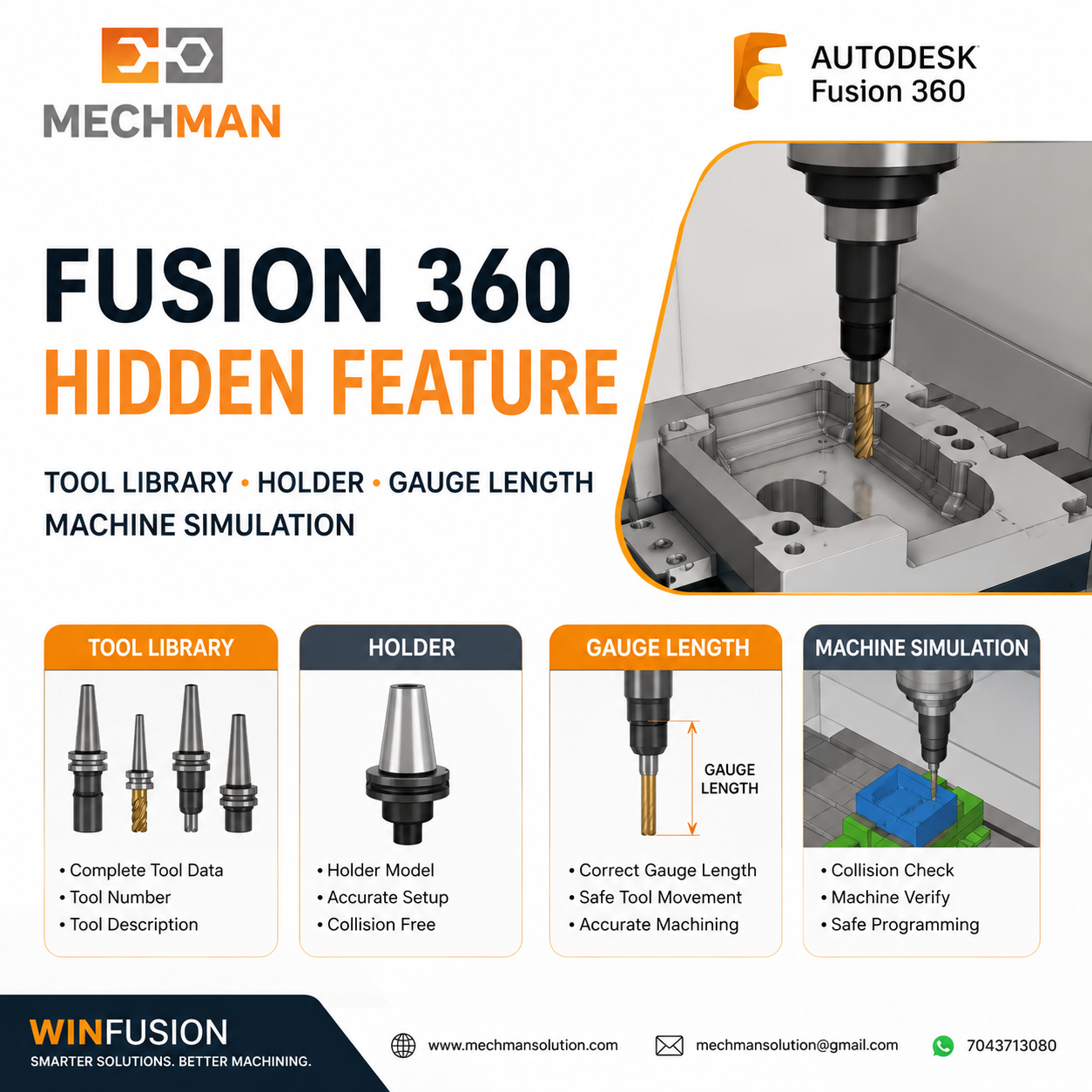
Complete tool + holder define = machine simulation mein holder collision bhi detect hoti hai!
Holder model
Gauge Length ⭐
Stick Out
Holder collision detect!
#3
Auto Rest Machining ⭐ Key!
Fusion automatically detect karta hai ki previous tool ne kahan material leave kiya:
- Previous tool reference
- Remaining stock identify
- Sirf rest area machine
- Air cutting minimum
#4
Machine Simulation — Most Ignored Feature! ⚠️
Most Under-Used!
Ye feature bahut log ignore karte hain—lekin ye crash prevention ka most powerful tool hai:
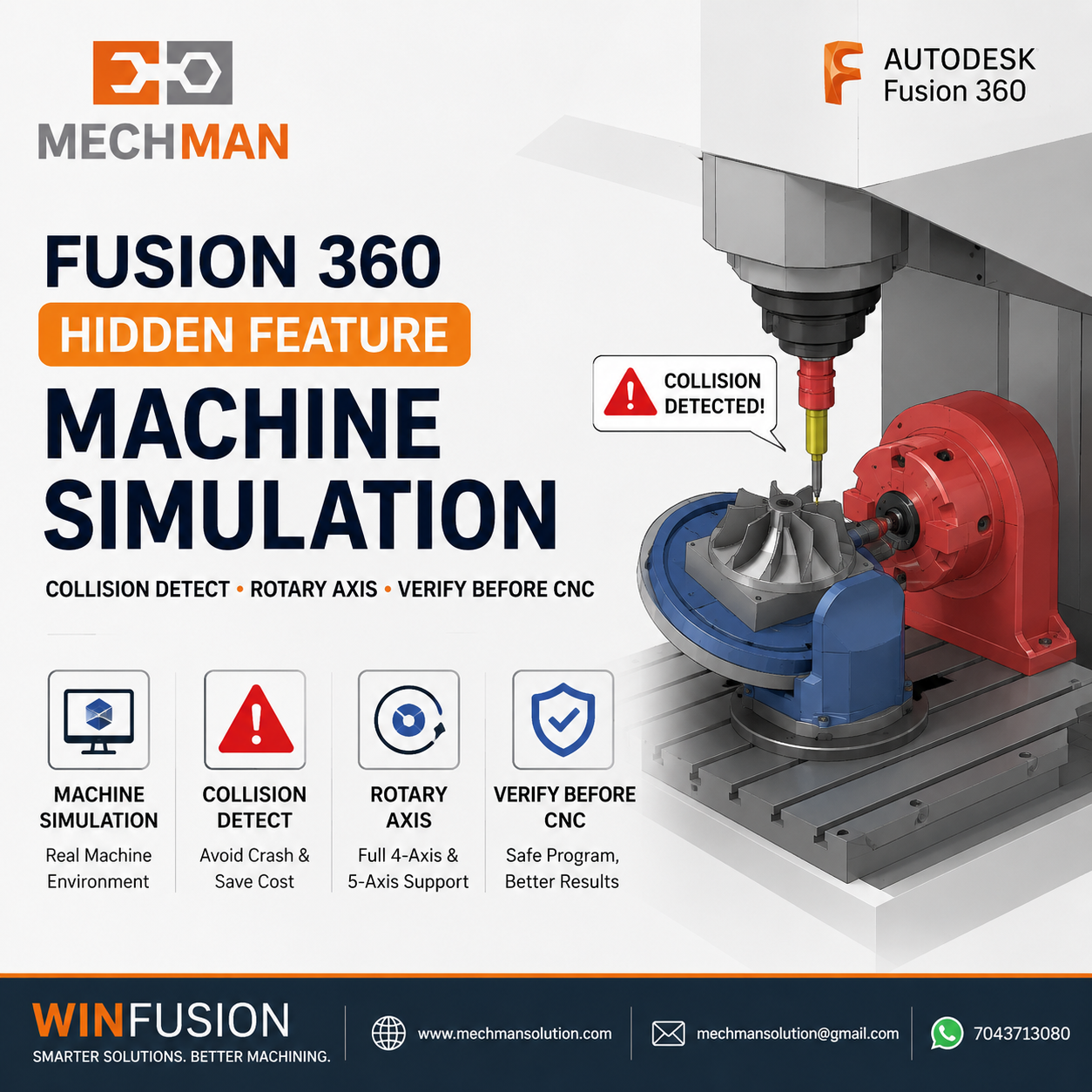
Machine simulation—actual machine model, fixture, stock, rotary sab ek saath verify. Machine par crash hone se pehle hi problem detect!
✓Machine movement verify
✓Rotary axis motion
✓Holder collision
✓Fixture collision
✓Machine travel limit
⭐Zero crash risk!
⚠️ Bina machine simulation ke 5-axis ya turn-mill program machine par run karna bahut risky hai. WinFusion implementation mein ye mandatory hai!
Multiple strategies compare karo — best choose karo:
Adaptive
Pocket ⭐
Morph
Scallop
Cycle time compare → best pick!
Machining ke baad actual remaining stock dekho:
- Kahan stock reh gayi
- Finishing optimize karo
- Corner depth verify
- Next operation plan
Finishing strategy perfect hoti hai!
Design change hua? Manual sab kuch dobara banane ki zarurat NAHI:
- Toolpaths auto update
- Engineering changes easy
- Version change fast
- Time saved ⭐
#8
Toolpath Pattern — Production Machining Ka Secret! 🏭
Ek hi programming ko multiple locations par instantly copy karo — production machining ke liye game changer:
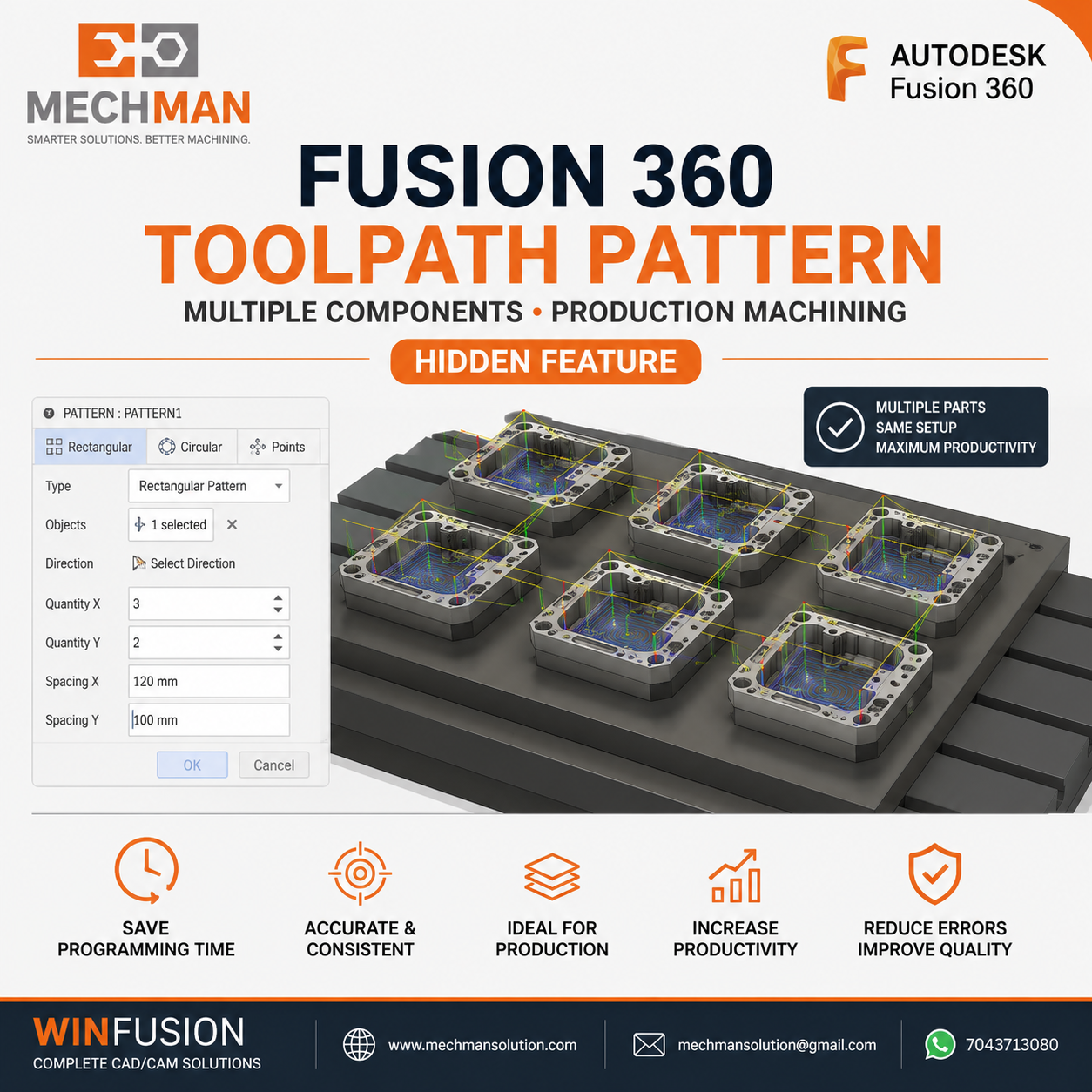
Toolpath pattern — ek baar program karo, multiple locations pe apply. Fixture mein multiple parts hain? Ek baar done!
✓Multiple components same time
✓Fixture machining easy
⭐Programming time dramatically reduce!
#9
NC Setup Sheet — Auto Generate 📋
Fusion automatically generate karta hai complete setup sheet — operator ke liye:
- Complete tool list
- Tool length + numbers
- Operations sequence
- Estimated cycle time ⭐
- Work offset info
Operator ko alag se kuch likhne ki zarurat nahi! ✅
#10
Cloud Project Management ☁️
Sab projects cloud par save — collaboration + backup + version control:
✓Version control
✓Auto backup
✓Team collaboration
⭐Anywhere access
🔑 Sabse Important Hidden Feature — Jo Software Ke Andar Nahi Hota
Software ke hidden features tabhi kaam karte hain jab ye 4 cheezein bhi ready hon:
1
Machine-Specific Post Processor
Correct NC output for your machine
2
Proper Machine Simulation
Your actual machine model setup
3
Correct Tool Library
Your actual cutters + holders
4
Professional Training
Practical job-based learning
Ye 4 cheezein WinFusion implementation ka core hain — software ki full power tabhi milti hai! ✅
WinFusion — Maximum ROI Implementation 🚀

WinFusion implementation = hidden features unlock + machine-specific post + simulation + tool library + training. Aapki Fusion 360 ka full potential realize karo!
✅Fusion 360 Manufacturing Setup
✅Machine-Specific Post Processor
✅CAM Templates Ready
✅Machine Simulation Configured
✅Tool + Holder Library Complete
✅3/4/5-Axis + Turn-Mill + Swiss
✅Onsite + Online Training
⚡Day 1 Max Productivity!
Final Thoughts 🎯
Fusion 360 ke hidden features sirf programming ko easy nahi banate — CNC shop ki overall productivity significantly improve hoti hai. Templates se time save, machine simulation se crash prevent, auto toolpath se engineering change easy — sab milakr maximum ROI dete hain.
WinFusion ke saath Fusion 360 implement karein—in 10 hidden features ko unlock karo aur CNC shop ki productivity next level le jao! ✅
🔍
Fusion 360 | Hidden Features | Post Processor | Training
Mechman Solutions — WinFusion
Autodesk Authorized Partner | Vadodara, Gujarat | Since 2015 | 200+ CNC Shops
www.mechmansolution.com
© 2025 Mechman Solutions | WinFusion — Fusion 360 Hidden Features Guide | Vadodara, Gujarat
