📐 Machine Limits Guide — WinFusion 2025
Machine Limits —
Toolpath Banana Enough Nahi! Verify Karo! 📐
Axis Travel Check | Rotary Limits | Over-Travel Prevent | 5-Axis Kinematics | Machine Simulation
Real Machine Limit Example — 5-Axis:
CAM Asks: +45°
Over Limit! 💥
Screen par toolpath sahi dikh raha hai — machine physically ja nahi sakti!
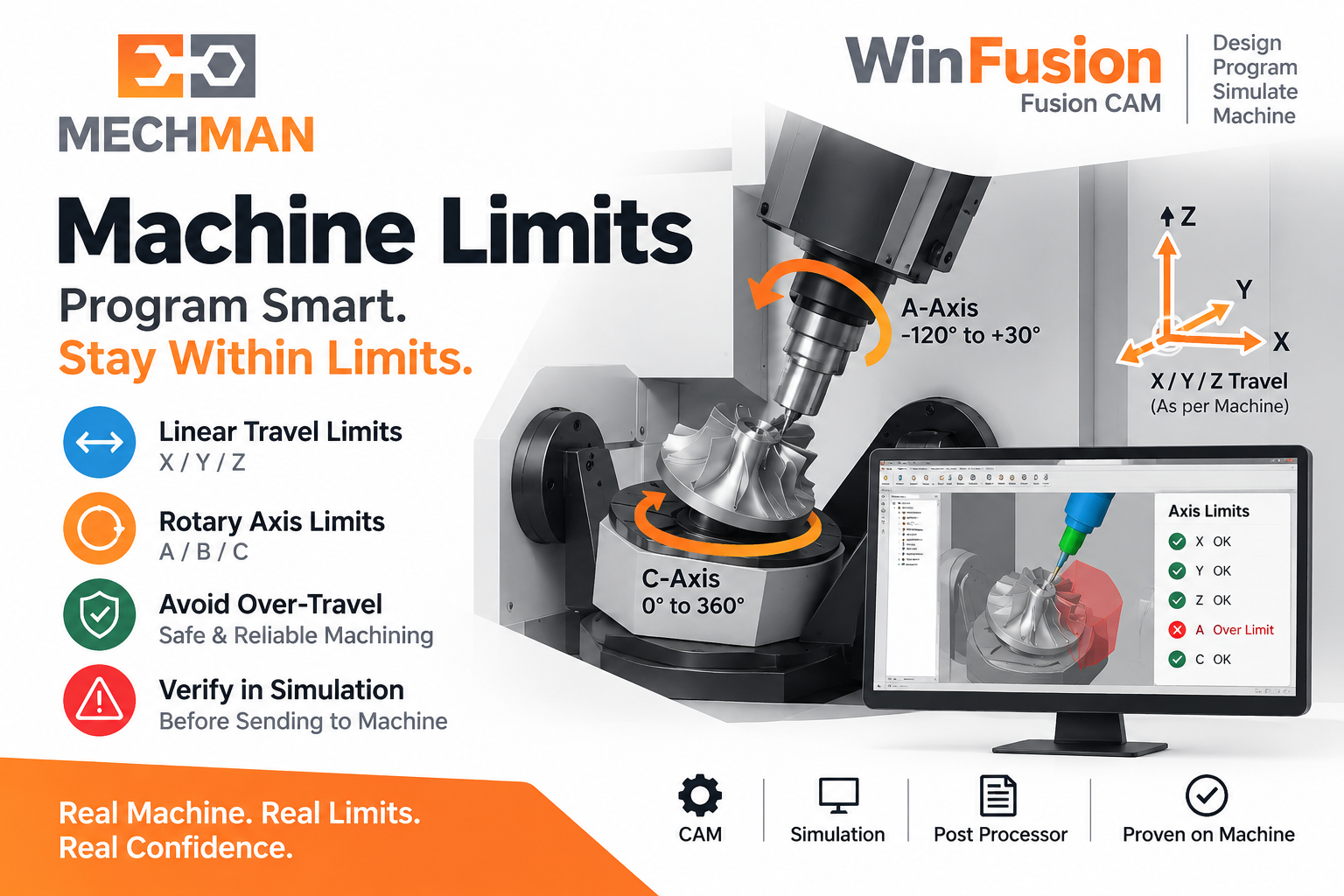
Machine Limits = Har CNC machine ki physical movement ki ek fixed limit hoti hai. CAM software mein toolpath mathematically possible ho sakta hai — lekin iska matlab ye nahi ki actual machine us position tak physically ja sakti hai! WinFusion mein Machine Simulation se pehle verify karo!
Har CNC machine ki physical movement ki ek fixed limit hoti hai — X/Y/Z travel, A/B/C rotary angles, table clearance sab bounded hain! CAM toolpath screen par perfect dikhna aur machine ka us position tak physically pahunchna — ye do alag cheezein hain! WinFusion mein Machine Simulation se pehle verify karo!
“Toolpath banana enough nahi hai — WinFusion Machine Simulation ke saath verify karo ki aapki actual CNC machine us toolpath ko physically execute bhi kar sakti hai!” ✅
Important: Collision Check ≠ Machine Limit Check. Tool holder collide nahi kar raha, phir bhi machine required axis position tak physically nahi pahunch sakti! ✅
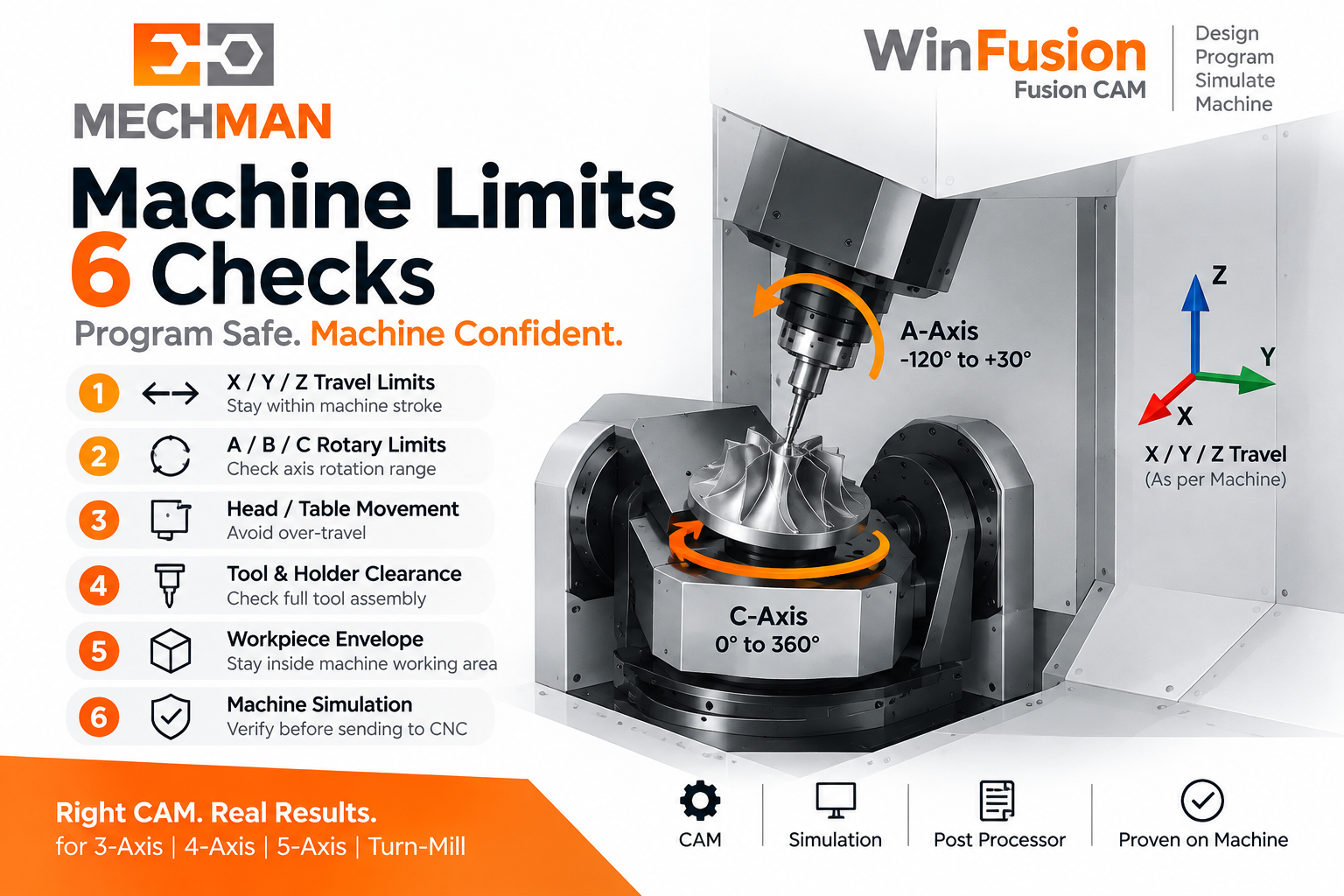
📐 Machine Limits Kya Hain — 6 Things Jo Check Hote Hain!
WinFusion Machine Simulation mein ye 6 checks critical hain:
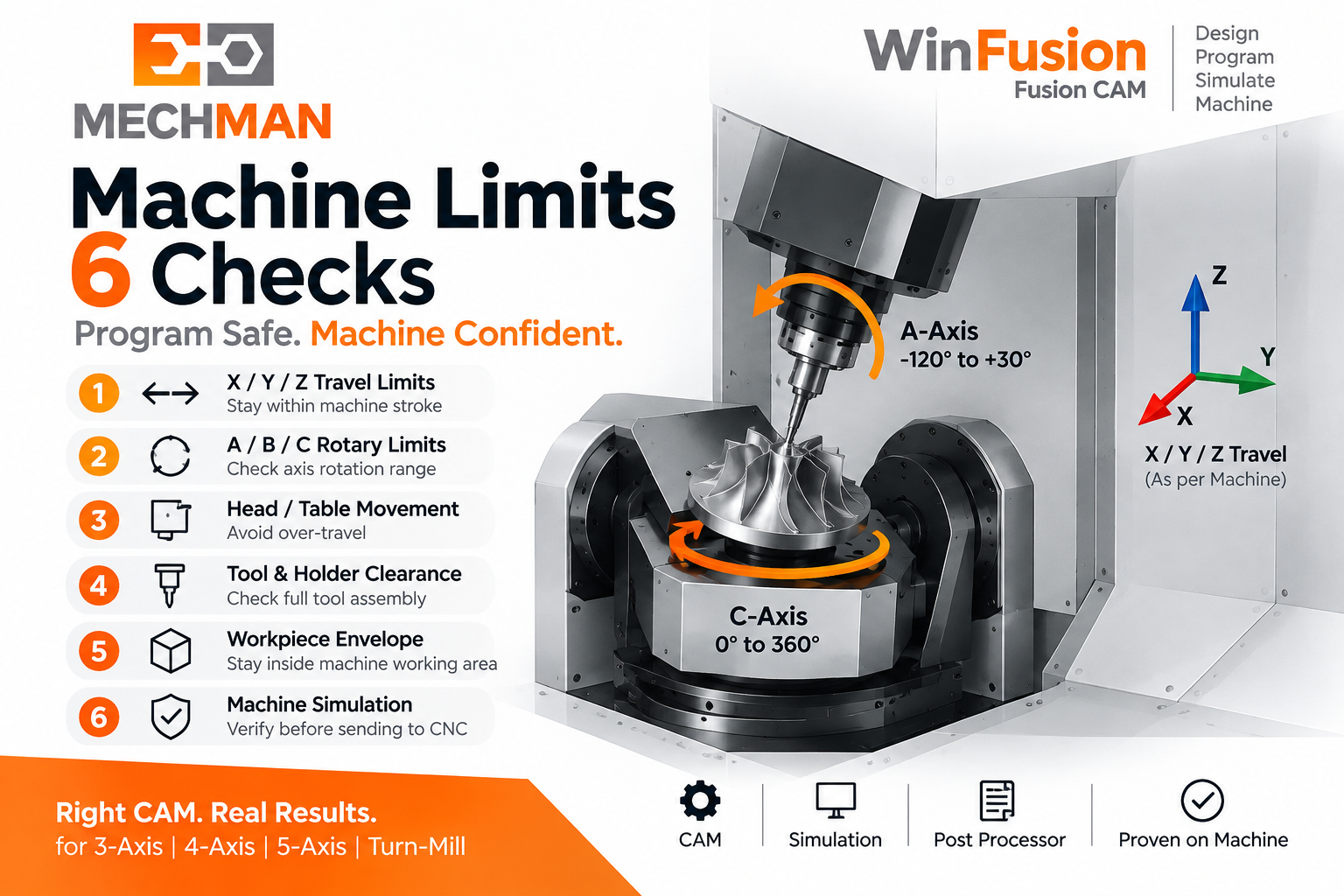
Machine limits check karna = production pe jaane se pehle expensive surprises avoid karna. Screen par sab kuch theek dikh sakta hai — actual machine physically limit cross kar sakti hai!
✓
X/Y/Z Travel Range ⭐
Machine table/spindle actual travel mein hai
✓
A/B/C Rotary Angles ⭐
Rotary axis allowable angle ke andar
✓
Table/Head Over-Travel ⭐
Physical collision with machine body
✓
Tool Orientation Reachable ⭐
Required tilt physically achievable
✓
Rotary Rewind/Unwind ⭐
Unnecessary full rotation risk check
⭐
5-Axis Working Envelope! ✅
Full kinematics range verify
Machine Limits = “Mere machine ki physical boundaries ke andar mera toolpath fit hota hai ya nahi?” ✅
⚠️ Collision Check ≠ Machine Limit Check — Ye Samjho!
⚠️
Most programmers ye mistake karte hain — dono ALAG hain!
Collision free ≠ Machine limit safe. Dono separately check karna zaroori!
✅ Collision Check Karta Hai:
- Tool/holder → component hit ⭐
- Fixture interference
- Tool path through stock
- Holder clearance ⭐
- Tool body vs workpiece
⭐ Machine Limit Check Karta Hai:
- X/Y/Z axis over-travel ⭐
- Rotary angle beyond limit 💥
- Table head body collision
- Kinematic workspace ⭐
- Physical machine reach!
Collision Free ✓
Tool holder safe
+
Machine Limit Safe ✓
Axis within range
= Production Confident! ✅
📌 Real Production Failure — Turbine Blade Example!
Machine Limits verify nahi kiye to kya hota hai — actual production scenario:
Turbine blade machining: CAM mein perfect toolpath, Screen par no issues — lekin machining ke beech A-axis ko -125° jaana padta hai jabki machine limit -110° hai. Machine alarm → production stop → NC modify karo → restart. WinFusion Simulation se pehle ye catch hota!
✓CAM toolpath: Mathematically perfect
✓Collision check: No holder/component hit
✓Screen simulation: Toolpath looks fine
💥Machine Run: A-axis -125° request → Machine limit -110° → ALARM!
⚠️Production stops → Programmer NC modify → Restart → Time + cost waste!
⭐WinFusion Simulation mein: Limit alarm BEFORE production → Fix in CAM → Safe NC!
⚙️ WinFusion Complete Workflow — Machine Limits Included!
Correct WinFusion implementation — Machine Limits verify ho tab NC machine par jaaye!
1
CAD Model — Component 3D model
2
CAM Toolpath — Strategies, tool-axis control, collision avoidance
3
Machine Limits Check ⭐ — Axis travel, rotary angles, working envelope verify!
4
Machine Simulation ⭐ — Full kinematics simulate, alarms virtually detect!
5
Proven Post Processor — Machine-specific correct NC output
✅
NC Program → CNC Machine → Confident Production! 🚀
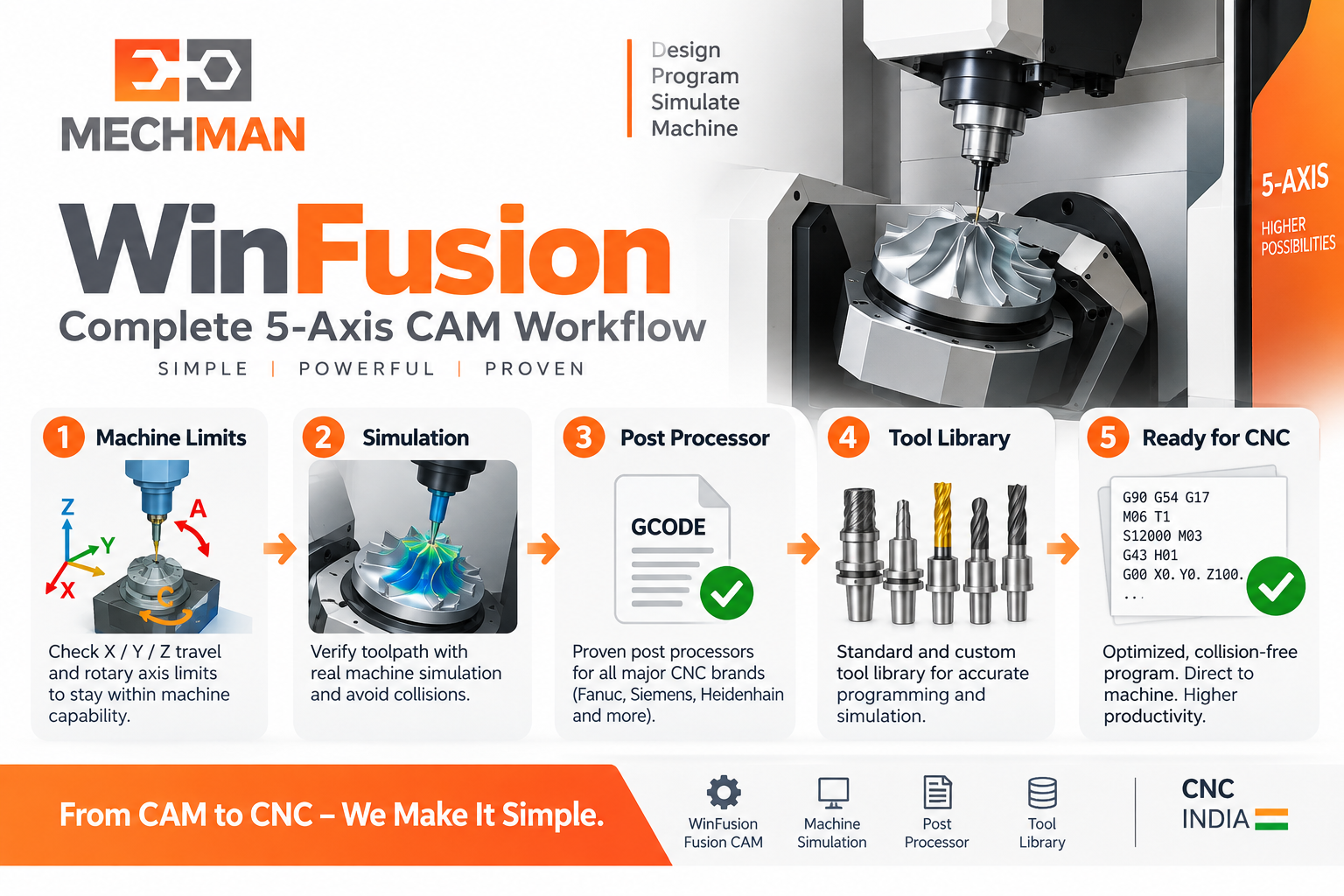
WinFusion implementation: CAM + Actual machine kinematics + Machine Limits + Simulation + Proven Post = Program production-ready. Expensive 4-axis, 5-axis, Turn-Mill machines mein ye workflow especially critical hai!
5X
5-Axis Mein Machine Limits Aur Bhi Complex! ⭐
❌ Problem Without Limits Check:
- Same point — 2 orientations possible
- Programmer chooses shorter math path
- Shorter path = rotary limit exceed ⚠️
- Machine alarm mid-production 💥
✅ WinFusion Correct Approach:
- Machine definition proper ⭐
- Both orientation options evaluated
- Limit-safe path chosen ⭐
- Simulation confirms — safe! ✅
5-axis machine limits: Correct machine definition + tool-axis solution + simulation = Working envelope ke andar safe toolpath! ✅
Machine Limits — Production Reality Check! 📐
Screen par perfect toolpath = Production ready NAHI hai — jab tak Machine Limits verify nahi hote! WinFusion ke saath actual machine kinematics ke against verify karo!
Over-Travel
🛡️ Prevented!
WinFusion: CAM Toolpath + Machine Limits Check + Full Simulation + Proven Post = Physical Machine Reality Par Confident NC! 📐🚀
📐
Machine Limits | 5-Axis | Simulation | Post Processor
Mechman Solutions — WinFusion
Autodesk Authorized Partner | Vadodara, Gujarat | Since 2015
www.mechmansolution.com
© 2025 Mechman Solutions | WinFusion — Machine Limits Guide | Vadodara, Gujarat
