🖥️ Simulation Guide — WinFusion 2025
CNC Machine Simulation Kyun Zaroori Hai? —
WinFusion Mein 5-Axis Collision Check Guide! 🖥️
Stock Verification | Holder Collision | Rotary Movement | Machine Limits | Post Processor
Do Important Simulation Types — Dono Zaroori!
Toolpath + Stock Sim ⭐
Cutter movement, stock removal, gouge
Machine Sim ⭐⭐
Rotary, fixture collision, limits
Simulation result = setup accuracy par depend karta hai. Screen par sahi ≠ NC proven! ⭐
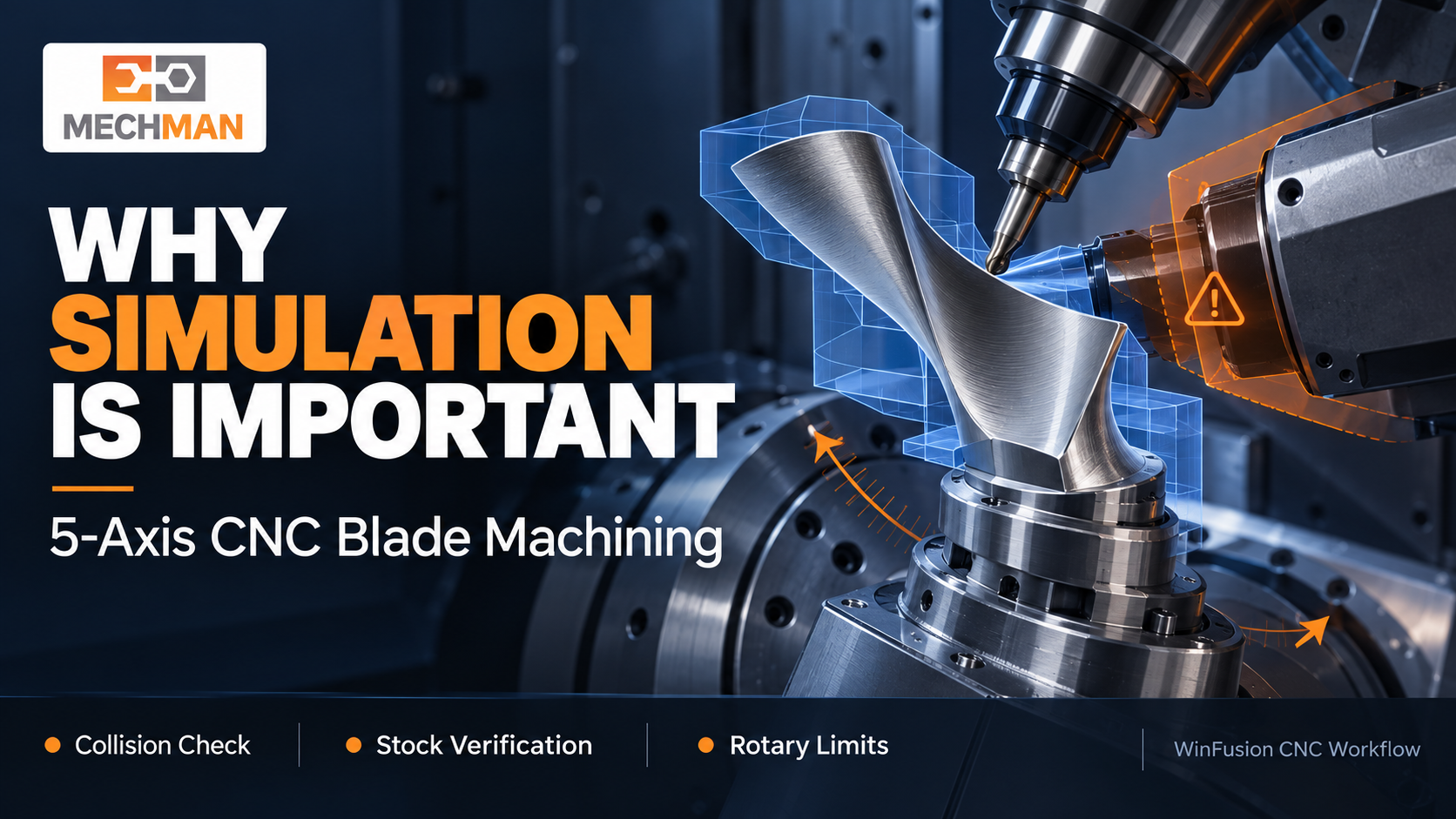
5-axis blade toolpath banaya — screen par cutter perfectly follow kar raha hai — machine par tool tilt hote hi holder fixture ke paas aa jaata hai! Simulation isi collision ko cutting se pehle identify karta hai — programming stage par, shop floor par nahi!
Computer screen par toolpath sahi dikh raha tha — phir bhi machine par collision ka risk kyon? Kyunki toolpath dekhna aur machine simulation do alag cheezein hain! CNC simulation ka purpose sirf moving tool ka animation dekhna nahi — material removal, clearance aur machine movement verify karna hai! WinFusion workflow mein simulation CAM aur NC output ke beech ka essential verification step hai!
“Problem ko shop floor par discover karne ke bajay programming stage par investigate karna — yahi simulation ki value hai!” ✅
Clear distinction: WinFusion = Mechman Solution ka implementation + training workflow. Underlying simulation capability = Autodesk Fusion mein hai. Dono saath milkar value dete hain! ✅
🖥️ CNC Simulation Kya Hota Hai? — Do Types Samjho!
Toolpath simulation aur machine simulation — dono alag cheezein, dono zaroori!
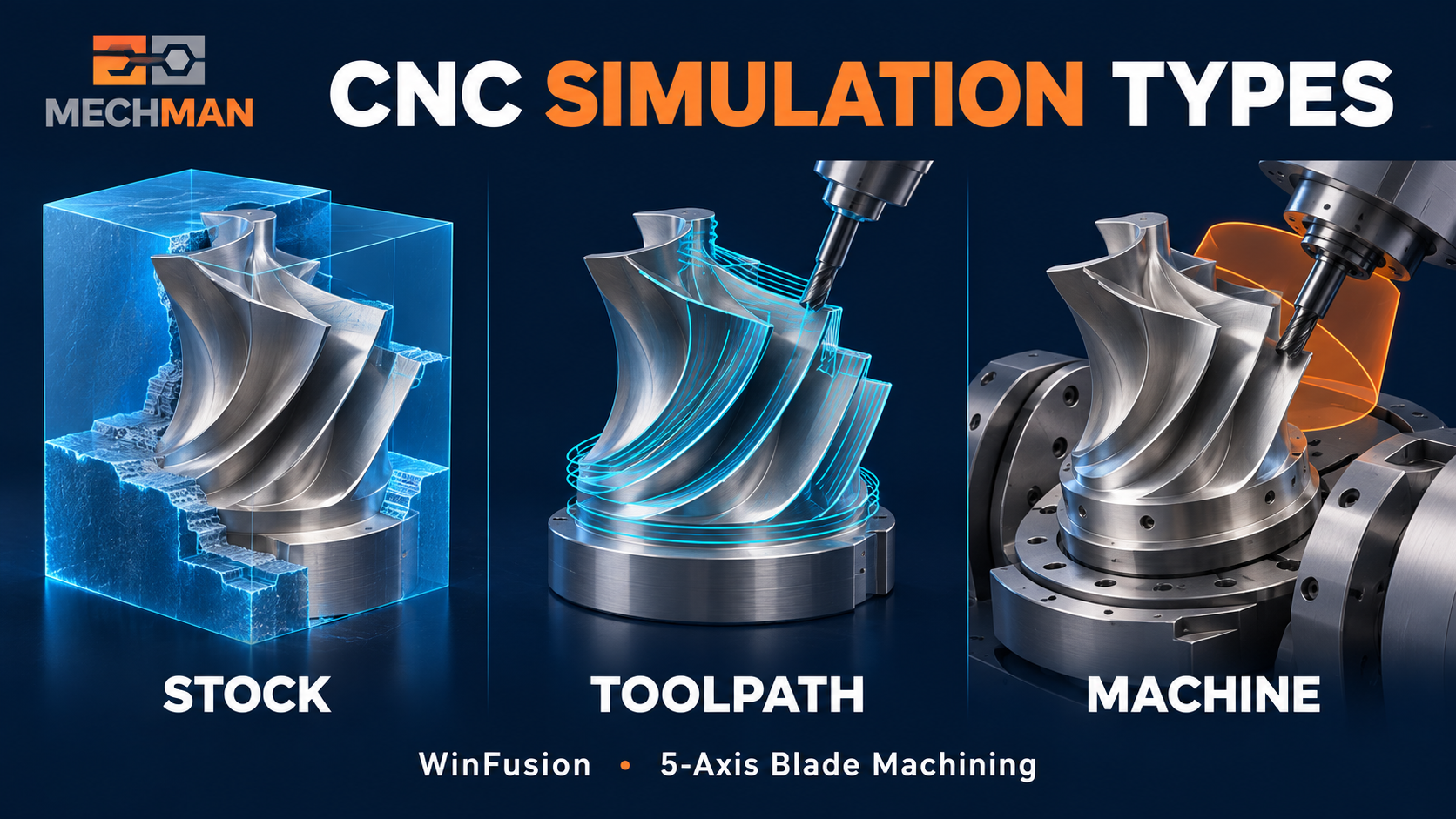
Toolpath sim: Material removal aur gouge check. Machine sim: Rotary axes, fixture collision, axis limits — actual machine model se verify karo!
Check Type
Kya Verify Hota Hai?
Toolpath + Stock Simulation ⭐
Cutter movement, material removal, remaining stock, gouge aur tool/holder clearance
Machine model + axis movement, rotary positioning, fixture clearance, machine collision, axis limits aur overtravel
Machine simulation ki accuracy configured machine definition aur setup par depend karti hai — accurate input = useful result! ⭐
✅ Simulation Kyun Important Hai? — 4 Key Reasons!
1
Collision Ko Cutting Se Pehle Identify Karo! ⭐⭐
5-axis machining mein cutter ke saath holder aur rotary parts bhi move karte hain. Blade ke ek side par safe — doosri side par tilt badalne se holder fixture ke bahut close aa sakta hai!
❌ Without simulation:
Machine par collision discover hoti hai. Tool break, fixture damage, downtime!
→
✅ With simulation:
Programming stage par investigate → fix → safe machine run! ⭐⭐
2
Wrong Stock Removal Aur Gouge Pakadna ⭐
Toolpath generate hona = final part correct banne ki guarantee nahi! Galat stock, boundary, tool geometry ya setup se cutter required surface se zyada material remove kar sakta hai!
✓Blade surface par unwanted cut nahi? ⭐
✓Root fillet mein material bacha?
✓Finishing ke liye expected stock? ⭐
✓Rapid stock ke andar se nahi? ✅
3
4-Axis Aur 5-Axis Rotary Movement Samajhna ⭐⭐
5-AXIS KEY
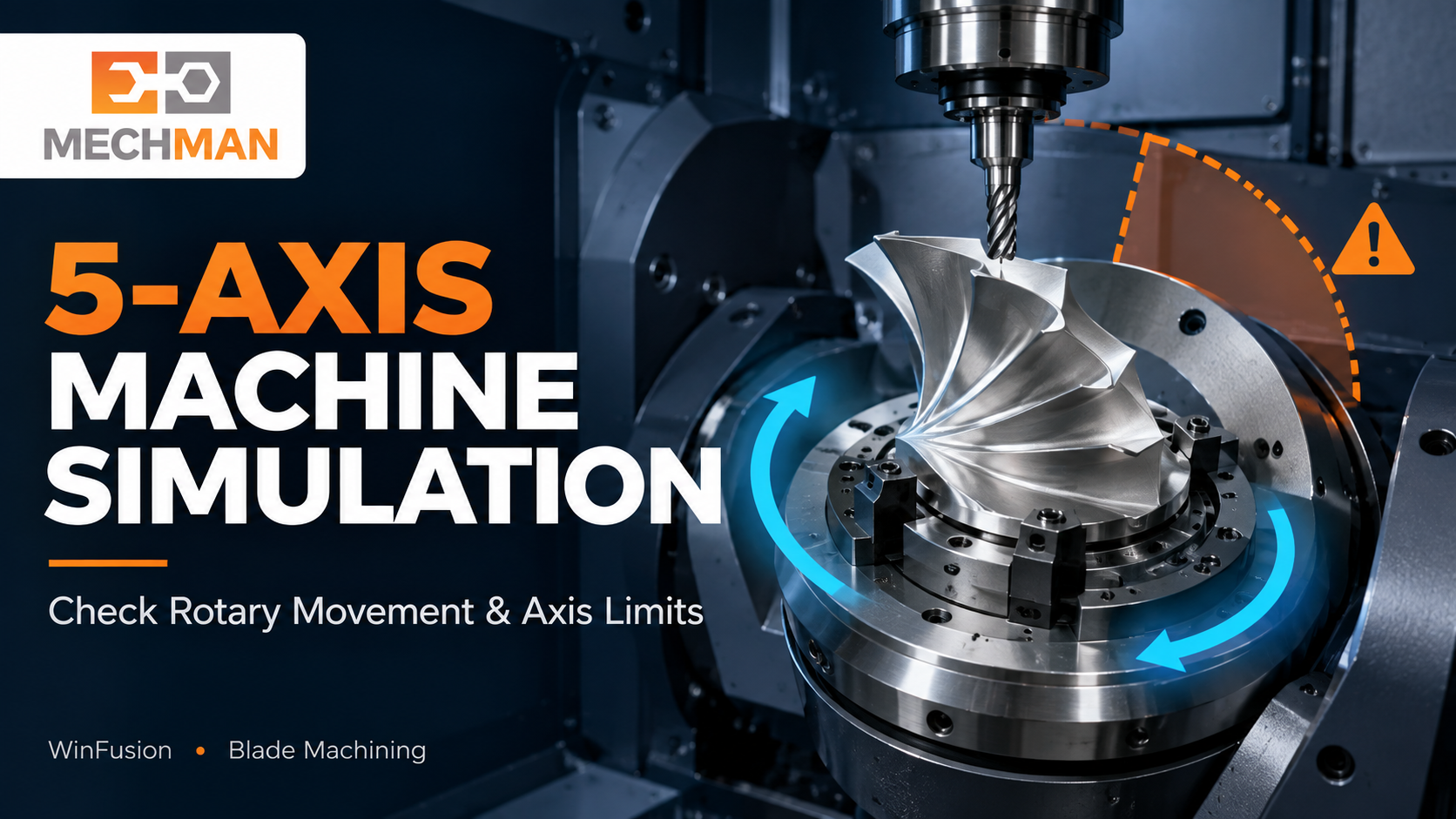
Machine simulation: Rotary axis kaise turn karegi, machine limit ke paas jayegi ya reorientation legi — sirf tool tip dekhna enough nahi! Fusion overtravel aur reconfigure events report karta hai!
What simulation shows: ⭐
- Rotary axis path
- Limit approach ⭐
- Reorientation events
Multi-axis tip: ⭐
- Tool tip path alone nahi
- Full machine movement ⭐
- Both axes check karo! ✅
4
First-Part Trial Ko Better Plan Karo ⭐
Nayi machine, naya fixture ya pehli baar component — shop floor par uncertainty zyada hoti hai. Simulation programmer ko risky areas pehle identify karne mein help karta hai!
Simulation ke baad bhi: First run par physical setup + machine checks mandatory hain! Digital model mein jo fixture, tool ya offset define nahi hua, software uski real position verify nahi kar sakta! ⭐
🌀 Turbine Blade Example — Simulation Ki Value!
Real-world blade scenario — simulation ne programming stage par issue pakda!
1
5-axis blade finishing toolpath ready. Toolpath preview smooth. ✅
2
Machine simulation run kiya — steep surface par holder fixture ke close aa raha hai! ⚠️
3
Programmer ne tool reach, holder size, fixture position ya tool-axis strategy review kiya ⭐
4
Change ke baad simulation dobara run kiya — result verified ✅
✅
Safe machine run — collision shop floor par discover nahi hua! 🚀
⚠️ Simulation Ka Matlab NC Code Automatically Proven Nahi Hai!
CAM toolpath, machine configuration aur post processor ko ek saath verify karna padta hai. Agar actual machine ka controller, rotary direction, limits ya post config virtual setup se match nahi karta, to screen par achha dikhne wala result bhi actual run represent nahi karega!
Simulation = verification input. Machine-specific post processor + controlled prove-out = complete workflow! ⭐⭐
⚙️ WinFusion Simulation — 7-Step Practical Workflow!
Accurate simulation ke liye correct information + yeh 7 steps follow karo:
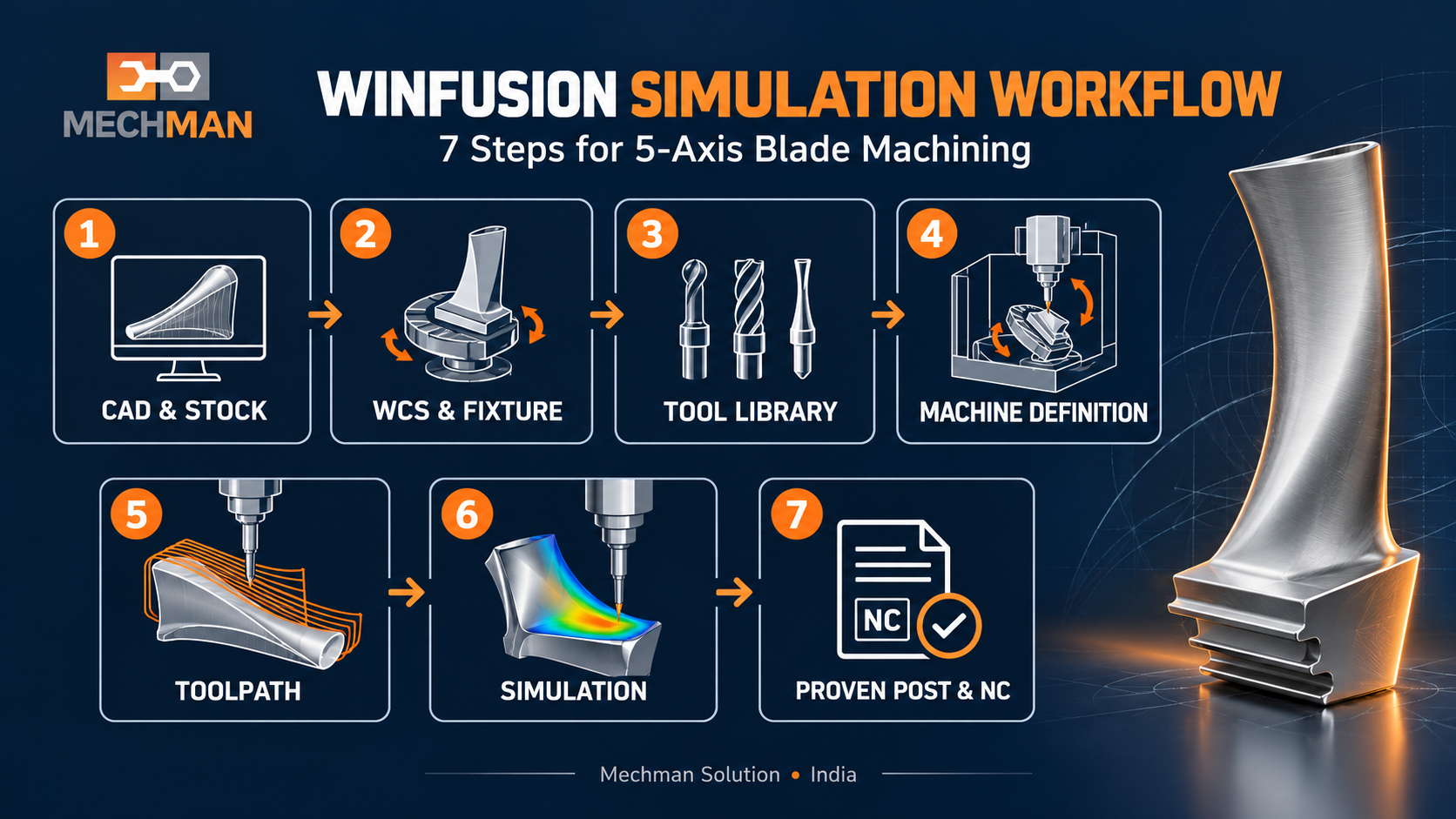
Accurate simulation: Machine make + controller + axis config + travel limits + fixture model + stock + tool assembly + post processor — sab correct hona chahiye. Incomplete input = incomplete picture!
1
CAD model + actual stock confirm karo ⭐
2
WCS/datum + fixture position set karo ⭐
3
Correct cutter + holder + tool length select karo ⭐⭐
4
Toolpath generate karke stock simulation run karo ⭐
5
Configured machine ke saath rotary movement + collision issues check karo ⭐⭐
6
Machine-specific post processor se NC code generate karo ⭐⭐
7
Setup + offsets + NC output review → controlled machine prove-out karo! ✅
Simulation — Programming Ka Non-Negotiable Step! 🖥️
Toolpath sim + machine sim + proven post = complete pre-production verification. Screen par sahi ≠ machine par safe — dono verify karo!
Stock Verified
✅ Correct!
WinFusion: Stock Sim + Machine Sim + Proven Post Processor + Controlled Prove-Out = Safe 5-Axis Production! 🖥️🚀
🖥️
Machine Simulation | Collision Check | Post Processor | 5-Axis CAM
3-axis, 4-axis, 5-axis ya turn-mill — apni machine details share karein!
Mechman Solutions — WinFusion
Autodesk Authorized Partner | Vadodara, Gujarat | Since 2015
www.mechmansolution.com
© 2025 Mechman Solutions | WinFusion — Why CNC Machine Simulation Is Important | Vadodara, Gujarat
