Air Cutting Reduction Guide
CNC Mein Air Cutting Kaise
Reduce Karein? ✈️
5 Smart Solutions — Cycle Time 20–50% Reduce Karo

Fusion 360 Machine Simulation — Air cutting kahan ho raha hai woh screen par clearly dikhai deta hai. Yahan se fix shuru karo.
Air cutting CNC machining ka ek bahut common problem hai. Jab tool material ko cut nahi kar raha hota aur sirf hawa mein move kar raha hota hai — machine ka cycle time unnecessary badh jaata hai.
Kai companies mein 20% se 50% tak machining time sirf air cutting mein waste hota hai — bina koi material cut kiye!
Fusion 360 CAM use karke air cutting ko kaafi had tak reduce kiya ja sakta hai — yeh 5 methods use karo.
Air Cutting Kya Hota Hai? 🔍
Air cutting tab hota hai jab tool material se contact mein nahi hota lekin machine movement continue karti hai:
✗Tool stock se bahut upar move
✗Incorrect stock definition
✗Long linking moves
✗Multiple unnecessary retracts
5 Proven Solutions — Air Cutting Kam Karo 🎯
Kai programmers actual raw material size define nahi karte—over-defined stock mein tool extra movement karta hai.
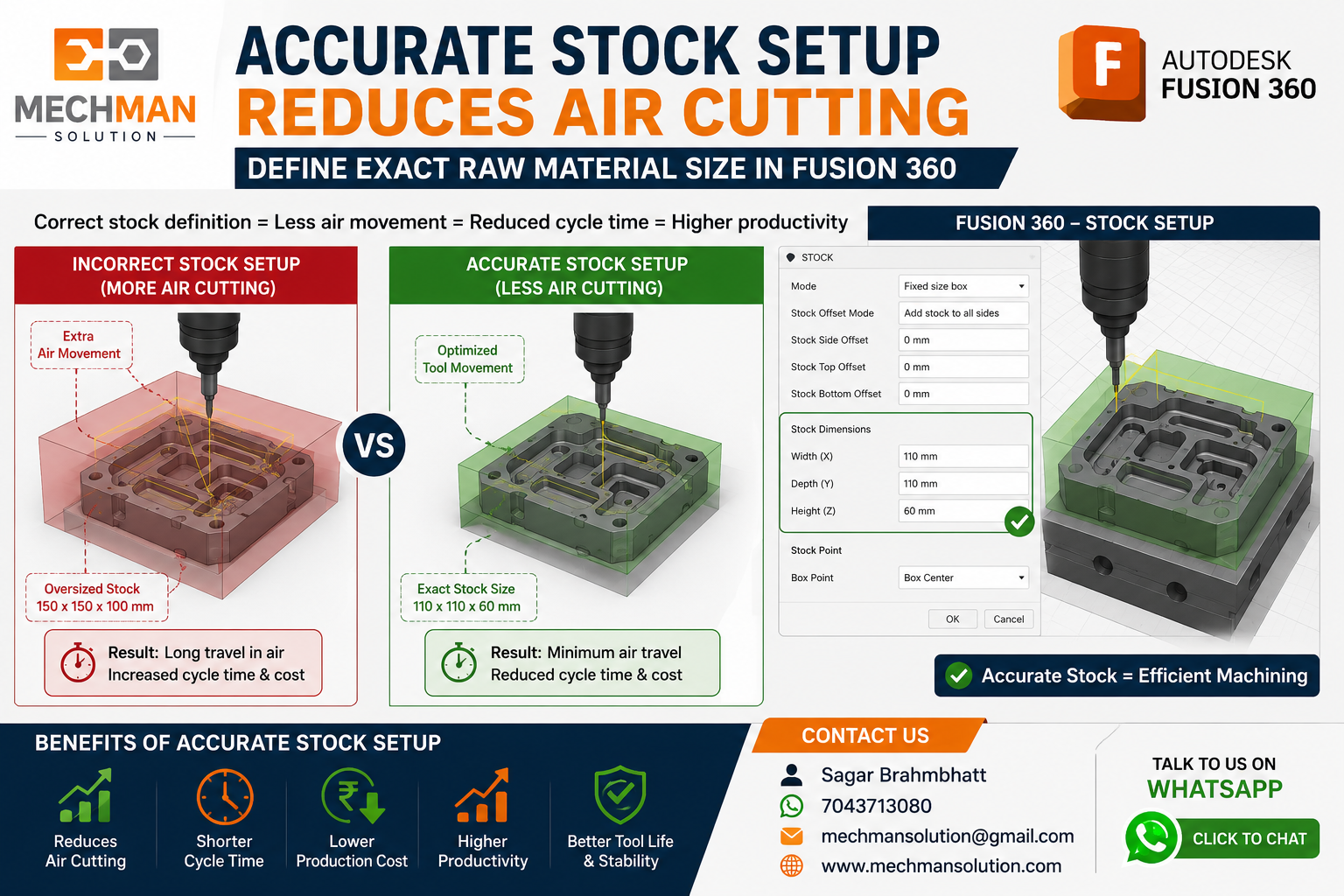
Smart stock setup — actual raw material ko exactly match karo. Tool sirf required area mein move karega — air cutting dramatically reduce.
Real Example:
❌ Wrong Stock
CAM = 150×150×100 mm
vs Actual = 110×110×60 mm
✅ Correct Stock
CAM = 110×110×60 mm
= Actual Material Size
2
Adaptive Clearing Toolpath ⭐
20–40% Reduction
Adaptive Clearing traditional pocketing se zyada efficient hota hai. Kai customers ne Adaptive Toolpath use karke 20-40% cycle time reduction achieve kiya hai.
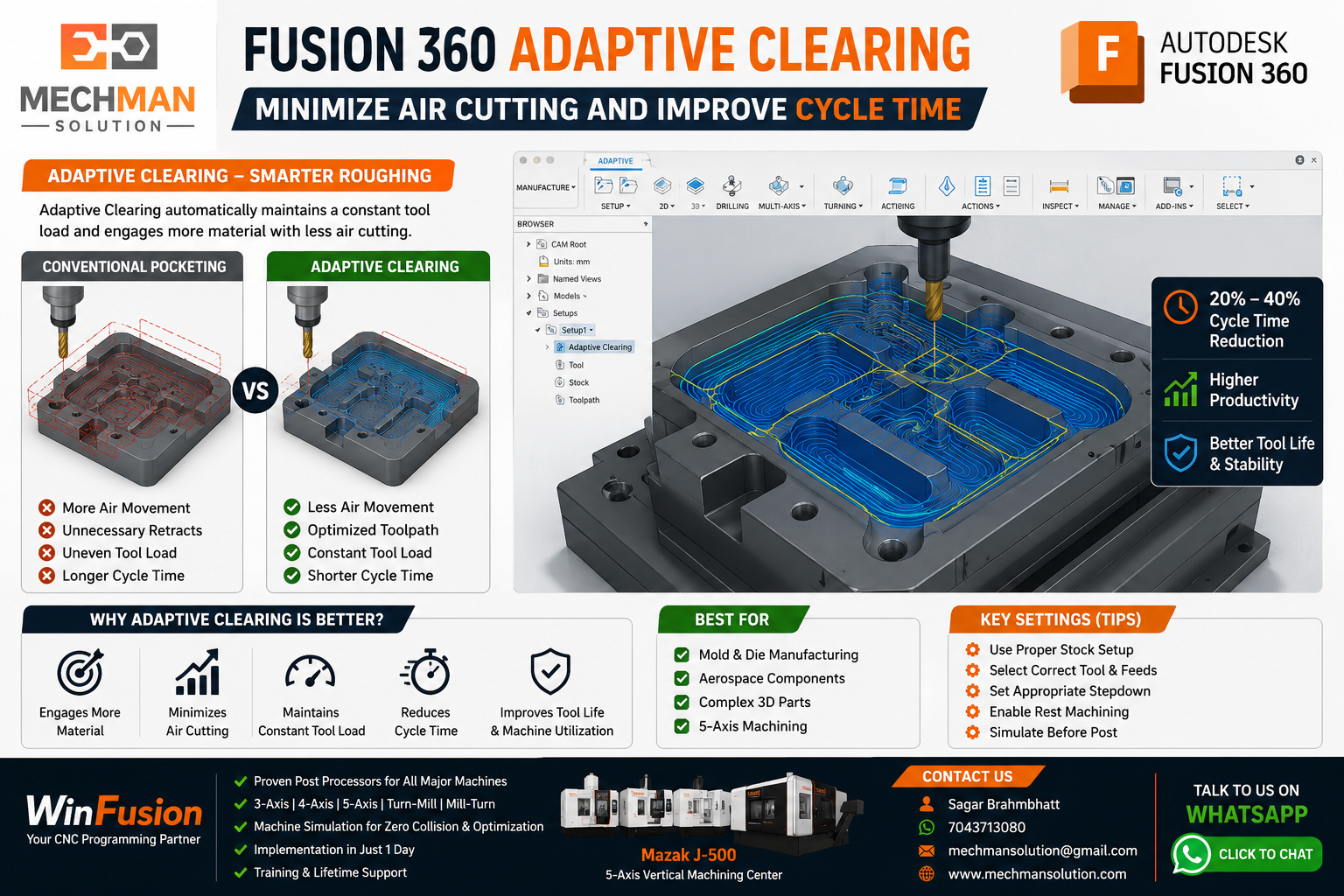
Adaptive Clearing — efficient roughing passes, minimal air moves, constant tool load. Traditional pocketing se hamesha better.
✓Constant tool load
✓Shorter tool movement
✓Less retracts
✓Faster roughing
3
Optimize Linking Moves 🔗
Fusion 360 mein Linking Parameters ko optimize karna bahut important hai — yeh settings unnecessary up-down movements ko reduce karti hain.
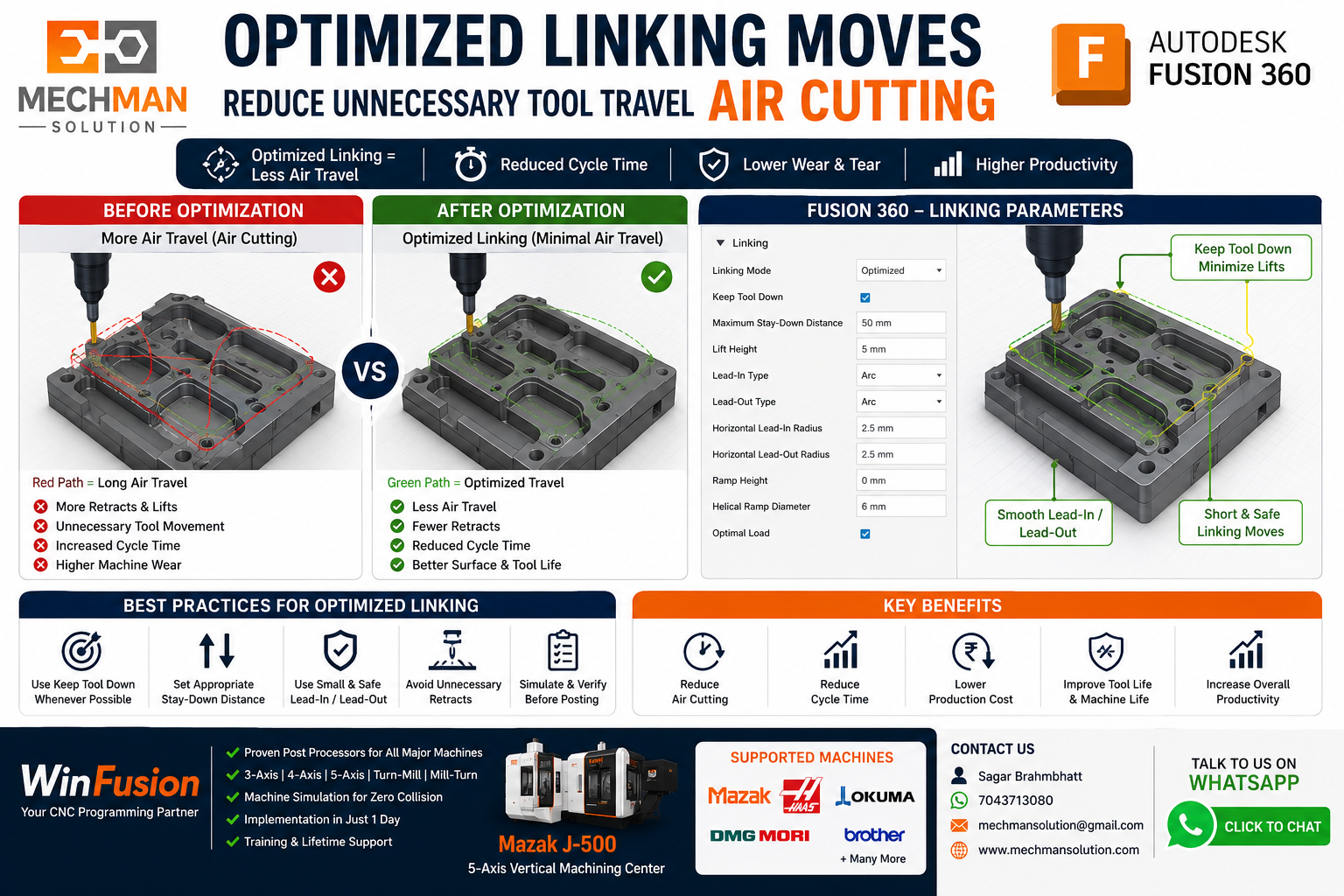
Tool library parameters + linking optimization — tool sirf wahan jata hai jahan zaroorat hai. Air travel minimum.
⚙️Keep Tool Down — active karo
⚙️Stay Down Level — define karo
⭐Minimize Retracts
⭐Shortest Safe Travel
Rest Machining se tool sirf wahi material machine karta hai jo previous operation se bacha hai — repeated cutting aur unnecessary air cutting dono khatam.
✓No repeated cutting
✓Less air cutting
✓Faster cycle time
✓Better tool utilization
Especially useful for:
Mold Machining
Aerospace Parts
Complex 3D Components
5-Axis Machining ⭐
5
Machine Simulation Verification ⭐
Identify + Fix
Machine Simulation se actual machining start hone se pehle hi pata chal jaata hai — air cutting kahan ho raha hai, tool unnecessarily travel kar raha hai ya nahi.
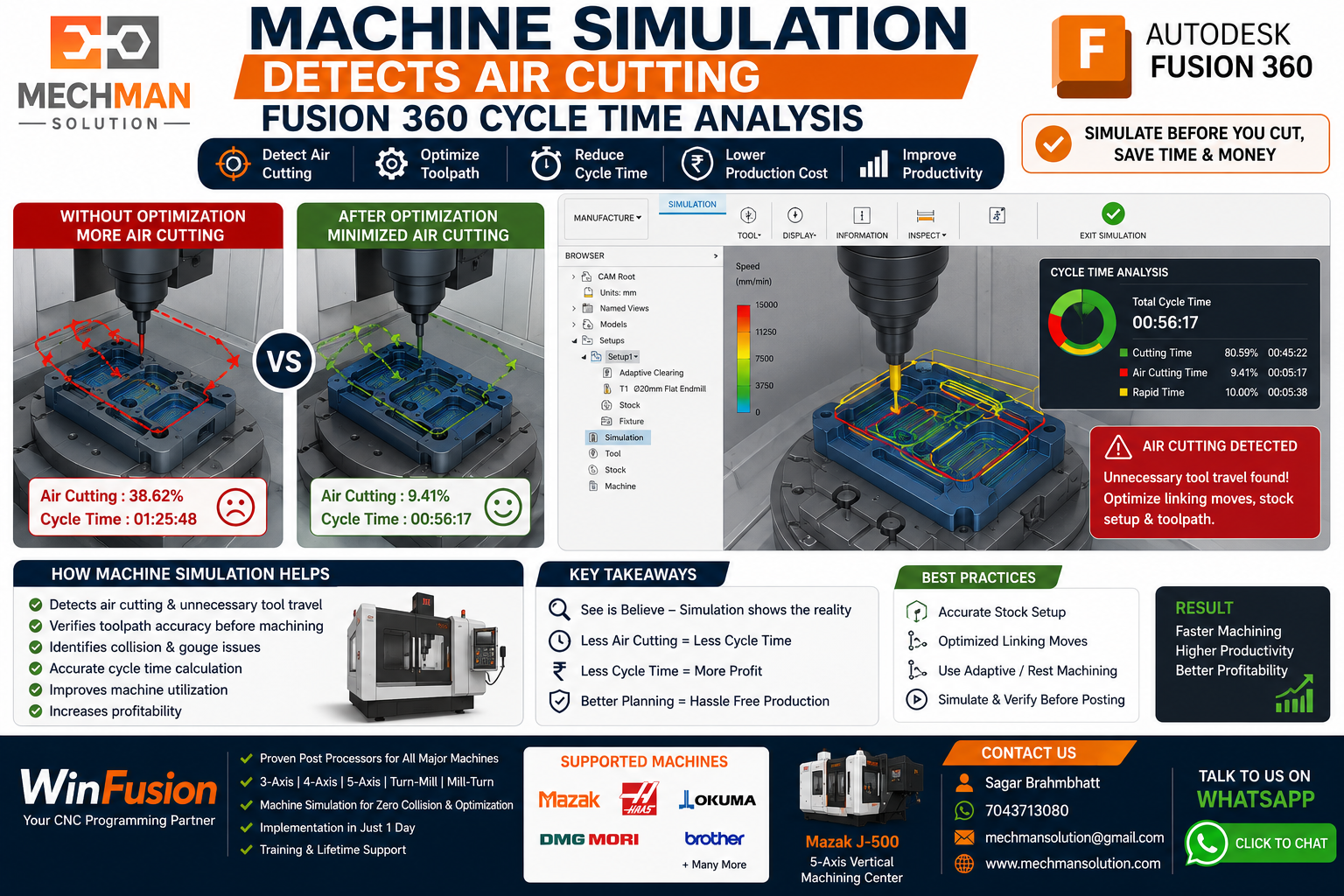
Full Machine Simulation — air cutting clearly visible hota hai. WinFusion implementation mein hum simulation ke through cycle time improvement opportunities identify karte hain.
Air Cut Location
Detect karo
Travel Path
Optimize karo
WinFusion Advantage 🚀
Bahut companies expensive 4-axis aur 5-axis machines purchase karti hain lekin CAM setup optimized nahi hota, stock incorrect hota hai, toolpath efficient nahi hoti.
✔Fusion 360 Manufacturing Implementation
✔Proven Post Processors
✔Machine Simulation Setup
✔Tool Library Optimization
✔3/4/5-Axis + Turn-Mill Support
⚡Production Ready Programming
Conclusion 🎯
Air cutting reduce karne ke liye in 5 techniques ko properly implement karo:
2
Adaptive Clearing Toolpath
3
Optimized Linking Moves
4
Rest Machining Strategy
5
Machine Simulation Verification ⭐
In methods se cycle time mein significant reduction milti hai aur machine productivity improve hoti hai. 🚀
✈️
Air Cutting Reduce Karo — WinFusion Se
Mechman Solutions — WinFusion
Fusion 360 | PowerMill | FeatureCAM | 5-Axis | Turn-Mill | Swiss | Post Processor
www.mechmansolution.com
© 2025 Mechman Solutions | WinFusion CAM Solution | Vadodara, Gujarat, India
