AUTO
→
CNC
⚙️ CNC Automation Guide — WinFusion 2025
Automation in CNC — WinFusion Se
Smart Programming Aur Production! ⚙️
CAM Templates | Hole Recognition | Tool Library | Post Processor | Machine Simulation
Automation Ke 3 Levels:
CAM templates, hole recognition — WinFusion yahin!
ATC, probing cycles, tool monitoring
Robot loading, pallet changer — separate hardware
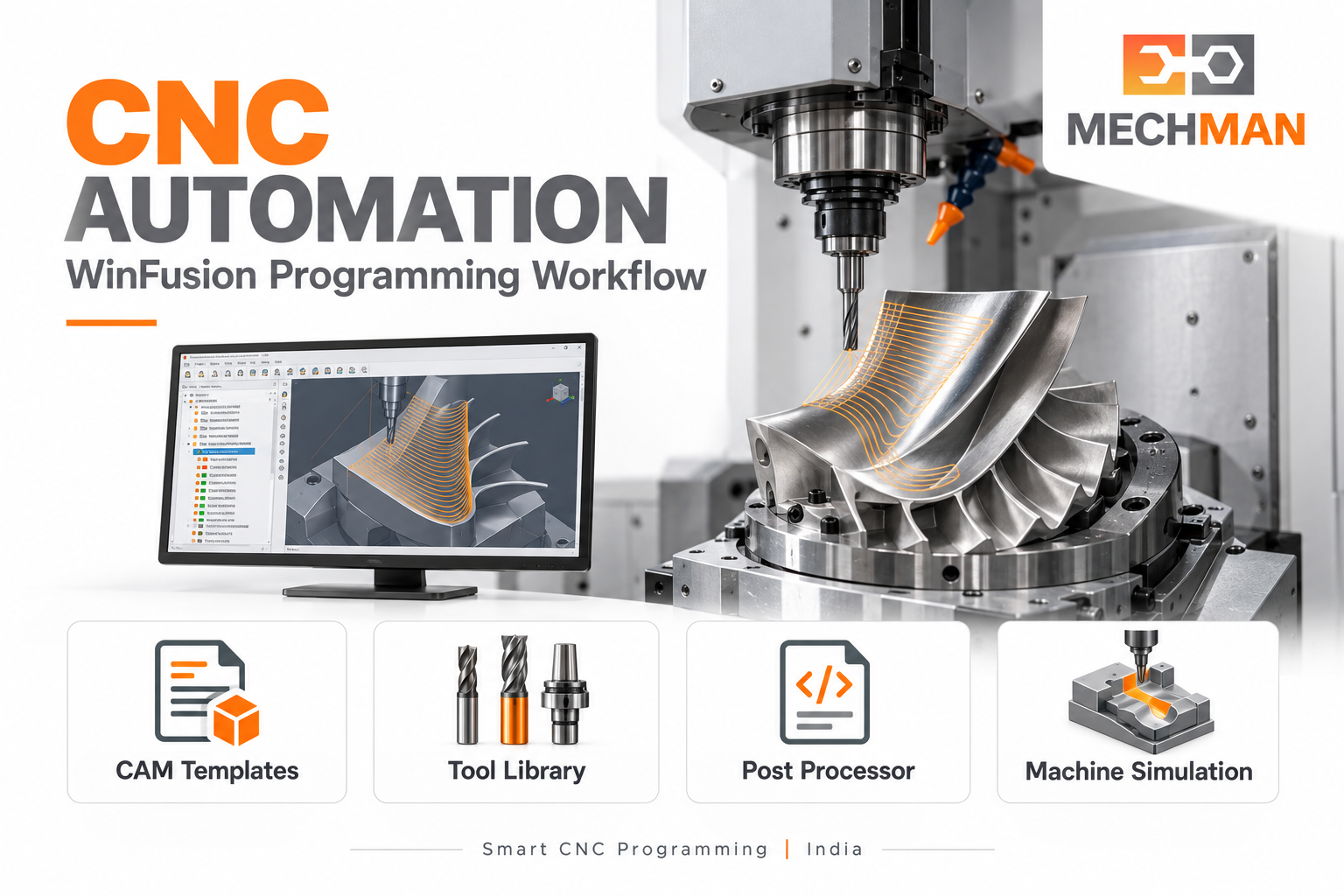
CNC automation ka purpose repetitive activities systematic banana hai — programming, tool library, post processor, machine simulation — taaki team ka time process improvement aur productive machining mein lage! WinFusion CAM programming aur production preparation level par automation support karta hai!
Machine available hai — par program ready nahi. Programmer same job dobara bana raha hai. Operator NC manually edit kar raha hai. Setup time expected se zyada! CNC automation ka shuruaat robot se nahi — CAM templates, reusable tool library, correct post processor aur machine simulation se hoti hai! WinFusion programming automation level par CNC production ko systematically improve karta hai!
“Sahi automation wahi hai jo aapke actual production bottleneck ko solve kare — programming time, setup delay ya repeated NC edits? WinFusion programming automation level par practically kaabil hai!” ✅
WinFusion ka scope: CAM programming, tool library, post processor, machine simulation, offline programming, training. Robot loading, pallet handling ya lights-out production ke liye separate machine hardware aur integration chahiye! ✅
⚙️ WinFusion CNC Automation — 5 Key Pillars!
P1
CAM Templates — Har Job Zero Se Kyun Program Karein? ⭐⭐
TIME SAVER ✅
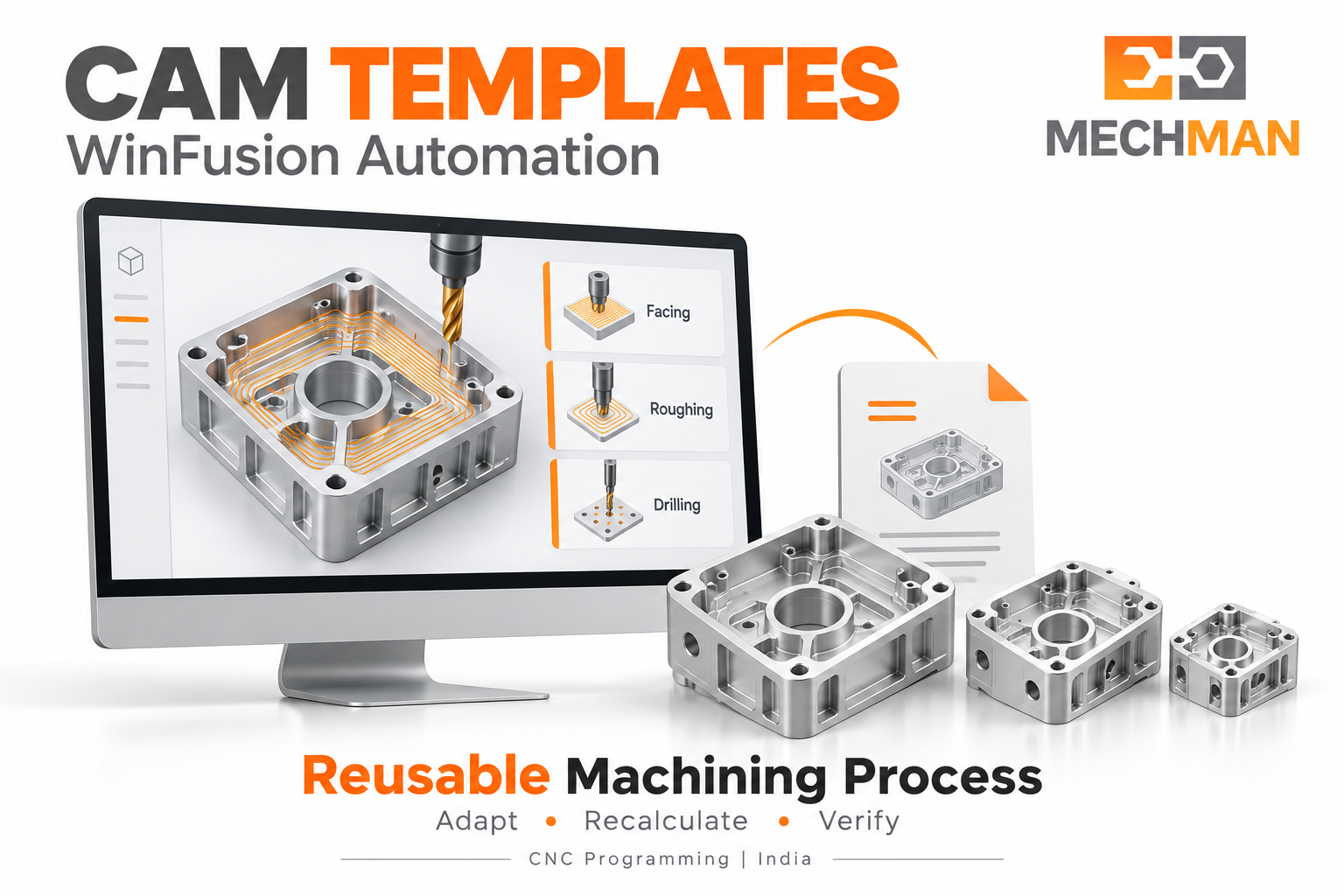
Aluminium housing example: Facing + roughing + finishing + drilling — bar bar manually recreate kyun? Approved CAM template mein reuse karo! Fusion machining templates create + reuse workflow provide karta hai!
Template banane ka process: ⭐
- Representative component par develop karo
- Successful operations review karo
- Reusable template prepare karo
- Similar job par geometry + settings update karo
Template = starting point: ⭐
New material, changed stock, deep pocket ya different fixture ke liye programmer ko process review karna hoga — blind apply nahi karna!
P2
Automated Hole Recognition — Repetitive Drilling Simplify! ⭐
Fusion for Manufacturing ka automated hole drilling workflow model ki hole geometry recognize karke predefined templates apply kar sakta hai. Multiple holes, counterbores, threaded holes — repetitive selections reduce ho sakte hain!
Hole geometry recognize ⭐
Templates auto-apply
Consistent sequence ⭐
Manual review still needed ✅
Note: Basic drilling aur advanced automated hole recognition alag capabilities hain! Required feature ke liye suitable subscription confirm karein! ⭐
P3
Tool Library — Automation Ki Foundation! ⭐⭐
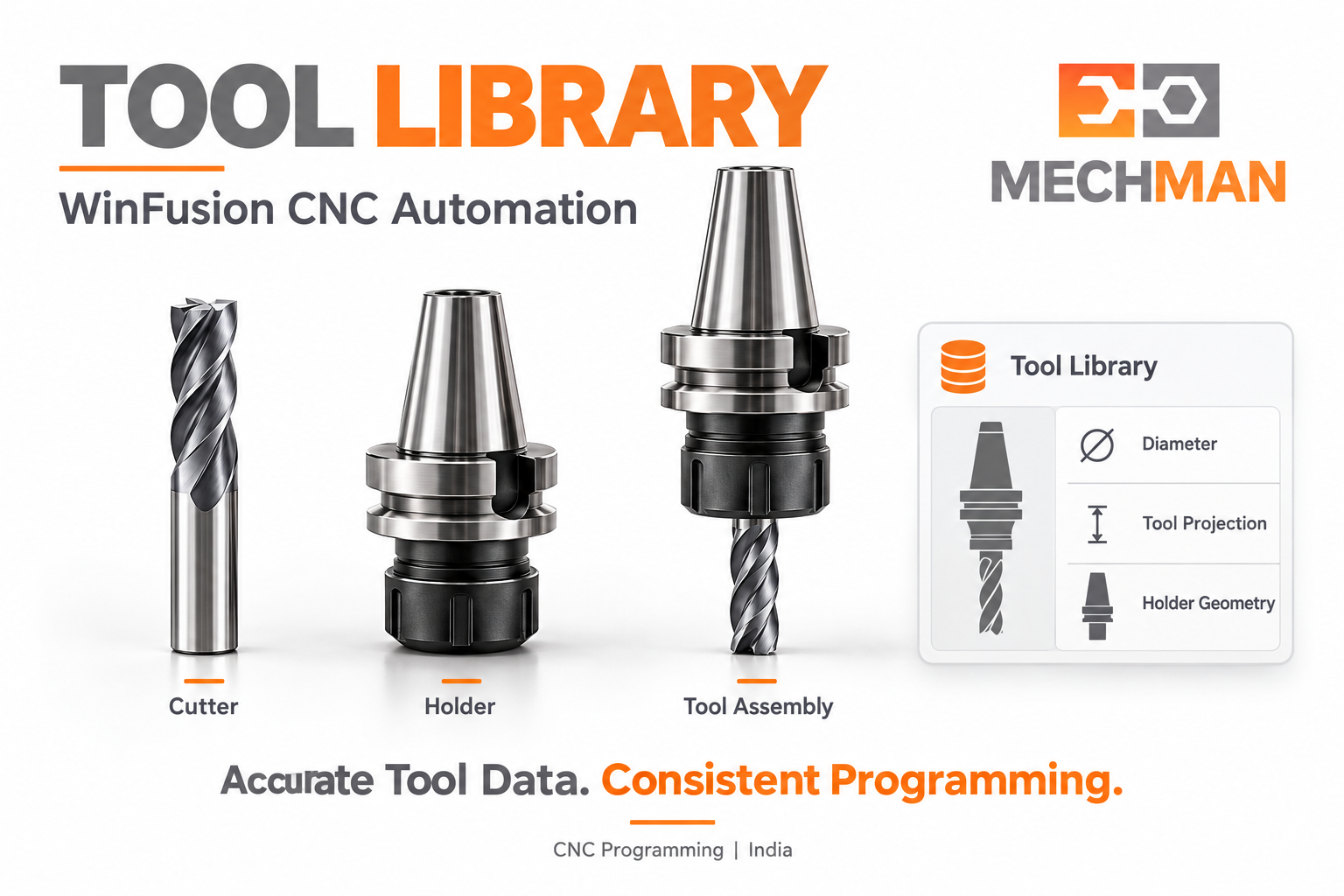
Tool library automation ka foundation hai! Wrong cutter length ya incomplete holder geometry = automation ka output bhi unreliable! Library ko tool names ki list nahi — actual machining assemblies ka record samjhein!
Tool Information
Kyun Important Hai?
Cutter diameter + type
Correct machining strategy ⭐
Flute + cutting length
Available cutting reach ⭐
Tool assembly + holder
Clearance checks ke liye ⭐⭐
Actual tool projection
Shop-floor setup match! ✅
P4
Post Processor — Automation Ko Machine Tak Pahunchao! ⭐⭐
CAM toolpath aur CNC machine ka executable program same cheez nahi hain! Post processor is gap ko bridge karta hai. Agar operator har job mein same NC lines manually change karta hai — ye recurring requirement post review ka subject honi chahiye!
Post mein verify karo: ⭐
- Linear + rotary axis arrangement
- Tool change + safe positioning
- Supported drilling cycles
- Multi-axis control functions
Mechman Solution: ⭐⭐
Fusion, PowerMill, FeatureCAM ke liye custom post-processing services! Machine-specific validated output — recurring manual NC edits reduce karo!
P5
Machine Simulation — Automated Workflow Verify Karo! ⭐⭐
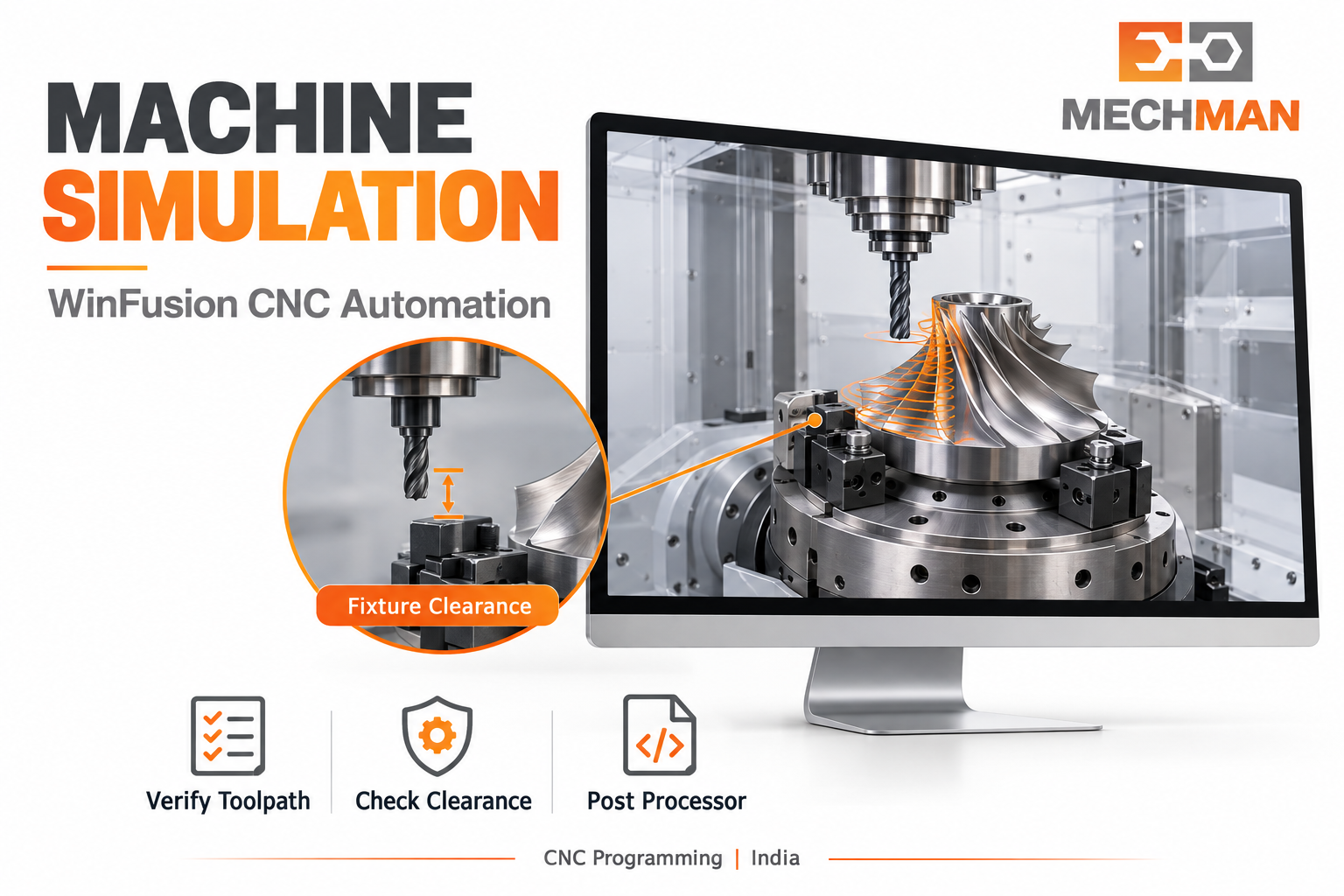
Automation programming fast kar sakti hai — correctness check equally important hai! Machine simulation mein tool + holder clearance, fixture position, rotary movement aur machine limits verify karo!
Tool + holder clearance ⭐⭐
Fixture + clamp position
Rotary movement ⭐
Stock removal
Approach + retract ✅
Simulation ki accuracy entered data par depend karti hai — actual clamp model mein include nahi hai to collision assess nahi hogi! ⭐⭐
⚠️ 6 Common Mistakes + Automation Measure Karne Ke 8 Metrics!
Pehle mistakes avoid karo — phir correct metrics se measure karo:
6 Common Mistakes — Avoid Karo:
M1
Poor process automate karna — unstable cutting automation ke baad bhi unstable rahega! ⭐⭐
M2
Aluminium template stainless steel par blindly apply karna — material ke hisaab se review karo! ⭐
M3
Generic post ko production-ready assume karna — exact machine config validate karo! ⭐⭐
M4
Actual setup se different simulation — wrong projection, missing clamps verification ko affect karte hain! ⭐
M5
Training skip karna — team ko template assumptions, tool data aur verification samajhna chahiye! ⭐
M6
Sirf cycle time measure karna — programming, setup, prove-out, inspection bhi total performance ka part! ✅
8 Metrics — Automation Benefit Measure Karo:
Programming time ⭐
Model receive → approved CAM
Setup time
Machine prep → first-part ready
Prove-out time ⭐
Trial start → approved process
Manual NC edits
Recurring changes per job
First-part acceptance ⭐⭐
1st inspection conforming %
Machine waiting time
Program/setup ke wait mein
Actual cycle time
Machine par measured duration
Rework + scrap ✅
Quantity + related cost
CNC Automation — WinFusion Se Smart Production! ⚙️
CAM templates, automated hole recognition, accurate tool library, validated post processor aur machine simulation — ye 5 pillars CNC programming automation ko practical aur measurable banate hain!
WinFusion: CAM Templates + Tool Library + Machine Simulation + Proven Post + Training = Smart CNC Automation! ⚙️🚀
⚙️
CNC Automation | CAM Templates | Tool Library | Post Processor | Machine Simulation
Sabse bada bottleneck kya hai? Programming? Post? Setup? Machine details share karein!
Mechman Solutions — WinFusion
Autodesk Authorized Partner | Vadodara, Gujarat | Since 2015
www.mechmansolution.com
© 2025 Mechman Solutions | WinFusion — Automation in CNC Manufacturing Guide | Vadodara, Gujarat
