〰️ Contour CAM Guide — WinFusion 2025
Contour Toolpath — WinFusion Mein
Profile Machining Ka Master! 〰️
Outer Profile | Inner Wall | Lead-In/Out | Cutter Compensation | Multiple Depths
Contour Toolpath = Profile Follow Karo!
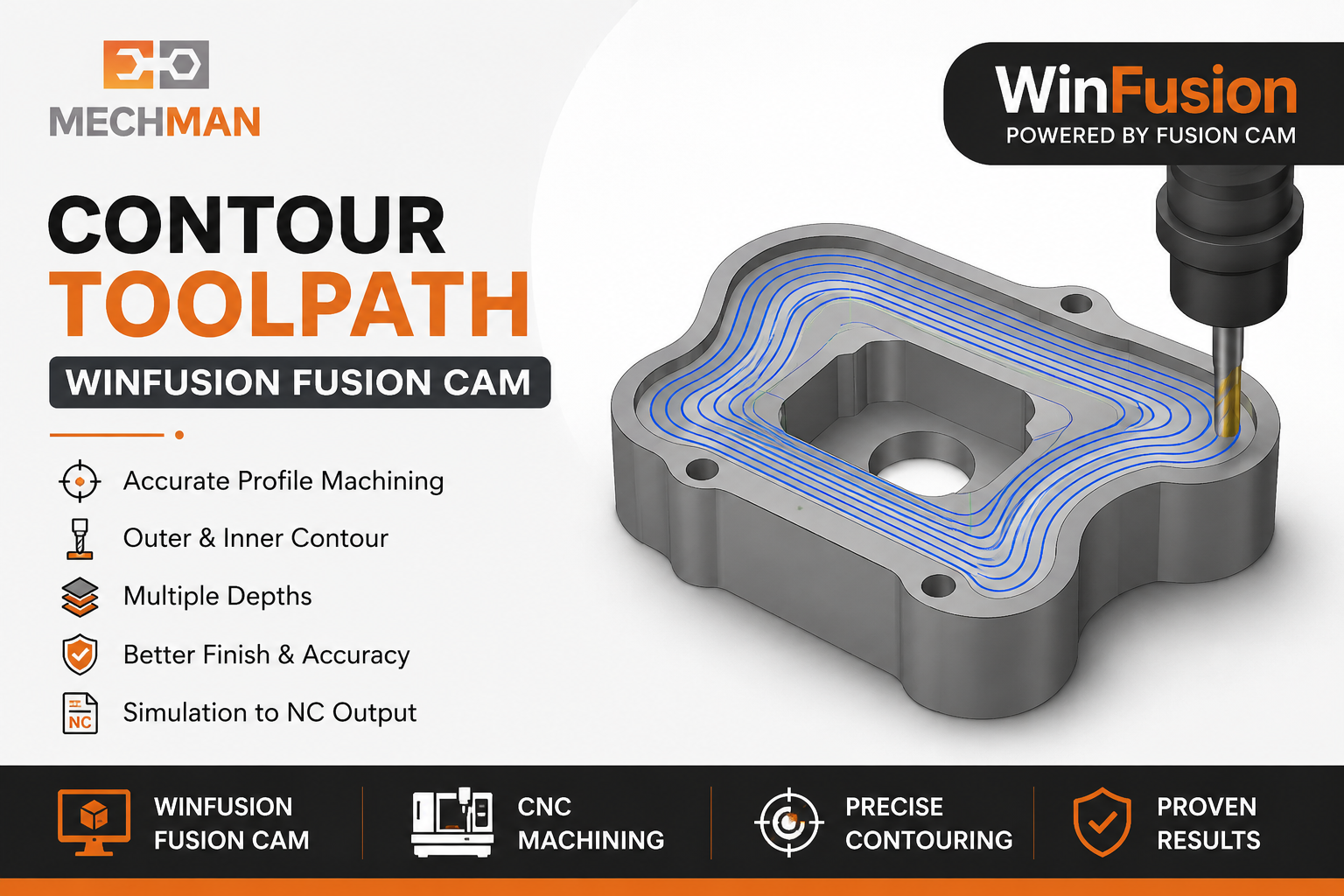
Contour Toolpath — CNC milling ka important profile machining strategy. Outer profile, inner wall, edges — sab accurately machine karo. Final dimensional accuracy ke liye sabse reliable toolpath!
Contour Toolpath CNC milling ka ek bahut important finishing aur profile machining toolpath hai. WinFusion mein Contour ka main use part ki outer profile, inner profile, walls, edges aur selected boundaries ko accurately machine karne ke liye hota hai!
“Jab tool ko kisi selected edge ya profile ko follow karke material cut karna ho — tab Contour Toolpath use hota hai!” ✅
Especially jab component ka final profile size aur wall accuracy important ho — Contour Toolpath sabse reliable choice hai! ✅
〰️ Contour Toolpath Kya Hai?
Programmer geometry/edge select karta hai → WinFusion us path ko follow karke cutting motion generate karta hai!
Contour Common Use:
- Outer profile machining ⭐
- Inner profile/wall finishing
- Step/profile machining
- Multiple depth cutting
- Chamfer-type edge operations
- Final dimensional finishing ✅
Programmer Control Karta Hai:
- Tool Diameter ⭐
- Cutting Depth
- Stepdown
- Compensation ⭐
- Lead-In/Lead-Out
- Feed & Speed ✅
Contour = Profile machining systematic aur repeatable ho jati hai! ✅
📌 Real Example — Outer Profile Machining:
Rectangular CNC Component — Final Outer Size Banana Hai:
Raw Stock
+2 to +5mm extra
→
Final Profile ✅
Accurate dimension
Process: Profile edge select → Contour generates → Tool follows boundary → Profile accurate!
Isse profile machining systematic aur repeatable ho jati hai! ✅
📏 Multiple Depths — Deep Profile Smart Machining!
📏
Total depth 20mm — ek pass mein mat karo! Multiple Z-levels use karo!
Cutting load control + Tool life improve
❌ Single Pass 20mm:
- Excessive cutting load
- Tool deflection risk
- Poor wall finish
- Dimensional error ⚠️
✅ Multiple Steps (5mm each):
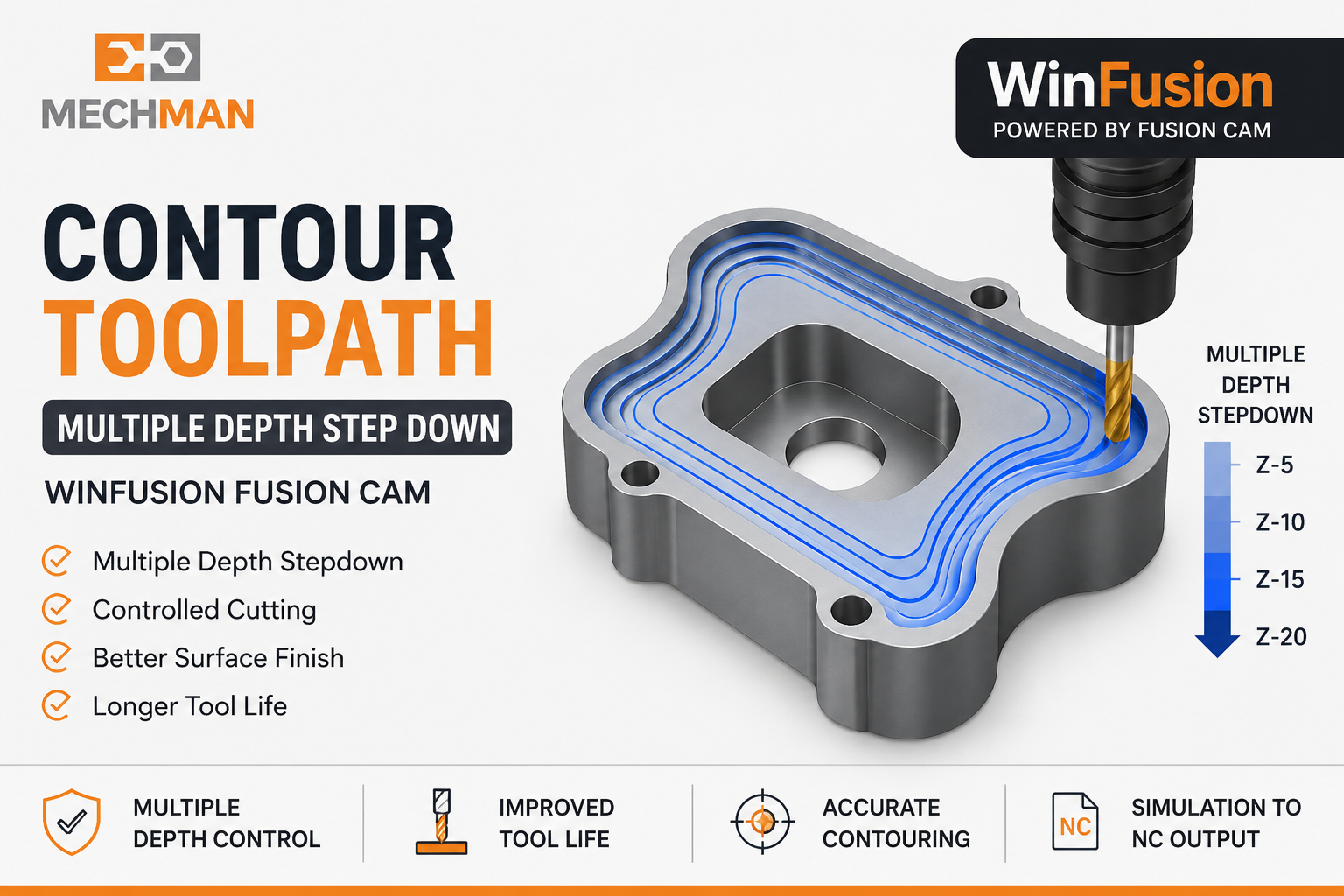
Contour multiple depth cutting — Z-level passes mein divide karo. Tool/material ke according stepdown set karo. Better wall finish + accurate profile!
⚙️ Lead-In/Lead-Out + Cutter Compensation — Pro Features!
Tool ka profile enter/exit method equally important!
❌ Direct Wall Entry:
Tool mark / witness mark on finished wall ⚠️
✅ Lead-In Arc/Linear:
Smooth controlled entry → No entry mark ⭐
Better Surface + Cleaner Profile! ✅
Final dimension fine-tune karna possible:
Profile thoda oversize?
Tool offset adjust karo → Size fine-tune ✅
G41/G42 Controller Support
Machine par real-time offset adjustment ⭐
Production tolerance maintain = Cutter Comp! ✅
🎛️ Contour Key Parameters — Sahi Set Karo!
Contour Setup — Ye Parameters Carefully Define Karo:
D
Cutting Depth
Total profile depth define karo
S
Stepdown ⭐
Per pass cutting depth
L
Lead-In/Lead-Out
Entry/exit motion define
C
Cutter Compensation ⭐
G41/G42 offset enable
A
Finishing Allowance
Stock to leave for final pass
F
Feed & Speed ⭐
Material + tool specific!
🎮 Simulation + Post Processor — Complete Verification!
Contour Toolpath ke baad — Direct machine par mat chalao! Pehle verify karo!
Always Simulate!
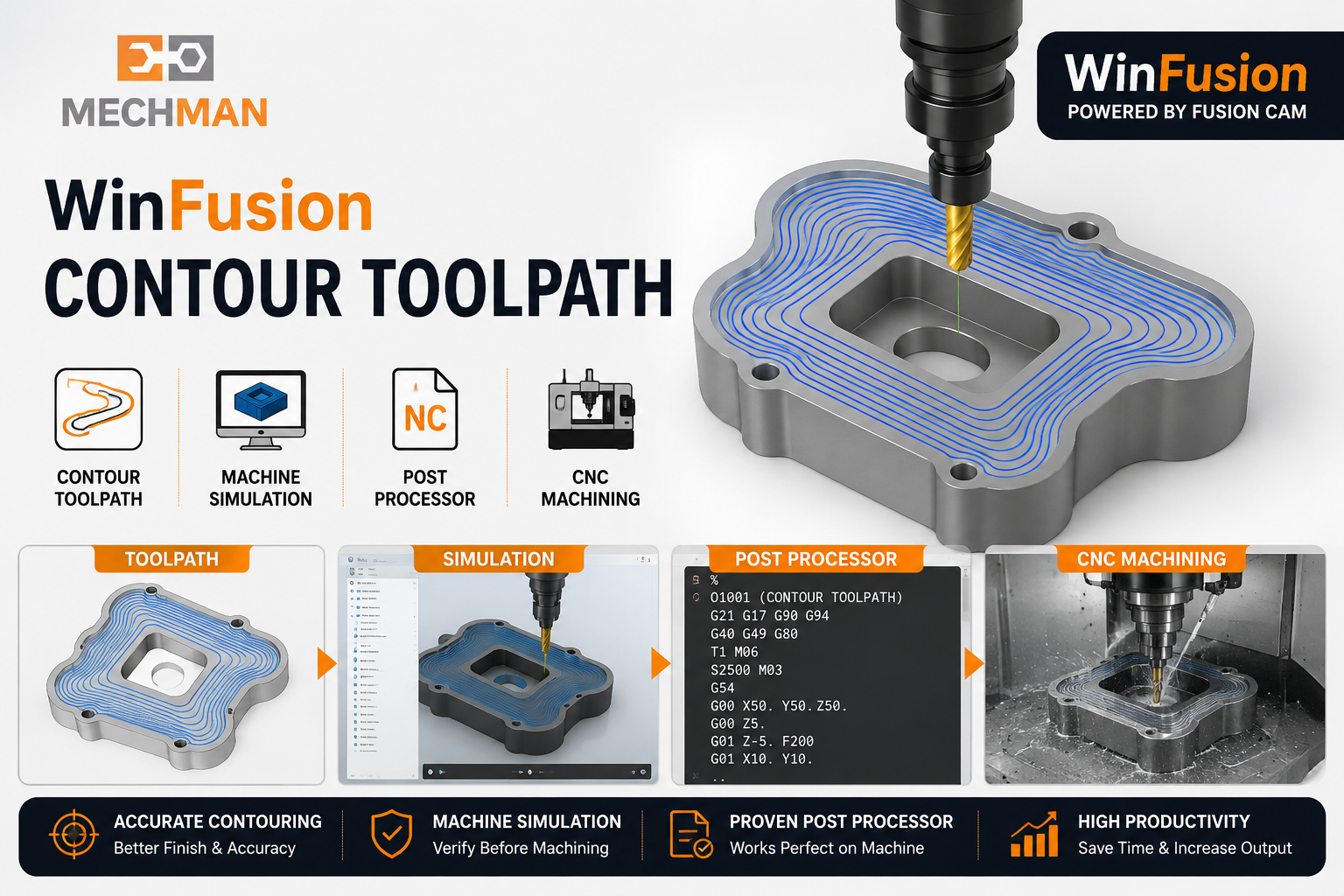
Simulation mein check karo — tool movement, stock removal, tool/holder conditions, machine configuration. Advanced CNC ke liye correct post processor equally critical!
Simulation Check:
- Tool movement ✓
- Stock removal ✓
- Holder clearance ✓
- Setup verify ✓
Post Processor:
- Machine-specific NC ⭐
- Cutter comp support
- Min manual edit
- Production ready ✅
Contour Sirf 3-Axis Ke Liye Nahi — WinFusion Multi-Axis Support:
3-Axis Milling ✅
4-Axis ⭐
5-Axis ✅
Turn-Mill ⭐
Tool Library ✅
Proven Post ⭐
🗺️ Contour Practical Workflow — CAD se CNC Tak!
WinFusion Complete Contour Toolpath Workflow:
CAD Model
→
Setup+WCS
→
Stock
→
Tool Select
→
Contour ⭐
→
Simulation
→
NC → CNC ✅
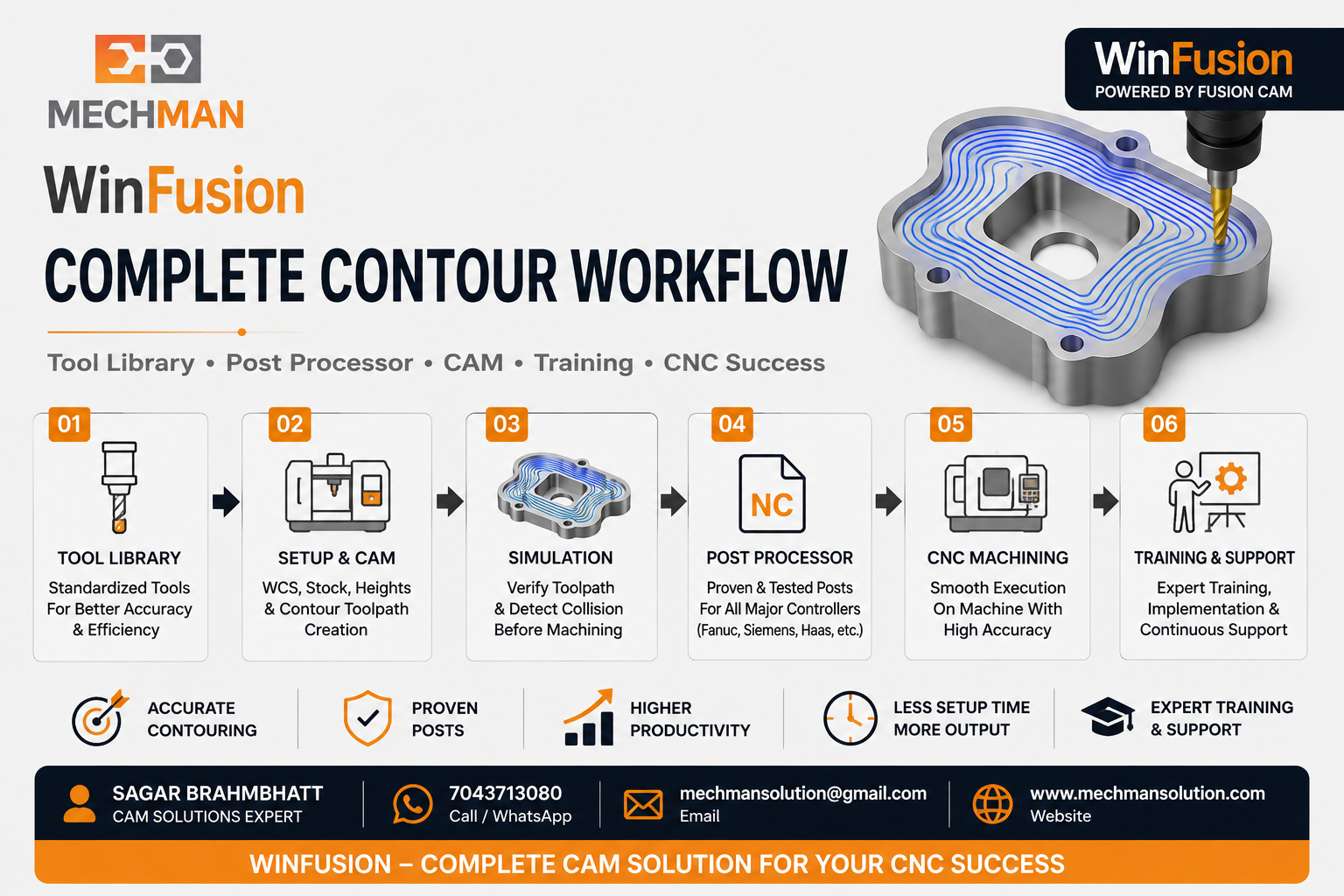
WinFusion: Ek baar correct tool library, machining parameters, machine configuration aur proven post processor setup ho jaye — programmer ka workflow standardized aur repeatable ho jata hai!
WinFusion Ka Main Advantage — Sirf Software Nahi, Complete Implementation!
Real challenge = Software ko actual machine par implement karna! Especially 4-axis, 5-axis aur Turn-Mill mein:
✅CAM Software ⭐
✅Proven Post Processor
✅Machine Simulation ⭐
✅Implementation + Support
✅Training
⭐Production-Ready CNC!
Contour Toolpath — Key Takeaways! 〰️
Correct edge selection + stepdown + Lead-In/Out + Cutter Compensation + Simulation = WinFusion Contour se accurate aur repeatable profile machining!
WinFusion: Contour Toolpath + Simulation + Proven Post = CAD/CAM se CNC Machine tak complete workflow! 〰️🚀
〰️
Contour CAM | Post Processor | Simulation | Training
Mechman Solutions — WinFusion
Autodesk Authorized Partner | Vadodara, Gujarat | Since 2015
www.mechmansolution.com
© 2025 Mechman Solutions | WinFusion — Contour Toolpath CAM Guide | Vadodara, Gujarat
