🎓 Beginners Guide — WinFusion 2025
CAD, CAM aur CNC Kya Hota Hai?
Simple Explanation Hinglish Mein 🎓
Design → Program → Machine → Final Part — Complete Workflow Explained!
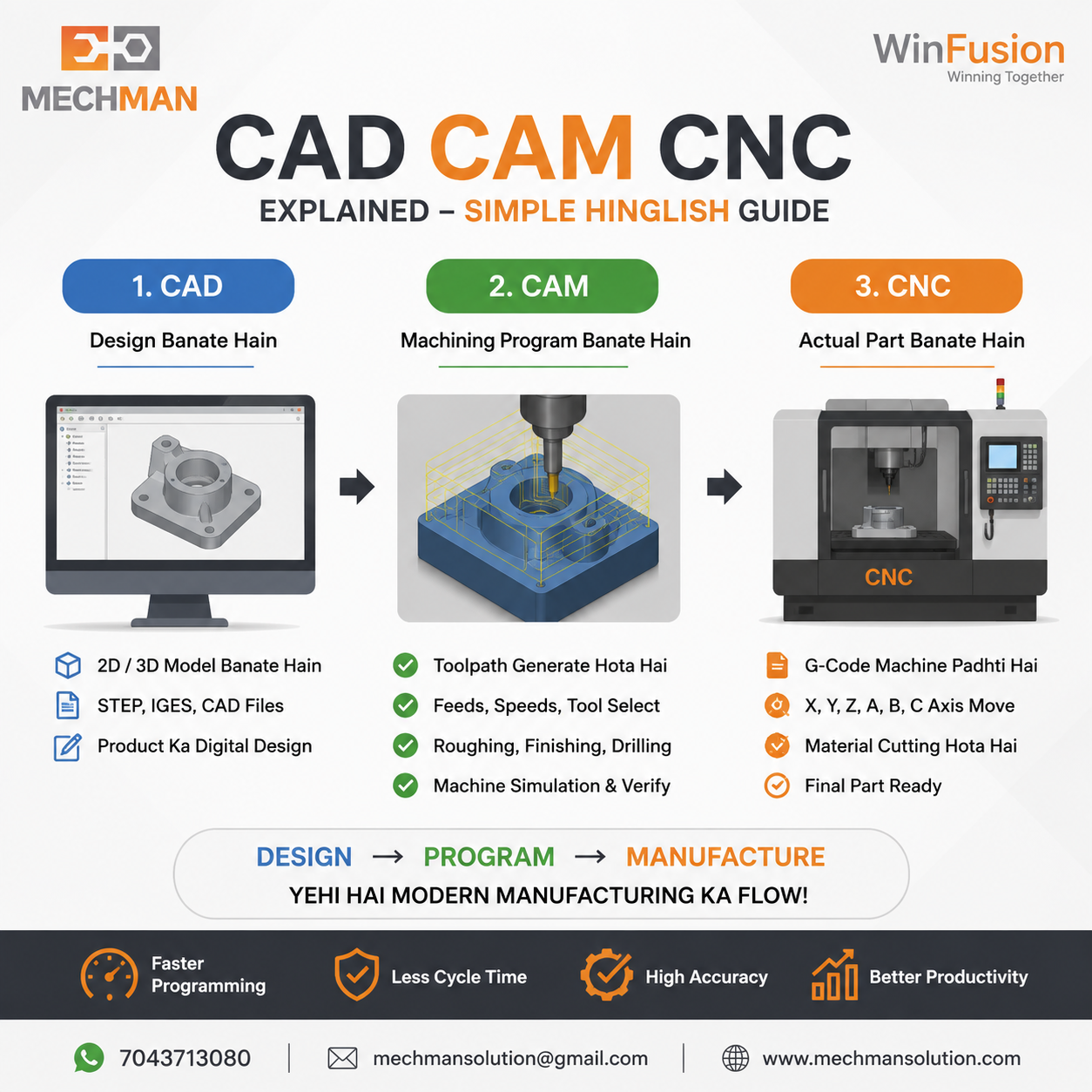
CAD = Design, CAM = Program, CNC = Machine. Ye teeno milkr modern manufacturing ka backbone hain. Is guide mein sab kuch simple Hinglish mein samjhenge!
Agar aap manufacturing industry mein naye ho ya CNC machining seekhna chahte ho — sabse pehla question yahi aata hai: CAD kya hota hai? CAM kya hota hai? Aur CNC machine kaise kaam karti hai?
Is blog mein simple Hinglish mein step-by-step samjhenge—CAD, CAM aur CNC ka connection kya hai aur modern manufacturing mein inka use kaise hota hai!
🎨 CAD Kya Hai? — Computer-Aided Design
🎨
CAD = Computer-Aided Design
Software jisme part ka 2D drawing ya 3D model banta hai
💡 Simple Language: CAD = Product Design Karne Ka Software
CAD Mein Kya Banta Hai:
- Machine parts
- Mold & die designs
- Fixtures + jigs
- Aerospace components
- Medical implants
- Automotive parts
Popular CAD Software:
Fusion 360AutoCAD ⭐InventorSolidWorks
CAD Output Files:
STEPIGESParasolidSAT
📌 CAD se sirf design milta hai — yahan machining nahi hoti! Next step CAM ka hota hai.
⚙️ CAM Kya Hai? — Computer-Aided Manufacturing
⚙️
CAM = Computer-Aided Manufacturing
CAD model ko dekh kar toolpaths generate karta hai
Most Important!
💡 Simple Language: CAM = Machine Ko Kaise Cut Karna Hai Ye Batata Hai
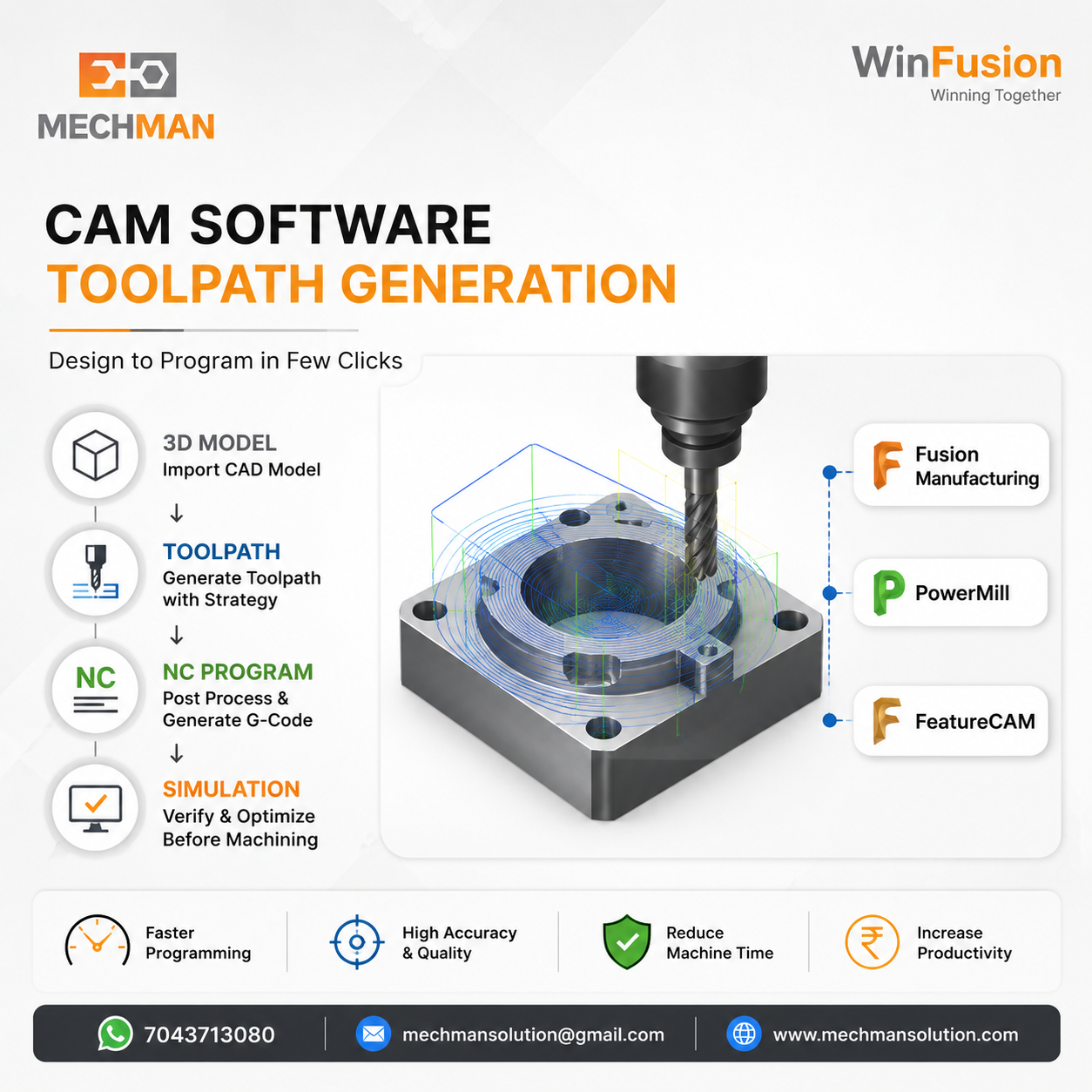
CAM software — CAD model import karo, toolpaths generate karo, strategy select karo. Programmer ka yahi main kaam hai!
CAM Software decide karta hai:
→Kaunsa tool use hoga
→Spindle speed
→Feed rate
→Depth of cut
→Roughing strategy
→Finishing strategy
→Drilling cycles
→3/4/5 axis paths
⭐Entry + exit moves
WinFusion CAM Software:
Fusion Manufacturing
PowerMill ⭐
FeatureCAM
🤖 CNC Kya Hai? — Computer Numerical Control
🤖
CNC = Computer Numerical Control Machine
Actual machine jo G-code read karke material cut karti hai
💡 Simple Language: CNC = Actual Machine Jo Material Cut Karti Hai
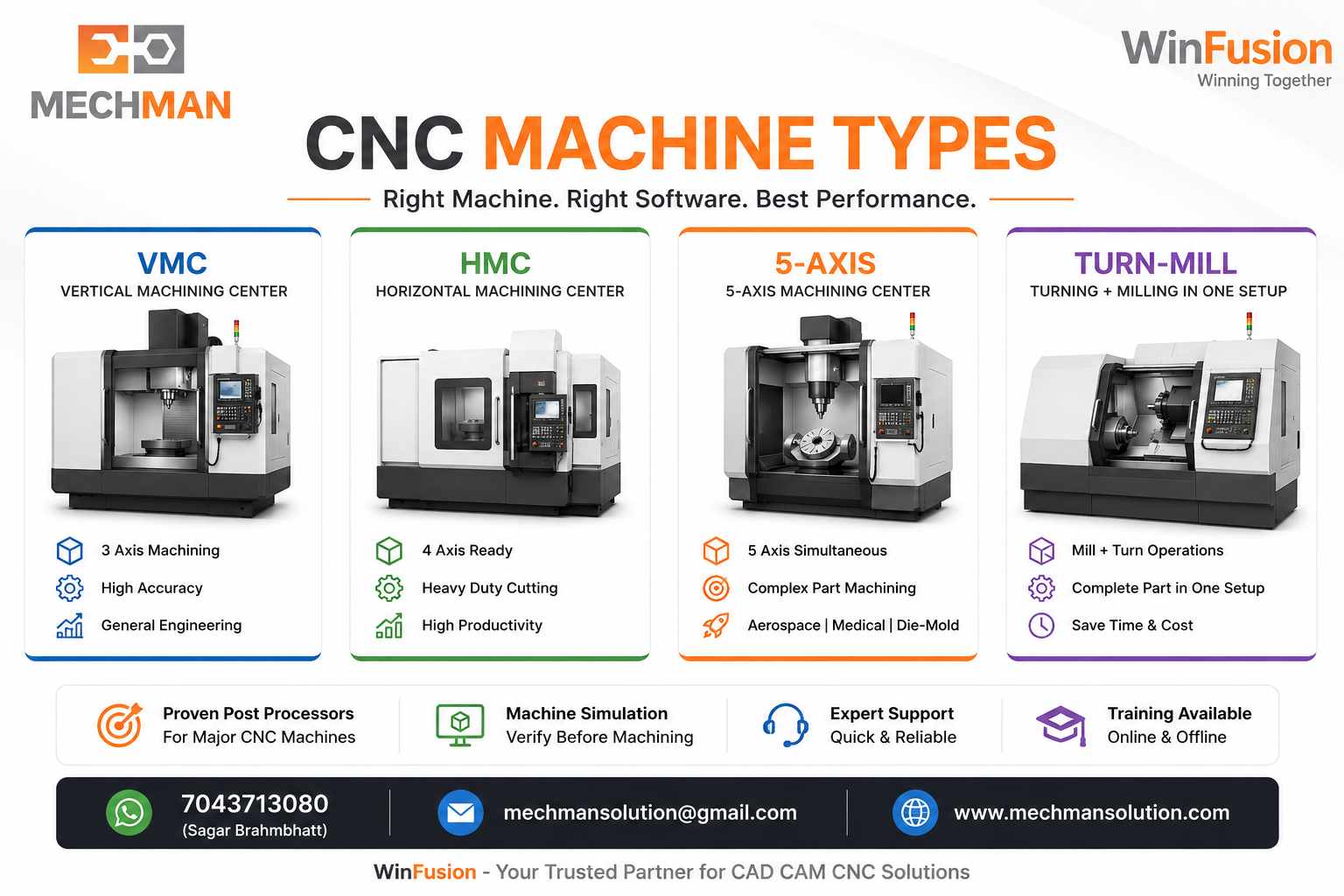
CNC machines — VMC, HMC, 5-axis, turn-mill. G-code read karo, axes move karo, part banao!
CNC Machine Types:
VMC (Vertical Machining Center)
HMC (Horizontal Machining Center)
Turning Center
5-Axis Machining Center ⭐
Turn-Mill Center
Swiss Machine ⭐
CNC Machine Axes:
X Axis
Y Axis
Z Axis
A Axis ⭐
B Axis ⭐
C Axis
🔄 CAD → CAM → CNC Complete Workflow
Aluminium Housing Banana Hai — Step by Step dekho!
Engineer 3D Model Banata Hai
Fusion 360 ya AutoCAD mein STEP file ready hoti hai
Programmer Toolpaths Banata Hai
Adaptive Roughing → Pocket → Contour → Drilling → Finishing
Machine-Specific NC Code Generate Hota Hai
Mazak / Haas / Brother / Okuma ke liye alag-alag G-code
Machine Simulation Se Verify Hota Hai ⭐
Holder, fixture, rotary, machine limits — sab check
✅ Program CNC Machine Par Run Hota Hai → Final Part Ready!
Aluminium housing successfully machined!
Complete workflow — CAD se design, CAM se program, post se G-code, simulation se verify, CNC pe run. Yahi hai modern manufacturing!
📈 CAM Software Se Kya Farak Padta Hai?
❌ Manual Programming Problems:
- Programming slow hoti hai
- Cycle time high
- Air cutting zyada
- Wrong feed set hoti hai
- Manual errors possible
- Machine collision risk
✅ CAM Software Benefits:
- Faster programming ⭐
- Better surface finish
- Optimized toolpaths
- Less cycle time
- Less tool wear
- Better machine utilization ⭐
🔧 Post Processor + Machine Simulation — Kyu Zaruri Hai?
🔧 Post Processor Kya Hai?
Har machine ka controller alag hota hai — CAM toolpath ko machine-readable G-code mein convert karta hai:
FanucSiemens ⭐HeidenhainMazatrol ⭐
Proven post = Machine par manual editing nahi! ✅
🖥️ Machine Simulation Kyu?
Program machine par seedha chalana risky hai — simulation se:
- Tool + holder collision ✓
- Fixture collision ✓
- Machine over-travel ✓
- Rotary axis verify ✓
❓ Frequently Asked Questions
Q: CAD aur CAM mein difference kya hai?
CAD = Design banata hai (3D model). CAM = Machining program banata hai (toolpaths + G-code). Dono alag software hain lekin connected hain.
Q: CNC Machine khud programming karti hai?
Nahi! Program CAM software ya manual programming se generate hota hai. CNC machine sirf G-code read karke execute karti hai.
Q: Kya CAD ke bina CAM use kar sakte hain?
Haan! Agar 3D model available ho (STEP, IGES, Parasolid), to CAM use kiya ja sakta hai. Design kahi bhi bana ho.
Q: Best CAM Software kaunsa hai?
Depends on application! Fusion Manufacturing (3/4/5-axis, turn-mill), PowerMill (mold, die, aerospace), FeatureCAM (turning, production). WinFusion se consult karo — aapki machine aur job ke hisaab se best recommend karenge! ✅
WinFusion — Complete CAD CAM CNC Solution 🚀
✅Fusion Manufacturing Setup
✅PowerMill Programming
✅Machine-Specific Post Processor
✅Machine Simulation
✅3/4/5-Axis + Turn-Mill + Swiss
✅Training — Online + Onsite
✅Tool Library Setup
⚡Day 1 Production Start!
Simple Summary — Yaad Rakho! 🎓
⚙️
CAM
Program Banata Hai
🤖
CNC
Part Manufacture Karti Hai ⭐
Teeno sahi tarike se kaam karein — production fast, programming easy, machine utilization maximum! WinFusion ye sab implement karta hai. ✅
🎓
CAD | CAM | CNC | Post Processor | Simulation | Training
Mechman Solutions — WinFusion
Autodesk Authorized Partner | Vadodara, Gujarat | Since 2015 | 200+ CNC Shops India
www.mechmansolution.com
© 2025 Mechman Solutions | WinFusion — CAD CAM CNC Guide | Vadodara, Gujarat
