🔧 Model Prep Guide — WinFusion 2025
Model Preparation —
CAM Start Karne Se Pehle Ka Critical Step! 🔧
Model Clean | Holes Close | Surface Extend | Fixture Add | Machining-Ready!
❌ Original CAD Model
- Unnecessary holes
- Extra geometry
- No machining boundary
- No fixture defined
✅ Machining-Ready Model
- Holes closed ✓
- Clean geometry ✓
- Machining boundary ✓
- Fixture added ✓
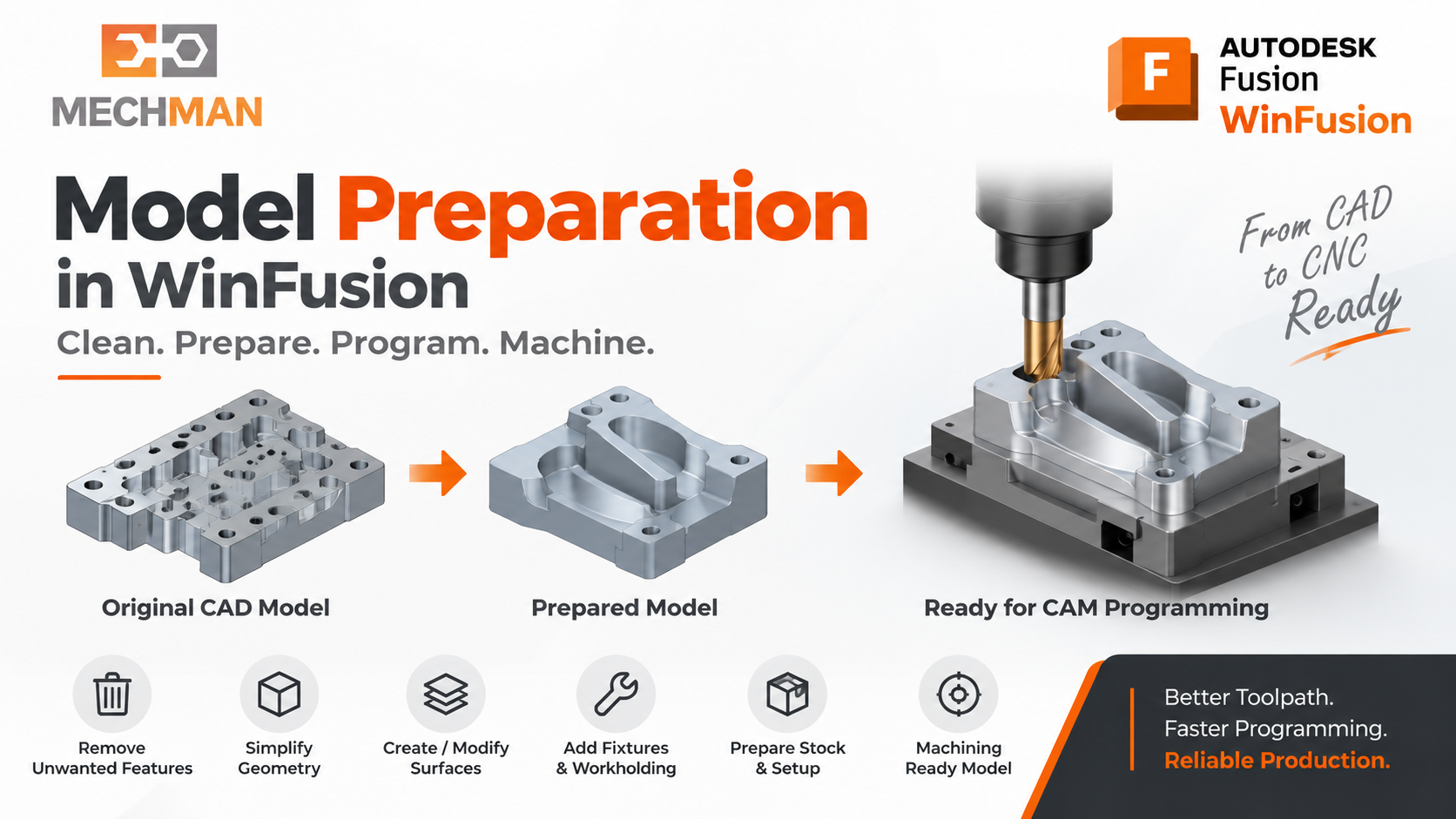
Model Preparation = CAD model ko CNC programming ke liye ready karna. Customer ka model hamesha direct CAM ke liye perfect nahi hota — pehle prepare karo, phir toolpath banao!
Customer se jo 3D model milta hai, wo hamesha direct CAM programming ke liye perfect nahi hota! Kabhi unnecessary holes hote hain, small fillets, unwanted geometry, ya machining ke liye additional surfaces banani padti hain. WinFusion mein pehle model prepare karo — phir reliable toolpath banao!
Model Preparation ka main goal: Programming start karne se pehle model ko machining-friendly banana — Better Toolpath + Better Finish + Less Unwanted Cutting + Reliable NC Output! ✅
Stronger message: “Model Preparation to Machine-Ready NC Code with WinFusion” — Model ready ho → Programming ho → Simulation verify ho → NC machine par correctly chale! ✅
🔧 Model Preparation Mein Kya Hota Hai?
WinFusion mein programmer ye sab model preparation karta hai machining se pehle:
✓
Unnecessary holes close karna ⭐
Toolpath holes mein enter na kare
✓
Extra geometry remove karna
Clean machining model
✓
Machining boundary banana ⭐
Area select, control toolpath
✓
Surface extend karna
Tool smooth movement milega
✓
Fixture / soft jaw design ⭐
Workholding setup include
✓
Stock model banana
Accurate raw material define
✓
Model orientation change ⭐
Setup ki requirement ke according
⭐
Construction geometry create! ✅
WCS reference, drive surfaces
Ye preparation ke baad CAM toolpath zyada controlled, reliable aur predictable banta hai! ✅
📌 3-Axis Machining — Practical Example: Hole Closing
Die-Mould Component Mein Small Holes — Without Preparation vs With Preparation:
❌ Without Preparation:
- Toolpath holes mein enter karta hai
- Extra boundaries define karni padti hain
- Programming complex ho jati hai
- Air cutting increase ⚠️
- Unreliable NC output!
✅ With Model Preparation:
- Holes temporarily close ⭐
- Clean machining model ready
- Programming fast aur easy
- Controlled toolpath ✅
- Better NC output!
Prepared Model workflow: Adaptive Roughing → Rest Machining → Finishing — easy aur reliable! ✅
⚙️ 5-Axis Machining Mein Model Preparation Aur Bhi Important!
5-Axis mein tool orientation, accessibility aur collision avoidance — sab geometry par depend karta hai!
Critical!
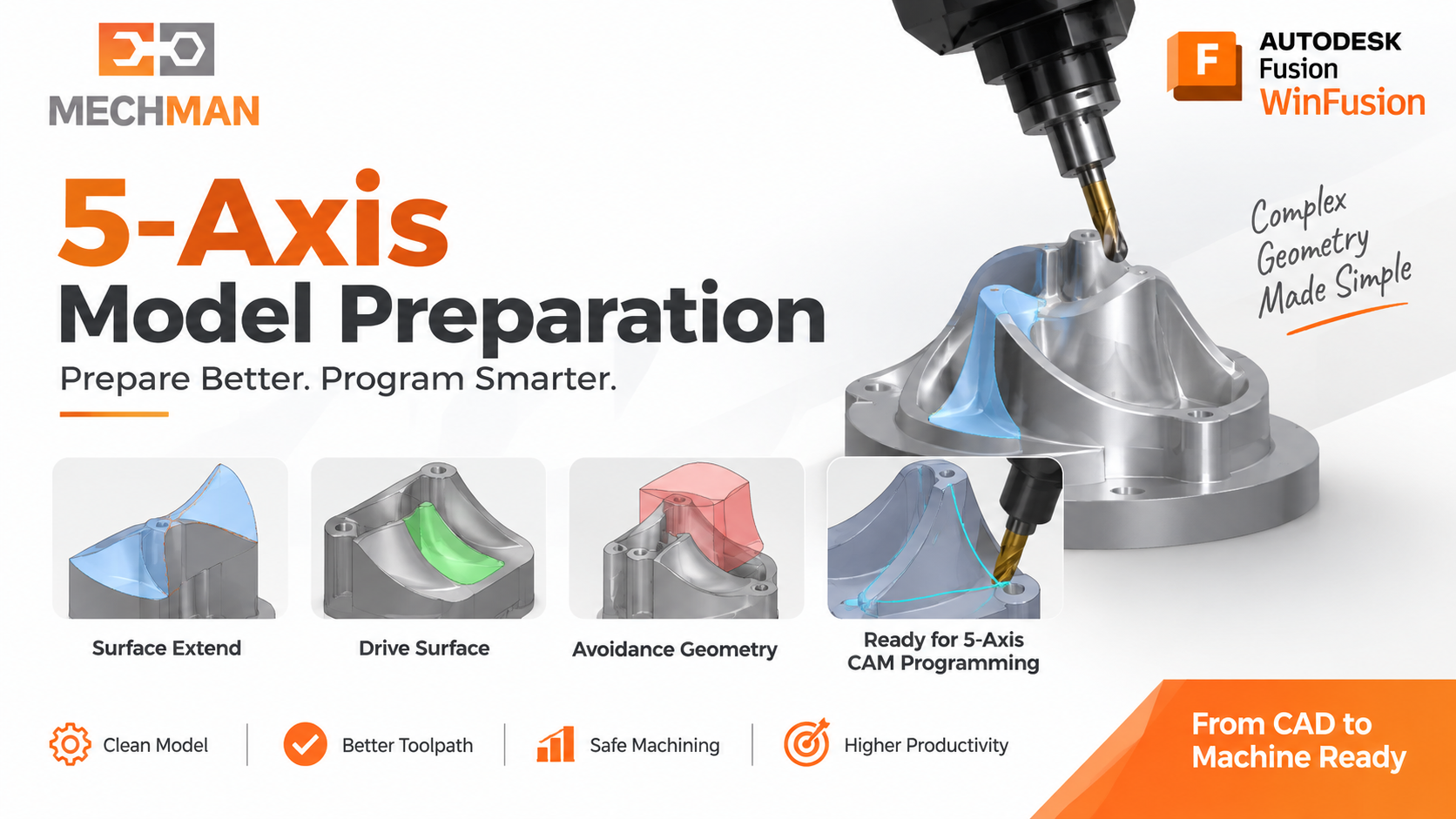
5-Axis programming mein model preparation especially important — tool ko smooth movement mile, unexpected axis movement avoid ho aur collision risk minimize ho!
5-Axis Model Prep Tasks:
- Surface extend karna ⭐
- Drive surface create karna
- Avoidance geometry prepare
- Machining boundary modify ✅
Benefits:
- Smooth tool movement ⭐
- Unexpected axis move avoid
- Collision risk reduce ✅
- Better surface quality!
🔩 Fixture & Workholding Preparation — Setup Model Mein Include Karo!
🔩
WinFusion workflow sirf component tak limited nahi — fixture bhi setup mein add karo!
Tool clearance, collision check — actual setup ke according!
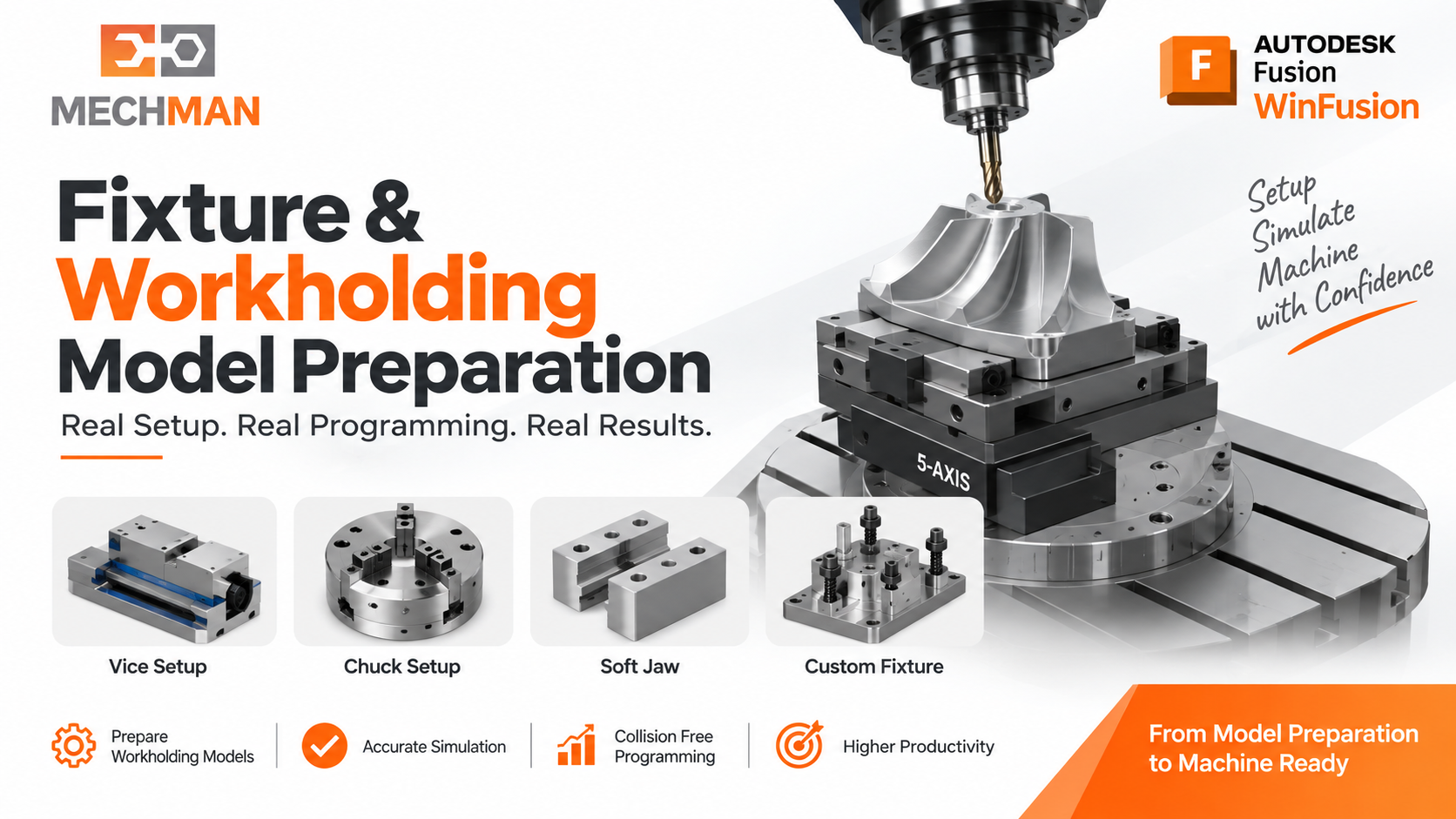
Fixture, clamp, vice, chuck, soft jaw — sab setup model mein include karo. Tool holder clearance check virtually possible! Especially 4-Axis, 5-Axis, Turn-Mill mein ye critical hai!
Vice / Clamp ✅
3-Axis setup
Rotary Fixture ⭐
4-Axis setup
Tombstone ⭐⭐
5-Axis multi
Chuck / Soft Jaw
Turning setup
Custom Fixture ✅
Turn-Mill
Fixture model include = Simulation mein actual machine setup ke according tool clearance virtually verify possible! ✅
WinFusion Ka Integrated CAD+CAM Advantage — Traditional Workflow vs Fusion Workflow:
❌ Traditional Workflow:
CAD Software
↓ file export/import
CAM Software
↓ geometry modification
Again export/import ⚠️
✅ WinFusion/Fusion Workflow:
CAD + CAM Same Environment ⭐
↓ integrated
Model change → CAM auto-update ✅
↓ fast
NC Code ready! ⭐
Model mein change aaye to programmer workflow comparatively easily update kar sakta hai — no re-import, no re-export! ✅
🗺️ Complete Workflow — Model Preparation se NC Code Tak!
Professional CAM implementation — ye complete process hai:
1
Original CAD Model — Customer se mila
2
Model Preparation ⭐ — Holes close, surface extend, fixture add, boundary!
5
CAM Toolpath Programming
6
Machine Simulation ⭐ — Collision verify!
✅
Proven Post → NC Code → CNC Machine → Production! 🚀
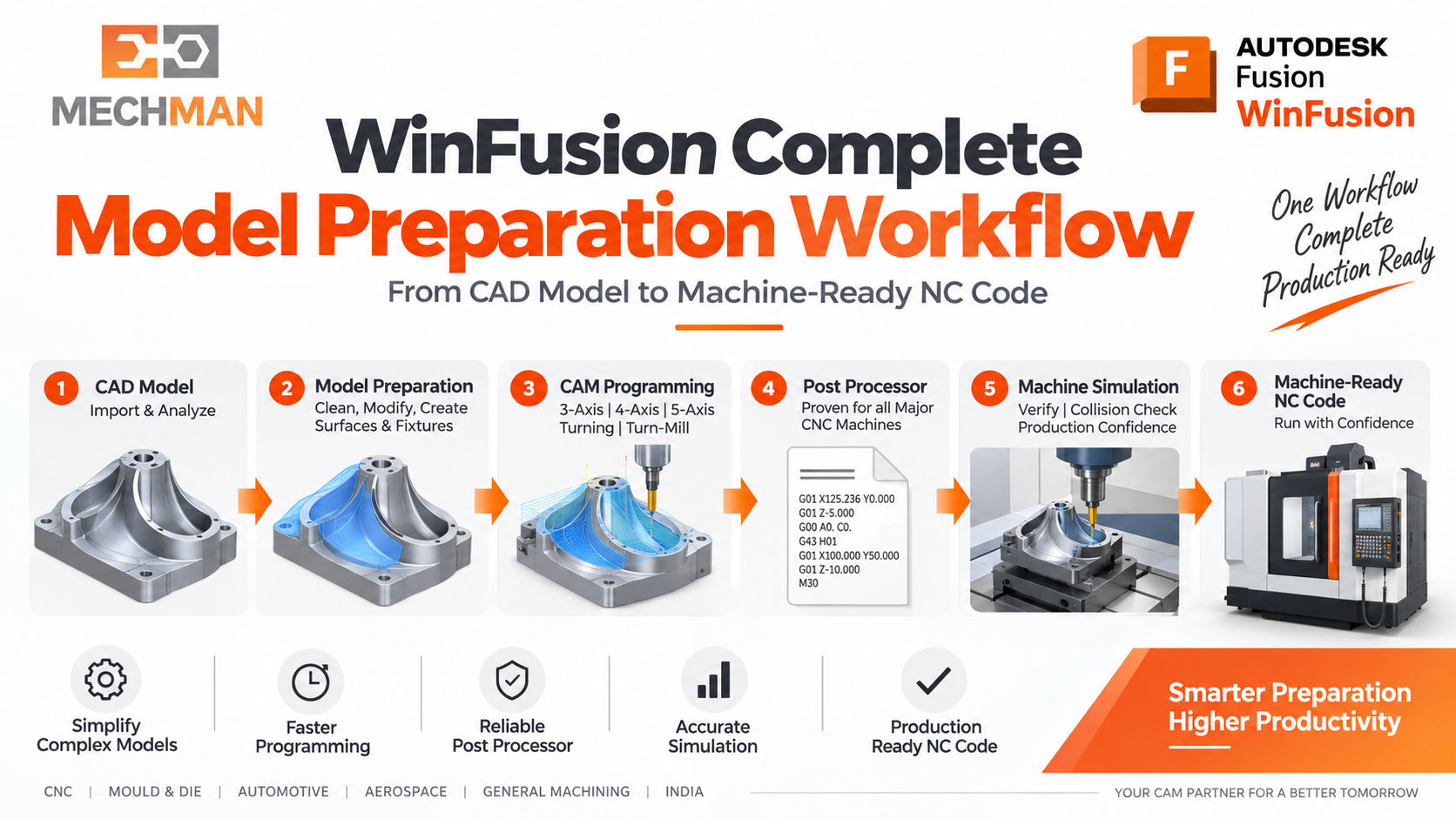
WinFusion complete process: Model Preparation → CAM Programming → Machine Simulation → Proven Post → Production-Ready NC Code. Ye hi professional CAM implementation hai!
✅ Model Preparation ke Practical Benefits:
✅Better Toolpath ⭐
✅Better Surface Finish
✅Less Unwanted Cutting ⭐
✅Better Collision Control
✅Faster Programming ⭐
⭐Reliable NC Output!
Final Takeaway 🔧
“Model Preparation to Machine-Ready NC Code with WinFusion” — Customer ka model ready ho, programming reliable ho, simulation verify karo aur NC machine par correctly chale!
Model Ready → Programming Reliable → Simulation Verified → NC Machine Par Correctly Chale!
Yahi hai WinFusion ka complete professional workflow. 🔧🚀
🔧
Model Preparation | CAM | Post Processor | Machine Simulation
Mechman Solutions — WinFusion
Autodesk Authorized Partner | Vadodara, Gujarat | Since 2015
www.mechmansolution.com
© 2025 Mechman Solutions | WinFusion — Model Preparation CAM Guide | Vadodara, Gujarat
